ブログ

  • 問合せ受付から調査・回答・完了までを自動化し、社内ヘルプデスク対応を効率化。

    問合せ受付から調査・回答・完了までを自動化し、社内ヘルプデスク対応を効率化。

    社内問合対応

    問合せ受付から調査・回答・完了までを自動化し、社内ヘルプデスク対応を効率化。

    Questetra BPM Suite 導入前

    業務の流れが整理されていない

    問合受付〜回答までの手順が担当者ごとに異なり、標準化されていない

    業務の進捗が見えない

    今どの案件が誰の手元で、どこまで進んでいるか不明で確認に時間がかかる。

    業務の変化に対応できない

    手順追加や担当変更のたびに周知が必要で、運用が追いつかない。

    ワークフローイメージ

    受付〜調査〜回答〜完了の流れを可視化・統一し、標準手順を共有できる。

    案件の状態と担当が一覧で見え、滞留や抜け漏れを早期に把握できる。

    分岐や担当、期限ルールをノーコードで更新でき、改善を素早く反映できる。

    プログラミングなしで、業務アプリの設計や処理の自動化が可能です。

    AI工程(要約/分類/チェック等)を配置でき、業務の生産性が高まります。

    業務プロセス、各案件の進捗、滞留ポイント、処理時間を可視化できます。

  • 受注受付から社内確認・承認・登録までを自動化し、対応品質とスピードを向上。

    受注受付から社内確認・承認・登録までを自動化し、対応品質とスピードを向上。

    受注対応プロセス

    受注受付から社内確認・承認・登録までを自動化し、対応品質とスピードを向上。

    Questetra BPM Suite 導入前

    業務の流れが整理されていない

    受注内容の確認・承認・登録手順が担当者ごとに異なり、業務フローが統一されていない。

    業務の進捗が見えない

    今どの受注が誰の確認待ちなのか不明。メールや口頭確認に時間を取られている。

    業務の変化に対応できない

    値引き条件や承認ルートが変わるたびに周知が必要で、現場対応が遅れる。

    ワークフローイメージ

    受注受付から確認・承認・登録までの流れを可視化・統一化できる。

    受注ごとの状態や担当工程が一覧化され、滞留や対応漏れを防げる。

    商品追加や承認条件変更も、現場でルートや分岐を更新しすぐ標準手順に反映できる。

    プログラミングなしで、業務アプリの設計や処理の自動化が可能です。

    自動処理工程(計算・ファイルアップロード等)を配置でき、業務の生産性が高まります。

    業務プロセス、各案件の進捗、滞留ポイント、処理時間を可視化できます。

  • 出退勤申請から確認までを自動化し、勤怠チェックを効率化。

    出退勤申請から確認までを自動化し、勤怠チェックを効率化。

    勤怠管理プロセス

    出退勤申請から確認までを自動化し、勤怠チェックを効率化。

    Questetra BPM Suite 導入前

    業務の流れが整理されていない

    出退勤申請・上司確認の手順が部門や人により異なり、フローが統一されていない。

    業務の進捗が見えない

    未確認の勤怠がどれだけあるか不明。確認遅れや承認漏れに気づきにくい。

    業務の変化に対応できない

    労働時間の確認ルール変更のたび周知が必要で、運用のばらつきが残る。

    ワークフローイメージ

    申請→確認→差し戻し/承認の流れを可視化し、同じ手順で処理できる。

    未確認・確認中・完了が一覧化され、確認漏れや滞留を防げる。

    労働時間算出やチェック観点の変更も、設定更新だけで即日反映できる。

    プログラミングなしで、業務アプリの設計や処理の自動化が可能です。

    自動処理工程(計算・メール送信等)を配置でき、業務の生産性が高まります。

    業務プロセス、各案件の進捗、滞留ポイント、処理時間を可視化できます。

  • 起案からAIレビュー・承認までを自動化し、稟議の差し戻しを削減。

    起案からAIレビュー・承認までを自動化し、稟議の差し戻しを削減。

    稟議申請プロセス

    起案からAIレビュー・承認までを自動化し、稟議の差し戻しを削減。

    Questetra BPM Suite 導入前

    業務の流れが整理されていない

    稟議起案・レビュー・承認の手順が人により異なり、品質基準が統一されていない。

    業務の進捗が見えない

    どの稟議がAIレビュー前/承認待ちか分からず、確認や催促に時間がかかる。

    業務の変化に対応できない

    書式や必須項目を変えるたび周知が必要で、新旧ルールが混在しやすい。

    ワークフローイメージ

    起案→AIレビュー→修正→承認の流れを可視化し、全員が同じ手順で処理できる。

    各稟議の状態が一覧化され、滞留や差し戻し箇所をすぐ把握できる。

    必須項目やAI指摘観点、承認ルートを設定変更するだけで即日反映できる。

    プログラミングなしで、業務アプリの設計や処理の自動化が可能です。

    AI工程(要約/分類/チェック等)を配置でき、業務の生産性が高まります。

    業務プロセス、各案件の進捗、滞留ポイント、処理時間を可視化できます。

  • 請求書作成から送付・通知までを自動化し、経理業務を効率化。

    請求書作成から送付・通知までを自動化し、経理業務を効率化。

    請求プロセス

    請求書作成から送付・通知までを自動化し、経理業務を効率化。

    Questetra BPM Suite 導入前

    業務の流れが整理されていない

    請求書作成〜確認〜送付の手順が人により異なり、業務フローが統一されていない。

    業務の進捗が見えない

    どの顧客の請求が作成中/確認待ち/送付済みか分からず、メール確認が頻発。

    業務の変化に対応できない

    料金体系やテンプレートが変わるたびにExcelや手順を修正・周知する必要がある。

    ワークフローイメージ

    請求起票からPDF生成・送付・通知までの流れを可視化し標準化できる。

    全請求案件の状態を一覧で確認でき、送付漏れや滞留を即座に把握できる。

    料金ルールやテンプレート項目、承認条件の変更を現場で更新し即反映できる。

    プログラミングなしで、業務アプリの設計や処理の自動化が可能です。

    自動処理工程(計算・PDF生成等)を配置でき、業務の生産性が高まります。

    業務プロセス、各案件の進捗、滞留ポイント、処理時間を可視化できます。

  • 申請から承認・精算までを自動化し、経費処理を効率化。

    申請から承認・精算までを自動化し、経費処理を効率化。

    経費精算プロセス

    申請から承認・精算までを自動化し、経費処理を効率化。

    Questetra BPM Suite 導入前

    業務の流れが整理されていない

    申請方法・添付書類・承認手順が人により異なり、経費処理の流れが統一されていない。

    業務の進捗が見えない

    今どの申請が誰の承認待ちか不明。メール確認に時間を取られている。

    業務の変化に対応できない

    規程改定や上限変更のたびに周知が必要。例外対応が増えやすい。

    ワークフローイメージ

    申請から承認・精算までのフローを可視化・統一化できる。

    フローに沿って処理が進み、申請状況を一覧で確認できる。

    現場担当者でも規程や承認ルートを更新し、すぐ運用に反映できる。

    プログラミングなしで、業務アプリの設計や処理の自動化が可能です。

    AI工程(要約/分類/チェック等)を配置でき、業務の生産性が高まります。

    業務プロセス、各案件の進捗、滞留ポイント、処理時間を可視化できます。

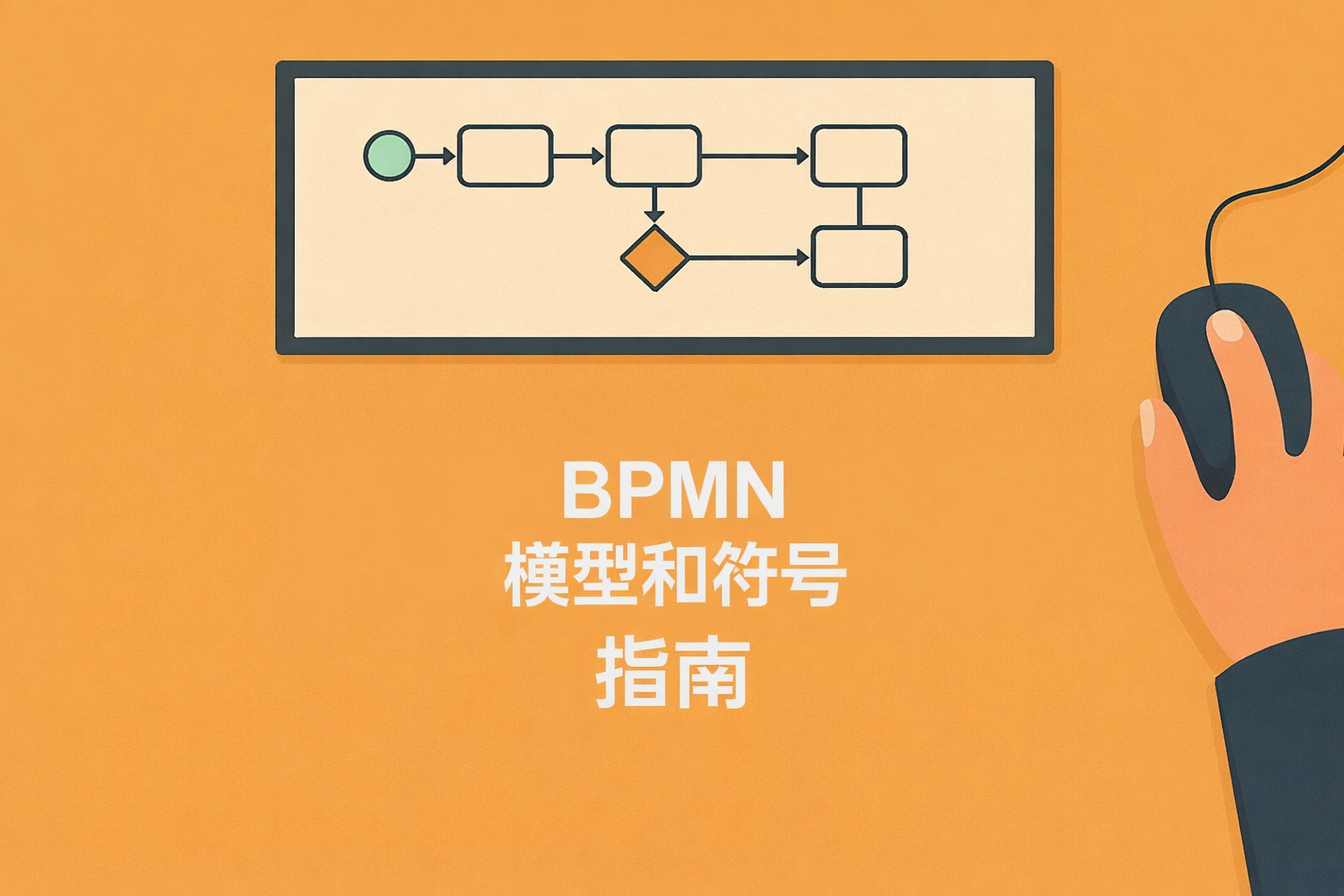
  • BPMN(业务流程模型和符号):一套完整的指南助您提高业务效率

    BPMN(业务流程模型和符号):一套完整的指南助您提高业务效率

    BPMN(Business Process Model and Notation,业务流程模型和符号)是国际标准化的业务流程可视化和分析表示法。在业务日益复杂的今天,通过可视化业务流程,可以更容易地发现冗余和问题,为制定改进方案奠定基础。同时,它还有助于解决对特定人员的依赖,加强团队成员间的协作,因此许多企业正在考虑引入。

    本文将全面介绍 BPMN 的基本理念、引入优势,以及具体的要素、符号写法、创建步骤、实践案例等。我们会尽量用通俗易懂的语言解释专业术语,以便初次接触 BPMN 的读者也能轻松理解。

    阅读完毕后,您将清楚地了解 BPMN 在业务改进中的作用,并掌握在您公司或团队中引入时的关键点。请掌握 BPMN 的全面知识,将其应用于更高级的业务流程管理中。

    BPMN 是什么?— 概述与用途

    首先了解 BPMN 是什么以及如何使用,将有助于您形成一个整体概念。

    BPMN 是一种为统一表示业务流程而开发的国际标准规范。它将业务流程图示为从开始到结束的流程,并通过可视化相关人员和系统,使您能够宏观地把握整体运作。最大的优势在于,它使理解每个任务和决策在流程中的定位变得更加容易。

    BPMN 在业务涉及多个部门或系统的情况下尤其有效。由于所有相关人员都能通过相同的表示法来查看流程,这减少了误解,促进了快速协作。因此,无论组织规模大小,BPMN 作为一种高效的业务改进方法正受到广泛关注。

    此外,使用 BPMN 图还有助于更容易地模拟和确定需要改进的问题的优先级和所需工时。对于仅通过单调的程序文档难以理解的部分,视觉化的展示可以使团队内部和利益相关者之间的沟通更加顺畅。

    BPMN 给业务改进带来的优势

    我们来确认引入 BPMN 后,通过可视化实现信息共享和提高工作效率等方面的优势。

    最大的好处是可视化效果,它使复杂的业务流程一目了然。由于所有相关人员拥有相同的视角,因此更容易客观地发现任务分配和瓶颈。最终,这有助于防止业务对特定人员的依赖,并实现顺利的工作交接。

    此外,使用 BPMN 可以轻松发现流程遗漏或重复任务。及早发现这些改进点,不仅可以提高业务效率,还有助于节省时间和成本。特别是在大型项目或跨部门业务中,它是最大限度减少误解的有力工具。

    BPMN 还在梳理现有系统的限制以及新系统引入时的需求方面发挥作用。基于可视化带来的共识,组织更容易确定最理想的改进方案或投资目标,从而提高项目成功率。

    BPMN 的主要要素和符号

    为了正确理解和创建 BPMN 图,有必要掌握核心要素和符号。

    BPMN 使用各种要素和符号来清晰地展示业务从开始到结束的流程。正确表示流程的关键是理解基础的事件、活动和网关。掌握每个要素的特点和应用要点,可以创建出更准确的流程图。

    此外,泳道图的概念对于纵览多个部门、组织,以及从微小任务到大型流程都非常有用。通过区分使用实线流和虚线流,可以在视觉上区分工作顺序和信息传递。

    您不需要系统地记住所有这些要素,但理解它们的特性可以帮助您防止业务流程出现遗漏。特别是初次编写 BPMN 时,以核心要素为主创建简洁的流程图是成功的捷径。

    事件(开始、中间、结束)

    事件代表流程的起点、终点或中间的触发点。通常,开始事件标志着流程启动,结束事件标志着整个流程完成。中间事件用于管理特定动作,例如涉及分支的情况或接收消息。

    活动(任务)

    活动是业务流程中执行的具体操作。它有助于整理每个任务是如何衔接并最终实现整体产出或目标的。名称和内容越清晰,越容易理解与后续流程的汇合点和前提条件。

    网关(分支)

    网关是控制流程走向的要素,负责根据条件分岔成多条路径,或再次汇合。例如,它可以表示一个复杂的流程,如审批结果为“通过”则进入下一个任务,为“不通过”则回到修改环节。恰当地使用网关,可以让所有相关人员清晰地理解分支的意图。

    泳池与泳道

    泳池代表整个组织或业务范围,而泳道是用于区隔其中的负责人或部门等角色的线条。表示多个组织交互时,通常并行布置多个泳池,并通过消息流连接彼此。这使得人们可以一目了然地知道谁在什么时候进行什么工作。

    流程(实线、虚线)

    BPMN 的流主要有两类。主要连接流程中任务的实线流被称为序列流(Sequence Flow),它明确指示了工作的顺序。而以虚线绘制的消息流(Message Flow)则表示泳池之间的通信或资料传递,用于可视化组织外部的沟通。

    BPMN 与 UML 的区别 — 如何选择

    我们来探讨专注于业务流程的 BPMN 与涵盖广泛软件开发的 UML 之间的差异和选择标准。

    UML(Unified Modeling Language,统一建模语言)是广泛用于软件设计和系统开发的一套模型表示法,它通过多种图表来表达系统结构和行为。而 BPMN 则专门用于业务流程的可视化,其特点是表达方式与业务流程直接相关。

    因此,如果主要目标是业务流程的可视化和改进,BPMN 更合适;如果需要全面掌握整个系统的设计或开发流程,UML 则更有用。两者在某些方面有重叠,但在引入时,应根据公司面临的问题和目的进行选择。

    此外,BPMN 图倾向于在业务人员和管理层讨论时更容易被直观理解。相比之下,UML 更多用于开发人员之间统一认知,因此建议在整理清楚使用场景后再进行考虑。

    引入和创建 BPMN 的步骤

    我们按步骤整理实际创建 BPMN 的流程,以助您顺利引入。

    编写 BPMN 的关键是预先明确定义目标和范围,并使相关人员的认知保持一致。这样,关于主要流程的基本信息就不会动摇,在创建图表时也能减少不必要的反复修改。掌握每个步骤的关键点,可以高效地实现流程的可视化。

    下面将创建过程分为五个阶段进行讲解:从设定目标和范围,到流程构建,最后到文档化。尤其重要的是,不仅要考虑标记的准确性,还要考虑谁会阅读以及如何更新。为了团队内部的信息顺畅共享,请认真对待每个步骤。

    如果是首次编写 BPMN,可以从简单的流程入手,逐步增加要素和分支以加深理解。即使处理本身复杂的流程,在初始阶段创建简单的模型也有助于抓住整理和改进的线索。

    步骤 1:明确目标和范围(Scope)

    首先,明确编写此 BPMN 的原因和期望达成的成果。例如,目标是为新系统开发整理需求,还是消除业务中的浪费,这将极大地影响绘图方式和所需要素。明确范围有助于界定模型化的边界,使产出与实际业务更紧密相关。

    步骤 2:梳理相关人员和系统

    接下来,列出并整理流程中涉及的所有人员、组织和系统。如果在可视化部门间协作或与外部系统交互时有所遗漏,将无法进行正确的分析。特别是要将云服务协作和外包合作方等也考虑在内,才能为创建更准确的 BPMN 做好准备。

    步骤 3:设定流程的开始和结束事件

    开始建模时,要明确业务在什么时候开始,以及什么状态是最终目标。定义开始事件和结束事件,可以使流程的范围在视觉上更容易被理解,也有助于掌握整体结构和潜在的返工风险。

    步骤4:布置活动和网关

    将业务的实际操作(活动)和分支条件(网关)布置到流程图上。关键在于具体区分每个任务,并整理它们与后续流程或并行操作的关系。如果网关使用过多,条件设置会变得复杂,因此有必要时应考虑简化。

    步骤5:连接流程,整理补充信息

    最后,用序列流连接事件和活动,并利用泳池和泳道明确标示负责部门和工作领域。使用虚线消息流来表示外部通信,以便区分与相关系统或外包方的交互。此外,添加注释和说明,可以完成一个即使长期运行也不会引起混乱的 BPMN。

    编写 BPMN 时的注意事项和技巧

    要准确使用 BPMN 图,必须理解创建时的要点,并根据实际情况进行应用。

    即使符号使用正确,如果规则或术语不一致,也会导致混乱。创建时,最好与负责人共同确定命名规范和颜色标记规则,避免用不同的名称表达相同的概念。同时,为了提高图表的可读性,应注意适度留白和将相关元素集中布置。

    此外,完成的 BPMN 需要根据业务变化随时进行修订和更新。通过对文档进行版本管理,并明确记录谁在何时进行了修改,可以确保流程始终反映最新的实际情况。如果忽视了这一更新工作,精心制作的 BPMN 可能会与实际情况脱节。

    常见的错误包括网关使用不当,或混淆消息流和序列流。为了减少此类错误,建议在公司内部共享编写规范的示例。

    统一符号用法和命名规则

    事先就 BPMN 中使用的符号和任务的命名规则达成一致至关重要。例如,任务名称是用动词开头还是名词形式,统一起来可以大大提高图表的易读性。特别是在多人参与的项目中,共享这些规则将决定最终的完成度。

    通过布局和颜色提高可读性

    业务流程图包含大量信息,如果不注意布局和配色,会导致可见性降低。重要的元素应使用沉稳的颜色突出显示,并避免过度使用背景色。保持适当的间距,并力求布局能传达逻辑结构和信息的优先级。

    文档化以方便共享给相关人员

    BPMN 的创建并非终点,它还需要用于后续的改进讨论和定期更新。因此,有必要确定如何存储已发布的图表以及何时重新审视。建立文档化规则,即使人员调动或组织变动,也能持续利用,有助于业务知识的传承。

    常见失败案例

    常见的失败案例包括,创建 BPMN 后不再维护,导致其与实际业务脱节。此外,将多个网关集中在一点,导致流程过于复杂,让读者感到困惑的情况也并不少见。要避免这些失败,关键是要注意持续维护和设计适当分割的模型。

    BPMN 创建工具的使用方法 — 模板和云服务

    要将 BPMN 应用于业务,选择合适的工具至关重要。虽然可以使用 Excel 或 PowerPoint 等工具轻松绘图,但如果想将其整合到实际业务中并持续改进,建议引入专用工具。

    Questetra BPM Suite 是一款符合 BPMN 2.0 标准的云端 BPMS(业务流程管理系统),最大的特点是可以将绘制的 BPMN 图直接作为执行流程运行。它无需代码即可构建业务流程,支持进度可视化、瓶颈分析以及与外部服务的集成。您可以通过 60 天免费试用亲身体验。

    它非常适合希望将 BPMN 应用于执行和改进,而不仅仅停留在绘图阶段的组织。

    BPMN 提高业务效率的实际案例

    我们通过已取得成果的案例,看看 BPMN 是如何在实际商业环境中发挥作用的。

    BPMN 不仅仅是流程可视化工具,它有助于提升整个组织的业务效率和信息传递优化。特别是在涉及多个部门协作的场景中,它的优势尤为显著。下面以两个典型场景为例,解释使用 BPMN 带来的改进效果。

    在成功实现效率提升的案例中,不仅减少了工作工时,还指出沟通成本和错误率大幅降低。由于 BPMN 可以作为团队共享的宏观视图,它既避免了业务对特定人员的依赖,也消除了协作失误,促进了更顺畅的决策。在忙碌的现代商业中,短期内就能体验到这些成果是一大优势。

    此外,BPMN 的编写方式不仅在梳理现有流程问题时很有用,在引入新系统或业务流程时也受到重视。在基于模型,让所有相关人员献计献策,最终得出最佳解决方案的过程中,BPMN 成为了提高成果的基础设施。

    改善一线员工之间的信息协作

    随着人员增多,业务流程的协作失误和信息传递延迟往往会发生。利用 BPMN,所有员工都可以参照共同的流程图,理解任务的前后关系,从而减少遗漏和重复。例如,有成功案例是,通过整理门店员工向总部订货的流程 BPMN 图,提高了每月库存调整的准确性。

    系统引入时的业务流程应用

    引入新系统时,审视现有流程和整理需求是必不可少的。如果基于 BPMN 图来可视化哪些业务需要系统化,哪些范围仍需要人工干预,就可以提前发现引入后可能出现的问题。结果是,可以避免不必要的开发和额外成本,更容易实现更有效的系统运营。

    总结与回顾

    回顾 BPMN 的成果,总结未来持续业务改进的展望。

    BPMN 是一种强大的工具,它可以直观地展示复杂的业务流程,并实现相关人员之间顺畅的信息共享。只要掌握其编写方法并准确应用,就可以期待它在消除业务对特定人员的依赖、提高工作效率、迅速分析问题等方面带来多重优势。实际应用的企业案例中,不仅成功减少了工作工时和错误,还报告了部门间沟通得到改善。

    关键在于,不要满足于创建了 BPMN,而是要随着业务的变化随时更新,持续推进改进周期。定期审视流程图,可以及早发现新的问题或缺陷。此外,在引入时谨慎明确目标和选择工具,将有助于获得长期稳定的效果。

    未来,随着商业数字化进一步发展,BPMN 必将作为组织变革和系统引入的关键,越来越受到关注。请参考本文,将 BPMN 应用于解决您公司的问题,并促进持续的业务改进。

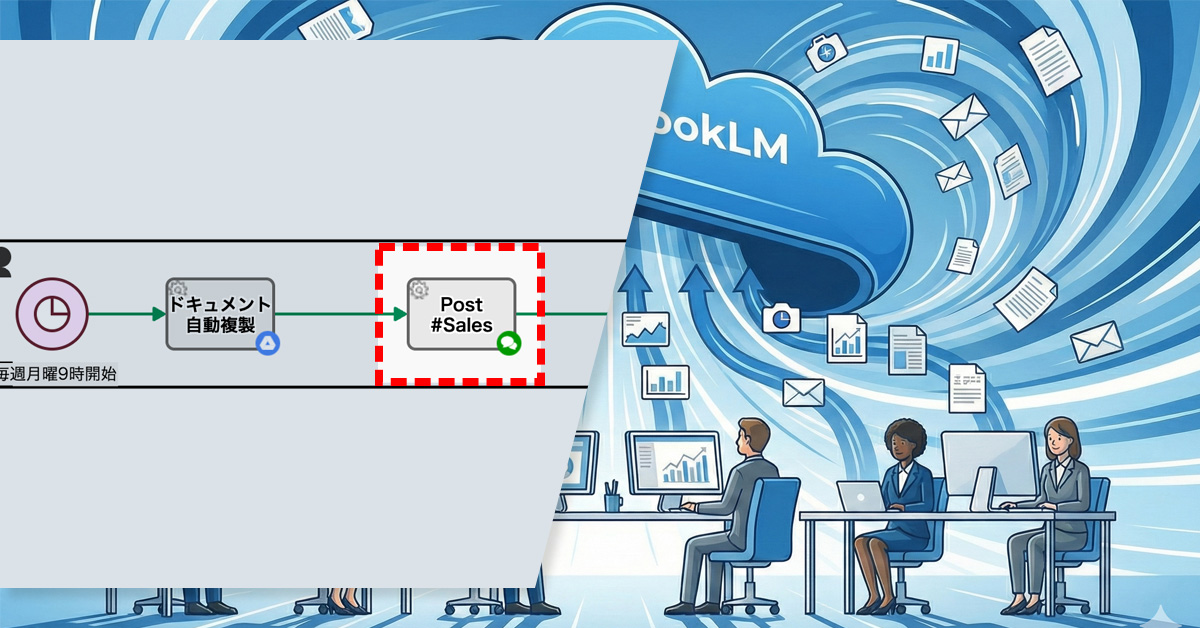
  • 資料はココ!営業会議前に自動共有

    資料はココ!営業会議前に自動共有

    毎週月曜9時に自動複製された定型フォーマットのURLを社内チャットへ自動投稿。これにより、発表者は迷うことなく記入可能に。発表資料の所在が曖昧で、独自資料が増え、議事録作成が不十分だった課題を解決。

    1. 課題:正しい発表資料が分からない

    MokuMokuコンサル社の営業部では、毎週金曜に Google Meet を使った営業報告会議を実施しています。会議の録画・文字起こしは自動保存され、議事録は NotebookLM を用いて作成する運用となっています。

    本来、発表資料は毎週自動で複製される定型フォーマット(Googleドキュメント)に、全員が記入するルールです。しかし、複製されたドキュメントが毎週同じフォルダに蓄積され、似た名称のファイルが並ぶことで、発表者にとって「どのファイルに記入すればよいのか分かりにくい」状態になっていました。

    その結果、一部の発表者は「探すより新しく作ったほうが早い」と判断し、独自に資料を作成するようになりました。これにより、NotebookLM が参照すべき資料が揃わず、議事録に内容が十分に反映されないという問題が発生していました。

    2. 解決策:定型フォーマットのURLを毎週自動投稿

    プロセスオーナーは、毎週月曜9時に自動複製される定型フォーマット(Googleドキュメント)のURLを、社内チャットへ自動投稿する仕組みを導入しました。

    発表者はチャットの投稿からすぐに正しいファイルへアクセスできるため、迷うことなく記入作業に取りかかれるようになりました。

    Basic Edition
    Advanced Edition
    Professional Edition
    ワークフロー図詳細を見る
    ドキュメント自動複製

    発表資料用のテンプレートファイル(Google ドキュメント)が自動複製されます。

    Basic Edition
    Advanced Edition
    Professional Edition
    ワークフロー図詳細を見る
    ドキュメント自動複製

    発表資料用のテンプレートファイル(Google ドキュメント)が自動複製されます。

    Post #Sales

    ドキュメント(発表資料用テンプレート)のリンクが社内チャットで自動共有されます。このドキュメントを使用し、営業部のメンバーは発表資料を作成します。

    中央のバー操作で Before / After が比較できます

    3. 効果

    資料探索の負担軽減

    探すだけで数分かかっていた“初動のムダ”がなくなり、すぐに記入作業へ進めます。

    資料フォーマットの標準化

    全員が同じ定型フォーマットに記入する運用が定着し、独自資料が発生しなくなりました。

    議事録作成の安定化

    NotebookLM の参照資料が揃うため、抜け漏れが減り、新人による校正作業もスムーズになりました。

    4. その他の業務への応用

    プロジェクト管理への応用

    進捗報告書の自動生成とURL通知により、記入場所が統一され、報告形式のばらつきを抑制できます。

    人事・評価業務への応用

    目標管理シートなどを自動配信することで、フォーマット統一と提出漏れ防止が容易に。

    バックオフィス(総務・経理)への応用

    経費精算書などの定型書類を毎月自動作成し通知することで、申請の統一化と処理効率の向上を実現します。

  • Resolving Assignee Changes Among Operators

    Resolving Assignee Changes Among Operators

    Operators can now manually reassign tasks to reduce supervisor workload.

    1. Issue: Increased Supervisor Workload Due to Assignee Changes

    A BPO service company that handles the operation of online consultation desks. Thirty staff members receive consultation requests from applicants via a web form.

    To prevent an uneven distribution of workload, the assignment of operators is automatically handled by AI based on predefined rules. However, when scheduling conflicts or specific nomination requests overlapped, double booking sometimes occurred, resulting in one operator being assigned multiple consultations in the same time slot.

    In these situations, a supervisor with administrative privileges manually reassigned the task to a different operator. This placed a significant burden on the administrators and was a contributing factor to processing delays.

    2. Solution: On-site Reassignment by Operators

    The process owner revised the workflow so that the assigned operator could change the assignee themselves.

    Specifically, a loopback path was introduced, leading from the Human Task “Edit Notification Text” back to the same step. This allowed the assigned operator to reassign tasks to other operators themselves when facing difficulty in handling a request due to a double booking or similar issue.

    This mechanism eliminated the need for the supervisor to intervene every time an assignment change was necessary.

    Decentralizing assignee swaps empowers front-line staff and removes the administrative bottleneck of manual reassignments.

    Basic Edition
    Advanced Edition
    Professional Edition
    View details of the workflow diagram

    Starts upon Submission from Web Form

    Automated Submission Confirmation

    A confirmation of receipt for the submitted content will be created.

    Thank You Message Generation

    An automated reply email, including the confirmation message, will be generated by the AI process.

    Send Confirmation Email

    Send the created Email.

    Add Form for Additional Requests

    A dedicated form will be automatically created.

    Set Staff Email – Automated Process

    Notify the Responsible Staff Member

    Customer Email -> Custom Domain

    The AI assigns a handler based on related information when the requester’s submission specifies assignment details.

    Edit Notification Message

    The AI assigns a handler based on related information when the requester’s submission specifies assignment details.

    Notification Email

    Send the reply email created by the responsible staff member to the requester.

    Rejected

    Processed when the responsible staff member determines that a reply is unnecessary.

    Basic Edition
    Advanced Edition
    Professional Edition
    View details of the workflow diagram

    Starts upon Submission from Web Form

    Automated Submission Confirmation

    A confirmation of receipt for the submitted content will be created.

    Thank You Message Generation

    An automated reply email, including the confirmation message, will be generated by the AI process.

    Send Confirmation Email

    Send the created Email.

    Add Form for Additional Requests

    A dedicated form will be automatically created.

    Set Staff Email – Automated Process

    Notify the Responsible Staff Member

    Customer Email -> Custom Domain

    The AI assigns a handler based on related information when the requester’s submission specifies assignment details.

    Edit Notification Message

    The AI assigns a handler based on related information when the requester’s submission specifies assignment details.If they are unable to handle the request, the task will be assigned to another responsible party.

    Notification Email

    Send the reply email created by the responsible staff member to the requester.

    Rejected

    Processed when the responsible staff member determines that a reply is unnecessary.

    You can move the slider

    3. Customers Case Study

    4. Other Business Applications

    We will enable AI-based reviews for the following tasks:

    Adjustment of Sales Representative Assignments

    Shift Changes at Support Centers

    Reassignment for Internal Interviews and Training Management

    5. Related Posts

  • Automating the Often Forgotten Task of Meeting Minutes Creation

    Automating the Often Forgotten Task of Meeting Minutes Creation

    Defining roles and automating shares ensures every meeting is documented without fail.

    1. Issue: Meeting Minutes Were Not Being Created

    The sales department conducts weekly meetings via Google Meet, where recordings and transcriptions are automatically generated. The rule was that a new member would use NotebookLM* to create the meeting minutes after the meeting and share them with everyone on the same day.

    However, because meeting minutes creation was a manual task, the person in charge sometimes forgot to create and share them on the same day. As a result, there was a delay for members in checking the meeting content.

    2. Solution: Streamlining the Process from Minutes Creation to Sharing

    The process owner improved the workflow with the goals of ensuring the consistent creation of meeting minutes and automating their sharing.

    First, a dedicated swimlane was created for new members, and the “Create Meeting Minutes” step (Human Task) was added. This clarified who was responsible.

    Furthermore, a mechanism was introduced to automatically share the minutes internally once completed, automating the flow from task completion to sharing. This established a process for creating and sharing meeting minutes that does not rely on human memory.

    Clear roles and steps ensure every meeting is documented without fail.

    * Human Task is a step in a process that is performed by a person. The assignee is automatically determined based on the settings of the swimlane where the task is placed. When a task is assigned to a handler (assignee), it appears in their “My Tasks” list. Additionally, handler information and completion time are automatically recorded alongside the input content.

    Basic Edition
    Advanced Edition
    Professional Edition
    View details of the workflow diagram
    Automatic Document Replication

    The template file for the presentation materials (Google Document) will be automatically duplicated.

    Post #Sales

    The link to the document (presentation material template) will be automatically shared on the internal chat. Sales department members will use this document to create their presentation materials.

    Basic Edition
    Advanced Edition
    Professional Edition
    View details of the workflow diagram
    Automatic Document Replication

    The template file for the presentation materials (Google Document) will be automatically duplicated.

    Post #Sales

    The link to the document (presentation material template) will be automatically shared on the internal chat. Sales department members will use this document to create their presentation materials.

    Minutes Creation

    New members will create the meeting minutes.

    Post #Sales

    The meeting minutes will be automatically shared on the internal chat.

    You can move the slider

    3. Customers Case Study

    4. Other Business Applications

    We will enable AI-based reviews for the following tasks:

    Human Resources Department: Performance Reviews and Onboarding Procedures

    Accounting Department: Expense Reports and Payment Processing

    Customer Support Department: Inquiry Response Records

    5. Related Posts

  • The New Era of Business Process Improvement Driven by SaaS BPMS and Generative AI

    The New Era of Business Process Improvement Driven by SaaS BPMS and Generative AI

    SaaS BPMS (Business Process Management System) has recently garnered significant attention as a platform that supports the operational improvements essential for every corporate activity. Compared to conventional BPMS, its cloud-based operation offers enhanced flexibility and the potential for substantial reduction in maintenance costs.

    Meanwhile, Generative AI has evolved rapidly as a technology capable of creating new content from vast amounts of data, finding applications across various fields, including text, images, video, and audio. Many companies are keen on integrating it into their operations, anticipating significant labor savings and efficiency gains in various processes.

    This article will outline the fundamentals of both SaaS BPMS and Generative AI, then broadly explain the benefits of their integration, specific implementation methods, and real-world use cases. If you are looking to deeply improve your company’s operational challenges, please use this guide as a reference.

    Table of Contents

    What is SaaS BPMS?

    Here, we explain the characteristics and implementation benefits of a BPMS that operates on the cloud.

    SaaS BPMS is a form of Business Process Management System that runs in a cloud environment. A major characteristic is its ability to reduce initial implementation costs and operational load compared to on-premise BPMS, as it eliminates the need for infrastructure construction and maintenance. Companies can bypass setting up their own servers, offering the advantage of being able to start using the system quickly without needing specialized IT knowledge.

    Maintenance, updates, and security measures are flexibly handled by the vendor, not the user. This makes it easier to incorporate the latest features and mitigate security risks. Furthermore, access is possible from anywhere in the world, making it ideal for teleworking and collaboration with overseas offices.

    These SaaS characteristics are highly useful for companies that frequently review their business procedures and workflows. SaaS BPMS is a tool that should be actively considered, especially by firms with frequent changes to business rules or startups prioritizing speed of deployment.

    The Difference Between BPM and BPMS

    BPM (Business Process Management) refers to the methodology and practices used to design, analyze, and improve the entire business process within an organization. In contrast, BPMS (Business Process Management System) is the system—the tool—that supports the BPM concept, facilitating process visualization, automation, and smooth management.

    While BPM is a broad management discipline aiming for the optimization of the organizational workflow, BPMS is the specific software that achieves this at an operational level. A key feature is the ability to design the blueprint of the workflow on a management screen and share its real-time status with all stakeholders.

    – Features of SaaS BPMS and a Comparison with Conventional Systems

    Conventional BPMS was often deployed on-site, placing a significant burden on the implementing company due to server construction, license fees, and system maintenance. SaaS BPMS, conversely, allows immediate use of the system via a web browser, enabling a drastic reduction in initial investment.

    Furthermore, the subscription model, where costs are paid based on usage, is prevalent for SaaS BPMS, making costs clearer and easier to manage. Many products are rich in no-code or low-code features that significantly shorten the time required for development and modification, providing the added benefit of being user-friendly for non-IT personnel in various departments.

    What is Generative AI?

    This section summarizes the overview of the highly-focused Generative AI, its differences from conventional AI, and its application scenarios.

    Generative AI is a technology that “generates” new text, images, or audio based on given data and learning models. While previous AI systems excelled at classification and prediction, the key distinguishing feature of Generative AI is its ability to create entirely new content.

    In recent years, its application has advanced across various fields, such as chatbots utilizing text generation models and design support using image generation models. Advancements in AI technology have dramatically improved the accuracy with which it can automatically generate natural language expressions and diverse patterns of images and videos, further expanding its potential for business use.

    Generative AI is now being introduced across various business scenarios, including customer support, sales activities, and content marketing. Its appeal lies in its potential, when integrated with SaaS BPMS, to broaden the scope of business automation while simultaneously assisting in the generation of improvement strategies.

    – Differences from Conventional AI

    Conventional AI primarily focused on extracting features from large datasets to perform classification or make judgments. Generative AI goes one step further, producing so-called “creative” outputs. For example, text generation AI can automatically compose a new document while understanding the context of the input text.

    Furthermore, image generation AI can analyze existing images and create new ones with similar structures or styles. This capability significantly supports creative tasks that conventional AI struggled with, such as streamlining the creation of marketing materials and product catalogs.

    – Advantages and Use Cases of Generative AI

    One major advantage of Generative AI is its ability to rapidly output ideas or drafts without requiring human initiation. By having pre-trained models generate these components in a short time—a process that would otherwise be time-consuming and costly when done manually—it improves both work efficiency and productivity.

    For instance, utilizing Generative AI for creating customer service scenarios, initial drafts of web articles, or creative assets for social media can significantly reduce the workload of the personnel in charge. It also handles multilingual translation and summarization in a short time, becoming a powerful tool that supports international business expansion.

    The Benefits of Combining SaaS BPMS and Generative AI

    In this section, we explore the synergy between SaaS BPMS and Generative AI, to simultaneously achieve business process visualization and advanced automation.

    SaaS BPMS is a platform that digitizes various internal corporate flows and integrates the management of workflows such as approvals and notifications. Combining this with Generative AI extends the scope beyond mere automation to include the suggestion of business improvements and the streamlining of document creation.

    When the content creation and novel suggestion capabilities of Generative AI are linked with the visualized business flows provided by SaaS BPMS, the entire organization is empowered to engage in proactive improvement activities. This is particularly effective for processes involving multiple departments, such as customer support and product planning.

    – Process Visualization and Automated Improvement Suggestions

    A potential mechanism involves feeding business data monitored on the SaaS BPMS into Generative AI, which then identifies bottlenecks and inefficiencies in the process. For example, if an approval step takes too long, the AI could propose features that could automate that specific part.

    Furthermore, instead of relying on staff to design a new flow from scratch, it is becoming possible for the AI to suggest an optimal process prototype based on similar past cases. This makes business improvement—which previously required expert knowledge—more accessible to a wider range of employees.

    – Preventing Siloization through Task Management and Automation

    By integrating the automation features of SaaS BPMS with Generative AI, tasks can be managed and advanced in a way that is less dependent on the individual skills or workload of specific employees. For example, automating the drafting of routine emails by AI or having the system automatically manage the review workflow can standardize previously siloed processes.

    Another benefit is the ease of sharing internal expertise and knowledge. By ensuring the system itself records the process and the AI constantly suggests the optimal solution, the risk associated with personnel turnover or department transfers can be mitigated.

    – Efficiency through Integration with External Systems

    SaaS BPMS enables centralized data management and integrated workflows by connecting with other systems like CRM and ERP via API. Utilizing Generative AI, this integrated data can be used to automatically generate reports, perform market analyses, or create proposal documents for customers.

    Expanding the scope of data utilization boosts efficiency across a wide range of tasks, from sales activities to back-office operations. Especially in areas that enhance customer satisfaction, this allows frontline staff to focus on high-value-added activities, thereby strengthening corporate competitiveness.

    Checkpoints for Choosing SaaS BPMS

    Here are the criteria you should consider to select the optimal SaaS BPMS for your company.

    Numerous SaaS BPMS products have been released, each with different features and target company sizes. It is crucial to define your implementation goals and operating structure, then check whether the necessary functions are available and if the scalability is sufficient.

    If Generative AI integration is a consideration, it’s also important to check how low the barrier is to integrating external services later using APIs. By focusing on the following points, you can minimize the risk of failure during system selection.

    – Cost Reduction Potential

    By addressing siloed work and analog processes, you can reduce unnecessary labor, paper usage, and storage costs. In an era of severe labor shortages, the ability to optimize necessary personnel is a significant strength for business growth.

    There are documented cases where companies digitizing expense reports and invoice processing have seen a substantial reduction in per-transaction processing costs. The time and resources freed up by thorough efficiency gains can be redirected toward core business functions or new ventures.

    – BPMN Compliance and Workflow Template Richness

    BPMN (Business Process Model and Notation) is the international standard for graphically visualizing business processes. A compliant product facilitates smooth process modeling and allows for easy incorporation of templates or examples from other companies.

    The richness of prepared workflow templates is also important. Some products offer numerous templates—such as approval flows or invoice management flows—that allow commonly used business processes to be implemented immediately.

    – Customizability: The Presence of No-Code/Low-Code Development

    Since business specifications are constantly changing, a mechanism that allows for flexible customization as needed is essential. Products that support no-code/low-code development make it easier for non-engineer, frontline staff to modify processes or create simple applications, allowing for a rapid improvement cycle after implementation.

    Furthermore, the broader the scope for customization, the easier it is to incorporate the organization’s unique expertise. This should be evaluated not only during the initial adoption but also from the perspective of continuous operation.

    – API Flexibility for Generative AI Integration

    When considering integration with Generative AI, it is critical to confirm whether the SaaS BPMS has flexible API and Webhook mechanisms that allow for smooth data exchange with external services. A flexible API makes it easier to add and integrate diverse AI services such as chatbots, translation engines, and image generation tools.

    For companies with potential future functional expansion or those considering switching between different AI tools, choosing a SaaS BPMS with an open specification can mitigate risks.

    While numerous SaaS BPMS products are available both domestically and internationally, here we introduce a product highly regarded for its track record and functionality.

    The optimal product will vary depending on the company’s organizational size, industry, and the external tools it wishes to integrate. Consider the technical requirements alongside the support structure and usage costs when planning your implementation.

    – Questetra BPM Suite

    Questetra BPM Suite is a purely Japanese-made SaaS BPMS with a robust track record of implementation in many Japanese companies. It emphasizes no-code development, allowing business users to intuitively build workflows using drag-and-drop.

    It is also equipped with a variety of automation features, enabling the unified management of diverse tasks, including internal approval flows, routine form creation, and customer support. Its highly flexible architecture makes it appealing for companies looking to actively pursue integration with Generative AI for tasks like inquiry handling and translation.

    Key Use Cases for SaaS BPMS and Generative AI

    Here are concrete use cases, spanning internal and external communication to information creation.

    Many business tasks can be categorized into routine flows and creative work. By using SaaS BPMS to manage the routine flows and Generative AI to support the creative output, organizations can dramatically boost overall productivity.

    We will examine specific use cases that are increasingly being adopted by companies, explaining each in detail. The key is to leverage both the system and AI to streamline processes that were previously reliant on individual employees.

    – Automatic Generation of Customer Inquiry Responses

    Customer inquiries vary widely in content and language, often becoming a significant burden for support staff. By using SaaS BPMS to automatically capture form submissions and assign them to the relevant staff, and then having Generative AI draft the response text based on escalation content or templates, companies can both reduce response times and maintain quality.

    Furthermore, Generative AI can learn common questions and answer patterns from past inquiry histories to suggest more accurate text. Since the staff only needs to focus on the final check and minor adjustments, this setup has a high potential to increase customer satisfaction.

    – Streamlining Manual Creation and Translation Tasks

    Business manuals and procedure documents are vital organizational knowledge assets, but their initial creation, maintenance, and updates require enormous effort. By using SaaS BPMS to manage the approval flow and integrating a Generative AI drafting feature, companies can achieve rapid creation and updating of both new and existing manuals.

    For companies requiring multilingual expansion, translation tasks can also be a major challenge. While expert review remains necessary, entrusting the initial bulk translation to Generative AI can significantly speed up the international business process by completing the initial stages in a short amount of time.

    – Workflow Automation for Image and Video Utilization

    In tasks that frequently use images and videos, such as product design or advertising creative, combining SaaS BPMS and Generative AI offers significant advantages. By centralizing the review and approval flow for concepts within the process management system, and integrating AI for the automatic generation and editing support of images and videos, both the quality and speed of creative production are improved.

    For example, by managing the PR video creation flow for a new product on the BPMS while having the AI create a preliminary video draft, an environment is established where human efforts can be concentrated on high-value-added activities. This also facilitates smoother cross-departmental communication, making it easier to aim for project completion in a shorter timeframe.

    Summary

    The combination of SaaS BPMS and Generative AI realizes an unprecedented level of flexibility and business efficiency. By selecting the optimal tools for your company’s challenges and establishing a robust operating framework, you can advance your business improvement efforts to the next stage.

    SaaS BPMS serves as the foundation for process visualization and automation, while Generative AI promotes the efficiency of manual tasks and the utilization of knowledge. The synergy between the two expands the potential for further strengthening corporate competitiveness.

    During implementation, it is crucial to select a BPMS that offers easy visualization and an AI that can be flexibly integrated, and to commit to continuous improvement even after deployment. By incorporating new technologies to build a process optimal for your company, you can establish a powerful competitive advantage.

    Questetra BPM Suite, which we introduced, offers numerous examples of business improvement utilizing Generative AI. You can also try the product for free for 60 days, so we encourage you to experience the benefits of Generative AI-powered business improvement firsthand.
  • 見積作成から承認・発行までを自動化し、営業活動を効率化。

    見積作成から承認・発行までを自動化し、営業活動を効率化。

    見積承認プロセス

    見積作成から承認・発行までを自動化し、営業活動を効率化。

    Questetra BPM Suite 導入前

    業務の流れが整理されていない

    見積作成・承認・送付の手順が担当者ごとに異なり、業務フローが統一されていない。

    業務の進捗が見えない

    今、誰がどの工程を担当しているのか不明。メールでの確認に時間を取られている。

    業務の変化に対応できない

    金額ルールや承認経路が変わるたびに、周知が必要。現場対応が遅れる。

    ワークフローイメージ

    見積作成から承認・発行までのフローを可視化・統一化できる。

    整理したフローに沿って業務が進み、進捗状況を一覧で確認できる。

    現場担当者でも業務プロセスの承認ルートや条件を更新できる。

    プログラミングなしで、業務アプリの設計や処理の自動化が可能です。

    AI工程(要約/分類/チェック等)を配置でき、業務の生産性が高まります。

    業務プロセス、各案件の進捗、滞留ポイント、処理時間を可視化できます。