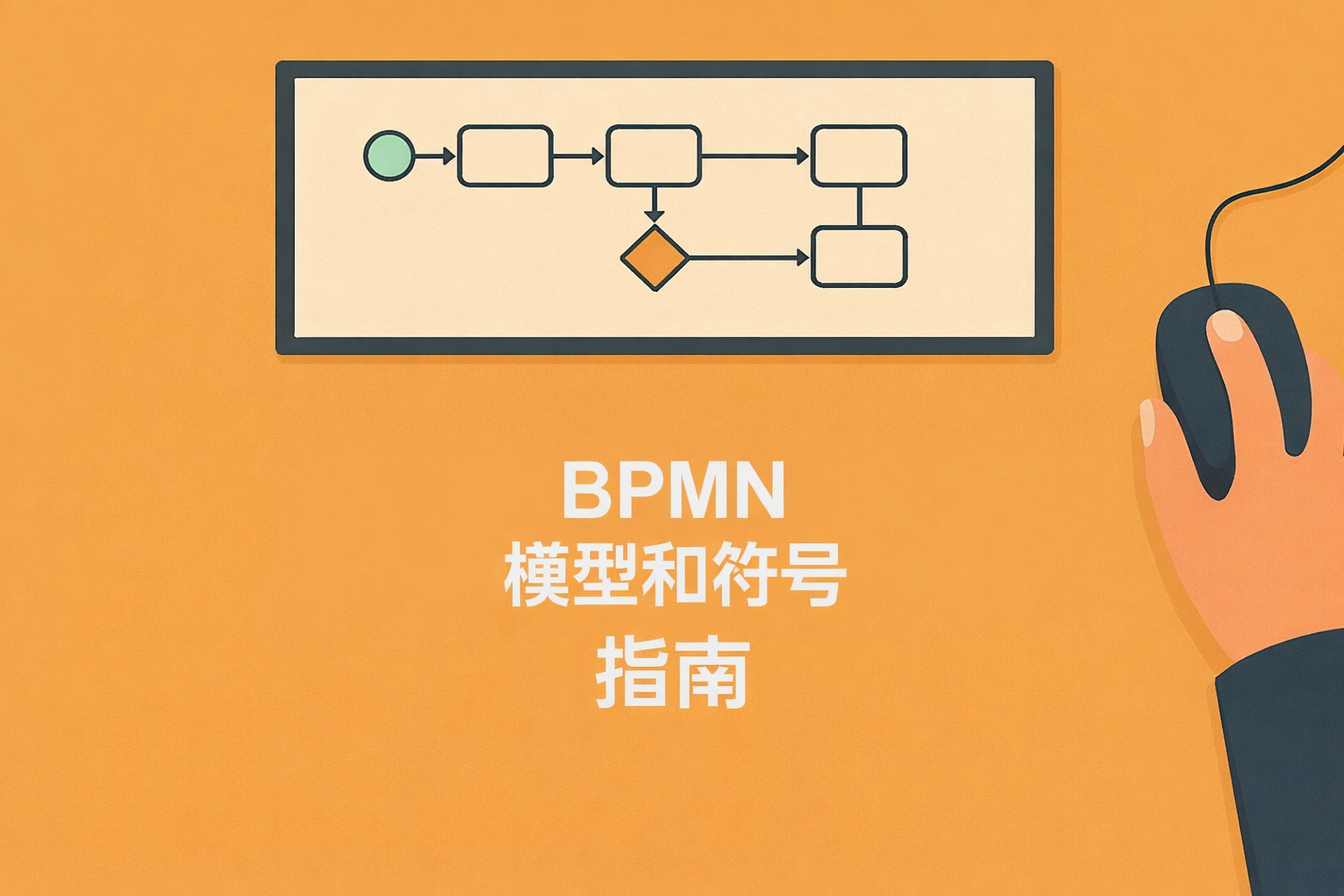
BPMN(Business Process Model and Notation,业务流程模型和符号)是国际标准化的业务流程可视化和分析表示法。在业务日益复杂的今天,通过可视化业务流程,可以更容易地发现冗余和问题,为制定改进方案奠定基础。同时,它还有助于解决对特定人员的依赖,加强团队成员间的协作,因此许多企业正在考虑引入。
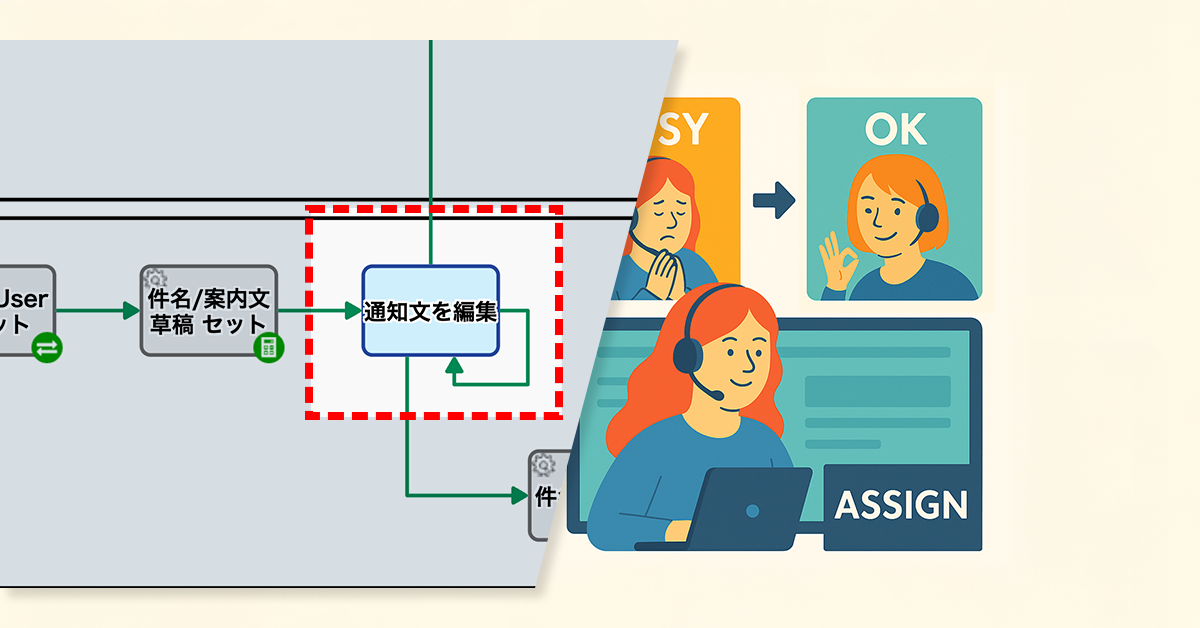
Operators can now manually reassign tasks to reduce supervisor workload.
1. Issue: Increased Supervisor Workload Due to Assignee Changes
A BPO service company that handles the operation of online consultation desks. Thirty staff members receive consultation requests from applicants via a web form.
To prevent an uneven distribution of workload, the assignment of operators is automatically handled by AI based on predefined rules. However, when scheduling conflicts or specific nomination requests overlapped, double booking sometimes occurred, resulting in one operator being assigned multiple consultations in the same time slot.
In these situations, a supervisor with administrative privileges manually reassigned the task to a different operator. This placed a significant burden on the administrators and was a contributing factor to processing delays.
2. Solution: On-site Reassignment by Operators
The process owner revised the workflow so that the assigned operator could change the assignee themselves.
Specifically, a loopback path was introduced, leading from the Human Task “Edit Notification Text” back to the same step. This allowed the assigned operator to reassign tasks to other operators themselves when facing difficulty in handling a request due to a double booking or similar issue.
This mechanism eliminated the need for the supervisor to intervene every time an assignment change was necessary.
Decentralizing assignee swaps empowers front-line staff and removes the administrative bottleneck of manual reassignments.
Before
View details of the workflow diagram
Starts upon Submission from Web Form
Automated Submission Confirmation
A confirmation of receipt for the submitted content will be created.
Thank You Message Generation
An automated reply email, including the confirmation message, will be generated by the AI process.
Send Confirmation Email
Send the created Email.
Add Form for Additional Requests
A dedicated form will be automatically created.
Set Staff Email – Automated Process
Notify the Responsible Staff Member
Customer Email -> Custom Domain
The AI assigns a handler based on related information when the requester’s submission specifies assignment details.
Edit Notification Message
The AI assigns a handler based on related information when the requester’s submission specifies assignment details.
Notification Email
Send the reply email created by the responsible staff member to the requester.
Rejected
Processed when the responsible staff member determines that a reply is unnecessary.
After
View details of the workflow diagram
Starts upon Submission from Web Form
Automated Submission Confirmation
A confirmation of receipt for the submitted content will be created.
Thank You Message Generation
An automated reply email, including the confirmation message, will be generated by the AI process.
Send Confirmation Email
Send the created Email.
Add Form for Additional Requests
A dedicated form will be automatically created.
Set Staff Email – Automated Process
Notify the Responsible Staff Member
Customer Email -> Custom Domain
The AI assigns a handler based on related information when the requester’s submission specifies assignment details.
Edit Notification Message
The AI assigns a handler based on related information when the requester’s submission specifies assignment details.If they are unable to handle the request, the task will be assigned to another responsible party.
Notification Email
Send the reply email created by the responsible staff member to the requester.
Rejected
Processed when the responsible staff member determines that a reply is unnecessary.
Defining roles and automating shares ensures every meeting is documented without fail.
1. Issue: Meeting Minutes Were Not Being Created
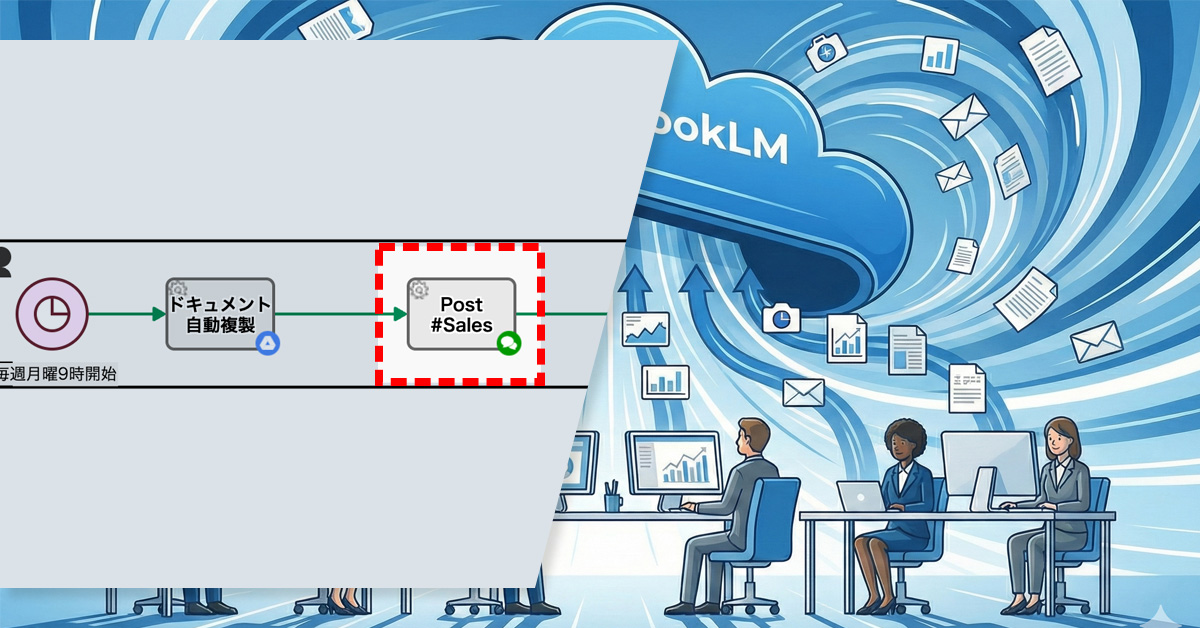
The sales department conducts weekly meetings via Google Meet, where recordings and transcriptions are automatically generated. The rule was that a new member would use NotebookLM* to create the meeting minutes after the meeting and share them with everyone on the same day.
However, because meeting minutes creation was a manual task, the person in charge sometimes forgot to create and share them on the same day. As a result, there was a delay for members in checking the meeting content.
2. Solution: Streamlining the Process from Minutes Creation to Sharing
The process owner improved the workflow with the goals of ensuring the consistent creation of meeting minutes and automating their sharing.
First, a dedicated swimlane was created for new members, and the “Create Meeting Minutes” step (Human Task) was added. This clarified who was responsible.
Furthermore, a mechanism was introduced to automatically share the minutes internally once completed, automating the flow from task completion to sharing. This established a process for creating and sharing meeting minutes that does not rely on human memory.
Clear roles and steps ensure every meeting is documented without fail.
* Human Task is a step in a process that is performed by a person. The assignee is automatically determined based on the settings of the swimlane where the task is placed. When a task is assigned to a handler (assignee), it appears in their “My Tasks” list. Additionally, handler information and completion time are automatically recorded alongside the input content.
Before
View details of the workflow diagramAutomatic Document Replication
The template file for the presentation materials (Google Document) will be automatically duplicated.
Post #Sales
The link to the document (presentation material template) will be automatically shared on the internal chat. Sales department members will use this document to create their presentation materials.
After
View details of the workflow diagramAutomatic Document Replication
The template file for the presentation materials (Google Document) will be automatically duplicated.
Post #Sales
The link to the document (presentation material template) will be automatically shared on the internal chat. Sales department members will use this document to create their presentation materials.
Minutes Creation
New members will create the meeting minutes.
Post #Sales
The meeting minutes will be automatically shared on the internal chat.
SaaS BPMS (Business Process Management System) has recently garnered significant attention as a platform that supports the operational improvements essential for every corporate activity. Compared to conventional BPMS, its cloud-based operation offers enhanced flexibility and the potential for substantial reduction in maintenance costs.
Meanwhile, Generative AI has evolved rapidly as a technology capable of creating new content from vast amounts of data, finding applications across various fields, including text, images, video, and audio. Many companies are keen on integrating it into their operations, anticipating significant labor savings and efficiency gains in various processes.
This article will outline the fundamentals of both SaaS BPMS and Generative AI, then broadly explain the benefits of their integration, specific implementation methods, and real-world use cases. If you are looking to deeply improve your company’s operational challenges, please use this guide as a reference.
Table of Contents
What is SaaS BPMS?
Here, we explain the characteristics and implementation benefits of a BPMS that operates on the cloud.
SaaS BPMS is a form of Business Process Management System that runs in a cloud environment. A major characteristic is its ability to reduce initial implementation costs and operational load compared to on-premise BPMS, as it eliminates the need for infrastructure construction and maintenance. Companies can bypass setting up their own servers, offering the advantage of being able to start using the system quickly without needing specialized IT knowledge.
Maintenance, updates, and security measures are flexibly handled by the vendor, not the user. This makes it easier to incorporate the latest features and mitigate security risks. Furthermore, access is possible from anywhere in the world, making it ideal for teleworking and collaboration with overseas offices.
These SaaS characteristics are highly useful for companies that frequently review their business procedures and workflows. SaaS BPMS is a tool that should be actively considered, especially by firms with frequent changes to business rules or startups prioritizing speed of deployment.
The Difference Between BPM and BPMS
BPM (Business Process Management) refers to the methodology and practices used to design, analyze, and improve the entire business process within an organization. In contrast, BPMS (Business Process Management System) is the system—the tool—that supports the BPM concept, facilitating process visualization, automation, and smooth management.
While BPM is a broad management discipline aiming for the optimization of the organizational workflow, BPMS is the specific software that achieves this at an operational level. A key feature is the ability to design the blueprint of the workflow on a management screen and share its real-time status with all stakeholders.
– Features of SaaS BPMS and a Comparison with Conventional Systems
Conventional BPMS was often deployed on-site, placing a significant burden on the implementing company due to server construction, license fees, and system maintenance. SaaS BPMS, conversely, allows immediate use of the system via a web browser, enabling a drastic reduction in initial investment.
Furthermore, the subscription model, where costs are paid based on usage, is prevalent for SaaS BPMS, making costs clearer and easier to manage. Many products are rich in no-code or low-code features that significantly shorten the time required for development and modification, providing the added benefit of being user-friendly for non-IT personnel in various departments.
What is Generative AI?
This section summarizes the overview of the highly-focused Generative AI, its differences from conventional AI, and its application scenarios.
Generative AI is a technology that “generates” new text, images, or audio based on given data and learning models. While previous AI systems excelled at classification and prediction, the key distinguishing feature of Generative AI is its ability to create entirely new content.
In recent years, its application has advanced across various fields, such as chatbots utilizing text generation models and design support using image generation models. Advancements in AI technology have dramatically improved the accuracy with which it can automatically generate natural language expressions and diverse patterns of images and videos, further expanding its potential for business use.
Generative AI is now being introduced across various business scenarios, including customer support, sales activities, and content marketing. Its appeal lies in its potential, when integrated with SaaS BPMS, to broaden the scope of business automation while simultaneously assisting in the generation of improvement strategies.
– Differences from Conventional AI
Conventional AI primarily focused on extracting features from large datasets to perform classification or make judgments. Generative AI goes one step further, producing so-called “creative” outputs. For example, text generation AI can automatically compose a new document while understanding the context of the input text.
Furthermore, image generation AI can analyze existing images and create new ones with similar structures or styles. This capability significantly supports creative tasks that conventional AI struggled with, such as streamlining the creation of marketing materials and product catalogs.
– Advantages and Use Cases of Generative AI
One major advantage of Generative AI is its ability to rapidly output ideas or drafts without requiring human initiation. By having pre-trained models generate these components in a short time—a process that would otherwise be time-consuming and costly when done manually—it improves both work efficiency and productivity.
For instance, utilizing Generative AI for creating customer service scenarios, initial drafts of web articles, or creative assets for social media can significantly reduce the workload of the personnel in charge. It also handles multilingual translation and summarization in a short time, becoming a powerful tool that supports international business expansion.
The Benefits of Combining SaaS BPMS and Generative AI
In this section, we explore the synergy between SaaS BPMS and Generative AI, to simultaneously achieve business process visualization and advanced automation.
SaaS BPMS is a platform that digitizes various internal corporate flows and integrates the management of workflows such as approvals and notifications. Combining this with Generative AI extends the scope beyond mere automation to include the suggestion of business improvements and the streamlining of document creation.
When the content creation and novel suggestion capabilities of Generative AI are linked with the visualized business flows provided by SaaS BPMS, the entire organization is empowered to engage in proactive improvement activities. This is particularly effective for processes involving multiple departments, such as customer support and product planning.
– Process Visualization and Automated Improvement Suggestions
A potential mechanism involves feeding business data monitored on the SaaS BPMS into Generative AI, which then identifies bottlenecks and inefficiencies in the process. For example, if an approval step takes too long, the AI could propose features that could automate that specific part.
Furthermore, instead of relying on staff to design a new flow from scratch, it is becoming possible for the AI to suggest an optimal process prototype based on similar past cases. This makes business improvement—which previously required expert knowledge—more accessible to a wider range of employees.
– Preventing Siloization through Task Management and Automation
By integrating the automation features of SaaS BPMS with Generative AI, tasks can be managed and advanced in a way that is less dependent on the individual skills or workload of specific employees. For example, automating the drafting of routine emails by AI or having the system automatically manage the review workflow can standardize previously siloed processes.
Another benefit is the ease of sharing internal expertise and knowledge. By ensuring the system itself records the process and the AI constantly suggests the optimal solution, the risk associated with personnel turnover or department transfers can be mitigated.
– Efficiency through Integration with External Systems
SaaS BPMS enables centralized data management and integrated workflows by connecting with other systems like CRM and ERP via API. Utilizing Generative AI, this integrated data can be used to automatically generate reports, perform market analyses, or create proposal documents for customers.
Expanding the scope of data utilization boosts efficiency across a wide range of tasks, from sales activities to back-office operations. Especially in areas that enhance customer satisfaction, this allows frontline staff to focus on high-value-added activities, thereby strengthening corporate competitiveness.
Checkpoints for Choosing SaaS BPMS
Here are the criteria you should consider to select the optimal SaaS BPMS for your company.
Numerous SaaS BPMS products have been released, each with different features and target company sizes. It is crucial to define your implementation goals and operating structure, then check whether the necessary functions are available and if the scalability is sufficient.
If Generative AI integration is a consideration, it’s also important to check how low the barrier is to integrating external services later using APIs. By focusing on the following points, you can minimize the risk of failure during system selection.
– Cost Reduction Potential
By addressing siloed work and analog processes, you can reduce unnecessary labor, paper usage, and storage costs. In an era of severe labor shortages, the ability to optimize necessary personnel is a significant strength for business growth.
There are documented cases where companies digitizing expense reports and invoice processing have seen a substantial reduction in per-transaction processing costs. The time and resources freed up by thorough efficiency gains can be redirected toward core business functions or new ventures.
– BPMN Compliance and Workflow Template Richness
BPMN (Business Process Model and Notation) is the international standard for graphically visualizing business processes. A compliant product facilitates smooth process modeling and allows for easy incorporation of templates or examples from other companies.
The richness of prepared workflow templates is also important. Some products offer numerous templates—such as approval flows or invoice management flows—that allow commonly used business processes to be implemented immediately.
– Customizability: The Presence of No-Code/Low-Code Development
Since business specifications are constantly changing, a mechanism that allows for flexible customization as needed is essential. Products that support no-code/low-code development make it easier for non-engineer, frontline staff to modify processes or create simple applications, allowing for a rapid improvement cycle after implementation.
Furthermore, the broader the scope for customization, the easier it is to incorporate the organization’s unique expertise. This should be evaluated not only during the initial adoption but also from the perspective of continuous operation.
– API Flexibility for Generative AI Integration
When considering integration with Generative AI, it is critical to confirm whether the SaaS BPMS has flexible API and Webhook mechanisms that allow for smooth data exchange with external services. A flexible API makes it easier to add and integrate diverse AI services such as chatbots, translation engines, and image generation tools.
For companies with potential future functional expansion or those considering switching between different AI tools, choosing a SaaS BPMS with an open specification can mitigate risks.
Recommended SaaS BPMS Products
While numerous SaaS BPMS products are available both domestically and internationally, here we introduce a product highly regarded for its track record and functionality.
The optimal product will vary depending on the company’s organizational size, industry, and the external tools it wishes to integrate. Consider the technical requirements alongside the support structure and usage costs when planning your implementation.
– Questetra BPM Suite
Questetra BPM Suite is a purely Japanese-made SaaS BPMS with a robust track record of implementation in many Japanese companies. It emphasizes no-code development, allowing business users to intuitively build workflows using drag-and-drop.
It is also equipped with a variety of automation features, enabling the unified management of diverse tasks, including internal approval flows, routine form creation, and customer support. Its highly flexible architecture makes it appealing for companies looking to actively pursue integration with Generative AI for tasks like inquiry handling and translation.
Key Use Cases for SaaS BPMS and Generative AI
Here are concrete use cases, spanning internal and external communication to information creation.
Many business tasks can be categorized into routine flows and creative work. By using SaaS BPMS to manage the routine flows and Generative AI to support the creative output, organizations can dramatically boost overall productivity.
We will examine specific use cases that are increasingly being adopted by companies, explaining each in detail. The key is to leverage both the system and AI to streamline processes that were previously reliant on individual employees.
– Automatic Generation of Customer Inquiry Responses
Customer inquiries vary widely in content and language, often becoming a significant burden for support staff. By using SaaS BPMS to automatically capture form submissions and assign them to the relevant staff, and then having Generative AI draft the response text based on escalation content or templates, companies can both reduce response times and maintain quality.
Furthermore, Generative AI can learn common questions and answer patterns from past inquiry histories to suggest more accurate text. Since the staff only needs to focus on the final check and minor adjustments, this setup has a high potential to increase customer satisfaction.
– Streamlining Manual Creation and Translation Tasks
Business manuals and procedure documents are vital organizational knowledge assets, but their initial creation, maintenance, and updates require enormous effort. By using SaaS BPMS to manage the approval flow and integrating a Generative AI drafting feature, companies can achieve rapid creation and updating of both new and existing manuals.
For companies requiring multilingual expansion, translation tasks can also be a major challenge. While expert review remains necessary, entrusting the initial bulk translation to Generative AI can significantly speed up the international business process by completing the initial stages in a short amount of time.
– Workflow Automation for Image and Video Utilization
In tasks that frequently use images and videos, such as product design or advertising creative, combining SaaS BPMS and Generative AI offers significant advantages. By centralizing the review and approval flow for concepts within the process management system, and integrating AI for the automatic generation and editing support of images and videos, both the quality and speed of creative production are improved.
For example, by managing the PR video creation flow for a new product on the BPMS while having the AI create a preliminary video draft, an environment is established where human efforts can be concentrated on high-value-added activities. This also facilitates smoother cross-departmental communication, making it easier to aim for project completion in a shorter timeframe.
Summary
The combination of SaaS BPMS and Generative AI realizes an unprecedented level of flexibility and business efficiency. By selecting the optimal tools for your company’s challenges and establishing a robust operating framework, you can advance your business improvement efforts to the next stage.
SaaS BPMS serves as the foundation for process visualization and automation, while Generative AI promotes the efficiency of manual tasks and the utilization of knowledge. The synergy between the two expands the potential for further strengthening corporate competitiveness.
During implementation, it is crucial to select a BPMS that offers easy visualization and an AI that can be flexibly integrated, and to commit to continuous improvement even after deployment. By incorporating new technologies to build a process optimal for your company, you can establish a powerful competitive advantage.
Questetra BPM Suite, which we introduced, offers numerous examples of business improvement utilizing Generative AI. You can also try the product for free for 60 days, so we encourage you to experience the benefits of Generative AI-powered business improvement firsthand.
The back office, a vital support system for business growth, operates slightly removed from the front lines of order processing and customer interaction, underpinning the entire organization. However, these operations are often complex, leading to inconsistencies in quality and speed depending on the individual employee.
In environments where paper documents and multiple systems coexist, there’s a heightened risk of double entry, lost documents, and siloed knowledge. To resolve this inefficiency, streamlining back office operations is an essential priority for any company.
This article comprehensively outlines the scope and challenges of back office work, detailing the benefits of efficiency, specific countermeasures, and key implementation and operational tips. We will also share the success factors from companies that have already adopted these practices, offering practical references for choosing the right strategies for your organization.
Table of Contents
What is the Back Office?
The back office is a crucial department supporting corporate activities, yet its full scope is often not well understood.
Unlike departments that interact directly with customers, the back office refers to the divisions responsible for internal management and operational support of the company. Typical examples include General Affairs, Accounting, Labor Management, and Legal Affairs. These roles often require diverse professional expertise. While they may not appear to directly drive company revenue, they significantly contribute to efficient corporate management and regulatory compliance.
In recent years, more companies are combining IT tools and outsourcing to enhance back office productivity. However, merely adopting a system without adequate visualization of workflows and resolution of siloed knowledge is unlikely to yield results. Therefore, ongoing situation analysis and continuous improvement are essential.
When the back office functions smoothly, management and the front office can focus on critical strategy and customer relations, boosting the organization’s overall productivity and competitiveness. Conversely, a stagnant back office can negatively impact the entire company, making even mundane administrative tasks critically important.
Back Office vs. Front Office
The front office refers to departments that directly interact with customers, such as Sales and Customer Support. Because they are closely tied to revenue-generating activities, they are often prioritized within the company. However, maximizing front office performance is difficult without a well-organized back office.
The back office, while less directly linked to sales, forms the foundation of corporate operations, handling tasks like financial management (Accounting/Treasury) and internal infrastructure maintenance (IT). The two entities have distinct functions but are mutually dependent; the organization can only realize its full potential when both operate smoothly.
The Critical Role of the Back Office
The back office handles a wide range of responsibilities, including optimizing internal resource allocation, managing information, and mitigating risks. Specialized knowledge, especially in areas like accounting and legal affairs, is indispensable to ensure accuracy and regulatory compliance.
Beyond sound corporate governance, the back office is vital for ensuring an environment where employees can work securely and confidently. A comfortable workplace and appropriate systemic design directly contribute to higher employee motivation, which, in turn, positively impacts overall corporate performance.
Main Types of Back Office Operations
Back office operations range from General Affairs to IT, encompassing a diverse array of tasks.
While back office tasks vary by company and industry, they share the common purpose of “supporting the company from behind the scenes”. Large corporations typically allocate specialized staff to each department, whereas in smaller and medium-sized enterprises (SMEs), it’s common for one person to handle multiple back office roles.
These various fields handle different information and require a wide range of skills, knowledge, and adherence to specific laws. This makes them prone to siloed knowledge and human error if internal training and manual preparation are insufficient.
Furthermore, more companies are pursuing efficiency by cloud-enabling their business processes or outsourcing specialized areas. The ability to leverage external services optimally and prioritize limited human resources is a significant advantage.
– General Affairs, Human Resources, and Labor Management
General Affairs focuses on creating a work-friendly environment, including organizing internal events and maintaining office facilities. HR and Labor Management generally center on personnel management tasks like recruitment, performance evaluation, payroll, and attendance tracking.
Especially with attendance and payroll, constant monitoring of the latest information is necessary due to frequent changes in labor laws and social insurance regulations. Since these tasks are prone to being reliant on individuals, the implementation of tools and clear manuals is crucial to prevent errors and complaints.
– Accounting, Finance, and Treasury
The Accounting department accurately tracks revenue and expenditure, managing accounting processes and financial reporting, which is crucial for making corporate activities visible through numbers. The Treasury department supports management decisions by handling tasks such as fundraising, investment management, and cash flow optimization.
Accounting and finance involve technical jargon, complex regulations, and strict deadlines. Errors in these areas can escalate into significant financial losses or compliance issues. Utilizing systems or outsourcing is effective for maintaining accuracy while increasing speed.
– Legal Affairs and Compliance
The Legal Affairs department is responsible for drafting and reviewing contracts, managing internal regulations, and ensuring comprehensive regulatory compliance. As business models and services diversify, the laws and regulations that must be addressed become more specialized and complex.
To mitigate litigation risks and corporate issues, highly specialized legal knowledge is required. Often involving stakeholder negotiations, it demands a robust system for close collaboration with internal parties from a compliance standpoint.
– IT and Information Systems
The IT and Information Systems department manages internal networks, system operations, and software implementation, making it an area of rapidly increasing importance within the back office. As Digital Transformation (DX) progresses, system implementation increasingly dictates the overall speed and productivity of the business.
This department is also responsible for internal help desk support and security measures, characterized by a broad scope of work. They are expected to support the efficiency of all departments by selecting effective tools and maintaining robust security.
– Other Back Office Related Operations
In some companies, cross-functional support for the front office—such as marketing data analysis or sales support—is categorized as back office work. Especially in SMEs, it’s common for employees to cover a wide range of responsibilities without a strictly defined division of labor.
Because the back office encompasses such a wide array of activities, the boundaries of responsibility can often become ambiguous. By revising role definitions and establishing a structure appropriate for the company size, employees can better concentrate on their core duties.
Common Challenges in Back Office Operations
Numerous challenges are evident, stemming from traditional manual processes and siloed knowledge.
Back office tasks often involve a heavy load of data entry and verification, complicated by increasingly complex laws and rules, putting significant strain on staff. Even when systems are in place, they are sometimes used independently by each department, which often limits the potential benefits of efficiency.
Furthermore, much of the workflow is still analog: physical document storage and paper-based approval processes are common, indicating a lag in digitalization. When workflows are opaque and managed by individuals, the risk of errors and omissions is high, creating a structure where staff handover is difficult.
Ignoring these issues creates major obstacles not only in daily operations but also during emergencies or the introduction of new initiatives. Given the rapid pace of change in the business environment, back office operations will increasingly require rationalization and DX implementation.
Siloed Knowledge and Dependency on Individuals
A situation where only specific individuals possess crucial knowledge and know-how increases risk during vacations or staff turnover and drags down operational efficiency. Without well-maintained work manuals and shared documentation, the cost and time required for handover increase.
Furthermore, tasks that rely heavily on individuals tend to be difficult in terms of visualizing the entire process. The fact that data is often scattered across individual employees’ local environments makes it harder to implement team-wide improvement measures.
– Inefficiency from Manual/Analog Processes
Work environments with frequent document printing, sealing/stamping, and mailing incur costs for labor, time, shipping, and physical storage space. Workflows that haven’t been digitized are also prone to inefficiency in areas like data searching, aggregation, and report generation.
Routine tasks like expense reporting and procurement management can be dramatically streamlined by adopting digital tools. It’s crucial to remember that retaining paper-based processes means a continued high risk of transcription errors and lost documents.
– Lagging DX and System Implementation
The back office is often one of the first areas where company-wide Digital Transformation (DX) can be implemented. However, many companies hesitate to take the first step, fearing on-site disruption or high implementation costs.
System introduction is not the ultimate goal; its effectiveness is often limited unless it is coupled with workflow re-engineering and skills development. Delaying the preparation of a detailed plan and internal training can result in DX failure, leading to a loss of competitiveness against rivals.
– Human Error and Risk Management
The back office handles vast amounts of data, meaning human error can lead to severe issues. Mistakes in financial management or legal matters pose a high risk of damaging corporate trust and brand image.
While completely eliminating errors may be difficult, risks can be minimized through strengthened review processes, the use of appropriate tools, and job rotation. It’s important to practice risk management by constantly anticipating worst-case scenarios and taking preemptive action.
Benefits of Streamlining the Back Office
Optimization is expected to have a positive impact on the entire organization.
The primary benefit of back office efficiency is not just cost reduction and increased speed, but also an improvement in operational accuracy. Automating verification and aggregation tasks in accounting and labor management significantly reduces errors, freeing up time for more critical activities.
Moreover, digitalization and system implementation facilitate data accumulation, providing more information for data-driven decision-making. The ability to track metrics and progress in real-time supports the early identification of problems and the discovery of new business opportunities.
The synergy of these benefits elevates the overall corporate performance, ultimately boosting competitiveness. Although the back office may seem like a non-glamorous area, the return on improvement is substantial.
– Cost Reduction
Revising individualized and manual processes can reduce unnecessary labor, paper consumption, and storage costs. Optimizing the required number of personnel is a major asset for company growth, especially amid a severe labor shortage.
Companies that have digitized expense reports and invoice processing have seen a significant drop in the cost per transaction. The time and resources freed up by thorough streamlining can be reallocated to core business activities or new ventures.
– Improved Productivity and Quality
Automating routine administrative tasks allows staff to concentrate on higher-value tasks such as qualitative judgment, analysis, and customer interaction. An environment where focus shifts to activities that create business value accelerates the company’s growth rate.
Simultaneously, work quality is likely to improve. System implementation introduces a standardized framework, reducing human variability errors and leading to a more consistent, high-quality output.
– Increased Employee Satisfaction
As the burden of tedious administrative work lessens, employees experience less stress. This boosts employee engagement, contributing to lower turnover rates and providing an appealing factor in recruitment.
Younger generations, in particular, are comfortable with IT tools and tend to be supportive of efficient environments. This can also contribute to a better corporate image, positively influencing talent acquisition.
– Enhanced Governance
Systematization and visualization of business processes facilitate internal controls and audit responses. This transparency is essential for demonstrating to external parties how the company discloses information and adheres to compliance standards.
Strengthening the back office structure is crucial for minimizing risks and enforcing internal rules. The ability to collect and analyze data gained through efficiency and to establish mechanisms to prevent fraud and errors leads to improved governance.
Practical Methods for Back Office Optimization
A variety of approaches, including tool implementation and process reviews, can be considered.
To achieve back office efficiency, it’s vital to inventory existing tasks, prioritize challenges, and select the appropriate solution. When investing significant time and money in system implementation, the plan must be developed in collaboration with the operational teams, carefully assessing the ROI (Return on Investment).
The introduction of tools like RPA, BPM systems, and cloud-based accounting software is gaining attention as a way to significantly shorten routine tasks while reducing human error. Furthermore, an increasing number of companies are building flexible, location-independent structures by combining outsourcing and remote/work-from-home arrangements.
The crucial point is that even the most advanced tool will fail if it doesn’t align with the actual business practices and internal culture. Back office operations should be updated through phased improvements and continuous review.
– Implementing RPA / BPM
RPA (Robotic Process Automation) is a method focused on reducing person-hours by having software robots handle routine data entry and transcription tasks. There are success stories of companies saving thousands of hours annually through RPA.
However, for such automation to be effective, it’s essential to first grasp the entire workflow and organize the process. BPM (Business Process Management) is ideal for visualizing and standardizing business processes, helping to identify bottlenecks and reduce reliance on individuals.
RPA and BPM are complementary, but the best way to maximize efficiency gains is to first visualize the overall process with BPM and then apply RPA to the necessary segments.
– Promoting Paperless Operations
Digitizing paper documents and centralizing their management in the cloud or internal systems significantly improves searchability and ease of sharing. Compliance with the Electronic Bookkeeping Act and the adoption of electronic contract systems offer the major benefit of enabling stamping and approval procedures remotely.
Digitizing high-volume paper processes like expense reporting and contract management reduces the risk of loss and speeds up the approval process. Companies still relying heavily on paper-based processes will see the greatest impact from going paperless.
– Utilizing Cloud Services
Moving accounting, payroll, and attendance management to the cloud allows for access regardless of location or device. The ability to update and share data in real-time smooths interactions between the back office and other departments.
Cloud services generally have advanced security measures and many vendors offer robust support. Their flexibility to start small and add features as needed makes them easier to choose based on business needs and company size.
– Leveraging Outsourcing
By entrusting specialized tasks like accounting, legal, and HR/labor management to external experts, the company can concentrate its internal resources on strategic areas. Outsourcing is effective for addressing resource and expertise shortages, but effective coordination and information sharing with the vendor are critical.
The scope of outsourcing varies by company size and industry. The maximum benefit is achieved by strategically determining which tasks to handle internally and which to supplement with external expertise, considering the overall business flow.
– Introducing Communication Tools and Chatbots
Relying solely on email for internal communication can lead to information being overlooked and an increased risk of missed alerts. Introducing chat tools enhances real-time communication, streamlining inter-departmental collaboration.
Implementing a chatbot can automate the initial stages of inquiry handling, reducing the burden on General Affairs or help desk staff. By automating answers to common questions, staff can dedicate their time to more value-added activities.
Success Stories in Back Office Efficiency
Real-world corporate implementation cases provide a more concrete understanding.
Referencing success stories helps visualize the practical steps needed to achieve tangible results. Cases from companies of similar size or industry are particularly useful, offering insights directly relevant to tool selection and operational structure development.
Below are key success factors from companies that achieved significant time savings and quality improvements through back office efficiency. Identify common challenges with your own organization and consider the appropriate approach.
– Visualizing and Automating Routine Tasks with RPA/BPM
One retail company achieved substantial labor reductions by automating routine tasks, such as inventory data registration and invoice generation, with RPA. The key to their success was the simultaneous use of a BPM tool to visualize the business processes, clearly identifying where automation was most needed.
The step of first visualizing/organizing the entire business process with BPM and then utilizing RPA in necessary areas is the fastest route to maximizing efficiency gains.
– Expediting Expense Reports Through Paperless Systems
A company that historically used a paper-based system for expense report submission and approval significantly reduced processing time by switching to a cloud-based expense reporting system. The success hinged on allowing employees to electronically register receipts by smartphone photo and completing the entire approval process online.
This initiative ensured that processing was not delayed by the absence of a manager or accounting staff, shortening the time from application to reimbursement. A distinctive factor was the simultaneous switch from email to a chat tool for internal communications, which sharply reduced communication-related losses.
– Efficient Information Sharing via Core System Integration
A company using SaaS-based accounting and inventory management systems resolved redundant data entry and data inconsistencies between departments by using API integration to synchronize information in real-time. By linking to core systems, key business metrics remained consistently accurate, enabling swift decision-making.
This is particularly effective for inventory-holding companies, where all employees sharing the same data prevents misorders, overstocking, or understocking. When systems are properly integrated, the back office workload is reduced, and there are significant benefits for sales and customer support.
– Supplementing Expertise Through Outsourcing
Some companies have successfully optimized internal resource allocation by outsourcing some or all of their specialized functions, such as HR/labor management and legal affairs. Utilizing an external partner with industry expertise is especially effective when the company cannot keep up with procedural requirements or urgent legislative changes internally.
Many success stories report that outsourcing allowed in-house team members to concentrate on core duties, freeing up resources to expand customer-facing services. The flexibility to gradually expand the scope of outsourcing as needed is also a key advantage.
Keys to Sustained Efficiency
Sustaining the implemented efficiency measures is just as important as the initial adoption.
It’s vital to view the implementation phase of an efficiency initiative not as the finish line, but as the starting point. It’s inevitable that changes to systems and rules will cause some initial disruption on the ground. Therefore, it’s necessary to establish a mechanism to identify and continuously address problems common in the early stages of adoption.
As the changes become entrenched, workflows become standardized, manuals are completed, and over-reliance on individuals is naturally resolved. By continuously finding areas for improvement and upgrading, the entire organization can become more agile and responsive to change.
Furthermore, when introducing new systems or outsourcing, it’s crucial to communicate the background and objectives internally. Successful communication that secures employee understanding and cooperation can significantly shorten the time it takes for the benefits of efficiency to be realized.
– Business Process Visualization and Continuous Improvement
The critical first step is to document the current business processes using diagrams and documents, clearly identifying who is responsible for each step and where bottlenecks occur. This visualization makes it easier to determine which areas should be prioritized for automation.
After implementing an improvement measure, it’s essential to monitor its progress and effect, making adjustments as needed. Establishing this PDCA cycle minimizes the risk of excessive reliance on individuals or an inability to adapt to environmental changes.
– Investment in Talent Development and Internal Training
Even with the introduction of new tools or systems, the desired effect won’t materialize if there’s a lack of skills and knowledge to utilize them effectively. It’s essential to create an environment where employees can learn enthusiastically, supported by internal training programs and knowledge-sharing mechanisms.
When training enables employees to review their own work area and consider how to make it more efficient, the organization’s overall improvement mindset is elevated. The skill development and mindset shift of each individual are indispensable elements for sustained efficiency.
Conclusion – For Business Process Improvement (Questetra BPM Suite) –
Back office efficiency is a major key to enhancing corporate competitiveness.
Streamlining the back office can have a significant initial impact by addressing environments with entrenched paper-based tasks and siloed knowledge. By not only utilizing tools like RPA and cloud services but also committing to workflow re-engineering and talent development, companies can expect long-term results.
It’s crucial to ensure ongoing maintenance and continuous improvement after implementation to support the overall growth of the organization. As the back office becomes more efficient, the synergy with the front office will further increase.
Ultimately, strengthening internal business processes leads to faster decision-making by management, a better working environment for employees, and higher customer satisfaction. As the foundation for creating this positive cycle, “back office efficiency” will remain an essential topic.
If you are looking to review, streamline, and standardize your back office processes, please consider Questetra BPM Suite. This no-code platform enables the visualization and automation of business processes. By integrating generative AI and automated connections with external services into daily routines, it reduces the burden on staff and supports productivity improvements not just in the back office, but across the entire organization. A free 60-day trial is available for your consideration.