Q. What kind of operations do you use Questetra for?
We, i Cubed Systems, Inc., are providing CLOMO, a service that provides the operation, management, and the platform necessary to implement the corporate introduction and utilization of smart devices.
Ease of implementation is its biggest feature, achieved by a purchase system that allows customers to select only the features they need and a cloud service that customers can start using without capital investment. Now more than 5000 companies have introduced our system, mostly with large-scale users.
We use Questetra for order processing operations.
The CLOMO service comes with various optional services such as anti-virus and emergency remote lock/wipe, etc., thus there are many settings arrangements to be applied to the order handling process. We use Questetra for those purchase orders to reduce errors and mistakes.
Q. What has changed after the introduction?
We used to manage tasks on paper, so we couldn’t follow the progress of each operation, and we couldn’t shared business tips easily because our business sites were divided between two locations in Fukuoka and Tokyo. There were actually frequent exchanges asking “what should I do in such and such a case?”
I think the visualization of the progress of orders has been made possible and each work rule has been clarified since we started managing orders in Questetra.
Auto-Generation of Outsourcing Documents
Q. Are there any points that you have devised?
There are cases when procurement occurs in some of CLOMO’s optional services. We used to create document forms for procurement purchasing one by one, but now Questetra automatically generates these in the business flows.
The function of data embedded PDF forms allows us to generate documents automatically when an issue goes through an automatic processing step in each business flow diagram.
Of course it’s wonderful that the working efficiency has been improved dramatically by automation, but above all we are very thankful for the fact that we no longer have to worry about transcription errors. We apply this function in various ways, and now about 10 types of documents are automatically generated.
Q. Please tell us about your future prospects.
Questetra is very convenient as it can work with G Suite (formerly Google Apps) with single sign-on, and i Cubed Systems, Inc. already has full use of G Suite. Now, about 20 internal operations such as paid leave requests, expense reports and contract management are now also being processed on Questetra. By the way, we are using our product CLOMO GATE for single sign-on connection.
For the future, I am thinking of establishing data linkage with other systems such as Salesforce, taking advantage of the API functions of Questetra. Specifically, we would like to analyze how much each task is costing from the results of operational processing that has been accumulating in Questetra, and we want this to lead to further business improvement.
CLOMO MDM マルチデバイス/マルチOSを統合管理 -製品デモ-
*The name of “G Suite” was changed into “Google Workspace” in October 2020
E-commerce website development and support, Development of e-commerce website development support software
Industry
Professional Service
User Departments
Manufacturing dept
Visualizing the Entire Process from Order to Delivery
Q. What kind of business do you use Questetra for?
Aratana inc. is a business venture that supports E-Commerce sites (Online Shops), which started in Miyazaki prefecture.
We offer a variety of consistent services including site design, management system customization, system management on behalf of our clients and we also do consulting to attract customers, etc. (CAGO-LAB Service)
We introduced Questetra in July 2010 with the purpose of improving the service delivery flow for Online Shops. We have set various work steps, from registration of orders received to delivery. For example, in the case of constructing a new site, we have set a checking processes spanning about 2 months, which includes hearing about designs, checking deliverables and options setting.
Q. What kind of advantages did you find?
We have found it very beneficial to be able to see the progress of issues in real time.
For example, the delivery date is the most important factor in the construction of an E-Commerce site. Needless to say, if by any chance there is a delay in the delivery it could cause a great deal of inconvenience to the business of the online shop. In Aratana, the progress of all projects is monitored frequently and used as material for regular meetings. I think it is very useful because even in the situations where multiple operations are in progress concurrently, we can easily keep track of them. I also found an advantage in terms of ease of changing configurations and definitions.
E-Commerce site management may require a flexible response to external changes, such as changes in specifications of linked systems, new design trends and technological evolution. In some cases, we need to change the business rules and work procedures of Aratana. I like Questetra for its business flow settings, which can be changed simply using only a browser. Because I can run tests as soon as I make changes I also felt as if I was playing a game.
Incidentally, especially when it was first introduced there were complaints such as “I don’t know what to input” or “I can’t find my incoming work”. It is very good that we can make small changes to solve problems and make improvements, like descriptive notes on the operating screen or email notifications when issues arrive.
I found myself using it in all kinds of operations
Q. Have you applied Workflow to more operations since then?
Now it has been more than three years since its introduction, and we are using Questetra for everything.
It had been used only in business in the service providing department at first, but after a while it came to be used for application approval flows that all employees use.
Application based flows came to be maintained by the Administrative department. It was very helpful because the operation screen is very easy to understand, so members of the Administrative department could use it soon after a brief explanation of the operation.
Even recently it has been updated continuously, and also the number of operations that are processed in Questetra have increased. We think the new staff can integrate into the company smoothly if operations are defined in Questetra. Some mid-career employees have said they were impressed that it is managed more neatly than expected. We found that a business definition (Process Model) which has been running since the introduction of Questetra has been updated 128 times.
Incidentally, in some cases there’s a large difference between the newly created business definition and the business in reality. In such cases, the members involved analyze it and make changes little by little.
Q. Please tell us if you came up with any creative ways to use Questetra.
In the development team they can now transfer business data seamlessly by API in conjunction with the cloud-based project management system “Backlog” (Nulab Inc.). I think it became very efficient.
The management philosophy of Aratana is to create employment for 1,000 people in Miyazaki.
Group companies are increasing. The number of people involved in the business is also increasing. Yet I believe that we must be able to provide services which comply with business rules and the Workflow. We would like to actively incorporate automation mechanisms such as API integration.
Kyoto, Japan, April 28, 2014, Questetra, Inc., the global SaaS provider of Business Process Management (BPM), today announced that they have published the new version 9.9 of the cloud-based Workflow product “Questetra BPM Suite” on April 28, 2014. With the new version, export function of ‘Business Process Definition’ (Process Model) is largely enhanced. For example, you will be able to copy the whole business procedure of Strong performance branch or, to copy the whole business procedure of the campaign in the past easily.
Process Model Exporting
Questetra BPM Suite
“Questetra BPM Suite” is a Workflow product which makes you be able to handle your business data on the Cloud. It will contribute to enhancing internal control and operational efficiency. It has a great feature that you can modify the configurations with easy Drag & Drop operation for the business rule or business flow. Non-technical uses can systemize complicated business process such as Decision-making, Translating, or Complaint handling. (Free of charge up to 5 Users)
Process Definition Export Feature
A Business process is defined by setting 3 elements that are, ‘Flow of the business (Process Diagram)’, ‘Assignment rule at each Steps (Operator)’ and ‘Data Items’. With the Business process Definition file (extension .QAR), Users can run the business system (Workflow system) at any time. It has been possible to save the “business process definition file” so far. But v9.9 and later, now it is possible to bundle a group of related files. In the business process that “to mail the quotation to the customer after getting supervisor’s approval”, for example, it will be able to include the files which are associated with, such as “Master Data of customer segments” or “PDF template for quotation”, within the archive.
If a corporation that has developed sales offices in many regions, it becomes much easier to let other branch offices to learn Quotation submission flow of the Strong performance office, or to let each branch arrange ‘New business procedure’ which the head quarter has created. Also for consulting companies, it is possible to improve the reusability of the business process proposed in the past.
In addition, we Questetra already have published more than 500 business templates. From now on, we are going to publish business templates using features of v9.9.
Other Improvements
In the new version 9.9, we have implemented various improvements other than ‘Business Process Definition export’.
Separation of company-wide use master and individual business master
We have separated the management of “master that can be used for cross-business (company-wide)” and management of “master to be used only on an individual business” explicitly. Also, we have separated the management of “Template PDF to be used only on an individual business” and management of “Template PDF that can be used for cross-business” explicitly.
Added Auto-overwrite function of Choice Master (company-wide use)
We have added a feature to overwrite ‘Choice Master to be used Cross-business’. For example, it will be able to automatically retrieve an office list or the product master, and stores them as the Choice data which can be used for all business.
Changed the locations of the Menu buttons (Model Editor screen)
In modeling screen for business process definition, we have changed to menu placement that would allow more intuitive business designing. Also, we have implemented a warning displaying on the operation of the “close button” or “back button” of the browser. In addition, we have speeding up the rendering speed and enriched the modeling guide.
Future Works
“Cloud computing” is now entering the stage of spreading both domestic and overseas. Especially, in the computer system such as email groupware or CRM (customer relationship management), paradigm shift “from ownership to use” is accelerating. Cloud based workflow “Questetra BPM Suite” that has grown to be used in 4000 companies in 100 countries (including Free SaaS), has the plan of enhancing the features to grasp the business progress and processing performance more easily.
About Questetra, Inc.
Questetra, Inc. is the enterprise cloud computing company in Kyoto Japan, founded in 2008. We optimize the world’s Business Processes.
WOM SYSTEM DESIGN is a system development company that specializes in warehouse management systems.
Speaking of warehouses, there are a variety of warehouses from clothing warehouse for the apparel industry to cold storage warehouses for groceries. The range of differences that a warehouse management system must absorb is vast, such as differences in terminal equipment used or differences in work procedures. Even if the name of the operations involved, such as product picking or inventory management, are the same, there are many differences.
We at WOM SYSTEM DESIGN are proposing “KURA STAR”, the best warehouse management system (WMS) for each of our customers, by modularizing the functions that are required at each step. We have introduced Questetra BPM Suite to standardize the internal procedures. I think that the sharing of information between the Management department and the Sales Force has significantly improved, because the progress of estimates, orders and billing can be monitored in real-time. ※ WMS = Warehouse Management System
Q. How many types of flow diagram are you using?
We are running about 20 different Business flows. Among them, 3 operations have the Business flow at their core, which are: Status Investigation – Approximate Estimate, Detailed Design – Formal Estimate, and System Construction start – System Start.
The first one is a free of charge procedure which the Sales Department carries out with a survey of the current situation in order to submit an approximate estimate. Final quotations for expensive cases require explicit approval by the Management department and the Sales Manager. The second is a Process to create and submit the system specification and formal quotation. This process incurs a fee, therefore it has been defined so that the process of receiving inspection reports and the invoicing are done by the Management department. The third is actually the process of building the system and deployment. This process has been defined up to the step where the invoice is issued by the management department.
From the point of view of order management, it has been defined as three separate flows. However, the required data is set to be shared (across the business flows) automatically. It used to be very difficult to capture the real progress because it was managed in Excel, but since it started being recorded automatically in Questetra the status of cases can be grasped very easily.
Long-term Perspective is Important for the Improvement Cycle
Q. Please tell us about the difficulties faced during deployment.
I think that there was confusion in the field, because conventional procedures which were not clear were standardized for the first time clearly.
For example, the details of the quote were closed to two of the developers and the Sales staff, but now we are required to register it in Questetra to get explicit approval. I guess there were many workers who felt frustrated that it was troublesome.
However, thanks to this verification rule, I found it has helped to significantly reduce ambiguous expressions in the quote documents. I think the internal information gap became less and reviewing the project became easier. In other words, at first there was a period when operational efficiency dropped, but now I can see the real improvement of the business processes.
Q. Do you have any expansion plans for the future?
To be honest, sometimes I felt there was a lack of features in Questetra a few years ago, and for a certain period I actually covered some processes with Excel. However, various functions of Questetra were enhanced in the last couple of years, and now I feel that it has features which we are not using now that I want to use.
We now would like to actively incorporate automatic processing in the existing Workflows (Process Models). Particularly, we are feeling a variety of challenges in managing formal documents, so we are trying to expand the automatic generation of PDF documents to more operations.
API からの『レスポンス』(の中身)は「application/json」だったり、「application/soap+xml」だったりするのだ。既に説明したように、人間には読みづらい。が、機械には非常に読み易い。ここで大切な事は、『レスポンス』だけでなく『リクエスト』でも、API との通信においては「人間には読みづらいフォーマット」が多用されていると言う事実だ。
#ちなみに json や xml はテキストなので、画像系データを載せづらいと言う弱点がある。
3. 具体的な API リクエスト
さて、、、ここまでの説明を踏まえて、『API リクエスト』の例を見てみよう。
3-1. 事例:カレンダー予定の追加
いきなり、リクエスト例を書いてみる。簡単追加(quickAdd)と言う API を使っている。
Request:
POST https://www.googleapis.com/calendar/{TeamCalendarID}/events/quickAdd
Content-Type: application/x-www-form-urlencoded

text=Meeting 2014-01-22
What is “OAuth”, the Cloud Technology which Everyone Should Know? The Web server and the OAuth server are something similar! The important fact is that being communicated by “request” and “response”!
0. Web technology to evolve
The flow of the times is ruthless…
“HTTPS”, “OpenID”, “OAuth”,,, “Basic technology”, which general users should understand properly about, is becoming more sophisticated and complicated every day.
In the speed of evolution of information and communication technology, even professionals who work for a company commonly known as an “IT start-up” do not have time to understand them all. “OAuth”, “a password-free collaboration technology” that is now being used by so many sites / applications for example, the outline is not yet deeply understood.
In this article, I will try to explain the outline of “the latest web technology” in a simple way so that even general business users can somehow understand it. Starting from “What is a server?”, to “What is OAuth?” …
“What’s it for?”
The reason behind it is that, the opportunity to explain more advanced cutting-edge technical terms has increased, since the “external system cooperation function” of our company Workflow product “Questetra BPM Suite” has been upgraded… (?!)
1. Two terms important for you to understand Web technology
What is a server? What is OAuth?
1-1. Referred as “Server”, because it serves services!
What is a server?
When you hear the word “Web server”, you might feel dizzy. When you hear the word “Beer server(*)”, you might feel happy.(* In Japan, Beer taps are referred to as Beer server)
But if you think carefully, it’s a “server” because it’s a machine for serving. There is no big difference between the two. Surely, there are not many opportunities to see a “Web server” (in real life), but there is nothing to be afraid of. It is only a “machine that does something on the Internet”.
What is important here, is the fact that it is based on “request” and “response” in the world of the Internet (≒ HTTP / HTTPS). Strangely, many people seem to have forgotten that. However, if you do not understand that, your comprehension of Web technology (the mechanism of the Web) will not improve. In this way, “the side to respond to requests” is the “server”. (And the requesting side is referred as “client”)
1-2. Is it called “Interface” because it is facing somebody?
UI, a term which many people may have heard sometime… Stands for ‘User Interface’.
In the case of “smartphone applications” (also “native applications”) like video games, an “interface” is displayed via a “smartphone application” itself which received the information from the server. Also, in the case of a system using a “general purpose software” (browser), a “Web server” itself transmits data after arranging the layout of information.
Anyway, UI is a mechanism for providing information to a USER (human), that machines close to humans present as a “layout of information”.
# When I heard from a sales representative explaining only the parts where a user can see, like saying “Our system sticks to UI, definitely this sophisticated UI …”, I personally tend to think that ‘Is the internal mechanism not sophisticated?’, or ‘I want the explanation about the entire system’s mechanism’. Yet, such a thing is unimportant.
Whereas, an API, is a “PROGRAM Interface”.
The partner of “UI” was the “USER”, but the partner of an “API” is the “PROGRAM”. That is, it refers to the information providing a mechanism against to a program (software). In this case, there is no need to make an information layout easy for a human being to understand. That part is not necessary. (* Application Programming Interface)
Now, what is important here are the facts that
・in addition to computers “providing information to people”,
・computers are also “providing information between them”.
In fact, a chain-like communication between “(1) smartphone (2) server (3) other server”, etc. is being carried out. And even when the human being (USER) is sleeping, such communications are taking place. Even though it tends to be ignored, unless you are aware of the fact that information is provided between machines, your comprehension of Web technology (the mechanism of Web) will not improve.
2. “Request” and “Response”
Close your eyes and imagine,,, There are countless “requests” on the Internet… Recognizing the “presence of a server” (1-1) and the “interface of the server” (1-2),
2-1. Types of “Request”
First of all, I want to delve into the transmission, that is, the “request”…
A. Not handing over anything when transmitting request B. Handing over something when transmitting request
First, there are two types of “requests”. (There really are more.)
Since it is hard to recognize, I would like you to imagine a beer server.
Imagine a “Beer server with only one tap” and a “Beer server like a vending machine”. You see, upon the same request, there are servers that require “money” and ones that don’t.
There are two methods “a. Simple request” and “b. Request with content” for “Requests” that are flying over the Internet.
a. postcard-like “request” b. envelope/ parcel-like “request”
The difference between them is the presence or absence of “contents”. In the case of “a. Simple request”, only a so-called URL is enough. For example, if you write “http://www.questetra.com/blog/”, it means that you are asking to “Displaying a blog page”.
Experts call this method “GET method”. “Professionals” use expressions, such as “ah, that data is delivered by GET” or the like, they are talking about “a. Simple request”.
On the other hand, the “request with contents” cannot be done with just the URL. When answering the questionnaire form or to upload an image, you must hand over a “request” as “envelope” or “parcel”. This method is referred to as “POST method”.
Hmm. Wait a minute. The metaphor of “envelopes” and “parcels” may be even wrong somehow…
Yes, in the case of an “envelope”, only text information is contained, while in the case of a “parcel” it contains binary information such as photos and videos.
So, “Requests” are roughly classified into the following three types. (Oh no, I’m getting dizzy!)
You don’t have to know it all since there are so many types (I do not know them all either), but there are also “text type information” and “image type information”.
The important fact here is that a “Response” is very similar to a “Request”. In fact, both are referred to as “messages”. By the way, there is no “URL” or “method order” in an “envelope” or “parcel” “response” (it is mandatory for “requests” only).
2-3. “Request” to API and “Response” from API
Hold on a second…
They say, Web communications of these days are carried out between computers.
That’s right, the “content” that is popular among computers is “application/json”, now.
(The contents of) “Response” from the API is “application/json” or “application/soap+xml”.
As I already explained, it is hard to read for human beings. But, it is very easy to read for machines.
The important thing here is that not only in “response” but also in “request”, it is a fact that “communication formats hard to read by humans” are widely used in communication with APIs.
# Incidentally, since json and xml are texts, the downside is that it is difficult to put image type data.
3. Examples of API Request
Well, let’s take a look at examples of “API request” based on the explanation so far.
3-1. Case: Adding schedule to a calendar
Here, I write an example of a request. I use an API called quickAdd.
Request:
POST https://www.googleapis.com/calendar/{TeamCalendarID}/events/quickAdd
Content-Type: application/x-www-form-urlencoded
text=Meeting 2014-01-22
If only one of you understand this, I would be satisfied for having written this article. In the request above, it says
“I send a request by an envelope (POST)” at the top and in the part of Content-Type, “Add a schedule (events) to the calendar {TeamCalendarID}” in the URL, “The content of the schedule is ‘Meeting 2014-01-22′” in the body.
And then, soon the response with content of “registration completed” is returned from the server in json format.
POST https://www.googleapis.com/blogger/v3/blogs/{TeamBlogId}/posts?isDraft=true
Content-Type: application/json

{
  “content”: “Hello<br>Hello<br>Hello”
}
In this request sample, it says;
“I send a request by an envelope (POST)” at the top, “Append an article to the blog {TeamBlogId}” in URL part, “The content of the article is ‘Hello<br> Hello<br> Hello<br>’” in the body
This is an example in which we are using json also for in the body. And json is also in the response:
Now that you are able to understand the “Request to API” and “Response from API” concepts.
However, not everyone can make a request. That is, there is an authority issue. So, what is important here is the “authorization” technology. That is referred to as OAuth, which is now used in various services such as Facebook and Twitter.
OAuth communication between Web servers can only communicate with “authorized systems” by system users.
In the following, I will mention about knowledge which “System operators / Configurators” and “Business Process designers” should know. Not for “System users”. In other words, those who only use it as a daily user do not need to know the following contents.
By the way, the concept of “permission” (authorization) is essentially different from the concept of “giving ID and password” (authentication). For example, if it is a “permission”, you can cancel it later. But it is difficult to ask to forget “ID and password”.
4-1. Setting up OAuth 2.0 communication
In short, “OAuth communication setting” is “a setup for automatic transmission and reception”. The flow is roughly as follows:
However, it would be faster for you to learn about “authorization setting” by actually doing it in the setting screen. Even if I write the procedure etc. In detail, it is not easy to get it into your head. So, forgive me, but I recommend you to access the “Google Console” first, and to start from creating a new “Project”! ※ https://cloud.google.com/console/project
1) Setting up automatic connection reception (Google side)
1-1. Federation setting user to access “Google console”
1-2. Go to the [Credential] menu and create [CLIENT ID]
– “Callback URL” of Questetra is required
1-3. Acquire “Client ID” and “Client secret”
2) Setting up automatic transmittal (Questetra side)
2-1. Create Process Model (Business Process Definition)
2-2. Create a Date type Data Item and a String type Data Item
2-3. Generate a string to be automatically sent
2-4. Register the Credential in [OAuth 2.0 setting] of the automatic transmission icon
2-5. Set the transmission destination in the “Communication setting” of the automatic transmission icon
4-2. Basic knowledge of OAuth 2.0 communication
Credential
Certificate for specific communication issued on the OAuth server side
Types of OAuth 2.0 server
A. API that provides only a connection permission (Access Token)
B. API that provides a mechanism for updating connection permission (Refresh Token) included
1. API that specification of permission range (Scope) is mandatory.
2. API that specification of permission range (Scope) is arbitrary.
Component of OAuth 2.0
a. OAuth 2.0 client
– a1. Program embedded in Web Application (Confidential client on Web server)
– a2. Program embedded in the Web client, etc (User-agent-based application)
– a3. Program embedded in local applications such as Android / iOS (Native application)
b. OAuth 2.0 authorization server (to issue access token: Authorization Server)
c. OAuth 2.0 resource server (to provide data, etc.: Resource Server)
OAuth 2.0 Terminology
[Consumer key] ID for identifying the client (client_id)
[Consumer secret] The secret key in pair of the client identification ID (client_secret).
[Authorize URL] Confirmation screen on which the end user gives permission to use the resource to the client
[Redirect URI] Endpoint that the client will receive an authorization code etc.
There are types of request called POST / GET to send a “request” to the server.
“Request” to the server may or may not have contents.
“Response” from the server has various contents.
Text communication called “json” seems to be prevalent in API communication between computers.
Although it was a very rough overview, first of all, if you have “system development knowledge” of this degree, it will be possible to set up automatic cooperation communication. The above knowledge does not require “programming knowledge”.
However, it is tough for system integrators (system construction) in this Cloud era.
After all, they must face “OAuth resources” around the world. In addition to so-called communication knowledge, they are required a wide range of knowledge, such as where and what kind of the “OAuth resource” are there, how much the use cost will be, or what measures should be taken if “OAuth resource” was unavailable.
P.S. Recommendation of Free trial
The cloud-based Workflow “Questetra BPM Suite” can be used for free if only a few people will use it! And, it has OAuth 2.0 client function as standard functionality.
There are still various functional restrictions, but I would like you to give it a try.
P.S.2 FAQ for Experts
The access token is sent in the HTML header. Currently (as of v9.8), it is not possible to send a request with “multi-level json data”. For File type data, the filename is sent. If you set to send multiple data with the same parameter name, it becomes an array.
Kyoto, Japan, January 20, 2014, Questetra, Inc., the global SaaS provider of Business Process Management (BPM), today announced that they have published the new version 9.8 of the cloud-based Workflow product “Questetra BPM Suite” on January 20, 2014. With the new version, automatic data transmission to ‘API that requires access right’ is available. For example, you will be able to easily build a system, that article which was approved in the workflow is automatically posted to external Blog system.
Automation of Transmission and reception of Business Data
Questetra BPM Suite
“Questetra BPM Suite” is a Workflow product which makes you be able to handle your business data on the Cloud. It will contribute to enhancing internal control and operational efficiency. It has a great feature that you can modify the configurations with easy Drag & Drop operation for the business rule or business flow. You can continuously improve complicated business processes such as Decision-making, Translating, or Complaint handling.
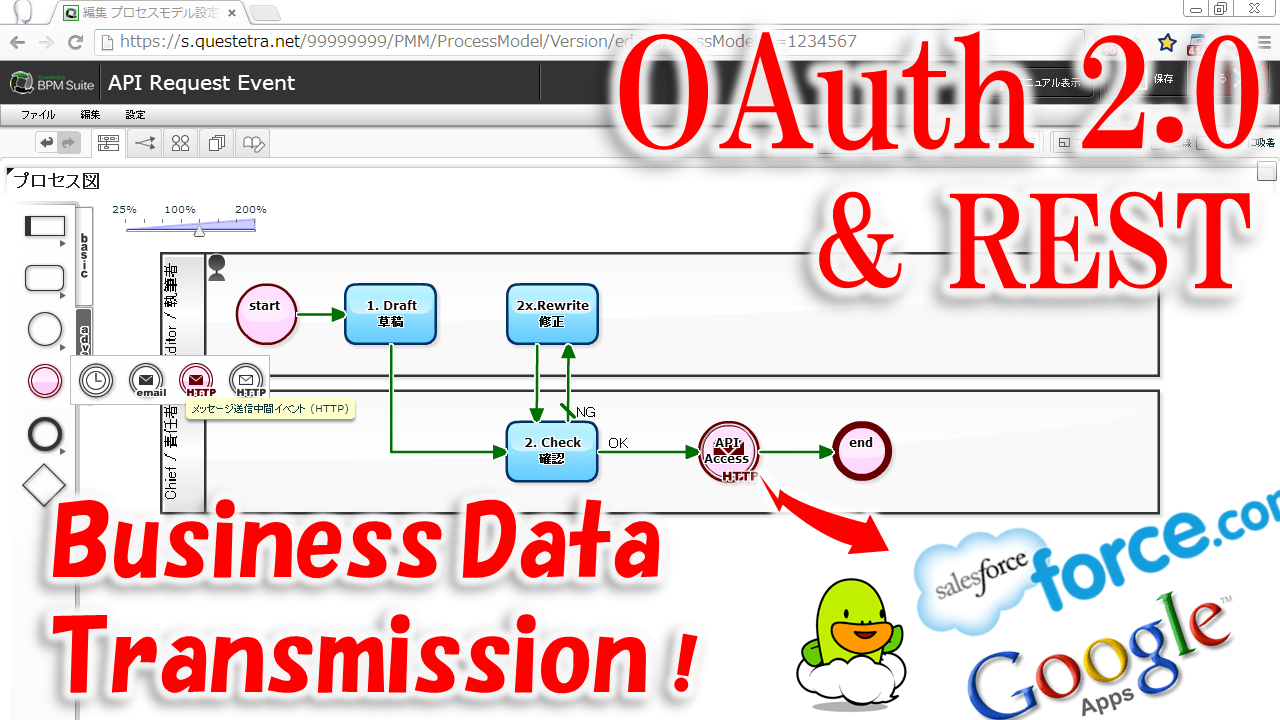
New Feature OAuth 2.0 Client
You can automate data communication with external system by placing Event Icon in the middle of a Workflow. By setting connection with the external system such as Google API or Force.com API, you can send and receive business data without human intervention. So far, it has been available ‘connecting function with API without Access Restriction’ or ‘connecting function that the usage was limited like file output to Google Drive’. But with this ‘OAuth 2.0 Client function’, you will be capable of accessing to various ‘OAuth 2.0 resource server’, so that you will achieve more flexible system conjunction (Mashup). We will publish successively for the specific method of connection setup and application examples as free samples, now on.
Other Improvements
In the new version 9.8, we made various improvements, other than “OAuth 2.0 Client function”.
Attachment on Form Start feature
The “Form Start feature” (of v9.7), which is capable of embedding an ‘Application Form’ or ‘Contact Form’ into Web page etc., and takes in input data from those Form to Workflow directly, now supports file attachment. You can use it for such as Public Offering that need file attachment.
Input Check with Regular Expression
In the input field of String type, Input Check using the “regular expression” is now available. In combination with such length limit and mandatory settings, you will be able to easily build business systems that require accurate data entry.
Script Check on Automatic Data Processing
In the “Script Task”, an automatic data processing which is capable of complicated data processing, is now to detect a syntax error of “ECMA Script” at script setting. It will allow you to efficiently perform improvement cycle for automatic processing steps.
Folding Display in ‘Task Feed’
In the “Task Feed”, the Enterprise Social Networking which associated with business data in Workflow, now sentence posts is folded automatically. Business communications in the team will be browsed more clear and easy.
Future Works
Cloud Computing is now going into popularization phase. Especially in the SaaS field, “Switching from company-owned to per-use” is accelerating, not limited to workflow, in many computer systems such as e-mail, groupware, CRM (Customer Relationship Management). Questetra BPM Suite has been grown to be used by 4000 companies in 100 countries (including Free SaaS). In the next major version Ver10, we are planning to continue to enhance the ability to understand the processing performance and business progress more easily.
About Questetra, Inc.
Questetra, Inc. is the enterprise cloud computing company in Kyoto Japan, founded in 2008. We optimize the world’s Business Processes.
「業務の可視化」という活動を、3つの視点で順に進めていくことで、それは結果的にBPM活動を行っていることなります。業務の現場において、BPM(Business Process Management)という言葉は、残念ながらあまり浸透していません。そういう場合には、「業務の可視化(見える化)」という言葉を整理して語ることで、結果的にBPMを理解していただくとができるのではないかと思っています。
今すぐ「業務の可視化」に取り組みたいとお考えの人は、Questetra BPM Suite という BPM システムを使って、早速取り組んでください。Questetra BPM Suite は無料でお試しいただけます。
Kyoto, Japan, October 7, 2013, Questetra, Inc., the global SaaS provider of Business Process Management (BPM), today announced that they have published the new version 9.7 of the cloud-based Workflow product “Questetra BPM Suite” on October 7, 2013. With the new version, ‘Application Form’ can be embedded in Web pages.
Workflow processing starts with the inquiry form entry
Questetra BPM Suite
“Questetra BPM Suite” is a Workflow product which makes you be able to handle your business data on the Cloud. It will contribute to enhancing internal control and operational efficiency. It has a great feature that you can modify the configurations with easy Drag & Drop operation for the business rule or business flow. You can continuously improve business flows complicated as such as Decision-making, Translating, or Complaint handling.
New Feature FORM START
In this v9.7, you can install ‘Application Form’ or ‘Inquiry Form’ on your Web site or blog page. The submitted application data or inquiry will be directly taken into the Workflow, and will be processed along the business rule that has been configured in advance. Although it has been available to start the processing automatically from the external system by using ‘API function’ so far, now you can connect the Workflow to your Web site or blog page easier. (This feature is a beta release for the time being. ‘File attachment’ is not available.
Other New Features
In the new version 9.7, the following features are added or enhanced.
Business Manual
Added a page to describe and edit the business manuals. Operators of the Process will be able to see “the Business Manuals” on the screen of Business Flow Diagram or Task Operating screens. It has been available to indicate manuals on the Operating screen so far, but this Business Manual feature is assumed to use for explanations on entire flow, etc..
In addition, together with release of this feature, hashtag (topic) on Business Model (Process Model) is available on the ‘Enterprise Social Networking’. It will help discussing on a whole Business Flow by putting Process Model ID (e.g. #m123), as well as putting Process ID hashtag (e.g. #p1234) to make communication on a project easier.
Data type Organization
You can set an allocation rule more flexible. Also, you can send emails to the Organization email address by Auto email transmission (Message Throwing Intermediate Event (email)). Including this Organization type, number of the Data type of the Workflow becomes 11 types (19* subtypes).
* String Type (single line/multiple lines), Numeric type, Select type (radio/check/select/search select), Date type (Y/M/D, Y/M, Y, M/D), Datetime type, File type, User type (select/search select), Organization type, Discussion type, Guide Panel type.
Auto Scripting
Auto-processing feature “Script Task” is newly added. Although it has been available to set Business data easily in “Service Task” so far, but now you can achieve more complicated data processing with ‘ECMA script’, a Script language made by incorporating parts that are common to JavaScript and JScript.
Future Works
Cloud Computing is now going into popularization phase. Especially in the SaaS field, “Switching from company-owned to per-use” is accelerating, not limited to workflow, in many computer systems such as e-mail, groupware, CRM (Customer Relationship Management). Questetra BPM Suite has been grown to be used by 4000 companies in 100 countries (including Free SaaS). In the next major version Ver10, we are planning to continue to enhance the ability to understand the processing performance and business progress more easily.
About Questetra, Inc.
Questetra, Inc. is the enterprise cloud computing company in Kyoto Japan, founded in 2008. We optimize the world’s Business Processes. Visit https://questetra.com/en/