ブログ

  • 承認と決裁の違い

    承認と決裁の違い

    こんにちは!矢作です!

    ビジネスの現場では、今日もいろんな会話(今はチャット?)が飛び交います。

    • わたしの有給休暇申請が承認されました。来月2週間ほど、お休みをいただきます♡
    • 2ヶ月かけて準備した感謝祭企画が、事業部長に承認されました。あとは社長の決裁だけですね!
    • ◯◯工場の製造ラインに1億円の設備投資を行う決裁を、本日の取締役会に仰ぎます

    これらの会話に含まれる「承認」と「決裁」は、同じ意味のようにも見えますし、そうでないようにも見えます。本当は明確に意味が異なりますが、どのように違うのでしょうか!?

    「決裁」は組織の意思決定

    「承認」と「決裁」。辞書ではどのように説明されているのでしょうか?

    しょう‐にん【承認】
    [名](スル)
    1 そのことが正当または事実であると認めること。「相手の所有権を―する」
    2 よしとして、認め許すこと。聞き入れること。「知事の―を得て認可される」
    3 国家・政府・交戦団体などの国際法上の地位を認めること。「国連に―された国」

    ビジネスの現場では、1or2の意味で使われることが多そうですね。

    契約書の承認においては、法務部長が法的な視点で承認する(1の意味)場合や、営業部長の判断で値引きを承認する(2の意味)、というようなことが考えられます。

    けっ‐さい【決裁】
    [名](スル)権限を持っている上位者が、部下の提出した案の可否を決めること。「―を仰ぐ」「書類を―する」

    この説明を見るとまさに「決める」という意味ですね。(字の雰囲気からもそれはまざまざと感じますが)

    ものすごく砕けた言い方をすると、「承認」という行為は、起案された内容について「You、それタダシイよ!やっちゃいなよ!」と言っているだけに過ぎません。しかし「決裁」は、それを実行するのかしないのかを 組織の意思として決定する ことを意味しています。

    「承認」されても組織としての意思決定はされていません。「決裁」されて組織の意思決定がされたことになります。

    いや「承認」で意思決定してるしー

    でも、「決裁」という言葉は使われない組織もあると思います。最初の例にある、

    • わたしの有給休暇申請が承認されました。来月2週間ほど、お休みをいただきます♡

    では、承認の時点で意思決定がされています。この場合、「承認」という言葉は使われていますが、決裁権者である上長がヨシとしたのであれば、それは「決裁」されていることになります。

    有給休暇の取得、残業、見積書の提出など、比較的軽い事項については、「承認」という言葉で「決裁」されていることが多いように感じます。

    「承認」に意味はないの?

    決裁権を持つ人が「決裁」する際、「承認」が重要になることがあります。

    「決裁」する立場の人は、毎日、多くの意思決定を行っています。その中で、全ての起案内容について十分に理解する時間があるか?また、起案内容の良し悪しについて判断できるだけの知識や経験があるか?というと、必ずしもそうではありません。

    その際に頼りになるのが、起案内容が自分に届くまでの間にされた「承認」です。

    迅速かつ的確に「決裁」するために、

    • 誰が承認したのか?
    • 承認の際にどのようなコメントが書かれているのか?

    は有効に働く場合があります。

    「承認」という行為に意味があるかないか、それは承認者がどれだけ決裁者から信頼されているか?承認時に助言となるコメントを書けるか?にかかっているのかもしれません。

    決裁ルール

    組織においては、稟議規程、職務分掌規程というような規程で、検討すべき事項ごとに、起案、承認、決裁の権限を誰が持つのか、が定められています。このようにして定められたルールは、「決裁ルール」と呼ばれます。

    決裁ルール:検討事項ごとに、起案、承認、決裁の権限者が定められたもの

    例えば、京都大学の「会計職務権限規程」の職務権限一覧表で決裁ルールが定められています。次の図はその一部です。

    approvals-decisions-01

    例えば、「予算に関すること」を見てみると、「予算の要求又は申請に関することで重要なこと」という事項については、

    • 起案者:掛長
    • 承認者:課長補佐、課長、部長、財務担当理事
    • 決裁者:総長

    となっていることが分かります。また、「予算の要求又は申請に関することで軽易なこと」という事項については、

    • 起案者:掛長
    • 承認者:課長補佐、課長
    • 決裁者:部長

    とされています。

    重要なことは総長が決裁し、軽易なことは部長が決裁する、という決裁ルールが定められていることが分かると思います。

    決裁ルールとワークフローシステム

    京都大学の「会計職務権限規程」の職務権限一覧表をご覧いただければ分かっていただけると思いますが、規程に定められているルールは大変複雑です。検討事項ごとに、適切にこのルールを適用し、承認、決裁が確実に行われるように運用することは、大変な労力が発生します。

    そこで利用されるのがワークフローシステムです。ワークフローシステムを利用すると、決裁ルールに関する設定を行っておけば、自動的に適切な権限者に承認や決裁が依頼されるようになります。

    私たちクエステトラ社が提供するクラウド型ワークフロー「Questetra BPM Suite」では、決裁ルールをワークフロー図に描くことで、権限者に承認や決裁が自動的に依頼されるようになります。

    approvals-decisions-02

    上図では、左の職務権限一覧表のうち「予算の要求又は申請に関すること」の決裁ルールを、ワークフロー図に描きました。

    左の一覧表を見ると、「重要なこと」と「軽易なこと」で決裁者が異なることが分かります。「重要なこと」は総長が、「軽易なこと」は部長が決裁者になっています。このような違いを吸収し、ひとつの図に表現できるのがワークフロー図の良いところの一つです。

    このワークフロー図は、クラウド型ワークフロー「Questetra BPM Suite」を使って描きました。このようなワークフロー図を描いてみたいという人は、無料トライアルにお申し込みください。

    「Questetra BPM Suite」で描いたワークフロー図は、単なる図には終わりません。更に少し設定が必要ですが、起案画面、承認画面、起案画面を作ることができ、その画面で起案すれば、ワークフロー図に描かれた通りの流れで、権限を持つ人に承認や決裁の依頼がされるようになります。

    また、重要な意思決定においては、職務権限一覧表のとおりに承認・決裁がされている記録が求められます。そのような記録も自動的に保存されるので、業務監査等への対応にかかる手間も大きく削減されます。

    まとめ

    「承認」と「決裁」の違いについて説明してきました。権限を持つ人が「決裁」するにあたり、「承認」されていることは重要な判断材料になることがあります。

    また、「決裁ルール」は表で整理されていることが多いですが、ワークフロー図に仕上げるとより分かりやすくなります。

    是非、皆さんの業務についてもワークフロー図を描いてみてはいかがでしょうか?

    今回はここまで!
  • 決済と決裁の違い

    決済と決裁の違い

    こんにちは!矢作です!

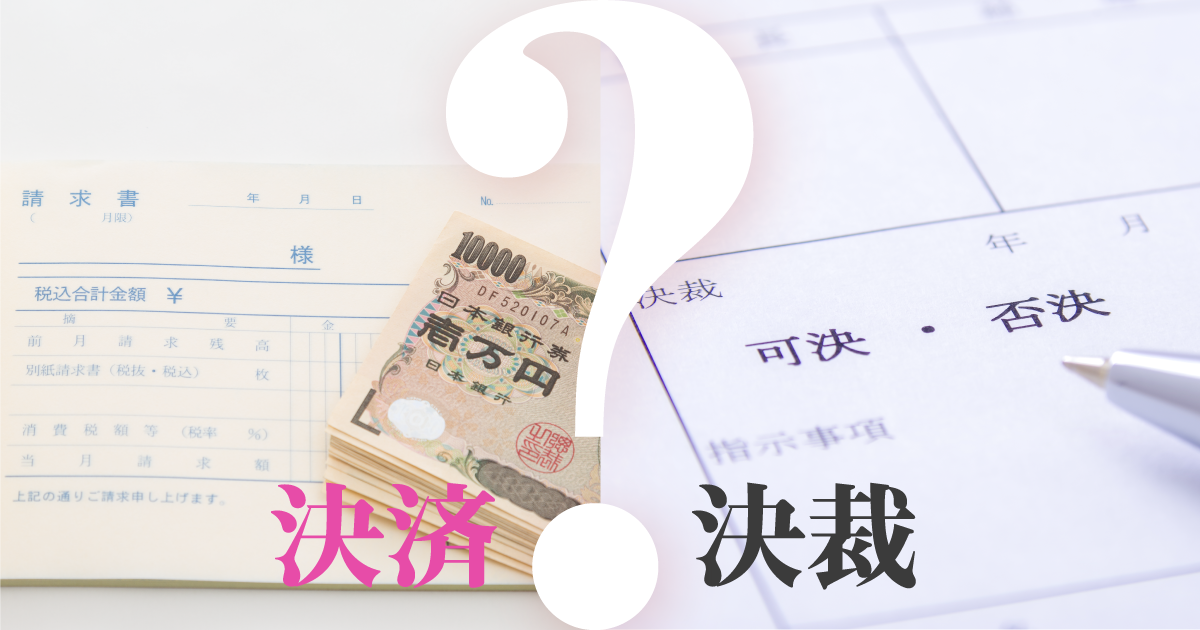
    ビジネスの現場でよくある「決済」と「決裁」。このふたつの「けっさい」、意味は全く異なりますが、ビジネスの現場ではそれなりに登場しますよね。

    本記事では、「決済」と「決裁」の違いを整理するとともに、2つの「けっさい」が関連する業務にどのような課題があるのか見ていきたいと思います。

    決済とは

    「決済」を辞書で調べると、次のように説明されています。

    [名](スル)代金や証券・商品、または売買差金の受け渡しによって、売買取引を終了すること。

    goo国語辞典 デジタル大辞泉

    “売買取引を終了すること” とあるように、取引を済ませることを決済と言います。決済されると、取引を通じて発生した、買い手・売り手の債権・債務が解消されるということになります。

    買い手と売り手の債権債務

    例えば、自動販売機で飲み物を購入するとき、お金と飲み物の交換はその場で終わり、発生した債権・債務はすぐに解消されます(そもそも債権・債務が生じる隙きがないかも…)。この場合、”決済” は一瞬で済んでしまうことになります。

    しかし、企業間での取引では、お金とモノの交換が同時でないことがよくあります。買い手はモノを受け取った後に届く請求書に基づいて、翌月の末日(例)までにその代金を売り手の銀行口座に振り込むというような手続きを行います。

    この場合は、買い手はモノを受け取ってから代金を支払うまでの間は “債務” を、売り手は “債権” を持ちます。まだ債権・債務が残った状態なので、この状態では取引が済んでいない = “決済” されていない 、ということになります。

    買い手が売り手の銀行口座に振り込んで、”決済” されたということになります。この場合は、決済までそれなりに時間がかかるということになりますね。

    決裁とは

    「決済」はお金の話でしたが「決裁」はどのような意味でしょうか。こちらは、お金が関係する場合と関係しない場合がありますね。

    「決裁」を辞書で調べると、次のように説明されています。

    [名](スル)権限を持っている上位者が、部下の提出した案の可否を決めること。「―を仰ぐ」「書類を―する」

    goo国語辞典 デジタル大辞泉

    この説明で十分わかりやすいですね。強調するなら “案の可否を決める” のは、権限を持っている上位者である、ということでしょうか。

    企業においては、様々な企画が起案され決裁されます。このとき、よくあるのは投資金額の大小に応じて、その企画を決裁できる人が変わるということです。

    • 100万円未満(例:セミナー開催) → 部長決裁
    • 1000万円未満(例:展示会出展) → 担当取締役決裁
    • 1000万円以上(例:テレビCM企画) → 社長決裁

    というように、投資金額が大きな案になるほど、上位の人が決裁権限を持ちます。多くの企業等では、このような「決裁ルール」が職務分掌規程や稟議規程などの各種規程類に定められています。

    お金が関係しない「決裁」があると先に述べました。例えば、

    • 従業員の休暇取得
    • 人事異動
    • 規程類の改訂

    などが挙げられます。

    「決済」業務の課題

    取引に関連する「決済」については、売り手の手間が大変大きなものになっています。

    モノとお金が同時に交換されるのであれば、決済はすぐに終わりますが、実際には、売り手が買い手にモノを提供してから、お金が売り手に支払われるまでに時間が生じます。売り手としては、確実に支払われるまで管理する必要があります。この管理の手間が大変大きなものになっています。

    売り手は、この手間を最小限にするために、入金確認業務の自動化、督促業務の自動化などの工夫をする場合もあります。他に、クレジットカード決済サービスのように、決済に関する業務を楽にしてくれるサービスを利用する場合もあります。

    「決裁」業務の課題

    決裁業務は通常、起案の後、複数の承認がされた後、権限者による決裁が行われます。ややこしいのは、「決裁」の説明でも述べたように、決裁ルールが存在することです。

    休暇取得の決裁は、従業員が申請し、その上長が決裁する、とシンプルです。

    しかし、予算が1000万円の企画というレベルになると、規程によっては、多くの人への回覧、承認を経て、取締役会で決裁される、というような場合もあります。このような複雑なルールについては、各種規程に定められていますが、そのルール通りにマチガイなく運用する、ということが大変難しいという問題があります。

    そのため、多くの企業ではワークフローシステムが利用されています。ワークフローシステムを利用すると、起案内容に応じて権限者に承認や決裁が自動的に依頼されるようになります。

    以下は、決裁ルールをワークフロー図に表現したものです(クリックして大きな画像でじっくりとご覧ください)。ワークフローシステムの中には、このようなワークフロー図を作成しながら設定を行うものもあります。

    このワークフローでは次のような流れで承認・決裁が行われます。

    1. 申請者による稟議の提出(企画の申請)
    2. チームリーダによる承認
    3. 100万円以下の場合、副部長による決裁
    4. 100万円より大きい場合、部長による決裁(500万円以下なら副部長による代理決裁も可能)

    この決裁ワークフローはひとつの例ですが、「自社の稟議ルールをワークフロー図に描いてみたいなぁ」と思った人は、クラウド型ワークフロー「Questetra BPM Suite」の “無料お試し” にお申し込みください。60日間、無料でご利用いただけます。

    決裁ルールは、どの企業でも同じではなく、企業により大きく異なります。ですので、自社の決裁ルールを反映しやすいワークフローシステムを選ぶことが重要です。

    まとめ

    取引を済ませることを意味する「決済」、組織における重要な意思決定を表す「決裁」。「決済」と「決裁」は、それぞれビジネスには重要なキーワードですが、まったく意味が異なりますね。

    今後の記事では、「決済」業務、「決裁」業務について更に詳しく書いていきたいと思います。

    今回はここまで!

  • 電帳法の改正にあわせて、業務プロセスも改訂シタ

    電帳法の改正にあわせて、業務プロセスも改訂シタ

    「コロナ」で「テレワーク」で「リモートワーク」な時代。”請求書の保存方法” が大きく変わろうとしている。そもそも “電帳法” とは何か? “インボイス制度” との関係は? そして “ペポル規格” とはナンダ? ワークフロー会社自身の実録。「新しい電子帳簿保存法」と「あるべきワークフロー」の関係を分かりやすく解説。

    1. 電帳法とは何か?

    デンチョウホウとは『電子帳簿保存法』のことだ。「↓デン↑チョー↓ホー」と関西弁風に発音すると、ちょっとカッコイイ? 〔←伝わらなぁーい〕 \(^o^)/そして正式名称は、例によって、、、非常に長い。(37文字)

    むしろ英語の方がワカリヤスイかもしれない。。。
    Act on Special Provisions (←特例) concerning Preservation Methods (←保存方法) for Books (←帳簿) and Documents (←書類) Related to National Tax Prepared by Means of Computers (←コンピュータ利用で)

    2. 何が書かれているの?

    電子帳簿保存法には、「請求書データはソノママ保存してネ。”紙保存” はボチボチ止めてネ。」と書かれている。 〔ドッキリ〕ただ、つい最近まで、「自信ないヤツは、”紙” に印刷して7年間ほど書庫で暖めとけよ!」と書かれていた。。。 〔バックリ〕

    ちなみに、”紙” で届いた請求書は “紙” のまま保存しても構わない。そこで、取引先に「請求書は “紙” で送ってクダサイ」とお願いする会社が出現しているヨウダ。。。(←「デジタル保存ワークフロー」なんて考えられない会社/考えたくない会社)。しかし、コレは、ナンボなんでも、無茶苦茶だ。国には(国税庁には)、多少のクレームは覚悟の上で、デジタル化を推進してもらいたい。「飛脚を廃止して郵便制度を創り上げるんだ!」くらいの気概をもって(←140年ほど前)。。。、

    追記:2021-12-06) 日経新聞2021年12月6日によると「電子保存義務化2年猶予」が確定したヨウダ。

    …電子保存するよう企業に義務付けるのを伸ばす…7割超が「知らない」…デジタル化が滞る日本の実情を映す。

    ▲追記ここまで

    3. そもそも「帳簿」ってナニ?

    この法律は「国税関係帳簿書類の保存方法」について規定している。なので、「帳簿」と省略されているが、「国税関係帳簿書類」(8文字)を理解する必要がある。法律文(第2条:定義)には、『国税関係帳簿書類』は 「国税関係帳簿又は国税関係書類をいう」 と書かれているのだが、見づらい&読みづらい。 〔←いちお日本語〕 (-_-;)
    目を凝らしてヨク見れば、以下の集合関係が読み取れる。(?)
     「帳簿書類」「国税関係 “帳簿”」(Books) + 「国税関係 “書類”」(Documents)

    4. じゃ “帳簿” と “書類” はナンヤネン!(怒)

    国税庁の説明資料が分かりやすい。

    賢明な方はお気づきだろう。ポイントは『書類』「発行(控)」「受領」に大別されているところだ。つまり『書類』は企業間(や株主向け)で受け渡しされる書類を指す。たとえば「請求書」は『書類』だ。「郵送した請求書」は「発行書類(控)」だ。「受け取った請求書」は「受領書類」だ。ちなみに、、、『帳簿』の訳語は “Books” で、『書類』の訳語は “Documents” となっている。 〔分かる人には分かる〕

    説明資料

    5. で、”電帳法2022″ で何が変わった? (呆)

    “変化” については、国税庁の説明資料を、以前のバージョンと比較するとワカリヤスイ(?) 〔ウォーリーを探せ!〕

    説明資料

    「7つの間違い探しクイズ」が好きな方なら、瞬時に、以下のような変化が読み取れるだろう。。。

    • 2022年から、受け取った「紙」を電子データ保存するに税務署長の承認が要らない
    • 2022年から、受け取った「電子データ」紙に印刷してはならない

    (たしかに、折角の「電子署名」や「電子タイムスタンプ」も、、、紙に印刷しちゃったら無意味だ。〔←逐次プリントアウトする業務プロセス〕)

    6. ホンデ、、、どうしたらイイん? (疲)

    特に『書類』については “ペーパーレスで一元管理” を実現したい。 〔バックリ〕「コロナ」で「テレワーク」で「リモートワーク」な、この御時世に、紙で保存するなんてアリエナイ。。。つまり、紙で受け取った請求書や領収書はスキャンして Cloud サーバに保存すればイイ。メールで届いた請求書PDFも Cloud サーバに保存すればイイ。そういう業務プロセスにしなければならない。ただ、、、その Cloud サーバ(保存環境)を使いこなせるかどうか?は、各社のITリテラシーに大きく依存する。

    • 「請求書PDFが添付されたメールを “受け取っただけ”」では保存にならない。
    • 「税務調査時の “ダウンロード要求”」に応じられる必要がある。

    などの “保存要件” もある。すべての会社、すべてのヒトが、使いやすい「保存環境」は、、、ナイ。自社内のITリテラシーを考慮して、各社それぞれで「保存方法」(デジタル保存が自然とムリなく実現できる業務プロセス)を決めるしかない、のだ。。。 〔←答えになってない(深く陳謝)〕 

    また加えて、顧問税理士や監査法人/会計監査人の了解を得ながら進める必要もある。(もっとも、日本中の税理士・会計士が、みんな「暗中模索状態」なのだが…)

    ※国税庁:電子帳簿保存法上の電子データの保存要件
    https://www.nta.go.jp/law/joho-zeikaishaku/sonota/jirei/05.htm

    真実性の確保

    • 訂正・削除履歴の確保(帳簿)
    • 相互関連性の確保(帳簿)
    • 関係書類等の備付

    可視性の確保

    • 見読可能性の確保
    • 検索機能の確保

    7. インボイス制度との関係は?

    で、実は、、、この話は「電帳法2022」だけで終わらない。

    スグに「インボイス制度2023」が来る。 〔ドッキリ〕 (ていうか密接に関連している)

    いわゆる “インボイス制度” の開始とは、「適格請求書等保存方式」のルール変更 を指す。この『適格請求書』は「消費税法」の管轄だ。そして「軽減税率あるけど、キッチリ納税してネ」と言っている。大切なことは、「電帳法2022」も「インボイス制度2023」も、どちらも『保存方式』を規定している点だ。

    であるならば、、、誰が、どう考えても、『”どちらの制度にも対応する保存方式” で保存できる環境』(業務プロセス)を整備したい、と考える。そしてソコに全ての『書類』(請求書・領収書)を保存したい。

    • スキャン(orスマホ撮影)した請求書ファイル ※紙の請求書(Paper Invoice
    • PDF等の電子インボイス(Unstructured E-Invoice/構造化されていない電子インボイス)
    • XML等の電子インボイス(Structured E-Invoice/構造化された電子インボイス)
    • (請求書/領収書の無い支出)

    ★消費税法(2023-10-01) 第五十七条の四
    適格請求書発行事業者は、国内において課税資産の譲渡等を行つた場合において、当該課税資産の譲渡等を受ける他の事業者から次に掲げる事項を記載した請求書、納品書その他これらに類する書類(以下この条から第五十七条の六までにおいて「適格請求書」という。)の交付を求められたときは、当該課税資産の譲渡等に係る適格請求書を当該他の事業者に交付しなければならない。ただし…
    https://elaws.e-gov.go.jp/document?lawid=363AC0000000108_20231001_428AC0000000015

    ★国税庁:インボイス制度公表サイト
    https://www.nta.go.jp/taxes/shiraberu/zeimokubetsu/shohi/keigenzeiritsu/invoice.htm

    8. じゃ、どーすれば?? (涙)

    我がクエステトラ社は、ワークフロー会社なので(!)、、、当然ながら(?)、、、自社製品『Questetra BPM Suite』上で「適格請求書の保存プロセス」を運用する。 〔バックリ〕

    今回改めて、以下のような業務プロセス(ワークフロー図)を描いた。

    稼働させるとスグに業務システムとして全社員が利用できるようになる。そして、その使い方は、、、(さまざまな申請方法〔開始方法〕があるのだが)、、、たとえば「メールで請求書(PDF)を受領した」の場合(←あるあるユースケース)は、

    • 請求書受領者は einvoice.xxxx@questetra.com にメールを転送する(するとワークフロー基盤に請求書PDFが保存される)
    • 転送者(請求書受領者)に「1b. 日付金額等入力」のシゴトが割り当てられる ※画面参照
    • 転送者(請求書受領者)の上司に「2. 上司承認」のシゴトが割り当てられる(ふつう承認をクリックする)
    • 経理担当に「3. 経理承認」のシゴトが割り当てられる(ふつうOKをクリックする)
    • ワークフロー基盤によって、自動的に Google Drive の特定フォルダに保存される
    • ワークフロー基盤によって、”削除不可域” にタイトルが保存される

    といった流れになる。(文字で説明するより、フロー図をジックリ見ていただいた方が早い…)

    工程「1b.日付金額等入力の処理画面」

    コレは、Questetra のサポートサイトで公開されているワークフローアプリ『請求書保存プロセス』をベースにしている。今後も、この業務プロセスを改善し続ける予定だ。(もし「イイ感じの特化型 SaaS 製品」が出てくれば、連携したり、乗り換えたりするかもしれない)

    ★サンプルワークフロー『請求書保存プロセス, 適格請求書』(無料ダウンロード)
    https://support.questetra.com/ja/templates/e-invoice-storage-20211020/

    請求書保存

    SaaS型ワークフロー製品『Questetra BPM Suite』は、「自社の業務フロー」を描くことができるヒトなら(!)、ノーコードで業務システムを構築できるツールだ。こういった複雑な業務プロセスであっても、「自社の業務フロー」を描くことができるヒトなら(!!)、一日もあればシステム化できる。「GoogleDrive自動保存」などの自動工程も200種類以上用意されており、一般的な SaaS ワークフローとはかなりチガウ機能構成になっている。興味のある方は、是非、試してみてほしい。(無料トライアルは60日間だけど、何度でもトライできるw!)

    9. ペポルって何?

    (えーっと、日本版Peppol、、、また今度、、、「続き」書きます、、、ゼッタイ。〔情報不足ナウ〕。 
    もしココまでの内容で疑問質問あれば、下の『コメントを残す』に書き込んでください。)

  • Cloud BPM v13.2, Google BigQuery Integrated

    Cloud BPM v13.2, Google BigQuery Integrated

    Original Japanese version

    No-code integration with high-speed  Big data analysis cloud

    Kyoto, Japan, Oct. 11th, 2021, Questetra, Inc., the global SaaS provider of Business Process Management (BPM), today announced that they have published the new version 13.2 of the Cloud-based Workflow product Questetra BPM Suite. This new version 13.2, will allow you to build a mechanism to automatically add business data to Google BigQuery tables using only standard features.

    Google BigQuery is a cloud service that stores big data and is capable of analyzing it at high speed. For example, Google BigQuery analyzes homepage access logs, order data, etc. at high speed, and the results will be used to predict order trends or to create daily reports. As Google BigQuery is also used by large companies such as UPS, Inc., Twitter, Inc., and Toyota, many companies are working on the use of big data.

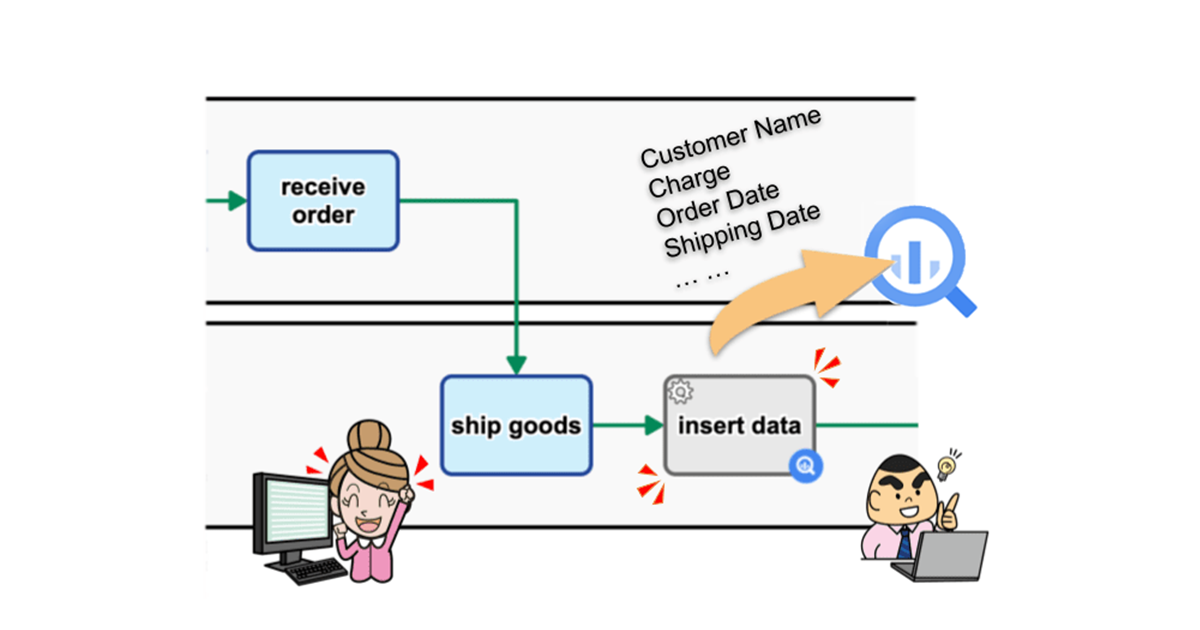
    Starting with the new version 13.2, Business Processes will incorporate the ability to add data to Google BigQuery tables. You will be able to build a mechanism that is, for example, in the Order Fulfillment Process on an e-commerce site, data such as customer name, order details, order date and time, shipment time can be automatically added to the orders record table of Google BigQuery after the shipping process is processed. You can achieve this just by making configurations, and no coding is necessary.

    Questetra BPM Suite

    Cloud-based Workflow Questetra BPM Suite is a business platform for realizing paperless environments and remote-working. Business issues are controlled according to a Business Flow Diagram. When a Process reaches a Human Task the user will be asked to add their input. Also, when an issue reaches an automated Step the predetermined processing (server-side processing) such as generating a PDF and saving it to cloud storage is performed automatically. (BPM: Business Process Management))

    You can apply it to various business operations such as an Approval request flow, Document translation flow, Quality check process, and Invoice issuance process. Process owners of each Business Process can practice the Improvement of Business Processes little by little in daily work.

    Google BigQuery: Insert New Data

    You will be able to use this item to automatically add data to Google BigQuery tables. This allows you to build a mechanism, for example, so that order data is added to BigQuery immediately (in real-time) after the order is approved. It also reduces the labor of manually adding business data to a table.(There is a charge for using Google BigQuery.)* Available in Advanced, Professional

    Data addition to Google BigQuery table settings

    Other Improvements

    Enhanced manipulating of Google Sheets

    You will be able to use items to update/acquire row data and add/copy sheets in Google Spreadsheets. By using these together with the features that have already been provided such as adding row data, it will be possible to build a mechanism to automate aggregation, report creation, etc. utilizing spreadsheets. * Available in Advanced, Professional

    Box: Create/Delete Shared Link of File

    You will be able to share the files stored in Box using these items. You can set a password and expiration date for viewing, so you will be able to build a mechanism that allows you to safely share file deliverables such as those created by materials requests and quotation requests with outside parties (requesters, etc.). Previously, it was possible to share in folders, but now it is no longer necessary to create folders just for sharing. * Available in Advanced, Professional

    Improved flexibility in Flow Splitting conditions

    When Splitting in a workflow, in addition to selecting a conventional conditional expression, you will be able to define an arbitrary conditional expression (SpEL). You will be able to set conditions such as for example, “if the Title starts with [Urgent],” “if it is 24 hours before the deadline,” or “if the annual amount (that is calculated from the monthly amount) is equal to or more than 1 million.” * Available in Basic, Advanced, Professional

    See the release notes for details.

    Ver. 13.2 Release Note: https://support.questetra.com/versions/version-1320/

  • クラウド型ワークフローv13.2、Google BigQuery連携を追加

    クラウド型ワークフローv13.2、Google BigQuery連携を追加

    SaaSベンダーの株式会社クエステトラ(京都市、代表執行役 CEO 今村元一)は10月11日、クラウド型ワークフロー製品である 『Questetra BPM Suite』 の新バージョン13.2を公開しました。新バージョン13.2では、Google BigQuery のテーブルに業務データが自動追加される仕組みを、標準機能で構築できるようになります。

    Google BigQuery はビッグデータ(巨大データ群)を保管し、高速に分析できるクラウドサービスです。 例えば、ホームページのアクセスログ、受注データなどを Google BigQuery で高速分析し、その結果から受注傾向の予測やデイリーのレポート作成などに活用されています。Google BigQuery はUPS社、Twitter社、トヨタ社等の大企業でも利用され、ビッグデータの活用は多くの企業で取り組まれています。

    新バージョン13.2からは、業務プロセスに Google BigQuery のテーブルにデータを追加する機能を組み込めるようになります。例えば、ECサイトにおける受注処理プロセスにおいて、出荷工程が処理された後に、顧客名、注文内容、受注日時、出荷日時などのデータが Google BigQuery の受注テーブルに自動的に追加される、という仕組みを設定だけで(ノーコードで)構築できるようになります。

    Questetra BPM Suite とは

    クラウド型ワークフロー『Questetra BPM Suite』は、ペーパーレス環境やリモートワーク環境を推進するための業務プラットフォームです。業務案件は業務フロー図に従ってコントロールされ、案件が人間工程に到達すれば担当者はアウトプットを求められます。また、案件が自動工程に到達した際には、「PDFの生成」や「クラウドストレージへの保存」といった既定の処理(サーバサイド処理)が自動的に行われます。(BPM: Business Process Management)

    「稟議承認フロー」「文書翻訳フロー」「品質チェックプロセス」「請求書発行プロセス」といった様々な業務に適用していただけます。各業務のプロセスオーナーは日々の業務の中で少しずつ「業務プロセスの改善」を実践することが可能です。

    (業務フロー図サンプル: https://questetra.zendesk.com/hc/ja/articles/360012492211

    Google BigQuery データ追加

    サービス工程を利用して、Google BigQuery のテーブルにデータを自動追加できるようになります。これにより、例えば、受注承認後すぐに(リアルタイムで)受注データが BigQuery に追加される、というような仕組みを構築できるようになります。また、業務データを手動でテーブルに追加するという手間が削減されます。(Google BigQueryのご利用には別途費用がかかります)(対象エディション: Advanced, Professional)

    その他の機能改良について

    Googleスプレッドシートのコントロールを強化

    サービス工程を利用して、Googleスプレッドシートにおいて、行データの更新・取得、シートの追加・コピーができるようになります。既に提供されている、行データの追加などの機能も合わせて活用することで、スプレッドシートを利用した集計、レポート作成などを自動化する仕組みを構築できるようになります。(対象エディション: Advanced, Professional)

    Boxファイル共有リンクの作成と削除

    サービス工程を利用して、Boxに保存されたファイルを共有できるようになります。閲覧用のパスワードと有効期限を設定でき、資料請求、見積依頼などで作成されるファイル成果物を、社外関係者(依頼者等)と安全に共有できる仕組みを構築できるようになります。従前、フォルダでの共有が可能でしたが、今後は共有のためだけにフォルダを作る必要がなくなります。(対象エディション: Advanced, Professional)

    フロー分岐条件の柔軟性向上

    ワークフローの分岐において、従来の選択式の条件式に加え、任意の条件式(SpEL)を定義できるようになります。例えば「件名が【緊急】で始まるなら」「締切時刻の24時間前なら」「(月額金額から計算される)年額が100万円以上なら」というような条件を定められるようになります。(対象エディション: Basic, Advanced, Professional)

    詳細については、リリースノートを御参照ください。

  • Social Medical Corporation Saneikai TSUKAZAKI Hospital

    Social Medical Corporation Saneikai TSUKAZAKI Hospital

    Business efficiency and quality in the monthly report creation work that involves many people has been improved by using Timer Start and Parallel Processing.

    Social Medical Corporation Saneikai TSUKAZAKI Hospital

    Established

    1963

    Number of Employees

    406 beds (334 general wards (DPC), 8 HCU beds, 12 SCU beds, 12 COVID-19 high-care units (CHCU), 40 rehabilitation beds)

    Business

    General Hospital


    Industry

    Health Science

    User Departments

    Marketing

    Improved Work Efficiency and Quality in Report Creation Task

    Q. What kind of operations do you use Questetra for?

    Social medical corporation Saneikai Tsukazaki Hospital is a general hospital located in Himeji City, Hyogo Prefecture. There are 22 medical departments as well as various surgeries and internal treatments, including ophthalmology, urology, radiology, anaesthesiology, emergency, and rehabilitation, etc.

    One of the departments of our hospital that receives particular attention is ophthalmology. About 8,000 surgeries are performed a year and they are engaged in various academic studies.

    In the 2020 fiscal year (April 2020 to March 2021) 16 types of surgery were performed, including cataract, vitrectomy, and glaucoma surgery, with a total of 3,674 cataract surgeries performed annually. In terms of academic research, in addition to conducting academic societies and symposiums, we have many academic achievements such as the publication of papers by doctors, orthoptists, nurses, and pharmacists.

    We use Questetra to create monthly reports distributed within the ophthalmology department.

    The monthly report provides information on the status of surgeries, changes in complication rates, achievement rates, and considerations in each field of ophthalmology such as lacrimal passages, eyelids, and axis misalignment. In addition to doctors in each field, more than a dozen people including designers and proofreaders are involved in creating the report.

    Q. What were the challenges you faced in the report creation work?

    The problem was that the burden of work for the editing designer who was in charge of conducting the work was heavy.

    The designer will ask eight doctors to submit the data that will be included in the report. Then he created content based on the submitted data and asked each doctor to check the completed content. Therefore, communication took a lot of time and effort, such as requesting data submission, urging those who had not submitted data to submit it, and requesting confirmation of created content.

    Another issue was that it took a long time to complete the report due to the time and effort required.

    Wish to Use it for Research and Development Using AI

    Q. How did you solve the problem?

    With Questetra, business personnel’s tasks are now automatically assigned in the order they should be processed. As a result, each staff member now only has to handle their assigned tasks. This eliminates the need for designers to request submissions or confirmations, reducing the workload and allowing them to concentrate on their design work.

    Also, by using concurrent processing items, tasks related to data collection can now be assigned to all doctors at the same time. As a result, the time to complete the report has been shortened compared to when the designer used to request the submissions individually.

    Work handover has also become easier. Questetra itself, in which business progresses according to the workflow diagram, plays the role of a business manual. As a result, it is no longer necessary to explain the work to new staff, and the burden of handing over work has been reduced.

    Before and after the installation of Questetra

    Q. What are you planning to do via Questetra in the future?

    We are now considering that Questetra can be used in the process of machine learning in the research and development of artificial intelligence, which we are focusing on.

    In our ophthalmology department more than 3 million images and clinical data of more than 70,000 patients have been obtained, and we are developing various solutions by applying this data to machine learning. For example, we have developed an AI that determines whether an eye is left or right by analyzing the image of the eye. Usually, a nurse visually confirms which of the patient’s eyes will be operated on. In addition to this, at our hospital we use a tablet to take pictures of the eyes of patients who have their faces covered with a cloth during surgery and use this AI to check which eye is the target of surgery. This minimizes the risk of misidentifying the eye to be operated on.

    Machine learning is the process of finding rules from a large amount of data, and mainly consists of three processes: data preprocessing, model learning, and model verification. Many of the tasks in these processes involve reading images and other tasks that are performed in a set procedure.

    In such routine work, we believe that process management is important in order to reduce errors, unevenness, and waste, and to further improve work quality, so we are also considering how we can utilize Questetra in the future.

  • 社会医療法人三栄会 ツカザキ病院

    社会医療法人三栄会 ツカザキ病院

    多くの担当者が関わる月次レポート作成業務で、タイマー開始や並列処理を活用し、業務効率や品質が向上。

    社会医療法人三栄会 ツカザキ病院

    昭和38年

    病床数406床 (一般病棟(DPC) 334床、HCU 8床、SCU 12床、コロナ専用ハイケアユニット(CHCU)12床、回復期リハビリ病棟 40床)

    ※2023年11月 時点

    総合病院

    マーケティング

    この事例に関連するプロセス改善記事

    この記事の目次

    月次レポート作成業務で利用

    社会医療法人三栄会 ツカザキ病院の佐藤様と田淵様

    社会医療法人三栄会 ツカザキ病院は、兵庫県姫路市にある総合病院です。診療科目として、各種外科や内科をはじめ、眼科、泌尿器科、放射線科、麻酔科、救急科、リハビリテーション科など22科目が設置されています。

    当院が注目される科目の一つに、眼科が挙げられます。年間約8,000例の手術を手がけるとともに、様々な学術研究に取り組んでいます。

    2020年度(2020年4月~2021年3月)には、白内障手術や網膜硝子体手術、緑内障手術をはじめ16種類の手術を実施しており、白内障手術においては、年間3,674眼の手術実績を有しています。また、学術研究においては、学会やシンポジウムの実施に加え、医師や視能訓練士、看護師、薬剤師による論文発表など多くの学術実績を有しています。

    Questetra は眼科内で配布される月次レポートの作成業務で利用しています。

    レポート作成の業務効率や品質が向上

    月次レポートでは、涙道や眼瞼、軸ズレなどの眼科における各分野について、手術状況や合併症比率の推移や達成率、考察などを掲載しています。レポート作成には、各分野の医師に加え、デザイナーや校正担当者など十数名が関わっています。

    業務の指揮をとっていたデザイナーの業務負担が大きな課題でした。

    デザイナーは、レポートに掲載されるデータを収集するため、8名の担当医師にデータ提出を依頼。その後、提出されたデータを基にコンテンツを制作し、できあがった内容を各担当医師に確認してもらっていました。そのため、データの提出依頼、未提出者への催促、作成したコンテンツの確認依頼などのコミュニケーションに大きな手間が発生していました。

    このような手間の影響でレポートが完成するまでに時間がかかっていたことも課題でした。

    Questetra を使うことで、業務担当者のタスクが、処理すべき順に自動的に割当てられるようになりました。そのため、全ての担当者は、割当てられた自分のタスクを処理するだけで良くなりました。これにより、デザイナーは、提出依頼や確認依頼を行う必要がなくなり、業務負担が軽減されるとともに、デザイン業務に専念できるようになりました。

    また、並行処理アイテムを使うことで、データ収集に関するタスクが、全ての担当医師に同時に割り当てられるようになりました。そのため、デザイナーが個別で提出を依頼していた時と比べ、レポート完成までの時間が短縮されました。

    業務の引継ぎも楽になりました。ワークフロー図通りに業務が進む Questetra 自体が業務マニュアルの役割を果たしています。そのため、新しいスタッフへの業務の説明が必要なくなり、引継ぎの業務負担が減りました。

    人工知能を使った研究開発でも利用したい

    我々が注力している人工知能の研究開発において、機械学習のプロセスで Questetra を活用できるのではないかと考えています。

    当眼科では、300万枚以上の画像や7万人以上の臨床データを有しており、これらのデータを機械学習にかけることで、様々なソリューションを開発しています。例えば、眼の画像を解析することで、左右どちらの目であるかを判断するAIを開発しました。通常、患者がどちらの眼を手術するかを看護師が目視で確認します。当院ではこれに加え、手術時に布を顔にかぶせられた患者の目をタブレットで撮影し、このAIを使い手術対象となる眼が左右どちらの目であるかを確認しています。これにより、手術対象となる眼を取り違えるリスクを最小限にすることができます。

    機械学習は、大量のデータから法則を見つけ出す作業で、主に「データの前処理」、「モデルの学習」、「モデルの検証」の3つのプロセスから成り立っています。これらのプロセスにおける業務は、画像の読込など決められた手順で行う業務が多く含まれます。

    このような定型業務において、モレやムラ、ムダを軽減し、更に業務品質を向上させるためには、「プロセス管理」が重要であると考えており、将来的な活用も視野に入れています。

    ※ 本事例は2021年9月時点の情報です

    同業種の導入事例

  • Vital Information, Inc.

    Vital Information, Inc.

    The company has suceeded in making 500 order approvals a year paperless. That reduces management time in the administration department by 20 hours per month.

    Vital Information, Inc.

    Established

    1996

    Number of Employees

    276 as of June 2023

    Business

    System integration, cloud integration, embedded systems development, R&D


    Industry

    Hitech

    User Departments

    Manufacturing dept, Accounting, Marketing

    Management Time Reduced by 20 Hours per Month by Going Paperless

    Q. What kind of operations do you use Questetra for?

    We, Vital Information, Inc. develop system integration, cloud integration, and embedded software development.

    We use Questetra for contracted developments and order approvals of System Engineering Services (SES).

    For order approvals around 8 representatives from the sales (applicant), general affairs, accounting, and technical departments, including department heads, are involved and the president makes final approval.

    Orders submitted by the sales representative are given a rank for approval: S, A, B, etc. The rank (according to the level of profitability) is automatically evaluated based on evaluation criteria such as the contract period, unit price, and profit margin. The president, as the final approver, considers the competence of the issue based on the rank and approves the orders. After approval, we will move on to the procedure for concluding the contract.

    Q. What did you struggle with in the order approval process?

    Before installing Questetra we created order acceptance forms with spreadsheet software and printed them for use. Our staff in the administration department filed the forms and kept them in a storage locker for five years, which resulted in printing, filing, and storage costs. In addition, looking for past forms took a lot of time and effort.

    The approval rank was defined by our staff in the accounting department, which required time and effort to refer to past order approval forms and review the definition of their approval ranks. For other evaluation criteria our departments didn’t have any clear criteria for acceptance and approval so the quality of forms was uneven.

    We didn’t prepare a manual for the documents attached to the order approval form, so that made it difficult for the involved parties to share a common understanding of which documents should be attached. In addition, we didn’t visualize the operational progress next to the order approval, which consequently took a lot of time and effort to ascertain whether the approved contracts had been successfully concluded.

    Visualization and Forecasting of Sales

    Q. How did you solve your challenges after installing Questetra?

    We use Questetra for order approval. We have succeeded in making applications and contracts for approximately 500 applications a year paperless, therefore cost for printing and places for storage are never needed. In addition to that, the printing and filing of documents for storage, which used to be performed by the administration department, has been eliminated. We have made the stored data downloadable as a CSV file for ease of searching. These efforts enable us to reduce our monthly working hours by approximately 20 hours.

    We have applied approval ranks to the evaluation criteria for issues that were unclear in each department, which allows us to see whether the issue is good or bad at a glance. Regarding the approval ranks, they are automatically assigned based on a preset rule when the applicant enters a numerical value such as the estimated amount. In addition to that, we provide items as criteria for approval on the approval screen, making it easier to make decisions.

    In contracted developments, we often make sales several months in advance. With Questetra, we can accumulate the scheduled sales data, which consequently makes us able to forecast sales and other issues.

    We use Salesforce as our mission-critical system. With Questetra, we import the customer and employee master information provided in Salesforce to make them available as an option on the process screen. Therefore, when you apply for a job on Questetra, you can choose from the options for the input items, such as customer information and employee information, thus preventing variations in the input.

    Since the attachments to the order acceptance form are clearly shown on the application/approval screen in Questetra, all our staff can share a common understanding. We have also incorporated the process to complete the receipt of contracts and purchase orders into the workflow. This visualizes the entire operation from order application to contract to easily understand the contract conclusion.

    Before and After installation of Questetra

    Q. What are you planning to do via Questetra in the future?

    We are planning to simplify our order review operations.

    In the current flow of order review operations, all relevant parties have to check all applications. However, for example, we set the flow so that those who are in a higher position than department heads do not check applications with a high approval rank to shorten the time required to approve an application. By such simplification of the workflow, we plan to further improve our operations.

    Nakamura and Kano at Vital Information, Inc.
  • Kyoto University Conference on Higher Education Committee

    Kyoto University Conference on Higher Education Committee

    The Committee has succeeded in making operations paperless and cashless, linking with Paypal and utilizing Questetra’s Automatic Processing Process. That consequently has helped the Committee shorten the time required for each operation, eliminate mistakes and improve customer satisfaction.

    Kyoto University Conference on Higher Education Committee

    Established

    2001

    Business

    The Forum for Overcoming the University Crisis and Opening Up the Future.


    Industry

    Education

    User Departments

    Accounting, Marketing

    Automatic Issuance of 600 Participation Certificates for the Conference

    Q. What kind of operations do you use Questetra BPM Suite for?

    We, Kyoto University Conference on Higher Education Committee , literally host an event called “Kyoto University Conference on Higher Education”.

    The Conference is a forum for exchanging information and opinions on the results of research and practice in university education. We hold the Conference every year jointly with the Center for the Promotion of Excellence in Higher Education, and Kyoto University Original Co., Ltd.

    As the Conference is a more frank occasion where you can present even content which is not preferable in an academic conference, faculty members as well as university staff and business people can participate and make presentations there.

    We use Questetra BPM Suite for the tasks involved in event operations: registering participants and their presentation materials for the conference and providing information to their relevant parties. We have established a system for the tasks, and Kyoto University’s Original Co., Ltd. uses the system to carry out the tasks.

    Kyoto University Original Co., Ltd. is a subsidiary of Kyoto University. The company engages in courses, consulting, and business matching, utilizing the university’s technology and knowledge. Since the company is an external organization to the university, it can make proposals that are difficult to deal with within the university organization according to the university’s regulations.

    Q. What did you do for registering participants?

    With Questetra, we enabled operations from application to payment confirmation for approximately 600 people.

    When participants access the web form and fill out the required information, an email with an auto-generated participation certificate (PDF form) attached is sent to them. Also, the participation fee can be paid by PayPal or bank transfer.

    When the staff responsible for operating the event processes confirm the payment by PayPal or bank transfer through processing the payment confirmation steps provided by Questetra, a receipt (PDF form) is automatically generated and emailed to the applicants.

    Before using Questetra, we were accepting the participation fee by cash at the venue in addition to bank transfers. However, by changing the payment method to Paypal or bank transfer payment there was no need for staff to transfer cash or issue receipts at the venue, which resulted in a significant cost reduction in operation.

    Before and After installation of Questetra

    Expanding to Other Operations to Which Questetra Has Not Yet Been Applied

    Q. How did you handle the reception of the presenter’s materials?

    There were 171 presentations at the Kyoto University Conference on Higher Education 2020. The presentation materials are submitted to us in advance, and they can now be accepted in a Web form via Questetra.

    In addition to that, we have made it easier to understand which presentation the submitted materials belong to. For the titles, we have set up options which can be selected.

    When presenters select their own titles in the web form for accepting presentation materials, entering some words of the title will display only the choices that contain those words. That consequently enables presenters to easily find their own titles from among about 170 titles. Moreover, we add titles to the file name of the uploaded materials.

    This eliminates errors in linking the submitted materials to the title of the presentation and prevents us from misidentifying the presenter and the presentation materials at the time of the presentation.

    Q. What are you planning to do via Questetra in the future?

    We are planning to expand your service to other operations such as accepting presenters’ applications.

    Although we use a system that we have built for the applications, in the future, we plan to establish a system where the applications are processed with Questetra, linking it with the system where the aforementioned presenters’ materials are accepted to further improve the efficiency of our operations.

    Ms. Okamoto at Kyoto University Conference on Higher Education Committee and Ms. Yamaguchi at Kyoto University Original Co., Ltd.
  • Sanshin Electronics Co., Ltd.

    Sanshin Electronics Co., Ltd.

    The company has succeeded in making operations paperless: 350 orders and 1,500 applications in a year, which has reduced input errors, labor, and management costs by 50%.

    Mr. Iwano at Sanshin Electronics Co., Ltd

    Sanshin Electronics Co., Ltd.

    Established

    1951

    Number of employees

    567 (consolidated) As of March 31, 2023

    Business

    Sanshin Electronics conducts sales and trading in Japan of electronic components, including integrated circuits, semiconductor elements and general electronic components; and electronic devices, including office-automation equipment, communications equipment and video equipment. The Company also develops applied software for microcontrollers and simulations for semi-custom LSIs (gate arrays).


    Industry

    Manufacturing

    Target departments

    Manufacturing dept, Accounting, Approval Flows

    50% Reduction of Labor and Other Management Costs

    Q. What do you use Questetra for?

    We, Sanshin Electronics Co., Ltd, purchase electronic components including semiconductors from domestic and foreign manufacturers, selling them to home appliance manufacturers in Japan. We also develop embedded software and solutions. In the solution business, we mainly construct secure network environments for mission-critical systems. Our main customers are Japanese public offices and municipalities as well as home appliance manufacturers in Japan.

    We use Questetra for order management related to embedded software development and for application work including overtime and telecommuting within the development department.

    For order management, we estimate development costs, outsource development, manage the purchase of embedded electronic components, any progress on development, delivery, and sales. In addition to staff responsible for development, sales, purchase, and department heads, subcontractors are also involved in these operations.

    Q. What kind of challenges did you face with order management?

    We had used paper for tasks involved in the order management: applications, estimates, orders, and deliveries. That consequently caused errors in transcription due to entering the same information, such as the amount of money into multiple systems and Excel files. Also the printing and storage of documents were costly and time-consuming. In addition to that, we had an issue with the slow speed of internal approvals: sometimes the applicant and the approver were outside the company, which caused the rubber stamping process to take several days.

    We had to check the status of all departments involved in the issue together with each representative to manage the progress of the issue. Therefore, it took us time and effort to grasp the overall progress.

    Expanding to Issue Management Before Receiving Orders

    Q. How did you solve it?

    For applications, estimates, orders, and deliveries that used to be done on paper, we are now able to simply enter data into Questetra. In addition to that, we set preset numerical values such as unit price to be automatically entered. As a result, unnecessary entries, input errors, and work duplication are reduced. We set estimates, order forms, and invoices to be automatically generated as PDF files. Since Questetra is a cloud service, submission and approval of applications outside the office become possible. That eliminates the need for application forms to be retained in the company, reducing the amount of time required from application to approval.

    For progress management, data is centrally managed within Questetra, in which the progress of each issue and the status of the Task in which issues are retained, can now be graphically checked.

    From the viewpoint of management and efficiency, we are promoting the creation of workflows for various operations; we use Questetra for the management of applications and approvals for overtime and telecommuting in the development department.

    Before and After installation of Questetra

    What are you planning to do via Questetra in the future?

    We’d like to use Questetra for issue management before receiving an order.

    After receiving an order for an issue, we need to secure staff members within the development department. Therefore, if the status of the issue can be grasped within the development division beforehand, it will be easier for us to prepare the system. Now we use spreadsheet software to manage the size and stage of issues and the probability of receiving the order.

    In the future, we’re planning to use Questetra for this kind of issue management to further improve operational efficiency.

  • セキュリティハンドブック

    セキュリティハンドブック

    株式会社クエステトラの情報セキュリティマネジメントシステム(ISMS)で定められている「セキュリティハンドブック」を公開しています。このハンドブックには、従業者が日々の業務において意識すべき情報セキュリティのルールが記載されています。

    1 情報を適切に取り扱う

    情報資産の分類

    社内の情報は、以下の表に従って分類する。

    A情報
    • 定義
      • 社外に漏えいした場合に、当社の存続が危機にさらされる情報
      • 顧客の個人情報、お客様に所有権があるデータ など
    B情報
    • 定義
      • 社外に漏えいした場合に、当社に悪影響や被害が想定される情報
      • 従業者の個人情報、取引先情報、業務ノウハウ など
    C情報
    • 定義
      • 社外に漏えいしても、当社に悪影響や被害がない、もしくはすでに公開されている情報
      • 会社パンフレット、公開後のプレスリリース など

    紙媒体の整理・ラベル付け

    • A情報およびB情報は、原則、鍵付きキャビネットなどを用いて施錠管理を行う。
    • 紙媒体をキャビネットや机の引き出しに保管する場合は、平積みにせず、ファイリングして整理する。
    • ファイリングされた紙媒体の背表紙には、識別を容易にするため、内容を記入する。

    電子データの整理・ラベル付け

    • A情報およびB情報は、適切なアクセス権を設定した共有フォルダ等で保管する。
    • 電子データには、識別を容易にするため、内容が分かるようなファイル名・フォルダ名を付ける。
    • ファイル名・フォルダ名には、「その他」「引き継ぎ」などの中身がわかりにくい名前を付けない。
    • PCの破損・紛失時に備え、電子データは共有フォルダへの保管を心がけ、PCローカルのみの保管は最小限とする。

    個人情報の取り扱い

    • 業務で個人情報を扱う場合は、個人情報保護法をはじめとする法令や、ガイドラインを遵守する。

    2 機器や媒体を適切に取り扱う

    会社支給PCの取り扱い

    • デスクトップ画面には、可能な限り作業用の一時ファイル、ショートカット、ゴミ箱以外のアイコンを置かない。
    • ウィルス対策ソフトを導入し、自動更新の設定を行う。
    • 帰宅時や、社外への持ち出し時には、必ずシャットダウンを行う。
    • パスワード付きのスクリーンセーバーが5分以内に起動するよう設定する。
    • PCから一時的に離れる場合は、画面ロックを手動で実施する。

    私物PCの取り扱い

    • 利用方法については、上記「会社支給PCの取扱い」を遵守する。
    • 利用する際は、事前に情報セキュリティ管理者に申請する。
    • 業務で用いる私物PCのOSアカウントは、家族や友人などの第三者と共有しない。
    • PCにダウンロードした業務データは、1ヶ月に一回全て削除されていることを確認する。

    私物モバイル端末の取り扱い

    • パスワードか、もしくは生体認証(指紋認証 など)を設定する。
    • リモートワイプの設定を行う。
    • サポートが終了したバージョンのOSしか動作しない端末を使用しない。
    • 公式のストア(App StoreやPlayストアなど)以外から、アプリをダウンロードしない。
    • アプリやOSは、定期的なアップデートを行い、常に最新のバージョンを利用するよう心がける。
    • ロック画面に表示されるアプリの通知に、A情報及びB情報が含まれないように設定する。
    • 業務データを端末内に保存(ダウンロード)しない。

    紙媒体の取り扱い

    • A情報およびB情報が記載された裏紙は利用しない。
    • A情報およびB情報が記載された紙媒体の利用が終わったら、速やかにシュレッダーで破砕する。
    • 社外(コンビニ、自宅 など)で、紙媒体を印刷・コピーすることは禁止する。ただし、情報セキュリティ管理者から許可を得た者は利用してもよいものとする。

    名刺の取り扱い

    • 交換した名刺は、スキャンにより電子データ化し保管する。
    • スキャンが終わった名刺の原本は、シュレッダーにて破棄する。

    機器・媒体の輸送

    • A情報及びB情報を含む機器・媒体(契約書など)を物理的に輸送する場合には、盗難に備え、データにパスワードをかける、暗号化するなどの対策を施し、パスワードは別の方法(電話、メールなど)で伝達する。

    3 強固なパスワードを設定し、管理する

    パスワードポリシー

    • パスワードは本人が作成したものを利用することとし、初期パスワードは、利用者本人で変更する。
    • パスワードの文字列には、辞書に載っている一般的な単語は利用しない。
    • パスワードの文字列は、8桁以上とする。
    • パスワードの文字列には、英語文字・数字をそれぞれ必ず1文字以上は含める。
    • プライベートで利用しているパスワードと同じパスワードを利用しない。
    • サービス毎にパスワードが異なるようにする。
    • 以下に該当するサービスのパスワードは、個別の利用方針に従う。
      • サービス名
        • スマートフォン
      • 個別の利用方針
        • 数字4桁などの簡単なパスワードを利用してもよいが、「0000」などの単純な数字列は設定しない。
        • 可能な限り、生体認証を利用する。

    パスワードの管理

    • パスワードを紙媒体に記載してもよいが、第三者に見られた場合に、簡単にログインされないように工夫する(サービス名, ID, パスワードの3つの情報をセットで同じ場所に記載しない等)。
    • パスワードが外部に流出した可能性がある場合は、即座にパスワードを変更する。

    4 安全なソフトウェア・Webサービスを利用する

    利用可能なソフトウェア・Webサービス

    • 業務では、基本的には以下に該当するソフトウェア・Webサービスは利用してはならない。
      • P2Pの仕組みを利用したWebサービス、ソフトウェア
      • SSL通信による保護がなされていないWebサービス
      • プライベートで利用しているWebサービスのアカウントの業務利用
      • 商用利用が有償であるWebサービス、ソフトウェアを無償で利用する行為
      • 個人提供、または提供元が不明のWebサービス、ソフトウェア
    • 業務において、上記に該当するソフトウェア・Webサービスを利用する場合は、情報セキュリティ管理者に相談し、許可を得る。

    クラウドストレージの利用方法

    • A情報及びB情報は、適切なアクセス制御がかけられたフォルダに保管する。
    • 外部とフォルダを共有していた場合、利用終了後に適切なアクセス権にする。

    電子メールの利用方法

    • A情報及びB情報は、電子メールに添付して送らない。
    • 会社のメールを、個人のメールアドレスに転送しない。
    • 互いに知られてはいけない社外の相手に一斉送信をする場合は、BCCを活用し、宛先が外部に流出しないよう注意する。

    チャットの利用方法

    • チャットは会社で指定されたサービスを利用する。
    • 業務に関するチャットは、各チャンネル(チャットルーム)を利用しダイレクトチャットでは業務内容のやり取り極力行わない。

    SNSの利用方法

    • FacebookやLINEなどのSNSの私用アカウントを用いて、情報をやり取りすることは最小限に抑える。私用アカウントを用いての、業務ファイルの送付は行わない。
    • 社内外で入手した非公開情報は、個人で利用しているSNS等には投稿しない。
    • 会社の執務エリア敷地内で撮影した写真や動画などの投稿は避ける。
    • 顧客や取引先との懇親会などの画像をアップする場合は、あらかじめ先方の許可を得るようにする。
    • 業務で利用しているIDやパスワードを、個人のSNSで再利用はしない。
    • 親しみやすい内容の投稿を心がけ、極端な表現の利用や、喧嘩腰の態度を取ることは避け、会社のブランディングに寄与する。
    • 他者が作成した画像や文章などの著作物を、許可なく無断でSNSに投稿、プロフィール画像に利用することは禁止とする。
    • 従業員や取引先相手の社員、及び一般人など、他者が写り込んだ写真・画像は、無断で投稿しないようにする。

    5 働く場所のセキュリティについて

    セキュリティエリア

    オフィスは、以下のセキュリティエリアに分ける。各エリア内では、以下の事項を守る。

    ※セキュリティエリアの割り当ては「オフィスレイアウト図」に記載されている。

    休憩スペース
    • 入退室管理
      • (誰でも入室可能)
    • 遵守事項
      • PCや業務資料を放置しない。
    来客・会議スペース
    • 入退室管理
      • (誰でも入室可能)
    • 遵守事項
      • PCや業務資料を放置しない。
      • ホワイトボートは、利用が終わるとすぐに内容を消去する。
    執筆スペース
    • 入退室管理
      • 来客が入室する場合は、従業者が帯同する。
    • 遵守事項
      • ホワイトボートは、利用が終わるとすぐに内容を消去する。
      • キャビネットは、利用が終わると都度施錠する。
    • 荷物の受取は、来客スペースで行う。宅配員が執務エリアに入る必要がある場合は、必ず従業者が帯同する。
    • キャビネットのスペアキーは管理部長が管理する。

    クリアデスク

    • 情報資産を紛失した際にすぐに気づくことができるように、机上は常に整理し、作業中の資料やPC以外は、机上に放置しない。
    • 個人の袖机には、他の人が利用する可能性のある会社の情報(書類など)を保管しない。

    社外での業務

    • 新幹線やカフェなど、背後に人が居る環境での作業は、常に盗み見に注意し、A情報及びB情報は開かない。可能であれば、覗き見防止フィルターを用いて画面を保護する。
    • 提供元が不明のWi-Fiや、暗号化が行われていないWi-Fiに接続しない。ネットワークに接続する場合は、WPA2以上の強度により暗号化されたWi-Fi、会社が貸与するポケットWi-Fi、もしくはテザリングを利用する。
    • 社外(自宅、コンビニなど)での、A情報やB情報の印刷は禁止する。ただし、情報セキュリティ管理者に許可を得た者は利用してもよい。
    • 利用する機器(PC、スマートフォンなど)は、盗難を防ぐため、常に肌身離さず持ち歩く。

    6 情報セキュリティ事故が発生したときの対応

    情報セキュリティ事象

    • 情報セキュリティ事象を発見した従業者は、すみやかに情報セキュリティ管理者にチャットまたは電話にて、報告する。
    • 情報セキュリティ事象の例として、以下が考えられる(ただし、これらに限らない)。
      • 業務資料や業務データが入った媒体(PC、スマートフォンなど)を紛失した
      • メールを誤送信した
      • パソコンがウィルス(マルウェア)に感染した
      • 不明な差出人からの添付ファイルを開いた
      • 外部から情報漏えいに関する連絡があった
      • 利用システム(Google Workspace等)のサービスのアカウントが乗っ取られた

    2020年4月作成、2020年7月改定、2021年7月改定

  • Cloud BPM v13.1, HTML Emails Now Available

    Cloud BPM v13.1, HTML Emails Now Available

    Original Japanese version

    Increase your customer satisfaction

    Kyoto, Japan, July 12th, 2021, Questetra, Inc., the global SaaS provider of Business Process Management (BPM), today announced that they have published the new version 13.1 of the Cloud-based Workflow product Questetra BPM Suite. This new version is capable of automatically sending HTML Emails in which business data has been embedded.

    There may be many cases where emails are sent automatically by local governments or companies to their applicants or prospective customers. Even some of the COVID 19 vaccination reservation systems also use such a mechanism.

    Up to now, although Questetra was able to insert, for example, company names or individual’s names into emails sent to applicants upon application for a seminar, the email body had to be simple without any decorations. With this new version, you can use HTML in the body of emails so that you can color the text, insert an image, place a button with a link, and so on.

    The beautiful decorations in an email body enhances the visual effect. Your message will be conveyed more easily and more accurately, and customer satisfaction is expected to increase. In addition, you will also be able to embed tags that measure the open rate of the emails that will lead to more effective marketing activities.

    Questetra BPM Suite

    Cloud-based Workflow Questetra BPM Suite is a business platform for realizing paperless environments and remote-working. Business issues are controlled according to a Business Flow Diagram. When a Process reaches a Human Task the user will be asked to add their input. Also, when an issue reaches an automated Step the predetermined processing (server-side processing) such as generating a PDF and saving it to cloud storage is performed automatically. (BPM: Business Process Management))

    You can apply it to various business operations such as an Approval request flow, Document translation flow, Quality check process, and Invoice issuance process. Process owners of each Business Process can practice the Improvement of Business Processes little by little in daily work.

    HTML in the body of the automatic email sending feature

    By placing an email sending event in a workflow, an email with business data inserted will be automatically sent every time an Issue passes. It is now possible to specify HTML in the email body. This makes it possible to implement beautiful decoration with HTML in the body of emails sent automatically from the system, such as confirmations for the reception of seminars or service applications, delivery notifications, and deadline notifications.

    HTML in the Mail Body

    Other Improvements

    Box: Move File, Delete File

    Using these Service Steps, you can now move or delete files that have been stored in Box. For example, it will be possible to build a mechanism in which CAD files approved in the Delivery Step in Design Drawing Production work are automatically moved from the drafting folder to the submission folder.* Available in Advanced, Professional Edition

    Google Calendar: Move Event, Delete Event

    Using these Service Steps, you can now move or delete events registered on Google Calendar. In the business of planning seminars, for example, it will be possible to build a mechanism that once a plan is approved, the seminar schedule registered in the Planning calendar is automatically moved to the Public calendar. * Available in Advanced, Professional Edition

    API search utilizing saved search criteria

    It is possible to save the search criteria in the All Processes function when doing a filtered search on all Process data. It is now possible to search by API (Process search/Task search) specifying a key (reportId) that selects saved search criteria. This will reduce the trouble of specifying search criteria when using the API.

    See the release notes for details.
    Ver. 13.1 Release Note: https://support.questetra.com/versions/version-1310/