ブログ

  • 業務の自動化で人件費を削減する方法

    業務の自動化で人件費を削減する方法

    日々の定型業務。資料請求に対するメール返信や資料送付、問合せに対する受付メールの送付など…日々の定型業務における単純作業には、多くの時間が費やされています。

    この様な単純作業にかかる時間を削減すれば、新たに生まれた時間を他の業務に使うことができ、適切な職務分掌により人件費の削減も可能となります。

    今回は、定型業務の単純作業にかかる時間を試算し、どうすればこの様な無駄な時間を削減できるかを考察したいと思います。

    定型業務で消費する時間

    では、以下の業務について、単純作業がどれくらいの時間を消費しているかを試算してみます。

    受注対応

    郵送/電話/FAX注文を除き、顧客が企業/一般消費者であっても、取扱商材が有形/無形であっても、受注後速やかにメール返信することは、顧客の安心感を得る上で重要な取組みとなります。

    しかし、受注後の注文内容の確認や、受注完了の返答に時間を要するケースが多いのも事実。そのため、一旦「注文を承りました」という返答を即座に返すことで、顧客の安心感を得られます。

    この様な確認メールを手動で作成/送信する場合、以下のようなフローが考えられます。

    1. 受注管理画面/受注メールを開く
    2. 注文者のメールアドレスをコピーする
    3. メーラーを開く
    4. 送信先にメールアドレスをペーストする
    5. 受注管理画面/受注メールを開く
    6. 注文者の会社名や部署、名前をコピーする
    7. メーラーを開く
    8. メール本文に宛名をコピーする
    9. メール本文の雛形を選択(コピペ)する
    10. 受注管理画面/受注メールを開く
    11. 注文内容をコピーする
    12. メーラーを開く
    13. 本文に注文内容をペーストする
    14. 送信内容(メールアドレス/宛名/本文/注文内容)を確認する
    15. メールを送信する

    作業時間を約2分と考えると、30件の受注で約1時間かかることになります。

    問合せ対応

    問合せへの回答においても、受注対応と同様に素早いレスポンスが求められます。問合せに対する「問合せを承りました」メールを手作業で作成/送信するとどれくらいの作業時間がかかるでしょう。

    作業内容は受注対応と同じようなフローとなるため、2分程度の時間がかかると考えられ、30件の問合せで約1時間の作業時間がかかることになります。

    資料請求対応

    資料請求への対応も、素早いレスポンスが求められます。自社の製品/サービスに興味を持ってくれる見込客に対して、求める情報を出来るだけ早く提供することは、購買意欲を低下させないためにも重要な取組みです。

    作業時間は、受注確認メール送信の作業フローに、資料ファイルを探す/添付する/確認する/請求者情報をデータベースに保存する/確認するなどの作業が加わるため、約6分かかると考えると、30件の資料請求で約3時間かかることになります。

    Webページのアクセス報告

    自社サイトのアクセス数チェックは、コンテンツマーケティングやデジタルマーケティングのPDCAを実施する上で重要な取組みです。

    作業時間は、アクセス解析ソフトやCMSなどの管理画面から、該当ページ/該当期間(前日/過去1週間)のアクセスデータを検索/取得し、グラフ化するなどまとめたものを関係者にメールで報告する作業の場合、1ページあたり約4分かかると考えると、30ページで約2時間かかることになります。

    自動化の方法と削減できる時間

    例えば、これまで作業時間を試算してきた4つの業務(受注確認メール送信/問合せ確認メール送信/資料請求対応/Webページのアクセス報告)を手作業で行うと約7時間かかることになります。また、これらが毎日の定型業務となると、1人の人材が必要になります。

    定型業務を自動化する具体的方法

    定型業務の自動化には、クラウド型ワークフロー「Questetra BPM Suite」がお勧めです。Questetra BPM Suiteはワークフロー図を作成し、タスク設定するだけでノーコードで業務システムが構築できます。(作成したワークフロー図が業務システムの設計図となり、ワークフロー図通りにシステムが動いていくイメージです)

    Questetra BPM Suiteを使って、業務のワークフロー図を描き、タスク設定などを行うことで業務アプリが完成します(業務システム化されます)。タスクには人が処理するタスクと自動処理されるタスクが用意されています。この自動処理タスクを使うと、定型業務を自動化できます。

    具体的にどの様に自動化されるか、業務毎にワークフロー図を見ていきます。

    受注確認メール送信

    <受注対応のワークフロー図>

    上図は受注対応のワークフロー図です。赤線で囲まれた箇所は、確認メールが自動送信されるフローです。「受注メールを受信する」と自動的にプロセスが開始し(ワークフロー図が開始タスクから終了タスクに向かって動き始め)ます。

    1. 「受信した受注メールの内容」が自動的に取り込まれます。
    2. 予め作成した文章がメール本文にセットされます。また、1で取り込んだデータ(メールアドレスや氏名、注文内容など)が、指定した箇所(メールの宛先や本文の指定箇所など)に自動で差し込まれます。
    3. 2で自動的に作成されたメールが自動的に送信されます。

    問合せ確認メール送信

    <問合せ対応のワークフロー図>

    上図は問合せ対応のワークフロー図です。赤線で囲まれた箇所は、確認メールが自動送信されるフローです。「問合せメールを受信する」或いは 「問合せフォームが送信される」と自動的にプロセスが開始します。

    1. 「受信した問合せメールの内容」や「問合せフォームに入力された内容」が自動的に取り込まれます。
    2. 予め作成した文章がメール本文にセットされます。また、1で取り込んだデータ(メールアドレスや会社名、部署名、氏名、問合せ内容など)が、指定した箇所(メールの宛先や本文の指定箇所など)に自動で差し込まれます。
    3. 2で自動的に作成されたメールが自動的に送信されます。

    資料請求対応

    <資料請求対応のワークフロー図>

    上図は資料請求対応のワークフロー図です。赤線で囲まれた箇所は、資料ダウンロードURLメールが自動送信されるフローです。「資料請求フォームが送信される」と自動的にプロセスが開始します。

    1. 「資料請求フォームに入力された内容」が自動的に取り込まれます。
    2. 資料ダウンロードURLを取得します。先ず、資料請求者がアクセスできるフォルダがストレージサービス「Box」上に自動作成されます。予めBoxの別のフォルダに保存しておいた資料のマスターファイルが一時フォルダに複製/保存され、フォルダ共有リンクが作成されます。
    3. 予め作成した文章がメール本文にセットされます。また、2で作成されたフォルダのURLや、1で取り込んだデータ(メールアドレスや会社名、部署名、氏名、問合せ内容など)が、指定した箇所(メールの宛先や本文の指定箇所など)に自動で差し込まれます。
    4. 3で自動的に作成された「資料ダウンロードURLの案内」メールが自動的に送信されます。

    Webページの日々のアクセス数チェック

    <アクセス数自動取得のワークフロー図>

    上図はアクセス数自動取得のワークフロー図です。

    1. 毎朝午前7時にタイマーが起動し、自動的にプロセスが開始します。
    2. 計測日(前日、過去7日間)を取得し、予め設定したページについて、計測日のアクセス数がWordPressから自動的に取得されます。
    3. (グラフ化しやすいよう)取得データが成形され、棒グラフ化されます。
    4. 取得データ(ページ毎の前日のアクセス数/過去7日間のアクセス数推移グラフ)がメールに自動的に差し込まれます。
    5. 4で生成されたメールが予め設定した関係者に自動送信されます。

    これらの定型業務を全て自動化することで、毎日7時間の業務時間が削減され、1人の人件費を削減できることになります。アルバイト1人の1ヶ月の給与を約15万円(東京都最低賃金、月140時間労働で換算)とすると、Questetra BPM Suiteのプロフェッショナルエディションを利用した場合、約145,000円が削減できることになります。

    また、複数人で業務を分担している場合は、各担当者において別の業務に充てる新たな時間が創出されます。

    自動化のメリットは時間削減だけじゃない

    手動でメールを送る場合は、オペレーションミスが発生する可能性があります。例えば、受注対応の注文確認メール送信において、誤って別の注文者に確認メールを送ってしまうケースです。

    この場合、謝罪メールの検討/作成/内容確認/メール送信には、通常より多くの時間を費やす必要があり、余分な作業時間がかかってしまいます。また、顧客に不安を抱かせてしまいます。本来、顧客の安心感向上のためにするこの取組みが、逆効果になってしまいます。これはメール送信に限らず、他の業務でもいえることです。

    自動化は、この様なリスクを軽減する方法の一つであり、自動化を上手く活用すれば、オペレーションミスを起こす心配がなくなります。

    人件費を含めた業務工数の削減や、業務品質の向上実現には、Questetra BPM Suiteをお勧めします。

    ※実際にどのように動くかは、無料トライアルでお試しいただけます。(テンプレートも豊富にご用意しております。テンプレートを使えばすぐに挙動もご確認していただけます)

  • Google ドライブのフォルダを作成 – 自動化のススメ

    Google ドライブのフォルダを作成 – 自動化のススメ

    こんにちは!矢作です!

    Google Workspace をご利用の組織では、Google ドライブを積極的に使われていることかと思います。そのような組織で、更に有効活用していただくために、見積承認フローを例に、フォルダ作成を自動化する方法を紹介します。

    Googleドライブ (Google Drive) でフォルダをシェア

    次の2つの記事で、承認された見積書ファイルが Google ドライブにアップロードされ、そのファイルの閲覧・ダウンロード用の URL がメールで顧客に案内される、という仕組みを構築しました。

    この仕組みでは、アップロードされるファイルが複数の場合、ファイルごとに閲覧・ダウンロード用 URL が用意されます。

    見積書を 3 パターン作成し、関連する参考資料が 2 種類あるとします(こういうこともありますよね)。この場合、合計 5 つのファイルが Google ドライブにアップロードされ、閲覧用 URL が 5 つ、ダウンロード用 URL が 5 つ用意されます。その結果、顧客に案内されるメールには 10 個の URL が挿入される、ということになります。

    複数のファイルがアップロードされた場合のメール
    複数のファイルがアップロードされた場合のメール

    このような状態の場合、クリックするまでファイル名が分からないという問題があります。ファイル名から優先度を推測して、順番に見ていくことができません。

    このような問題を解決するために、ファイルが保存されたフォルダのURLを案内する、という方法が考えられます。フォルダを開くとファイル名の一覧が表示されるので、見るべきファイルの優先度を決定できます。

    ノーコードでフォルダ作成を自動化

    Google ドライブのフォルダを作成する自動化アイテム

    ノーコード開発プラットフォーム「Questetra BPM Suite」には、Google ドライブのファイル・フォルダに対する様々な操作を行える自動化アイテムが用意されています。

    これらのアイテムを活用すると、Google ドライブの API (Application Programming Interface) に関する知識や経験がなくても、業務の自動化に取り組めます。(APIについては「ワークフローと相性抜群!?APIとは?」を参考にしてください)

    今回は複数ある自動化アイテムのうち、次の 3 つを使用します。

    • Google ドライブ: フォルダ作成
    • Google ドライブ: ファイルアップロード
    • Google ドライブ: ファイル / フォルダ削除

    後ろの 2 つ、「ファイルアップロード」「ファイル / フォルダ削除」については、「自動化のススメ – Google ドライブにファイルアップロード」「自動化のススメ – Google ドライブのファイルを自動削除」で説明されていますので、本記事での説明は割愛します。

    「Google ドライブ: フォルダ作成」は、その名の通り、このアイテムを利用することで、Google ドライブのある場所にフォルダが自動作成されるようになります。

    自動作成されたフォルダにファイルをアップロード

    前節で、紹介した 3 つの自動化アイテムを利用して、次のことが自動化される仕組みを構築する方法を紹介します。

    • 見積書ファイルが承認されたら、顧客名から構成される名称のフォルダが作成される。
    • 作成されたフォルダに、見積書ファイルがアップロードされる。
    • 作成されたフォルダの URL が挿入されたメールが、顧客に送信される。
    • 一定期間の経過後、作成されたフォルダが削除される。

    自動化のススメ – Google ドライブのファイルを自動削除」で作成したワークフロー図を 、少し変更するところから始めます。

    フォルダを作成する自動化アイテムが追加された見積承認フロー図
    フォルダを作成する自動化アイテムが追加された見積承認フロー図

    上図のうち、緑・赤の四角で囲った箇所は、ファイルのアップロード自動削除の記事で説明されています。

    今回は、「見積書承認」工程で承認された場合のフローに、「Google ドライブ: フォルダ作成」アイテムを割り込ませます(紫の四角で囲った箇所)。このアイテムでは、”作成するフォルダの場所(親フォルダ)” と “作成されたフォルダの ID が入力されるデータ項目” を指定します。

    自動化アイテム「Google ドライブ: フォルダ作成」の設定
    自動化アイテム「Google ドライブ: フォルダ作成」の設定

    作成するフォルダの場所(親フォルダ)は、あらかじめ Google ドライブの適当なフォルダに作っておきます。親フォルダ URL に含まれるフォルダ ID(以下の青い部分)を、「作成するフォルダの親フォルダのID」に入力します。

    https://drive.google.com/drive/u/0/folders/example1234567890EXAMPLE1234567890

    親フォルダの共有設定を「リンクを知っている全員」にしておきます。(Google ドライブでの設定)

    データ項目については、作成されたフォルダの ID と URL が入力される文字型の項目を追加しておきます。

    データ項目の設定
    データ項目の設定

    顧客に送信されるメールの設定は次の図のとおりです。実際に、実行された後に届くメールの内容も記載しています。最初に示した、ファイルの数だけURLが記載されているメールと比べると随分スッキリしましたね。

    顧客に届く、フォルダのURLが挿入されたメール
    顧客に届く、フォルダのURLが挿入されたメール
    改善後の見積承認フロー
    改善後の見積承認フロー

    まとめ

    Google ドライブ(Google Drive)を使って、フォルダ作成を自動化する方法を紹介しました。

    クラウド型ノーコード開発プラットフォーム「Questetra BPM Suite」には、Google ドライブを操作する自動化アイテムが用意されています。自動化アイテムを活用すると、本記事で紹介したように、API (Application Programming Interface) に関する知識や経験がなくても、設定だけで簡単に Google ドライブを操作できるようになります。

    「Questetra BPM Suite」には、60日間無料でご利用いただける、しかも100ユーザまで登録できる、トライアルが用意されています。興味のある方は、是非、以下よりお申し込みください。

    自動化アイテムはまだまだあります。今後の記事で紹介していきます。

    今回はここまで!

  • Google ドライブのファイルを自動削除 – 自動化のススメ

    Google ドライブのファイルを自動削除 – 自動化のススメ

    こんにちは!矢作です!

    自動化のススメ – Google ドライブにファイルアップロード」では、Google ドライブへのファイルアップロードを自動化する方法を紹介しました。

    この記事をご覧になった人の中には、アップロードされたファイルがいつまでも公開された状態であるのはちょっと嫌だなぁ、と思われた人もいると思います。

    今回の記事では、Google ドライブのファイルが自動削除される仕組みの構築方法を紹介します。

    Google ドライブ(Google Drive)ファイル削除の必要性

    自動化のススメ – Google ドライブにファイルアップロード」では、見積承認フローにおいて、次のような自動化を実現する方法を紹介しました。

    • 承認された見積書ファイルが、自動的に Google ドライブにアップロードされる。
    • アップロードされた見積書ファイルの閲覧・ダウンロード用 URL が挿入されたメールが顧客に自動送信される。

    これにより、営業マンが顧客に見積書を案内する手間が削減されると同時に、案内するファイルの間違いや案内忘れといったミスが防止される、という効果が期待されます。

    しかし、アップロードされたファイルがいつまでも削除されずに残っていることは好ましくありません。アップロードされたファイルは、閲覧用 URL を知っていれば誰でも見ることができる状態だからです。

    もし、閲覧用 URL がメールの転送等により、意図しない人に漏洩してしまった場合のことを考慮すると、一定期間の経過後、URL が無効にされるようにしておく必要があります。そのための方法のひとつに、アップロードされたファイルを削除してしまう、という方法が考えられます。

    しかし、ファイルを削除する手間も小さくありません。

    提出日から10日後に削除するルールがあるとして、たくさんの見積書を提出していた場合には、削除を忘れる、削除してはいけないファイルを削除してしまう、などのミスが発生しかねません。言うまでもありませんが、営業マンの負担も大きくなります。

    削除作業が自動化されると、このような業務ミスの防止、手間の削減が実現されます。

    ノーコードでファイル削除を自動化

    Google ドライブのファイルを削除する自動化アイテム

    ノーコード開発プラットフォーム「Questetra BPM Suite」には、Google ドライブのファイル・フォルダを自動的に削除するためのアイテムが用意されています。このアイテムを利用すると、Google ドライブの API (Application Programming Interface) に関する知識や経験がなくても、自動化に取り組めます。(APIについては「ワークフローと相性抜群!?APIとは?」を参考にしてください)

    指定日になると自動削除

    今回も「自動化のススメ – Google ドライブにファイルアップロード」と同様に、ノーコード開発プラットフォーム「Questetra BPM Suite」を利用して、ファイル削除を自動化する仕組みを構築していきます。(Questetra BPM Suite 60日間無料トライアルはこちら

    本記事で構築する仕組みは、ご利用中の Questetra BPM Suite で簡単に稼働させることができます。このページからダウンロードできるファイルをインポートするだけです。すぐに動作確認したい!という場合には、是非こちらをご利用ください。

    今回は「自動化のススメ – Google ドライブにファイルアップロード」で作成された見積承認ワークフローの最後に、ファイルを削除する部分を追加するだけです。とても簡単です。

    「Google ドライブ: ファイル / フォルダ削除」というアイテムを配置し、どのファイルを削除するのかを設定します。

    見積承認ワークフロー図(ファイル自動削除あり)
    見積承認ワークフロー図(ファイル自動削除あり)

    また、削除のタイミングを制御するために、タイマー中間イベントというアイテムも使用します。このアイテムは、設定された日が来るまで仕事のボールをここで待機させ、設定された日になれば、その後に続くアイテム(今回は「Google ドライブ: ファイル / フォルダ削除」)に渡します。今回は、「ファイルを削除する日」というデータ項目を用意し、このデータ項目の日になるまで仕事のボールを待機させるようにしています。

    削除日データ項目の設定
    削除日データ項目の設定
    自動化アイテムの設定
    自動化アイテムの設定

    見積書の閲覧・ダウンロード用URLを案内するメール本文に、いつファイルが削除されるのかも書かれていると親切ですよね。その設定は次の図のように行います。

    送信メールに削除日を挿入
    送信メールに削除日を挿入

    ここまで設定すると、

    • 見積書ファイルの Google ドライブへのアップロード
    • 見積書ファイルの閲覧・ダウンロード用URLのメール送信
    • アップロードされた見積書ファイルの削除

    が自動的に行われる仕組みが完成します。

    まとめ

    Google ドライブのファイルが自動的に削除される仕組みを作る方法を紹介しました。

    クラウド型ノーコード開発プラットフォーム「Questetra BPM Suite」には、Google ドライブを操作する自動化アイテムが用意されています。自動化アイテムを活用すると、Google ドライブの API (Application Programming Interface) に関する知識や経験がなくても、簡単に Google ドライブを操作できるようになります。

    今回紹介した「Questetra BPM Suite」には、60日間無料でご利用いただけるトライアルが用意されています。興味のある方は、是非、以下よりお申し込みください。

    自動化アイテムはまだまだあります。今後の記事で紹介していきます。

    今回はここまで!

    参考

    ワークフローと相性抜群!?APIとは?

  • Google ドライブにファイルアップロード – 自動化のススメ

    Google ドライブにファイルアップロード – 自動化のススメ

    こんにちは!矢作です!

    Google ドライブをご利用の組織は多いと思いますが、今回の記事では、Google ドライブにファイルを自動アップロードする仕組みをノーコードで構築する方法を紹介します。

    構築された仕組みを利用すると、承認された見積書ファイルが自動的に Google ドライブにアップロードされるようになります。その後、閲覧・ダウンロード用URLが差し込まれたメールが、自動的に顧客宛に送信されるようになります。

    Google ドライブ(Google Drive)とは

    クラウド上にファイルを保存できるストレージサービスです。Google が提供する Google Workspace の1機能です。

    個人向け、企業向けのサービスがありますが、企業向けのサービスにはファイルやフォルダの “共有” について強力な機能(共有ドライブ機能)が備わっています。本記事では、企業向けの Google ドライブを対象にしています。

    私たちクエステトラ社も創業時(2008年)から Google ドライブを活用しています。社内でのファイルの保存や共有はもちろんのこと、社外の人向けに、

    • 提案書などの提出
    • 製品、サービス資料の公開(※)
    • アプリテンプレートの公開(※)

    などにも利用しています。(※ 公開=URL を知っている人が閲覧やダウンロードが可能な状態にすること)

    ファイル共有を自動化したい

    Google ドライブ利用の有無にかかわらず、業務において「ファイル共有」に関する手間は大きいという問題があります。

    • 承認、決裁されたファイルをルールで定められた場所に保存する手間
    • ルール通りにフォルダ名を設定する手間
    • アクセス権限を設定する手間

    これらの手間が大きいために、適切に「ファイル共有」されない/されづらい、という問題は、多かれ少なかれ皆様の業務現場でも発生しているのではないでしょうか。

    このような問題を解決するには、「ファイル共有」に関する手続きを自動化してしまう、のが良い策です。

    • 承認、決裁されると同時に、自動的に決められた場所に関連するファイルが保存される
    • ルール通りにフォルダ名が命名される
    • 適切なアクセス権限が設定された場所に、ファイルが保存される

    このような処理が自動的に行われると、「ファイル共有」に関する手間が削減され、手作業に伴って発生していたミスも防止されます。

    自動化するなら Google ドライブ API!?

    「自動化」なら API ですよね?Google ドライブの API を使えばいいんですよね?

    と、技術的な知識を少しでもお持ちの人の中には、このように考える人がいるかもしれません。答えは Yes なのですが、API(Application Programming Interface) を使うのは、ITエンジニアではない人にとってそれほど簡単ではありません。

    たしかに、Google ドライブには API が用意されていて、例えばファイルをアップロードしたり、フォルダを作成したりすることの自動化に利用できます。

    Google ドライブ API

    しかし、

    • 説明書は英語で書かれていている
      • 海外企業から提供されるクラウドサービスの場合、API に関するドキュメントは英語だけの場合が多い。
    • API の挙動を詳細まで理解しなければならない
      • 入力データとしてどのような形式のデータを用意しなければならないのか?出力データにはどのようなデータが含まれているのか?
    • 理解したことをプログラミングしなければならない
      • 業務データをAPIが求める形式に変換、出力データを業務で使える形に解析。

    というように、API を使って自動化の仕組みを構築するには、それなりに知識と経験が必要とされます。さらに、仕組みの構築とテストの繰り返しにかかる手間もかなり大きなものになります。

    このように Google ドライブの API をイチから調べて自動化に取り組むのは大変ですが(実際のところ、エンジニア以外には無理だと思います)、API のことを意識せずとも結果的に API を利用して自動化を実現する方法があります。

    ノーコードで Google ドライブ自動化

    Google ドライブを操作する自動化アイテム

    ノーコード開発プラットフォーム「Questetra BPM Suite」には、Google ドライブ API にアクセスするためのアイテムが用意されています。

    このアイテムを利用すると、前節で述べた API を使うための知識と経験がなくても、「自動化」に取り組めます。

    Questetra BPM Suite に用意されている Google ドライブを操作する自動化アイテムのうち、代表的なものは以下のとおりです。

    • Google ドライブ:ファイルアップロード
    • Google ドライブ:フォルダ作成
    • Google ドライブ:ファイル / フォルダ削除
    • Google ドライブ:フォルダ検索

    ここからは、これらのアイテムを使った自動化例を紹介します。(今回紹介するワークフローアプリは、こちらから入手していただけます)

    承認された見積書ファイルを顧客と共有

    次のような業務を考えます。

    • 営業マンが見積書を作成する。
    • 営業課長が見積書を承認する。
    • 営業マンが見積書ファイルを顧客に提出する。

    この一連の業務の流れ(見積承認ワークフロー)の中で、最後の「見積書ファイルを顧客に提出する」部分について自動化を検討します。

    今回は「見積書ファイルを顧客に提出する」の部分を、次の2ステップで自動化します。

    • 承認された見積書ファイルが、Google ドライブの提出用フォルダにアップロードされる
    • アップロードされたファイルをダウンロードするための URL が書かれたメールが顧客に送信される

    これが実現されると、営業マンが見積書を提出する手間が削減されますし、提出し忘れや、メールにファイルを添付し忘れる、というようなミスもなくなります。このような自動化を実現するには、前述の Questetra BPM Suite を利用します。

    Questetra BPM Suite はワークフロー図を作成しながら、システムを開発するプラットフォームです。まずは、見積書が提出されるまでの業務の流れ(見積承認ワークフロー)をワークフロー図に描きます。

    見積承認ワークフロー図
    見積承認ワークフロー図

    このワークフロー図は BPMN というワークフロー図の表記ルールに基づいて描かれています。青い四角のアイテムは、自動ではなく人による処理が行われることを示します。また、グレーの四角いアイテム、赤の丸いアイテム(フローの最初と最後のものは除く)は、何らかの自動処理が行われることを示しています。

    上図に書かれているようにグレーのアイテム「Google ドライブ:ファイルアップロード」と、赤のアイテム「メール送信イベント」の2つで、「見積書ファイルを顧客に提出する」の自動化を実現しています。これらのアイテムをワークフロー図中の適切な場所(タイミング)に配置し、それぞれのアイテムについて次図のように設定することで、自動化の準備が整います。

    自動化アイテムの設定
    自動化アイテムの設定

    アップロード先のフォルダは、あらかじめ Google ドライブの適当なフォルダに作っておきます。作ったフォルダを表示させる際の URL の中で、次に示す青い部分を、上図 Google ドライブにアップロードする自動化アイテムの設定画面にある「ファイルアップロードするフォルダの ID」に入力します。

    https://drive.google.com/drive/u/0/folders/example1234567890EXAMPLE1234567890

    そして、このフォルダの共有設定を「リンクを知っている全員」にしておきます。(Google ドライブでの設定)

    見積承認フローで取り扱うデータ項目を設定します。ここでは、人と自動化アイテムにより入力される項目を定義します。

    データ項目の設定
    データ項目の設定

    他にもいくつか簡単な設定を行うと、次の図のような画面で、営業マンが見積書を添付する、営業課長が承認する、といったことが可能になります。

    人が処理する工程の画面
    人が処理する工程の画面

    実際に送信されるメールは次の図のようになります。

    顧客に送信されるメール
    顧客に送信されるメール

    見積承認フローについて、自動化された後は次の図のようなイメージです。営業マンの手間が減り、ミスもなくなることが最も大きな効果です。

    自動化された見積承認フローのイメージ
    自動化された見積承認フローのイメージ

    このような仕組みを API やプログラミングに関する知識や経験がなくても、簡単に構築できることをご理解いただけたと思います。

    まとめ

    Google ドライブを使って、ファイルの受け渡しに関する手続きを自動化する方法を紹介しました。

    クラウド型のノーコード開発プラットフォームである「Questetra BPM Suite」には、Google ドライブにファイルをアップロードするためのアイテムが用意されています。それを活用すると、Google ドライブの API (Application Programming Interface) に関する知識や経験がなくても、簡単にファイルの受け渡しを自動化する仕組みを構築できます。

    今回紹介した「Questetra BPM Suite」には60日間無料でご利用いただけるトライアルが用意されています。興味のある方は、是非、以下よりお申し込みください。

    まだまだ様々な「自動化」を実現できます。今後の記事で紹介していきます。

    今回はここまで!

  • ノーコードでIT業務を内製化する方法

    ノーコードでIT業務を内製化する方法

    IT業務の内製化状況

    独立行政法人情報処理推進機構「DX白書2021」/「IT人材白書2016」の統計情報をみると、国内事業会社のシステム開発/運用業務において、外注比率(IT子会社を含む)は年々少なくなっており、内製化が進んでいるようだ。内製化が進んでいる業務の中でも、「社内業務プロセス設計」においては、社内のIT部門離れが進んでおり、事業部門などが直接担当する傾向が年々強まっている。

    IT業務内製化の課題と解決方法

    IT業務内製化の主なメリットとして、外注コストの削減や開発期間の短縮、システムの把握、システムに関するノウハウの蓄積などが挙げられる。この様に得られるメリットが多い内製化だが、デメリットもある。主なデメリットとして、システム品質が低下する可能性があることや、IT人材を確保する必要があることなどが挙げられる。この課題を解決してくれる方法として、「ノーコード/ローコード開発」が挙げられる。

    ノーコード開発は、事業部門などがIT業務を直接担当しなければならない場合の強い味方になる。また、社内のIT部門で少し複雑な開発が必要な場合は、プログラミングを含んだローコード開発が高度な要望に応える。

    ノーコードでIT業務を内製化する方法

    クラウド型ワークフロー「Questetra BPM Suite」を使えば、ノーコード、ローコードで業務システムを開発することが可能だ。

    Questetra BPM Suite の特徴

    • ノーコードで、素早く、簡単に業務アプリが構築できる。
      ・画面上で作成したワークフロー図が、そのまま業務アプリになる。

    • ミス、モレなく業務を確実に処理できる。 
      ・ワークフロー図通りにタスクが処理される。
      ・処理すべきタスクは、告知されマイタスクに入る。

    • 自動処理で業務のスピード、質があがる。 
      ・業務データの差込やメールの自動送信が可能。
      ・外部のクラウドサービスとAPI連携し、自動処理が可能。

    • 業務進捗や実績を可視化できる。
      ・ワークフロー図上で、タスク毎の進捗や実績が把握できる。

    Questetra BPM Suite で得られるメリット

    デジタル化が社内で手軽にでき、仕事の品質が上がり、業務を効率化できる。

    • ワークフロー図で業務がマニュアル化される。
    • 誰でもルール通りに業務を遂行でき、業務のムラが軽減される。
    • 工程から工程へ仕事のバトンが自動的に渡される。 
    • 業務がスムーズに進み、業務時間が短縮される。 
    • 複数のクラウドサービスとAPI連携できる。
    • 連携したクラウドサービスを自動処理できる。
    • メール送信やPDF作成など、その他多くのタスク処理を自動化できる。

    IT業務の内製化における「業務プロセスの設計」や「業務プロセスのデジタル化」には、Questetra BPM Suite をお勧めしたい。

  • Cloud BPM v13.3, Enhanced Collaboration with Box

    Cloud BPM v13.3, Enhanced Collaboration with Box

    Original Japanese version

    Make collaboration with outside members faster

    Kyoto, Japan, Jan. 17th, 2022, Questetra, Inc., the global SaaS provider of Business Process Management (BPM), today announced that they have published the new version 13.3 of the Cloud-based Workflow product Questetra BPM Suite. This new version 13.3 allows you to automate the invitation of collaborators to Box.(Box: Cloud storage service)

    Box is a cloud service that provides a safe and efficient way to use files of all formats. You can not only save the file, but also invite Box users outside your organization to collaborate on the file. This feature allows you to quickly share files with teams that include members outside your organization.

    Starting with the new version 13.3, Business Processes can incorporate the ability to invite collaborators to Box files and folders. For example, when the outsourcing procedure for a system development project is completed, it will be possible to build a mechanism in which the editing authority for project-related files is automatically granted to the person in charge of the outsourced company without coding.

    Questetra BPM Suite

    Cloud-based Workflow Questetra BPM Suite is a business platform for realizing paperless environments and remote-working. Business issues are controlled according to a Business Flow Diagram. When a Process reaches a Human Task the user will be asked to add their input. Also, when an issue reaches an automated Step the predetermined processing (server-side processing) such as generating a PDF and saving it to cloud storage is performed automatically. (BPM: Business Process Management))

    You can apply it to various business operations such as an Approval request flow, Document translation flow, Quality check process, and Invoice issuance process. Process owners of each Business Process can practice the Improvement of Business Processes little by little in daily work. (Examples of Business Flow Diagrams: https://questetra.zendesk.com/hc/en-us/articles/360012492211

    Box: Add Collaboration

    You will be able to use this item to automatically invite Box users outside your organization to your Box files and folders as editors or viewers. * Available in Advanced, Professional

    Box: Add Collaboration

    Other Improvements

    Box: Delete Collaboration

    You will be able to use this item to automatically delete the collaborator settings set for Box files and folders. This allows you to build a mechanism, for example, that prevents the person in charge of the contractor from accessing the files that could be viewed and edited when the system development project is terminated. * Available in Advanced, Professional

    Google Sheets: Delete Sheet

    You will be able to delete sheets in Google Sheets using this item. If you are building a mechanism that automatically adds the sheet of the month every month and inserts the data extracted from other systems, for example, it allows you to add a mechanism that will automatically delete the sheet of the previous month to prevent the file size from becoming too large. * Available in Advanced, Professional

    Improved ease of specifying Issues data filtering conditions

    When specifying the filter conditions with the function to search the Issue data, it is now possible to select and specify relative values for the date and time from the options.

    See the release notes for details.

    Ver. 13.3 Release Note: https://support.questetra.com/versions/version-1330/

  • クラウド型ワークフローv13.3、Boxコラボ連携を強化

    クラウド型ワークフローv13.3、Boxコラボ連携を強化

    SaaSベンダーの株式会社クエステトラ(京都市、代表執行役 CEO 今村元一)は1月17日、クラウド型ワークフロー製品である 『Questetra BPM Suite』 の新バージョン13.3を公開しました。Boxクラウドストレージサービスへの “共同作業者招待” を自動化できるようになります。(コラボレータ招待機能)

    デジタルトランスフォーメーション(DX)やテレワークが叫ばれる近年、「正確なファイル共有」は情報漏洩防止の基本です。しかしながら、ヒューマンエラーのリスクをゼロにすることは容易ではありません。

    新バージョン13.3からは、自動工程『Box: コラボレーション追加』を「ワークフロー図」に配置できるようになります。例えば、システム開発プロジェクトに関する業務委託の手続きが終了した際に、プロジェクト関連ファイルの編集権限が社外委託先に自動付与される(コラボレータ招待が自動通知される)、という仕組みもノーコードで構築できるようになります。

    Questetra BPM Suite とは

    クラウド型ワークフロー『Questetra BPM Suite』は、ペーパーレス環境やリモートワーク環境を推進するための業務プラットフォームです。業務案件は業務フロー図に従ってコントロールされ、案件が人間工程に到達すれば担当者はアウトプットを求められます。また、案件が自動工程に到達した際には、「PDFの生成」や「クラウドストレージへの保存」といった既定の処理(サーバサイド処理)が自動的に行われます。(BPM: Business Process Management)

    「稟議承認フロー」「文書翻訳フロー」「品質チェックプロセス」「請求書発行プロセス」といった様々な業務に適用していただけます。各業務のプロセスオーナーは日々の業務の中で少しずつ「業務プロセスの改善」を実践することが可能です。

    (業務フロー図サンプル: https://questetra.zendesk.com/hc/ja/articles/360012492211

    Box: コラボレーション追加

    業務プロセス内の「ファイルID」データにより Box ファイル権限をコントロールします。工程の設定画面で「編集者として招待」「ビューアーとして招待」を選択できます。(対象エディション: Advanced, Professional)

    その他の機能改良について

    Box: コラボレーション削除

    サービス工程を利用して、Box のファイルやフォルダに設定されていた共同作業者設定(コラボレーション)を削除できるようになります。例えば、システム開発プロジェクトが終了処理されると、委託先担当者がそれまで閲覧編集できたファイルにアクセスできなくなる仕組みを構築できるようになります。※対象エディション: Advanced, Professional

    Google スプレッドシート: シート削除

    サービス工程を利用して、Google スプレッドシートのシートを削除できるようになります。例えば、毎月その月のシートが自動的に追加され、他のシステムから抽出されたデータが挿入される仕組みを構築している場合、ファイルサイズが大きくなりすぎることを防ぐために、前月のシートが自動的に削除される仕組みを追加できるようになります。※対象エディション: Advanced, Professional

    案件データ絞込条件の指定しやすさ向上

    案件データを検索する機能で絞込条件を指定する際、日付や日時について相対的な値を選択肢から選択して指定できるようになりました。

    詳細については、リリースノートを御参照ください。

  • 申請承認フロー 5つのパターン

    申請承認フロー 5つのパターン

    本記事では、申請/承認業務をデジタル化する方法をご紹介します。

    ワークフロー図を描く

    まずは、申請/承認業務のワークフロー図(業務プロセス図)を描き、業務の流れを整理します。今回は分かりやすいように、シンプルなワークフロー図から、ある程度汎用的なワークフロー図までを順にご紹介します。

    最もシンプルな申請/承認ワークフロー

    先ずは、「最もシンプルな申請/承認ワークフロー図」描いてみます。ここでは、申請者が申請した後、承認者が内容を確認し承認することで、プロセスが終了(ひとつの業務が完了)します。

    <最もシンプルな申請/承認ワークフロー図>

    差し戻しができる申請/承認ワークフロー

    先ほどの「最もシンプルな申請/承認ワークフロー図」では、申請内容が適切でない場合、上司は申請者に修正してもらえません。そこで、今度は申請者への修正を依頼できる「差し戻しができるワークフロー図」を描いてみます。これで、申請内容を確認後、修正が必要な場合は、申請者に差し戻しできます。

    <差し戻しができるワークフロー図>

    上司もプロセス開始できる申請/承認ワークフロー

    これまで描いたワークフロー図は、申請者からしかプロセスが開始できませんでした。そこで「上司からもプロセスが開始できるワークフロー図」を描いてみます。これで、上司が部下に申請書を提出して欲しい時には、上司がプロセスを開始できるようになります。

    <上司からもプロセスが開始できるワークフロー図>

    複数の承認者がいるワークフロー

    また、上司が複数いるケースも存在します。承認者数を増やした「複数の承認者がいるワークフロー図」を描いてみます。これで、課長だけでなく、部長も申請内容を確認し、承認できるようになります。

    <複数の承認者がいるワークフロー図>

    他部署へも回覧できるワークフロー

    申請の種類によっては、部内に留まらず、総務部など他部署も関わるケースがあります。これに対応するため、今度は「他部署へも回覧できるワークフロー図」を描いてみます。これで、例えば経費精算処理などに対応できるようになります。

    <他部署へも回覧できるワークフロー図>

    ワークフロー図をデジタル化する

    先ほど描いたワークフロー図を実際にデジタル化し、システムとして運用したい。そんな時は、「Questetra BPM Suite」がおすすめです。

    「Questetra BPM Suite」は、今まで描いたようなワークフロー図の作成は勿論、作成したワークフロー図をそのまま業務システムとして運用することが可能です。

    例えば、先ほどの「最もシンプルな申請/承認ワークフロー図」を「Questetra BPM Suite」で運用した場合、以下のようになります。

    1. 申請者が一覧画面から該当ワークフローアプリ(作成したワークフロー図が業務システムになったもの)のプロセスを開始します。
      • ワークフロー図中のアイコン:開始
    2. 申請者は、処理すべきタスク一覧「マイタスク」に入ったタスク「申請」タスク画面を開き、必要項目を入力/選択するなどの処理を完了します。
      • ワークフロー図中のアイコン:申請
    3. 承認者は、マイタスクに入った「承認」タスク画面を開き、申請者が申請した内容を確認し、承認ボタンを押し、しょりを完了します。
      • ワークフロー図中のアイコン:承認 → 終了
    <最もシンプルな申請/承認ワークフロー図>
    <1. 一覧画面からワークフローアプリのプロセスを開始する>
    <2-1. 申請画面(=「申請」タスクの処理画面)>
    <2-2. 申請処理後の保存データとタスクの進捗状況(ワークフロー図)の様子>
    <3-1. マイタスクに入った「承認」タスクを選択>
    <3-2. 承認画面(=「承認」タスクの処理画面)>

    ワークフロー図の作成においては、ゼロから自分で作成することも、既存のテンプレートをインポートしてすぐに使用することも可能です。
    (テンプレートをカスタマイズすることも可能)

    ご参考)申請/承認業務のテンプレート(一部)は、以下からご覧ください。

    ご参考)その他のテンプレートは、以下をご覧ください。

    ワークフローを利用するメリット

    「Questetra BPM Suite」でデジタル化できる業務は、申請/承認業務に留まりません。あらゆる業務をデジタル化することが可能です。また、デジタル化するだけでなく、タスク処理を自動化する(システムに処理させる)ことも可能です。

    具体的には、以下のような業務のデジタル化や自動化可能です。

    この様に「Questetra BPM Suite」では、デジタル化や自動化による業務改善が可能です。

    – 「Questetra BPM Suite」で実現できること

    • デジタル化/ペーパーレス化
    • 業務改善
      • 業務ミスの軽減
      • 業務時間の短縮
      • 業務品質の向上
      • 業務コストの削減
    • 業務の進捗/実績の可視化や管理

    ご興味がおありの方は、誰でも60日間無料でお試しいただけます。お気軽にお試しください

  • 選択肢マスター自動更新の方法

    選択肢マスター自動更新の方法

    こんにちは!矢作です!

    ワークフローシステムや簡易データベースシステムの様に、自分たちでデータの入力画面を作れるクラウドサービスが多く存在します。そのようなシステムでは、データ入力の手段に「選択入力機能」が用意されています。選択入力機能は、用意された選択肢の中から適切なものを選ぶと、データ入力が完了する、というとても便利な機能です。

    選択入力機能は、入力の手間を減らすだけでなく、誤入力も防止できるというメリットがあります。しかし、選択入力機能が役に立つのは “選択肢” が適切にメンテナンスされていることが前提です。

    複数の業務で利用される選択入力機能の場合には、ひとつの選択肢マスターデータが利用される仕組みを活用すると、メンテナンスの手間が削減されます。

    本記事では、マスターデータの更新頻度が高い場合の課題を解決する、更新作業の自動化について紹介します。

    選択肢マスターデータの自動更新が必要な理由

    選択肢のメンテナンスコストに関する図をご覧ください。

    選択肢のメンテナンスコスト – 更新頻度と業務の数との関係

    この図では、

    • 選択肢更新の頻度
    • その選択肢を必要とする業務の数

    に応じて、選択肢のメンテナンスコストがどうなるのかを示しています。選択肢マスターデータを用意することで解決できるのは、「その選択肢を必要とする業務の数」が多いときのみです。選択肢の更新作業を、1日に1度、数時間置きに1度、というようなペースで行わなければならない場合、選択肢マスターデータを用意するだけでは十分に対応できません。選択肢マスターデータの更新は、次の2つの作業で行われます。

    • 新しい選択肢マスターデータを用意する
    • 用意した選択肢マスターデータをシステムにセットする(アップロードする)

    これらを1日置き、数時間置きに行うには、大きな手間が発生します。また、ミスが発生する可能性も高くなります。
    このような課題を解決するために、選択肢マスターデータの更新作業を “自動化” することが求められます。

    選択肢マスターデータ自動更新の仕組み

    実際に、選択肢マスターデータが自動更新される仕組みは、そのシステムにより様々です。ここでは、クラウド型ワークフロー「Questetra BPM Suite」に備わっている仕組みを紹介します。前節で、選択肢マスターデータの更新は次の2つの作業で行われると紹介しました。

    • 新しい選択肢マスターデータを用意する
    • 用意した選択肢マスターデータをシステムにセットする(アップロードする)

    Questetra BPM Suite では、この流れをワークフロー図に描いて設定することで、選択肢マスターデータの更新を自動化することができます。
    例えば、次のワークフロー図では、クラウド型簡易データベース kintone アプリに登録されているデータから、選択肢マスターデータが更新されます。

    選択肢マスター自動更新ワークフロー

    このワークフローでは、次の作業が毎日5:00に自動的に処理されるようになっています。

    • kintone アプリに格納されたデータをダウンロード
    • ダウンロードされたデータを、選択肢マスターデータとして登録

    この例では、kintone アプリのデータをダウンロードしていますが、他にも Google スプレッドシートに登録されたデータも対象とすることが可能です。また、独自にスクリプトを組むことで、他のクラウドサービス(Salesforce など)に登録されたデータをダウンロードすることもできます。

    Questetra BPM Suite では、ワークフロー図に選択肢マスターを登録するまでの流れを描き、簡単な設定を行うだけで、選択肢マスターファイルが自動更新される仕組みを構築できます。

    まとめ

    データ入力画面における選択入力機能は大変便利な機能ですが、その選択肢のメンテナンスコストが大きくなることがあります。

    更新頻度が高い場合には、その更新作業が自動化されるようにすることで、手間が小さくなったり、ミスが防止されたりします。クラウド型ワークフロー「Questetra BPM Suite」では、選択肢を更新するための手続きをワークフロー図に描き、簡単な設定をするだけで、選択肢マスターファイルが自動更新される仕組みを構築できます。

    Questetra BPM Sute にご興味を持たれた人は、60日間無料でご利用いただけるトライアルがございますので、是非お申し込みください。

    今回はここまで!

  • The Perfect Match for Workflows!? What is API?

    The Perfect Match for Workflows!? What is API?

    Hi there!

    In this article I will write about APIs (Application Programming Interface).

    In the past few years businesses have been using cloud services like Google Workspace and Salesforce, and APIs are essential for leveraging data from these cloud services.

    If you are using multiple cloud services in your business, such as Google Workspace for groupware and Box for cloud storage, and you feel that it would be nice if they worked well together, you may want to learn more about APIs.

    1 What is an API?

    API stands for Application Programming Interface, as I mentioned at the beginning of this article. Even if the abbreviation is explained though, it still might not make sense.

    If you look up the word “Interface” in the dictionary, you will find the following:

    interface
    1. contact surface, interface
    1a. 《computers》 interface (something that mediates the exchange of information between two parties; hardware [software, user] interface); 《physics》 interface (a surface where two phases meet)
    2. common matter (between research fields, etc.)

    As described in section 1a, APIs also mediate the exchange of information between two parties. The two parties to be mediated are software and software.

    You should first have a rough understanding that APIs are designed to connect software to software.

    2 So, are APIs good?

    In the business world where various cloud services are used, there is a demand to utilize the data stored in them.

    There are a variety of possible requirements, for example:

    • You may want to extract customer masters from kintone (database) and use them in SendGrid (email distribution).
    • You may want to make the history of responses to inquiries stored in Zendesk (Contact Management) available in Salesforce.
    • You may want to extract business partner information from Salesforce (sales force automation) on a daily basis and use it in Questetra BPM Suite (workflow).

    There are many, many more besides these.

    In order to meet these requirements each service has created its own API and made this information available to the public.

    Thanks to the public API, it is possible to do the following:

    • Extract stored data
    • Add data
    • Execute a specific process (e.g. email delivery)

    APIs are also used in the development of smart phone applications.

    If the API is not public it is not possible to create software that can do the following.

    • Extract customer masters from kintone and make them available for SendGrid.

    If you think about the following requirements

    • Download the kintone customer master manually and upload it to SendGrid manually
    • If you want to automate the process, you can build your own email distribution system that can be linked to kintone without using SendGrid

    This will require a lot of time and money.

    Each cloud service exposes its APIs to the public, which makes software development easier.

    So APIs are pretty tasty!

    3 What do APIs actually do?

    The API format for cloud services is called Web API, and among the various methods REST is often used. Basically, HTTP communication is used, which is the same communication protocol as when viewing a website, but for now you don’t need to worry about what REST is.

    • API users: Sends HTTP requests
    • API provider: Returns an HTTP response

    The API provider receives the request, checks the extraction conditions included in the request, and returns the extraction results in the response.

    The API manual for each cloud service will tell you what kind of request you need to send in this basic form.

    There are also other topics such as authentication and authorization to ensure secure communication, but that gets a bit more complicated so we will not discuss them at this time.

    API and Workflow

    At Questetra we provide a cloud-based Workflow “Questetra BPM Suite”, and the compatibility between the Workflow and API is quite good. The reason is that there are so many usage scenarios, such as

    • When an order is approved, the order information is stored in salesforce.
    • When a seminar application is accepted, the reception information is stored in kintone.
    • Once the quote is approved, the quote PDF will be uploaded to Box.

    There are many situations where you need to collaborate with other cloud services. Thanks to the APIs provided by each cloud service, it is easy to link with them from the workflow.

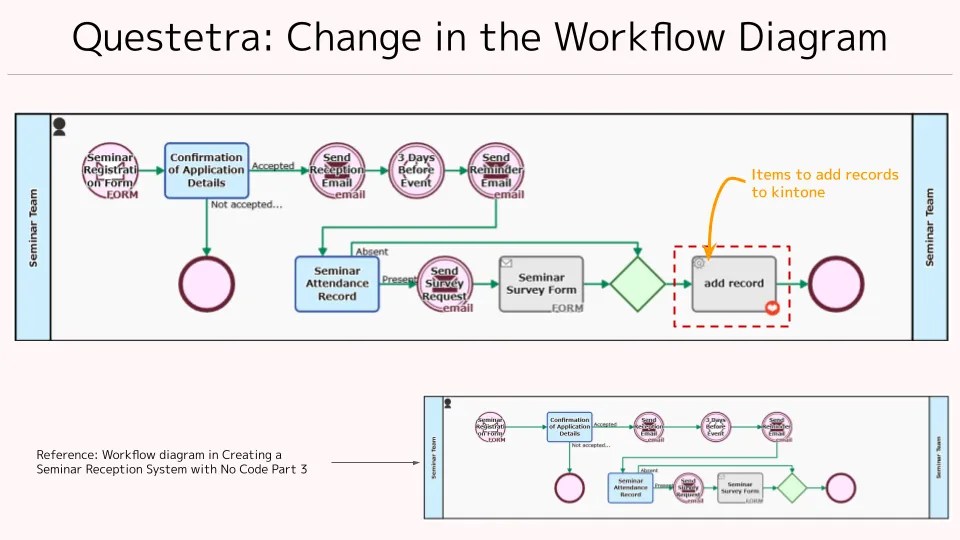
    The following workflow diagram shows an item placed at the end of the flow where a record is automatically added to kintone.

    Inside this item, a request is sent to the kintone API and a record is added. This process is packaged in such a way that the user of the item does not need to have detailed knowledge of the kintone API or how to process the response.

    In addition to kintone, Questetra BPM Suite includes the items to access APIs of the following services as the standard:

    • Google Drive
    • Google Sheets
    • Google Calendar
    • Gmail
    • Google BigQuery
    • Microsoft OneDrive for Business
    • Microsoft Excel
    • Box
    • Slack

    Also, more services will be available to access by using add-ons in the Professional Edition.

    Add Automatic Processing Process (Addon)

    If you would like to try these items, please use the [Questetra BPM Suite 60-day free trial].

    5 Summary

    APIs are delicious things!

    Now that cloud services are being used by many organizations, APIs are essential to utilize the functions of each service and the data stored in them.

    In this article I gave a very brief overview of what APIs are, but I would like to write an article on a hands-on API experience in the future.

    That’s all for today!

  • ワークフローとBPM、7つの違い

    ワークフローとBPM、7つの違い

    1. BPMの定義

    「ワークフロー」と「BPM」。2つの言葉を比較するには、それぞれの「定義」が必要です。ここではまず、“Business Process Management” (BPM) の定義について考察したいと思います。

    1-1. ビジネスプロセスを「最適化」に近づける活動

    IT業界において絶大な影響力がある米ガートナー社による定義は、押さえておく必要があると言えます。〔Gartner, Inc: ITアドバイザリ会社, Wikipedia En Ja

    ガートナー用語集 “Business Process Management (BPM)”

    【筆者意訳】 ビジネスプロセス管理(BPM)は、『普遍的な行動規範』 (Discipline) のひとつです。すなわち、様々な手段を用いてビジネスプロセスを「発見」「モデル化」「分析」「測定」「改善」し、そして「最適化」します。そもそも「ビジネスプロセス」は、ビジネス戦略に沿う成果をあげるため、人・システム・情報・モノの挙動を制御します。しかし「手順が明確で何度でも繰り返すことができるプロセス」だけでなく、「変化し続けるプロセス」も存在していることには注意が必要です。なお、この管理活動においては(必ずしも必須とは言えませんが)多くの場合、コンピュータ(Technologies)が活用されます。従ってビジネスプロセスの管理活動は、「情報通信への投資」(IT投資)や「機械制御への投資」(OT投資)を方向づけることにもなります。

    【引用原文】 Business process management (BPM) is a discipline that uses various methods to discover, model, analyze, measure, improve and optimize business processes. A business process coordinates the behavior of people, systems, information and things to produce business outcomes in support of a business strategy. Processes can be structured and repeatable, or unstructured and variable. Though not required, technologies are often used with BPM. BPM is key to align IT/OT investments to business strategy.

    押さえておくべきこと(大切なこと)は、

    という点です。

    【筆者ぼやき】 “BPM is a discipline.” この “discipline” を翻訳するのは難しいです。本稿では敢えて『行動規範』と訳しています。辞書には「集団の規律」「組織内の統制」「キリスト教の法規」「学問分野」といった訳語もありますが、どれもシックリきません。ちなみに「BPMは学問分野である」と翻訳されているケースをよく目にします。が、その日本語訳は「シックリこない」を通り越して「誤訳だ」と感じています。原義的・哲学的〔e.g. Mフーコーの「ディシプリン」, Wikipedia En〕に言えば、「権威からの教え」といった強いニュアンスなハズです。つまり「教義」「行動指針」「行動規範」などの方が適訳だと思っています。

    1-2. ビジネスプロセスを「定義」することから始まる活動

    “BPM” が「行動規範」であり、部署内や全社での “取り組み” を指す言葉ということは分かりました。しかし、その “取り組み” はどのように実践されているのでしょうか?

    企業における “取り組み” では多くの場合、指標やゴールが設定されます。ビジネスプロセスの管理活動においても『組織の成熟度』が参照されることが少なくありません。実践する会社によって、あるいは支援するコンサル会社によって異なりますが、基本的には「1段階から5段階」の5つのステージを参照します。(”管理対象が存在しない状態” を想定して「0段階目」が用意されている場合もあります。)

    筆者自身は「0:混沌」「1:定義」「2:統制」「3:統治」「4:制御」「5:順応」くらいの表現が、日本語として適当だと思っています。

    ガートナー社のBPM標準(6ステージ)

    Gartner Research: BPM Maturity Model Identifies Six Phases for Successful BPM Adoption

    • Phase 0: Acknowledge Operational Inefficiencies
    • Phase 1: Become Process Aware
    • Phase 2: Establish Intraprocess Automation and Control
    • Phase 3: Establish Interprocess Automation and Control
    • Phase 4: Establish Enterprise Valuation Control
    • Phase 5: Create an Agile Business Structure

    なお、他の管理活動(QMS・EMS・ISMS…)と異なり、「ビジネスプロセス管理」には国際標準(ISO)がありません。「ビジネスプロセス」は、そもそも『品質管理プロセス』や『環境評価プロセス』など様々なプロセスを包含する表現で、スコープが広すぎるようです。

    成熟度関連の標準規格

    • QMS: Quality Management System
      • 製造物や提供サービスの品質を管理。国際標準化は1987年(ISO 9000)
      • 品質マネジメントシステム〔Wikipedia En Ja
    • EMS: Environmental Management System
      • 環境目標の達成に向けた取組を管理。国際標準化は1996年(ISO 14000)
      • 環境マネジメントシステム〔Wikipedia En Ja
    • ISMS: Information Security Management System
      • 情報資産のセキュリティを管理。国際標準化は2000年(ISO/IEC 27000)
      • 情報セキュリティマネジメントシステム〔Wikipedia En Ja
    • PMS: Personal information protection management
      • 個人情報の保護活動を管理。日本産業規格(JIS Q 15001)
      • 個人情報保護マネジメントシステム 〔Wikipedia Ja

    1-3. BPM活動の歴史

    ところで、『ビジネスプロセス管理活動』(BPM活動)は、いつごろから実践されるようになったのでしょうか?

    IT業界やコンサル業界では、BPMの理論基盤は、Fテイラーの『科学的管理法』(1910年頃)を源流とするという考え方が広く支持されています。つまり、テイラーは “労働者管理の方法論” の中で「工具手順の標準化」や「標準的作業時間の設定」などを提唱しました。100年以上経った今日に至ってもなお『組織内のワークフローを分析し調和させるマネージメント理論』として広く知られています〔科学的管理法: Wikipedia En Ja〕。そして、その「プロセスを管理する」という考え方が、1960年代の「カイゼン活動」(品質管理の方法論)、1980年代の「CMMI」(ソフトウェア開発の方法論)、1990年代の「COBIT」(ITガバナンスの方法論)などに引き継がれている、と言われています。

    ここで大切なことは、

    という点です。

    よく考えれば「プロセスを管理したい」という表現自体、極めて普通のフレーズです。長い歴史の上に存在し続けている『普遍的な行動規範』なのだと思います。そして、この『ビジネスプロセス管理(BPM)』という言葉自体は、2000年代に入って注目されるようになります。それは、Gartner 社自身が『Business Process Management Suite』(BPMS)という造語を発表したことがキッカケとなります。

    【筆者ぼやき】 常々思っている事ですが、「ビジネスプロセスを管理する」という行為は、社会性が高い人類にとって “極めて自然な欲求” です。極端な話、「”ビジネスプロセス管理の歴史” なんて “人類の歴史” と同じなんでわ?」などと思ってしまいます。たとえば豊臣秀吉が全国の農耕地の測量を命じた時、プロセスの概念はあったように思います。「測量手順」「役割分担」「報告書式」くらいは定義されていた(管理されていた)ような気がします。〔知らんけど〕 〔太閤検地, Wikipedia Ja

    1-4. ところで “BPMS” というコトバは必要だったの?

    『Business Process Management Suite』(BPMS)という言葉についても、米ガートナー社による定義を確認しておきましょう。

    ガートナー用語集 “Business Process Management Suites (BPMSs)”

    【筆者意訳】 ビジネスプロセス管理スイート(BPMS)は、BPMプロジェクトやBPM戦略を推進するためアプリケーション基盤です。すなわち、プロセス改善のライフサイクル全体をサポートします。具体的には、プロセス発見・プロセス定義・プロセス設計だけでなく、実装・監視・分析・継続的な最適化に至る全ての改善活動を支援します。一般的なソリューション(情報システム等)と異なり、モデルドリブンな手法によるビジネス担当者とIT担当者のコラボレーションでビジネスプロセスを進化させ続けることができます。

    【引用原文】 Business process management suites (BPMSs) are the leading application infrastructures to support BPM projects and programs. A BPMS supports the entire process improvement life cycle – from process discovery, definition and design to implementation, monitoring and analysis, and through ongoing optimization. Its model-driven approach enables business and IT professionals to work together more collaboratively throughout the life cycle than is possible with other approaches to solution delivery.

    あらめて BPMS という言葉が必要だったのは、端的に言えば「新しい技術トレンド “モデルドリブンな手法” (Model-Driven Approach) を世間に広めたかったから」なのだと思います。詳細については次章以降で少しずつ解説できればと思いますが、ここでは、

    という点だけ押さえておいてください。

    【筆者ぼやき】 “Suite” とは「一揃い」という意味です。ホテルの「スイート(ルーム)」には “色々な部屋” がそろっています。パッケージソフトの「オフィススイート」には Word や Power Point 等を “色々なソフト” がそろっていました。ちなみに “Suite” と “Sweet” (甘い)は同じ発音です。が、背広(Suit)や水着(Swimsuit)やガンダム(Mobile Suit)の “Suit(s)” は発音が違います。〔どうでもイイ〕

    1-5. BPM定義アレコレ

    Gartner 以外の組織では、ビジネスプロセス管理(BPM)をどの様に定義しているのでしょうか? おおむね、Gartner社の「必ずしもITツールを指す言葉ではない」に近い定義(表現)になっています。

    その一方で、”IT ツール” を指す定義も存在するので注意が必要です。(例:国際標準仕様『BPMN 2.0』の用語集)

    Business Process Model and Notation (BPMN), Glossary informative

    【筆者意訳】 ジネスプロセス管理: プロセス管理(プロセスの分析、定義、処理、監視、管理など)をサポートするサービスやツールです。人間やアプリケーションレベルのインタラクションのサポートを含みます。BPMツールは、手動プロセスを削減し、部署とアプリケーション間の依頼ルートを自動制御します。

    【引用原文】 Business Process Management: The services and tools that support process management (for example, process analysis, definition, processing, monitoring and administration), including support for human and application-level interaction. BPM tools can eliminate manual processes and automate the routing of requests between departments and applications.

    つまり、

    と理解しておけばよいと思います。

    2. ワークフローの定義

    この章では「BPM」と比較しながら「ワークフロー」という言葉にフォーカスします。

    2-1. ビジネスプロセス管理はワークフロー管理の延長線上にある

    ワークフロー研究で有名なアールスト教授(特に、2000年代の「ワークフローパターン研究」や2010年代の「プロセスマイニング研究」が有名) 〔Win van der Aalst, Wikipedia En〕は、論文『BPMその動向調査』(2003) の冒頭で次のように述べています。

    BPMその動向調査 / “Business Process Management: A Survey” (2003) (cached PDF)

    【筆者意訳】 ビジネスプロセス管理(BPM)は、伝統的なワークフロー管理(WFM)のシステムや取り組みの延長線上にあると考えられます。 (中略) 多くの人は、ビジネスプロセス管理(BPM)は1990年代のワークフローの波に続く「次のステップ」と考えています。(中略) BPMの定義には様々なものが存在しますが、ほとんどの場合、ワークフロー管理(WFM)が明確な形で内包されています。

    It can be considered as an extension of classical Workflow Management (WFM) systems and approaches. … Many people consider Business Process Management (BPM) to be the “next step” after the workflow wave of the nineties… There exist many definitions of BPM but in most cases it clearly includes Workflow Management (WFM).

    そして、その10年後の論文『BPMその広範囲な動向調査』(2013)においても、同様の説明をしています。

    BPMその広範囲な動向調査 / “Business Process Management: A Comprehensive Survey” (2013) (cached PDF)

    【筆者意訳】 BPMは、ワークフロー管理(WFM:Workflow Management)の延長線上にあると考えられます。WFMは主に、ビジネスプロセスの自動化に焦点を当てていますが、BPMはより広い範囲なスコープを持っています。すなわち、プロセス自動化とプロセス分析だけでなく、進捗管理や作業体制までカバーしています。(中略)。伝統的なワークフロー管理(WFM)は、ビジネスプロセスを機械的に自動化することを目的としていました。人間の関与があること管理を支援することについては、あまり考慮されていなかったと言えます。

    BPM can be seen as an extension of Workflow Management (WFM). WFM primarily focuses on the automation of business processes, whereas BPM has a broader scope: from process automation and process analysis to operations management and the organization of work… Traditional WFM technology aimed at the automation of business processes in a rather mechanistic manner without much attention for human factors and management support.

    これらの考え方は、2020年代に至ってもなお、IT業界内における考え方の基本になっている思います。つまり、

    という認識が根付いていると思います。

    【筆者ぼやき】 教授の論文 “Business Process Management: A Survey” では、ワークフロー研究者(グラフ理論の応用研究や形式言語の応用研究など)ならではの視点で BPM 定義が書かれています。興味深いのは、”見えないプロセス” を否定している点です。『我々のBPM定義ではオペレーション可能な作業工程(operational processes)に限る。つまり戦略プロセス明示できないプロセス除外する。プロセスが認識されている状態でなければならない点に注意して欲しい。作業工程についての情報を持ち合わせず支援などできない。』〔←うん、気持ちは分かる〕

    2-2. ワークフロー技術は BPMS の1要素

    ガートナー社も、「BPMS製品の選定基準」(2009年)や「iBPMS製品の選定基準」(2011年)の中で

    【筆者意訳】 BPMSには10の機能領域がありワークフロー技術は1つのコンポーネント(部品)に過ぎない

    と述べています。

    オフィシャルな文書ではありませんが、ブログ『ワークフローとBPMのチガイ、分かってる?』(2010年)の中で、ゼンゼン違う!と訴えたこともありました。(リサーチ部門の方)

    Do You Understand the Difference Between Workflow and BPM?

    【筆者意訳】 BPMS にはワークフローの “進化形” が搭載されています。もっと言えばワークフローは、BPMS の10技術のヒトツにすぎません

    Thus, a BPMS includes a more advanced form of workflow. Furthermore, workflow is just 1 of 10 technologies found in a BPM Suite.

    さすが調査会社だけのことはあって、とてもロジカルな主張です。そして彼らは、そのコンポーネント(部品)は『プロセス・オーケストレーション・エンジン』(Process Orchestration Engine)と呼んでいます。それまでにも『ワークフロー・エンジン』という表現があったのですが、呼称の上でも「ワークフロー」を “卒業” する必要があったのかも知れません。(CF: Workflow Reference Model)

    【筆者ぼやき】 たとえば(スマホを知らない高齢者から)「ケータイとスマホの違いって何?」と聞かれたとき、貴方は何と答えますか? 恐らく答えに窮するでしょう。「アプリが使える!」や「タッチパネル操作でボタンがない!」と説明しても、きっと伝わりません。「イロイロできる!」とだけ言って実演して見せるしかないような気もします。ただ最初に「スマホには(ほぼ)全てのケータイ機能が備わっていますよ」と伝えることは重要だと思います。そして、その “多機能” がもたらすメリットとデメリットをどのように感じてもらうかがポイントなのだと思います。

    • ▼BPMS製品の選定基準2009▼ (この調査ではBPMS製品の選定時に考慮すべき機能を列挙します。10のコアコンポーネント)
      • プロセスを遷移させ状態を把握するエンジン機能
      • モデルドリブンな制作環境
      • 文書の参照と保存
      • ユーザ管理機能とグループ管理機能
      • 案件とリソース(人間や機械など)を紐づける機能
      • 現況モニタ機能
      • シミュレーション機能と最適化機能
      • ビジネスルール管理機能
      • システム管理機能
      • 処理コンポーネント格納機能
    • ▼iBPMS製品の選定基準▼ この調査ではiBPMS製品の選定時に考慮すべき機能を考察します。
      • プロセス・オーケストレーション・エンジン機能は案件を次の工程に移動させます
      • モデルドリブンな制作環境はプロセス設計とプロセス内工程設計を支援します
      • 各工程で必要とされる文書類が参照され保存されます
      • 人間は確認や入力を自然に行えます
      • 各案件を適切なリソース(人間や機械など)に紐づけます
      • 工程名・進捗・変化などについて現況モニタ機能による分析が可能です
      • いつでもプロセス実績を計測しあるいは予測します
      • ビジネスルール管理機能で迅速なプロセス開発を実現します
      • システム管理機能でiBPMSシステムの状況が把握できます
      • 処理コンポーネント格納機能はコンポーネントの再利用性を高めます
    • Selection Criteria Details for Business Process Management Suites, 2009 (This research lists a universe of features to consider when selecting a BPMS. The 10 BPMS Core Components)
      • Process Execution and State Management Engine
      • Model-Driven Composition Environment
      • Document and Content Interaction
      • User and Group Interaction
      • Basic Connectivity
      • BAM and Business Event Support
      • Simulation and Optimization
      • Business Rule Management
      • Management and Administration
      • Process Component Registry/Repository
    • Selection Criteria Details for Intelligent Business Process Management Suites (This research examines the key features to consider when evaluating an iBPMS.)
      • The Process Orchestration Engine Drives the Process From One Activity to Another
      • The Model-Driven Composition Environment Helps Design Processes and Their Supporting Activities
      • Content Interaction Management Supports the Content Needed to Complete Process Activities
      • Human Interaction Management Enables People to Interact Naturally With Processes
      • Connectivity Links Processes to the Resources They Control
      • Active Analytics Are Needed to Monitor Activity, Progress and Changes in Processes
      • On-Demand Analytics Are Needed to Measure and Project Process Outcomes
      • Business Rule Management Is Needed to Guide and Implement Process Agility
      • Management and Administration Features Help Monitor and Adjust the iBPMS
      • The Process Component Registry/Repository Provides Component Leverage and Reuse

    【筆者ぼやき】 ガートナー社は「BPM活動を支援する製品」(BPM製品)を、より細かく区分しています。具体的には、3つの区分(「BPM プラットフォーム」⇒「BPMS」⇒「インテリジェントなBPMS」)で調査しています。乱暴に言えば、”『未来を予想する機能』を重視する場合には「インテリジェントなBPMS」を使いこなしましょう” と主張されています。〔←スケールが大きな組織では重要です。〕

    2-3. ところで “ワークフロー・オートメーション” って何?

    では、2020年代に入って見聞きする機会が増えた「ワークフロー・オートメーション」(Workflow Automation)とは何でしょうか? 「ワークフローの自動化」といった “直訳” も見聞きしますが、日本語として意味が通じているとは思えません。

    ちなみに、ガートナー社の用語集に「Workflow Automation」は存在していません。ガートナー社は、むしろ “iPaaS オシ” (Integration Platform as a Service)です。 〔そして「Workflow Automation」と「Robotic Process Automation」(RPA) の違いについては、またの機会に…。〕

    そもそも日本においては、「ワークフロー製品」という言葉には “人間が関与するもの” の印象が強く、具体的には “申請承認フロー” や “経費精算フロー” を指す場合が多くなっていると言えます。〔いわば “Human-Centric Workflow” 〕

    株式会社エイトレッド有価証券報告書

    ワークフロー製品とは、企業の様々な業務にかかる稟議・申請から承認・決裁に至るまでの事務フローを電子化し、業務プロセスの効率化・自動化、内部統制の強化を図る等の製品の総称であります。

    ただ、前節までの「定義の歴史」を振り返れば、なんとなく想像がつくと思いますが、「ワークフロー・オートメーション」で言う『ワークフロー』は「機械を相手にした(Integration-Centric な)ワークフロー」のニュアンスです。

    すなわち、今日の “Workflow Automation” をあえて日本語に訳すならば、 一連処理の全自動化(一連作業の全自動化) くらいの意味に捉えるのが良い、と思います。そして、人間が関与することなく実行され、定型作業の生産性が大幅に改善されます。

    (e.g. IFTTT、 Zapier、 kissflow、 Pipefy、 Box Relay、 WorkFusion、 K2 Software、 …)

    なお、専門用語を逐一日本語に置き換える(ローカライズする)のは、結局回りまわって混乱を招くことになると考えます。基本的には、世界共通語のまま利用すべき(理解すべき)だと思っています。

    3. BPMS の特徴である “モデル・ドリブン” とは何か?

    「Workflow システム」が「BPMS」と呼ばれるために必要となる要素『モデル・ドリブン』とは何でしょうか?

    3-1. そもそも “モデル” とは?

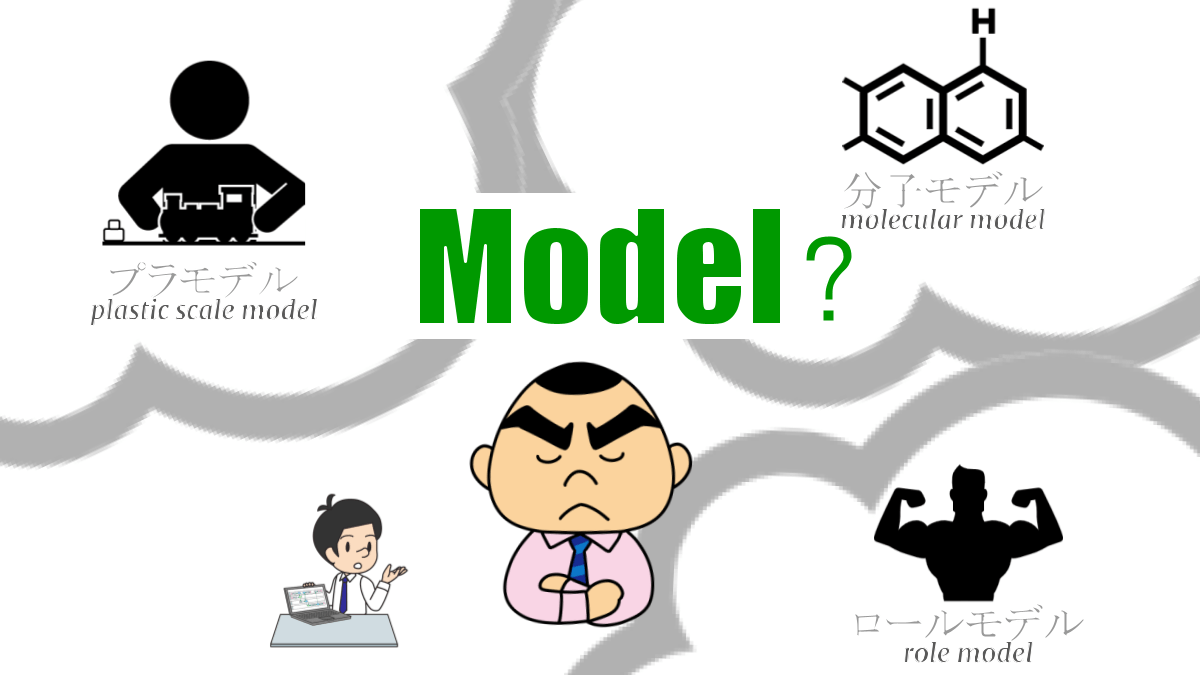
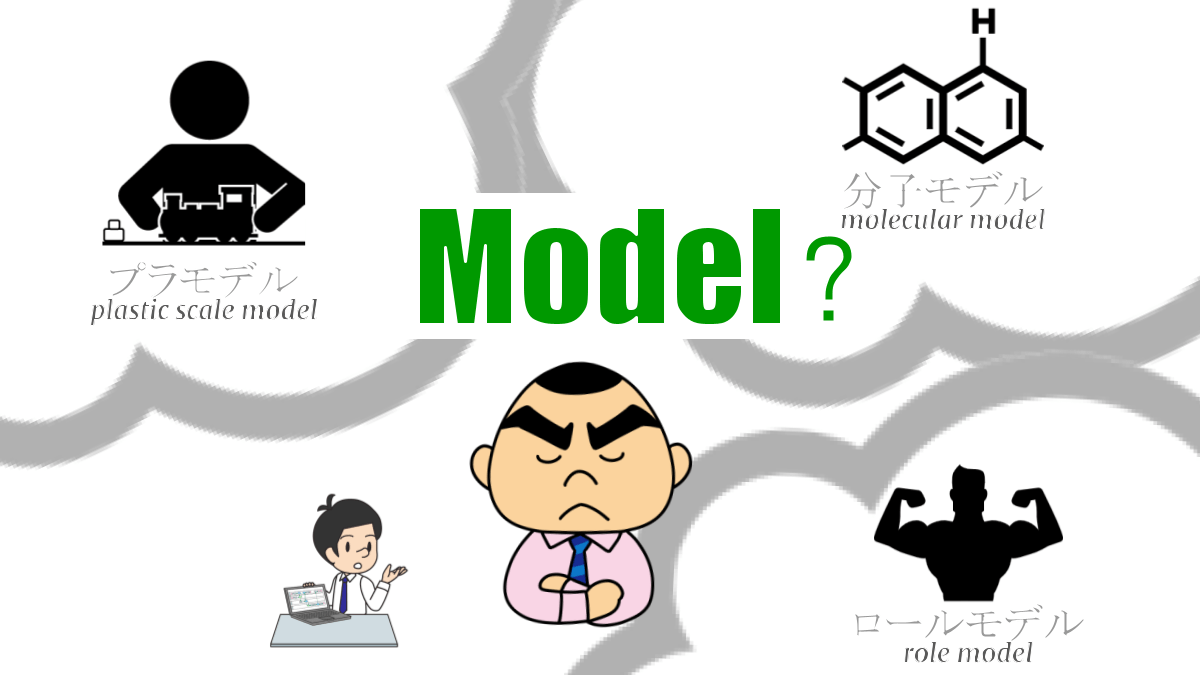
    そもそも「モデル」という言葉には、大きく「模型」と「手本」の2つの意味があります。

    • プラモデル: 模したモノ。本物ではない。
    • 分子モデル: 模したモノ。本物ではない。
    • ロール・モデル: 理想とする人。自分とは違う。
    • ファッション~: 理想とする人。自分とは違う。

    つまり、BPMS の特徴として使われる

    だと思います。(完全には描写しきれていないが)「特長的なポイントが規定されているもの」と言っても良いと思います。

    3-2. プロセスモデルとは何か?

    では「プロセスを “モデル化” する」という表現は、フロー図だけを指すのでしょうか。

    今日において「プロセスモデル」は、概念的に、次の3要素で規定されます。

    • 業務の流れ:各工程がどのような順序で接続されるか 〔フローモデリング〕
    • 業務データ:どのようなデータが受け渡しされるか 〔データモデリング〕
    • 引受ルール:だれ(個人・チームの誰か・機械など)が引き受けるか 〔リソースモデリング〕

    すなわち、業務プロセスを模式化するには、業務の流れ図(フロー図)だけでなく、「住所・氏名・電話番号」といった業務データや、「鈴木さん・鈴木さんが所属する部門のリーダ」といた引き受けルールも規定する必要があります。

    【筆者ぼやき】 言葉としての「フロー図」は、外にも様々な表現が使われます。プロセス図・業務の流れ図・ワークフロー図・フローダイアグラム・フローチャート・工程表・などなど。私見ながら、それらに大きな違いは無いと思っています。(さすがに、それらの「違い」を考察するのは不毛に…)。なお、具体的な表記法としては『BPMN』(Business Process Model and Notation)が国際標準化されています。

    3-3. モデルドリブンとは何か?

    「モデル・ドリブン」(Model-Driven)の日本語訳として「モデル駆動型」という表現をよく見聞きします。が、ピンときません。

    そもそもの原因は「Drive/Driven」に対応する日本語が存在しないためです。”Drive” は原義的に「勢いづける」という意味です。テニスやサッカーで「ドライブをかける」などの表現もあります。従って、

    くらいに認識するのが良いと思います。

    具体的には、前節に示したように「業務の流れ」「業務データ」「引受ルール」をモデリングします。そしてそのプロセスモデルを元に(によって)、システムが実装(自動的に構築)されます。

    なお、伝統的には「モデリング」(「デザイン」とも言う)の後に、プログラマによる「インプリメント」(実装)を必要とする BPMS が主流でした。ただ、近年においては、 No-Code 開発(プログラミング不要のシステム開発/ソフトウェア開発)がトレンドになっています。

    そして今日では、「プロセスモデル」(「ワークフローアプリ」とも言う)が完成すれば即運用できる BPMS を志向する組織も少なくありません。(← Questetra BPM Suite !!)(←”ポジショントーク”、すみません…)

    【筆者ぼやき】 私見ではありますが『データドリブン経営』(データ分析を起点に判断がなされる経営)を「データ駆動型経営」とは言うべきではないと思っています。同様に『イベントドリブン』(Event-Driven/ユーザ操作を起点に処理が走り出すプログラム)や、『締切ドリブン開発』(締切が近づいてきたことをキッカケに活性化される開発スタイル)といったジョークも、そのまま “ドリブン” で良いと思っています。よく考えれば『USB Driver』は「USBドライバ」であって「USB活性ソフト」とは言いません。世界で同じ言葉を使う方が効率良いと思っています。Tsunami(津波)や Emoji(絵文字)と同じ理屈。そして “大空翼くん” の「ドライブシュート」は、”メチャメチャ活性化されたボール” なんだと思います。〔知らんけど〕

    4. 結局 Workflow と BPM は何が違うか?

    それぞれの製品には、それぞれの個性があります。したがって、カテゴリ「Workflow 製品」とカテゴリ「BPM 製品」の違いを述べるのは容易ではありません。以下の「違い」では、「大まかなこと」しか言えないことをご理解ください。

    なお、歴史的な考察にもあったように、BPM製品(BPMS)は「人間と機械(コンピュータ)の両方をコントロールできる」ようになります。ただ、本質的な違いは「モデル化」の有無です。つまり、Workflow と BPM の違いは、「モデルが存在することによるメリット・デメリット」を考察することになります。

    4-1. 業務の流れを設定する方法がチガウ

    BPM製品(BPMS)の場合、モデリングの中核はワークフロー図(BPMN図)になります。

    確かにこれは極めて大きなメリットです。しかし同時にデメリットでもあります。すなわち、「ありとあらゆる流れを記述できる」という側面は、その “習熟コスト” に直結してしまいます。〔BPMNは「読む」のは簡単ですが「描く」のはソコソコ大変です。〕

    しかしながら、カイゼン活動に終わりはありません。

    • 案件によって経路が変わる設定
    • タイムアウトで次工程に進ませる設定
    • 途中で複数工程に分流させる設定
    • 既定のデータ編集を自動化する設定
    • 子プロセスを自動的に呼び出す設定
    • 他クラウド(外部API)と自動通信させる設定
    • などなど

    BPM製品(BPMS)であれば、様々な流れ(Control Pattern)と、様々な制御(API Orchestration)を実現できるようになります。

    4-2. 引き受けルールを設定する方法がチガウ

    BPM製品(BPMS)の場合、複雑な「引き受けルール」を設定する(広い意味で「モデリングする」)ことが可能です。

    • 工程の処理担当者を1人指定する(案件到着時には割当済)
    • 工程の処理担当者を複数人を指名する(誰かが引き受ける)
    • 工程の処理担当者をロール名で指定する(複数人の場合は誰かが引き受ける)
    • 順繰りで処理担当者になるように設定する(案件到着時には割当済)
    • などなど

    BPM製品(BPMS)であれば、様々な仕事の割り当て方を実現できるようになります。

    4-3. 業務プロセスを共有する方法がチガウ

    BPM製品(BPMS)の場合、全ての業務プロセスにグラフィカルな「ワークフロー図」(BPMN図)が作成されます。また、モデリング結果を「プロセスモデル」として保存することも可能です。(Questetra BPM Suite の場合 “.qar” ファイル)

    プロセスオーナーは、自部署の業務プロセスについて説明しやすくなります。また、経営層や関連部署などは、現状の業務プロセスをいつでも確認できるようになります。

    4-4. 流れてきた案件の上流履歴を確認できる

    BPM製品(BPMS)の場合、案件の「現在地」だけでなく、それまでの「経由地」をワークフロー図(BPMN図)上で確認できます。各工程の処理担当者は必要に応じ、上流工程の処理者を確認できるようになります。

    4-5. いま流れている全案件をモニタリングできる

    BPM製品(BPMS)の場合、全ての処理中案件の「現在地」を、ワークフロー図(BPMN図)上で確認できます。たとえば、滞留しがちな工程をあぶりだし、「人員増員や自動化といったアクションをとる」や「業務の流れを変更する」といったカイゼンにつなげられるようになります。〔ステータス・モニタリング〕

    4-6. 過去に処理された全案件を集計できる

    BPM製品(BPMS)の場合、案件担当者ごとや案件経路ごとの実績値を集計できます。たとえば、担当者ごとの実績レポートを自動化できるようになります。〔パフォーマンス・モニタリング〕

    4-7. 蓄積データを細かいレベルで制御できる

    BPM製品(BPMS)の場合、業務データの閲覧パーミッションを細かく設定できます。案件処理者は、「同僚や関連部署への相談」や「同僚や関連部署からの助言フィードバック」を得やすくなります。

    5. おわりに

    BPM活動は「カイゼンし続けること」(←”継続的なカイゼン”)にこそ、意味があります。”ちょっとした事務手続き” の中にも沢山の「課題」が隠れています。

    各現場のプロセスオーナーのみなさん。『見えている業務プロセス』(モデル化されている業務プロセス)くんだけでなく、『まだ見えていない業務プロセス』(まだモデル化されていない業務プロセス)ちゃんとも、ちゃんと向き合っていきましょう。そして、小さなカイゼンを少しずつ積み上げていきましょう。お互い。。。

    PS: よくある誤解

    • 『ワークフローシステムが申請業務の流れに特化したシステムであるのに対し、BPMツールは受注システム・製造システムといったより大きな業務の流れが対象
    • 『ワークフローは申請や承認の業務を迅速かつスムーズに進めるためのツールであり、BPMは業務全体を分析し、問題点を解析、業務の組み換えなどを行って効率化を推進するツールです。』
    • ワークフローシステムが人の手によってフローが進められるのに対し、BPMツールは人の手による処理に加え、業務アプリケーションによる処理も行われます』
    • 『紙ベース運用を改善したいという場合はワークフローシステムがおすすめ。BPMシステムは機能が豊富ですが少々オーバースペック…』
  • 7 Differences Between Workflow and BPM

    7 Differences Between Workflow and BPM

    What is the difference between BPM and Workflow? What do they have in common? We look back at the definitions and origins of the terms and discuss the relationship between BPM and Workflow. The author: 20 years of experience in corporate software. Master (Informatics). Certified Information Security Specialist by the Ministry of Economy, Trade and Industry. Project manager certified by METI.

    Japanese version (original)

    1. Definition of BPM

    In order to compare the two terms it is necessary to define each of them. First we would like to discuss the definition of BPM. The term “Business Process Management” (BPM) has been defined in various ways by various organisations and bodies.

    1-1. Gartner’s definition of BPM

    The definition by Gartner Inc, one of the most influential companies in the IT industry, is important to note. (Gartner, Inc: IT advisory firm, Wikipedia En)

    Original quote: Business process management (BPMis a discipline that uses various methods to discovermodelanalyzemeasureimprove and optimize business processes. A business process coordinates the behavior of people, systems, information and things to produce business outcomes in support of a business strategy. Processes can be structured and repeatable, or unstructured and variable. Though not required, technologies are often used with BPM. BPM is key to align IT/OT investments to business strategy.

    Gartner Glossary of Terms “Business Process Management (BPM)”

    The first and most improtant thing to keep in mind is that Business Process Management is
    not just a word that refers to IT tools.

    Author’s note: BPM is a discipline. This discipline is difficult to translate. In this article, we dare to translate it as a code of conduct. Some dictionaries translate it as “group discipline”, “organizational control”, or “academic discipline”, but none of these are quite right. Incidentally, we often see BPM described as an academic discipline. However, I feel that the Japanese translation is not only uncomfortable but also a mistranslation. In the original and philosophical sense (e.g. M. Foucault’s discipline (Wikipedia En)), there should be a strong nuance of teaching from authority. I think that a better translation would be doctrine, guidelines and a code of conduct.

    1-2. How we approach BPM

    We know that BPM is a code of conduct and that it refers to initiatives within a department or across the company. But how are these initiatives put into practice?

    Many corporate initiatives are based on indicators or goals. In business process management activities, the maturity of an organization is often referred to. It varies from company to company and depends on the consulting company supporting it, but basically it refers to five stages from one to five. In some cases there is a stage 0 which assumes that there is nothing to manage (Reproduction).

    Incidentally, I think that 0: chaos, 1: definition, 2: control, 3: governance, 4: control and 5: adaptation are appropriate expressions.

    Unlike other management activities (QMS, EMS, ISMS, etc.) there is no international standard (ISO) for business process management. In the first place, business process is an expression that encompasses various processes such as quality management, environmental assessment, etc. It seems to be too broad in scope.

    • Notes: Maturity-related standards
    • QMS: Quality Management System
      • Control of the quality of manufactured goods and services provided. International standardization since 1987 (ISO 9000)
      • Quality management system, Wikipedia En
    • EMS: Environmental Management System
      • Management of efforts to achieve environmental targets. International standardization since 1996 (ISO 14000)
      • Environmental management system, Wikipedia En
    • ISMS: Information Security Management System
      • Managing the security of your information assets. International standardisation in 2000 (ISO/IEC 27000)
      • Information security management system, Wikipedia En
    • PMS: Personal information protection management
      • Management of personal data protection activities. Japan Industrial Standards (JIS Q 15001)
      • Personal data protection management system

    1-3. History of BPM

    By the way, when did business process management activities come into practice?

    In the IT and consulting industries, there is widespread support for the idea that the theoretical basis of BPM originates from F. Taylor’s Scientific Management Method (circa 1910).

    More than 100 years later, it is still widely recognised as a management theory for analysing and harmonising workflows in organisations〔Scientific Management: Wikipedia En Ja〕. It is said that the idea of managing processes has been inherited by Kaizen activities (quality management methodology) in the 1960s, CMMI (software development methodology) in the 1980s, and COBIT (IT governance methodology) in the 1990s.

    What is important here is that BPM
    is not a new way of thinking that has emerged in the last 10 or 20 years.

    If you think about it, the expression “I want to manage the process” is a very common phrase. I think it is a universal code of conduct that has existed over a long history. And the term Business Process Management (BPM) itself came to be noticed in the 2000s. This was when Gartner itself coined the term Business Process Management Suite (BPMS).

    Author’s note: I’ve always thought that the act of managing business processes is a very natural desire for highly social humans. To put it another way, the history of business process management is the same as the history of mankind I think. For example, when Hideyoshi Toyotomi ordered the surveying of all the agricultural land in Japan, the concept of process seemed to exist. I think there was at least a defined (and controlled) procedure for surveying and a reporting format for assigning roles (but who knows for sure).〔Taikou Kenshi, Japanese Wiki Corpus En

    1-4. BPMS definition by Gartner

    So why did we need the term Business Process Management Suite again?

    I would like to review Gartner’s definition of BPMS.

    Original quote: Business process management suites (BPMSs) are the leading application infrastructures to support BPM projects and programs. A BPMS supports the entire process improvement life cycle – from process discovery, definition and design to implementation, monitoring and analysis, and through ongoing optimization. Its model-driven approach enables business and IT professionals to work together more collaboratively throughout the life cycle than is possible with other approaches to solution delivery.

    Gartner Glossary of Terms “Business Process Management Suites (BPMSs)”

    Once again, the term Business Process Management Suite was necessary because we wanted to promote a model-driven approach, which is, in short, a new technological trend.

    The term Model-Driven Approach has a very deep meaning. I will try to explain it in more detail in the next chapters.

    Just keep in mind here that Business Process Management Suite
     is a term that refers to IT tools.

    The word “suite” means a set of rooms. A hotel suite is a collection of different rooms. A suite of office software includes Word, Power Point, and many more.

    1-5. BPM definition by various organisations

    How do other organisations define Business Process Management?

    In general the wording is similar to “1-1. Gartner’s definition of BPM” (← not a term referring to IT tools).

    On the other hand, there are some definitions that refer to IT tools, such as the glossary of the international standard BPMN 2.0.

    Quote: Business Process Management: The services and tools that support process management (for example, process analysis, definition, processing, monitoring and administration), including support for human and application-level interaction. BPM tools can eliminate manual processes and automate the routing of requests between departments and applications.

    Business Process Model and Notation (BPMN), Glossary informative

    It is important to note that the term Business Process Management
    basically refers to a business management method, but in some contexts it can also refer to a set of IT tools.

    Image of a business process

    2. Workflow Definition

    In this chapter we will focus on the term “workflow” in comparison with “BPM”.

    2-1. Workflow definition by Prof. Aalst

    Professor Aalst, world famous for his workflows research, says in the beginning of his article BPM: A Survey of Trends (2003) (He is particularly famous for his work on workflow patterns in the 2000s and his work on process mining in the 2010s.) 〔Win van der Aalst, Wikipedia En

    Original quote 1: It can be considered as an extension of classical Workflow Management (WFM) systems and approaches.

    Survey of BPM trends

    The text of the article goes into more detail.

    Original quote 2: Many people consider Business Process Management (BPM) to be the next step after the workflow wave of the nineties… There exist many definitions of BPM but in most cases it clearly includes Workflow Management (WFM).

    Survey of BPM Trends

    I believe that this idea is still the basis of thinking within the IT industry in the 2020s. In other words, there is a deep-rooted perception that
     Workflow is an element of BPM
    Workflow is an integral part of BPM

    A decade later, in his paper BPM: A Survey of Widespread Trends (2013), he gives a similar explanation.

    Original quote: BPM can be seen as an extension of Workflow Management (WFM). WFM primarily focuses on the automation of business processes, whereas BPM has a broader scope: from process automation and process analysis to operations management and the organization of work… Traditional WFM technology aimed at the automation of business processes in a rather mechanistic manner without much attention for human factors and management support.

    BPM’s extensive trend research

    Author’s note: The professor’s article “Business Process Management: A Survey” describes the BPM definition from the point of view of a workflow researcher (applied research in graph theory, applied research in formal languages, etc.). Interestingly, it rejects the idea of invisible processes. Our definition of BPM is limited to operational processes, i.e. it excludes strategic processes and processes that cannot be made explicit. Please note that the process must be known. We cannot provide support without having information about the operational processes (yes, I know the feeling).

    2-2. Workflow definition by Gartner

    Gartner also states in its “Selection Criteria for BPMS Products” (2009) and “Selection Criteria for iBPMS Products” (2011);

    Author’s note: BPMS has 10 functional areas, and workflow technology is just one component.

    It’s not an official document, but in my blog “Do you understand the difference between workflow and BPM?”(2010), where we claimed that they are completely different.

    Author’s note: BPMS is an evolution of workflow. To put it another way, workflow is just one of the 10 technologies in BPMS.

    As you would expect from a research firm, it’s a very logical argument. They call their component the Process Orchestration Engine, and they have been using the term “workflow engine” for some time, but I think they needed to graduate to workflow as well. (CF: Workflow Reference Model)

    • Quote source: Gartner Research: Selection Criteria Details for Business Process Management Suites, 2009
    • Original quote: This research lists a universe of features to consider when selecting a BPMS.
      • the 10 BPMS Core Components
        • Process Execution and State Management Engine
        • Model-Driven Composition Environment
        • Document and Content Interaction
        • User and Group Interaction
        • Basic Connectivity
        • BAM and Business Event Support
        • Simulation and Optimization
        • Business Rule Management
        • Management and Administration
        • Process Component Registry/Repository
    • Quote source: Gartner Research: Selection Criteria Details for Intelligent Business Process Management Suites
    • Original quote: This research examines the key features to consider when evaluating an iBPMS.
      • the 10 iBPMS Core Components
        • The Process Orchestration Engine Drives the Process From One Activity to Another
        • The Model-Driven Composition Environment Helps Design Processes and Their Supporting Activities
        • Content Interaction Management Supports the Content Needed to Complete Process Activities
        • Human Interaction Management Enables People to Interact Naturally With Processes
        • Connectivity Links Processes to the Resources They Control
        • Active Analytics Are Needed to Monitor Activity, Progress and Changes in Processes
        • On-Demand Analytics Are Needed to Measure and Project Process Outcomes
        • Business Rule Management Is Needed to Guide and Implement Process Agility
        • Management and Administration Features Help Monitor and Adjust the iBPMS
        • The Process Component Registry/Repository Provides Component Leverage and Reuse

    Author’s note: Gartner divides the products that support BPM activities (BPM products) into more detailed categories. Specifically, it investigates them in three categories (BPM platform => BPMS => intelligent BPMS). To put it crudely, it is argued that if you value the ability to predict the future you should use an intelligent BPMS (←This is important for large-scale organizations).

    2-3. The term Workflow Automation

    So what is workflow automation, a term we are seeing more and more in the 2020s?

    In Japan the term workflow product has a strong impression of something that requires human involvement, and more specifically it often refers to application approval flows and expense reimbursement flows. In other words, “Human-Centric Workflow”.

    Workflow products are a generic term for products that digitize the administrative flow of a company’s various business operations, from agreement and application to approval and decision, in order to improve the efficiency and automation of business processes and strengthen internal controls.

    Annual Securities Report of Eight Red Co.

    However, if you look back at the history of definitions up to the previous section, you can somewhat imagine that workflow in workflow automation is a nuance of machine-oriented (Integration-Centric) workflow.

    I think it would be better to think of it as the full automation of a series of processes. It can be done without human involvement and greatly improves the productivity of routine tasks. (e.g. IFTTT, Zapier, kissflow, Pipefy, Box Relay, WorkFusion, K2 Software, etc.). The difference between workflow automation and Robotic Process Automation (RPA) will be explained another time.

    By the way, Workflow Automation does not exist in Gartner’s glossary. Gartner is more about iPaaS (Integration Platform as a Service). Basically, I think it should be used (and understood) as a universal language.

    3. About Model Driven Approaches

    So what is it about the model-driven approach that makes Workflow systems different from BPMS?

    3-1. What is a model?

    To begin with, the word “model” has two main meanings: model and example.

    • Plastic models: imitation objects. Not the real thing.
    • Molecular model: imitation. Not real.
    • Role model: An ideal person. Different from yourself.
    • Fashion: Ideal person. Different from yourself.

    I think that model-driven, which is a feature of business process management (BPM), should be taken in the sense of a
     simplified diagram for recognizing the target.
    In other words, it can be said that it is not fully described, but it defines the characteristic points.

    3-2. What is a Process Model?

    So, does the expression “modeling” a process refer only to flow diagrams?

    Today, process models are conceptually defined by the following three elements:

    • Process model
      • Business flow: how each process is connected in what order (flow modeling)
      • Business data: what kind of data is passed from one process to another (data modeling)
      • Underwriting rules: who (an individual, a team member, a machine, etc.) will take over (resource modeling)

    In other words, in order to schematize the business process it is necessary to define not only the flow diagram, but also the business data such as address, name, telephone number and the rules of undertaking, such as Mr. Suzuki and the leader of the department to which Mr. Suzuki belongs.

    Author’s note: The term “flow diagram” is also used in various other ways. There are process diagrams, business flow diagrams, workflow diagrams, flow diagrams, flow charts, process tables, and so on. In my opinion, there is no significant difference between them. In addition, BPMN (Business Process Model and Notation) has been internationally standardized as a specific notation method.

    3-3. What is model-driven?

    I often see and hear the expression “Model-Driven”, but I’m not sure what it means.

    “Drive” means to give momentum in the original sense. There are also expressions such as “drive” in tennis and soccer. Therefore, I think it is better to recognize it as a
     system development style where modeling is done first.

    Specifically, as shown in the previous section, we model the business flow business data underwriting rules. Then the system is implemented based on the process model.

    Traditionally, BPMS which requires implementation by programmers after modeling/designing has been the mainstream. However, in recent years, No-Code development (system/software development that does not require programming) has become the trend. Today, there are many organizations that prefer a BPMS that can be implemented immediately after the process model (also called a “workflow app”) is completed.

    4. Difference between Workflow and BPM

    Each product has its own personality. Therefore, it is not easy to describe the differences between Workflow category products and BPM category products. Please understand that the following differences can only be broadly described.

    As mentioned earlier, BPM products can direct both humans and machines/computers. However, the essential difference is the presence or absence of modeling. In other words, the difference between Workflow and BPM is to consider the advantages and disadvantages of having a model.

    4-1. Differences in business flow settings

    In the case of BPM products, the core of the modeling process is the workflow diagram.

    This is certainly an extremely big advantage. However, it can also be a disadvantage. In other words, the aspect of being able to describe any kind of flow is directly related to the cost of learning it. (BPMN is easy to read, but may not be so easy to draw.)

    However, there is no end to kaizen activities.

    • Settings for changing the route depending on the case
    • Settings for proceeding to the next process upon timeout
    • Settings for diverting to multiple processes in the middle
    • Settings for automating default data editing
    • Settings for calling a child processes automatically
    • Settings for automatically communicating with other cloud services
    • Etc.

    BPM products can realize various flows (or control patterns) and various controls (i.e. API Orchestration).

    4-2. Differences in setting underwriting rules

    In the case of BPM products, it is possible to set up complex underwriting rules.

    • Designate one person to be in charge of the process (already assigned when the case arrives)
    • Designate multiple operators for the process (someone else will take over)
    • Designate a person in charge of the process by role name (if more than one person, someone else will take over)

    BPM products allow you to realize various ways of assigning work.

    4-3. Differences in sharing business processes with internal and external parties

    In the case of BPM products, graphical workflow diagrams (BPMN diagrams) are created for all business processes. In addition, modeling results can be saved as a process model. (In the case of Questetra BPM Suite .qar files are used)

    Process owners can easily explain the business process of their department. In addition, the management and related departments can check the current business process at any time.

    4-4. Differences in the processing of incoming cases

    In the case of BPM products, the current location of a case as well as its previous destinations can be checked on the workflow diagram. The person in charge of operating each process can check the operator in the upstream process if necessary.

    4-5. Differences in monitoring the flow of cases

    In the case of BPM products, the current location of all in-process projects can be checked on a workflow diagram. For example, you can identify the processes that tend to be stagnant and take actions such as increasing the number of staff or automating them, or change the flow of the business. We call this Status Monitoring.

    4-6. Differences in the aggregation of processed forms

    In the case of BPM products, performance values can be aggregated for each person in charge of a case or for each case route. For example, you can automate performance reports for each person in charge. This is called Performance Monitoring.

    4-7. Differences in detecting problems when they occur

    In the case of BPM products, permissions for viewing business data can be set in detail. This makes it easier for case handlers to consult with colleagues and related departments, and to get advice and feedback from colleagues and related departments.

    5. Conclusion

    BPM activities are only meaningful if we continue to make Kaizen improvements. A lot of issues are hidden even in small administrative procedures.

    Let’s face not only the business processes that are visible to the process owners at each site (business processes that are modeled) but also the business processes that are not yet visible (business processes that are not yet modeled). And let’s work together to make small improvements little by little.

    PS: Common Misconceptions

    • Workflow systems specialize in the application process, while BPM tools target larger business processes such as order-taking systems and manufacturing systems.
      • That’s a misconception. There are many companies that continue to improve their application process with BPM tools.
    • Workflow is a tool that facilitates quick and smooth application and approval processes, while BPM is a tool that analyzes the entire business and reconfigures operations to improve efficiency by analyzing problem areas.
      • BPM also encompasses workflow functions, so it is a tool for smooth progress. In other words, I don’t think I’ve expressed the fact that it is an inclusive relationship.
    • Workflow systems are executed manually, whereas BPM tools are executed both manually and also by business applications.
      • There is nothing wrong with a BPM tool being able to handle both human and machine processing. However, the first half of the sentence assumes that there are many workflow products that control human work (human-centric products). In particular, from a global perspective there are many contexts for workflow products that control machine work (integration-centric products), so you need to be careful.
    • If you want to improve your paper-based operation, a workflow system is recommended…
      • This may be right, but basically it depends on whether you want to keep improving or not.