Questetra BPM Suite では、業務の流れ図(ワークフロー図)の作成を通じて、業務システムが構築されます。構築されたシステムでは、業務データが電子化されるだけではありません。人への業務データの受け渡しが自動化されるとともに、文字変換、数値計算、メール送信、なども自動化されます。更に、他のクラウドサービスへのデータ連携も自動化されます。
このような自動化は、ワークフロー図の中で自動化したいタイミング(例えば、問い合わせ窓口担当者が回答を入力した後)に、何らかの自動処理が行われるアイテム(例えば、問い合わせや回答が Google スプレッドシートに追記される)を配置することで実現されます。
Questetra BPM Suite に用意されている様々な自動化アイテムが用意されています。これらを利用すると、カンタンに(ノーコードで)「業務を自動化」できるようになります。
Questetra BPM Suite は「見える化」→「自動化」→「最適化」という3つのステップで業務を効率化する BPM ツールです。パソコンの画面上でワークフロー図を簡単に作成でき、作成した図に沿って業務を自動で進行します。
また Questetra BPM Suite では構築した業務プロセスを簡単に共有でき、業務プロセス上に問題や課題を発見した場合には、変更や修正を簡単におこなえます。さらにワークフローアプリのメモや掲示板といった機能や、上述した『オープンチャット』を駆使することにより、コミュニケーションエラーは格段に回避しやすくなるでしょう。
この機会に Questetra BPM Suite で社内のコミュニケーションや業務プロセスの改善に乗り出してみませんか?
すでにご紹介した『他部署間・分業下の情報共有』以外にも、Questetra BPM Suite では無料でご利用いただけるワークフローテンプレートを多数ご用意しています。業務の状況に合わせたテンプレートを選ぶことで、より手軽に業務改善活動を実践できますよ。
Hello, this is Hayashi from the Marketing Department.
At the end of November last year (2022), ChatGPT, an interactive AI released by Open AI, Inc. in the U.S., attracted a great deal of attention because it is capable of smoother and more natural chat exchanges and (perceived) logical sentence construction.
In recent years, writing tools that automatically generate articles based on keywords that are entered have also been put to practical use. Some newspapers and news agencies in Japan and abroad have already adopted AI-generated articles.
As a writer by profession, the rise of these “AI writers” is a threat. However, there is no denying that the efficient use of AI writers, who can quickly mass-produce articles of a certain quality, can dramatically improve the efficiency of work such as web content production.
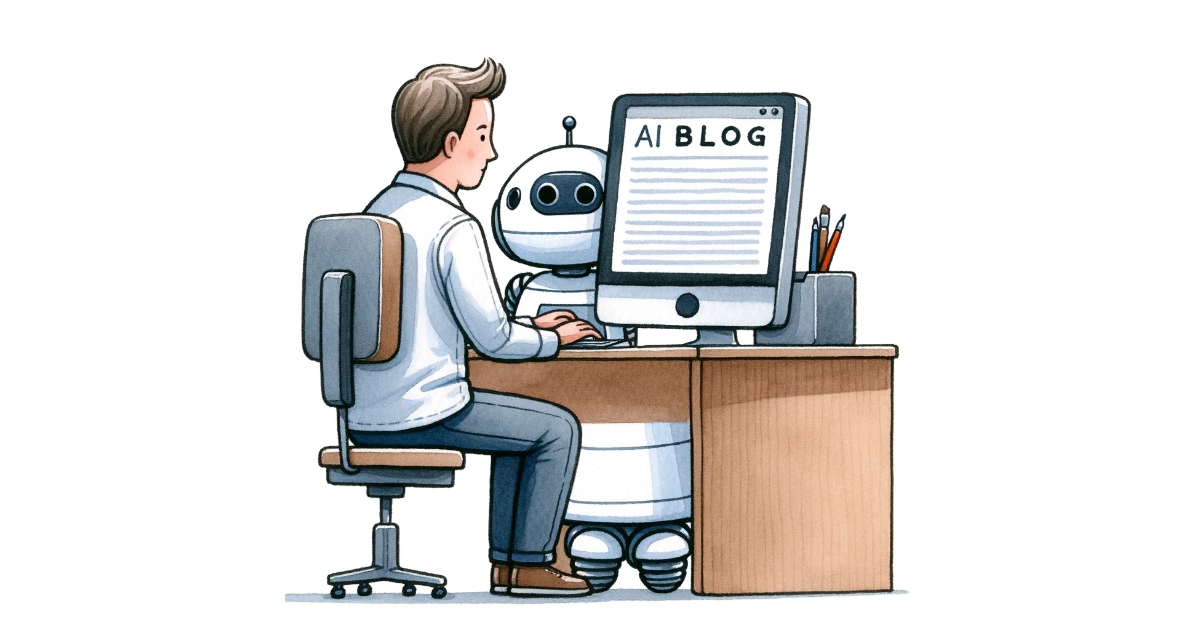
In this article, we will discuss the integration of AI and robots with workflow systems, while covering the workflow templates of Questetra BPM Suite.
Using AI in the Blog Write-Post Flow
Now, we have published many free workflow templates that can be used with Questetra BPM Suite, and one of them is the “Blog Write-Post Flow”. This workflow separates the responsibilities for writing, proofreading, and posting, and automates the process until the blog is finally published.
Sample screenshot of the Blog Write-Post Flow
Even simple division of labor, such as in this workflow, can streamline operations and reduce the risk of errors and compliance breaches.
And what if an AI that automatically creates sentences is utilized in the “1. Write draft” process of this flow? The draft of the article would be completed simply by the person in charge picking up keywords and inputting them. The speed would be unmatched by humans.
Questetra BPM Suite is already automating the workflow, and this flow also automatically notifies the entire company via email when an article is published. Once AI is added to the process, all that remains is for the human to prepare the text and proofread it. It seems that a fairly efficient system for mass-producing blog posts can be constructed.
By the way, speaking of process automation, Questetra BPM Suite has long been focusing on integration with RPA tools.
RPA (Robotic Process Automation) is a method of streamlining operations by having robots perform tasks automatically, and RPA tools are software that automates tasks such as data collection, processing, and extraction that were previously performed by humans.
While RPA tools partially automate work processes in business processes, Questetra BPM Suite automates the passing of tasks between work processes and the flow of the entire business.
By combining Questetra BPM Suite and RPA tools, it is possible to:
Launch RPA tool robots from Questetra BPM Suite at any time in the business process
Automatically select tasks for the RPA tool when they arrive and have the robot process them
This combination of automations will dramatically improve the efficiency of business operations.
So what should people do?
By the way, recently I have been seeing a lot of articles about jobs that will disappear in the near future.
Many of these articles are predictions based on technological advances such as AI and robotics, but some of them feel realistic when considering ChatGPT, mentioned at the beginning of this article, and the unmanned convenience stores that have already begun operations.
So, how should humans cope with this situation where AI and robots are automating many tasks?
For example, RPA tools are introduced to automate tasks and improve efficiency, but beyond that, the main objective is;
To have robots perform tasks so that humans can focus on more important tasks
Only when this goal is achieved will AI and robotic automation be meaningful.
In order to achieve this major objective, it is necessary to carefully determine which parts of the business should be handled by robots and AI. What will be effective here is the BPM method, which visualizes issues and problems latent in the business by graphically displaying the business process.
Although we will not go into details here, BPM aims to constantly update (i.e. optimize) business processes to the best possible state through continuous verification and improvement. In the process, procedures that should be handled by AI or robots and those that can be automated to improve efficiency and operations are also highlighted. In addition, these business improvement activities will also clarify which tasks should be focused on by humans.
As AI and IT technologies advance and the automation and mechanization of work advances, it may be necessary to seriously consider the work that only humans can do and the work that humans must do.
Questetra BPM Suite to Support Business Improvement Activities with BPM
As mentioned above, BPM is a very effective method to determine which tasks can be performed by AI or robots and which tasks should be focused on by humans. Questetra BPM Suite is software that supports business improvement activities through BPM.
With Questetra BPM Suite, you can easily make a diagram of business processes by arranging icons on the computer screen. Since operations proceed automatically according to the created business process diagram, there is no need to manually pass the work to the next person. In addition, it is easy to change the process and share the changed process when problems or issues are found through the schematic diagram.
Why don’t you take this opportunity to review your business processes with Questetra BPM Suite? You may find a new way to improve your business by collaborating with AI and robots. No complicated setup is required. Please feel free to try the free trial and experience business improvement with BPM.
Hello, this is Hayashi from the Marketing Department.
The New Year holidays are over, I am writing this article at the beginning of the work year 2023, and I am sure that many of you have set your New Year’s resolutions and goals at the beginning of the year.
Because of my profession, I tend to be physically inactive, so I often set goals related to health management and exercise, and not just for the New Year. However, it is quite difficult to achieve them, and often all I do is end up setting goals without actually achieving them. Perhaps this is because my goals are vague: to overcome my lack of exercise…
Now, the “KGI” and “KPI” discussed in this article are both indicators used in the business. However, they are also useful in achieving the daily goals mentioned above.
This article explains the meaning of the terms, the importance of defining KGIs and KPIs in business operations, and the relationship between BPM tools and these indicators.
KGI is the Ultimate Goal
KGI (Key Goal Indicator) is a numerical measure of the final goal that a company or other organization wants to achieve in a business or project.
The key to setting KGIs is to express goals quantitatively. Vague goals, such as the one I set for exercise, cannot be considered KGIs. For example, in the case of a company, it is necessary to set concrete figures such as the percentage increase in sales or the number of orders.
This is to make it easier to share the company’s goals with all parties concerned and to measure the degree of achievement. By setting a KGI, the degree of progress toward the target is clarified, and it becomes easier to consider the direction of improvement and efforts to achieve it.
In the case of my exercise goals, health is hard to quantify, but it would be easier to understand if the KGI were, for example, to reduce weight by X kilograms or body fat by a certain percentage.
As a side note, when I used to go to the gym there was once a young man with a superbly toned body who came into the gym’s sauna. The other guests were all older men who were in less-than-perfect shape. All these men were asking the young man, who looked like an underwear model, in unison, “What percentage of body fat do you have?” It was amusing to see them all asking the same question. I guess body fat is an easy-to-understand indicator for physical fitness.
I digress, but I think that KGIs must be qualified and quantified in such a way that everyone can easily understand them.
KPIs are steps to reach KGIs
Key Performance Indicators (KPIs), on the other hand, refer to intermediate goals as steps toward reaching a final goal.
For example, if you set a KGI of losing 10 kg in one year, the KPI would set a target weight three months or six months from now to reach that goal. Of course, it is important that KPIs be as specific and quantified as KGIs. This is easy to understand if you think of a company’s sales targets.
Now, KGIs basically set one major goal, whereas KPIs are characterized by multiple cut-off points.
For example, if a company has set a KGI of increasing sales by X% in one year, sales targets for the next three months or six months would be the first KPI to emerge. In order to achieve the sales goal, various KPIs can be set, such as increasing the number of orders by X%, reducing production costs by X%, and improving the closing rate in sales by X%, and specific actions can be derived from these KPIs.
Diagram of the relationship between KGIs, KPIs, and actions
Thus, KPIs are intermediate indicators, as well as goals that are subdivided into smaller goals relative to KGIs.
Why do we need to set KGIs and KPIs?
There are many reasons for setting KGIs, but the most important one is to understand where you are headed and to make it easier to share that information.
Whether it is work or daily exercise, it is difficult to stay motivated without purpose. This is where KGIs and KPIs, which are clear, quantified goals, come into play.
These indicators are also important when judging whether business performance is favorable or unfavorable and whether a project is successful or not. To take an extreme example, if you are presented with monthly or annual sales figures while you have no idea whether these figures are good or bad, it would be impossible to run a company. If KGI and KPI are set, the criteria for such judgments will become clear.
This is like getting on the scale and seeing the number X kilos, but not knowing what it means to you. By knowing your best weight for your health and using it as an indicator, you will know whether the number on the scale is good or not, which will lead you to your next action.
In this way, KGI and KPI setting is indispensable for understanding the current situation, motivating employees, and determining results.
Points to Consider in Setting KGI/KPI
While it is important for a company to set KGIs and KPIs, if they are not done correctly they will not only be meaningless, they may even be counterproductive.
The three key points in setting KGIs and KPIs are:
They must be clear
They must be achievable
Deadlines must be set
As I mentioned at the beginning of this article, exercising more is vague as a goal, isn’t it? In setting KGIs and KPIs, goals must be qualified and quantified, such as how many kilos to weigh, what percentage of body fat to reduce, and so on. This is an important element in objectively judging the results of operations.
However, no matter how quantifiable the goal may be, if you set an unreasonable goal such as losing 10 kg in two weeks, you are bound to fail, and if you try to achieve the goal by force, you will damage your body. The same is true for setting KGI and KPI in a company. It is important to consider the current status of resources and costs, and set goals that can be achieved by streamlining and improving operations.
It is also necessary to set clear deadlines for KGIs and KPIs, such as one year, six months, or three months from now. Only when such deadlines are set will it be possible to determine whether business performance is favorable or unfavorable at that point in time and whether or not the goal has been achieved.
Finally…
Questetra BPM Suite is a BPM tool that provides powerful support for setting KGI/KPIs, determining the progress of goal achievement, and subsequent business improvement activities.
When operations are managed by Questetra BPM Suite, various data related to the operations are recorded. By accumulating such data, for example, the time taken to process a task or the number of tasks processed in a certain period of time can be easily referenced. These features of Questetra BPM Suite are very useful for understanding the current situation, setting goals, and measuring the degree of achievement.
Why don’t you take this opportunity to visualize your business processes and results with Questetra BPM Suite, which is a cloud-based service that can be used immediately after application, and a free trial is also available.
AI や IT の技術が進歩して、業務の自動化や機械化が進めば進むほど、「人間にしかできない仕事」や「人間がやらなければならない仕事」を真剣に考える必要があるのかもしれませんね。
BPM による業務改善活動をサポートする Questetra BPM Suite
上述したように、「AI やロボットにおこなわせる業務」や「人間が注力すべき業務」をしっかりと見極める上で、BPM は大変有効な手法です。そして Questetra BPM Suite は、BPM による業務改善活動をサポートするソフトウェアです。
Questetra BPM Suite では、パソコンの画面上でアイコンを配置することにより、簡単に業務プロセスを図式化できます。作成した業務プロセス図に沿って業務が自動で進行するため、作業を受け渡す手間もありません。また、図式化によって問題や課題を発見した際にプロセスを変更したり、変更したプロセスを共有したりする作業も容易におこなえます。
この機会に Questetra BPM Suite で業務プロセスの見直しをしてみませんか?AI やロボットと連携する、新たな業務改善方法が見つかるかもしれませんよ。Questetra BPM Suite はクラウド型のサービスなので、お申し込み後スグにご利用でき、面倒なセットアップも必要ありません。まずは無料トライアルから、BPM による業務改善を気軽に体験してみてくださいね。
Questetra BPM Suite は、KGI・KPI の設定から目標達成度の判断、さらにはその後の業務改善活動までを強力にサポートする BPM ツールです。
Questetra BPM Suite で業務を管理すると、おこなった業務に関するさまざまなデータが記録されていきます。こうしたデータが蓄積されることで、たとえば「タスクの処理にかかった時間」や「一定期間に処理したタスクの件数」などを容易に参照できるようになります。また、Questetra BPM Suite では業務における成果やその推移を、ひと目でわかるようにグラフで表示することも可能です。Questetra BPM Suite のこうした機能は、現状を把握し、そこから目標を設定したり、達成度を判断したりする際に大いに役立ちます。
この機会に Questetra BPM Suite で業務のプロセスやその成果を「見える化」してみませんか?Questetra BPM Suite はクラウド型のサービスなのでお申し込み後スグにご利用できますし、無料トライアルも可能ですよ。
Hello, this is Hayashi from the Marketing Department.
It is getting colder and colder. During this season, you may have to take a day off from work due to a sudden illness such as a cold.
However, it is quite a tiresome task to make a phone call to the company when you are not feeling well. I have to call them when I am really sick and make my voice sound like I’m having a hard time…. Well, anyway, Questetra uses “Open Chat” in Questetra BPM Suite for this kind of communication.
Open Chat is an internal social networking function of Questetra BPM Suite that allows users to post messages like on a bulletin board, or to send messages to a specific person or group.
Screenshot of Questetra BPM Suite Open Chat
In fact, this is much easier than a phone call because you can type from your phone even when you are lying on your futon.
On the other hand, for those who manage employee attendance, it is also a time-consuming task to record and tally absenteeism, tardiness, and early departures. Especially for remote and telecommuting workers, time and attendance management is a major issue. Companies that use time cards, attendance records, or Excel to manage attendance may need to review their attendance management methods when introducing remote work.
However, by using software like workflow systems and BPM tools, tasks like reporting, recording, and keeping track of attendance can be done automatically. This makes it easier on both the applicant and the manager.
Incidentally, Questetra BPM Suite is a cloud-based BPM tool, and its strength is that as long as you have an Internet connection you can access the same system as in the office and perform tasks. The workflow Apps introduced here are all useful for time and attendance management in remote or telecommuting work.
Let’s take a look at Questetra BPM Suite’s four workflow Apps for time and attendance management.
Workflow Apps for Attendance Management
Part 1: Hours-worked Report Flow
First, we will introduce the most basic workflow App.
The Hours-worked Report Flow is a workflow that focuses on the reporting of arrival and departure times and the automatic calculation of work hours. The system automatically starts at 7:00 a.m. every morning, and when employees report their arrival and departure times, their work hours are automatically calculated. After that, the leader checks the work hours.
Screenshot of the Hours-worked Report Flow
Also, if you leave the system alone for 20 hours without entering any information, it will automatically count as a vacation day, so you don’t have to run it during long vacations or other times when you do not need to.
This flow also includes innovations to reduce the input load by setting initial values and providing input support. For example, if initial values are set as clocking in at 9:00, clocking out at 17:00, and taking a one-hour break, no numerical input is required if the worker works the same hours as those set in the initial values.
Part 2: Attendance Management
Next is a workflow application that incorporates a device to prevent report leakage through email notifications.
The system automatically starts at 7:00 a.m. on weekdays and automatically calculates work hours based on arrival and departure times and break times, which is the same as the Hours-worked Report Flow described above. The difference is that a reminder email is automatically sent if the arrival or departure time has not been entered. This workflow is completed only by the reporter, and there is no process for the leader to check the work hours.
Screenshot of the Attendance Management Flow
Part 3: Daily Report Application Process
As the name implies, the Daily Report Application Process is a workflow App that allows users to report attendance and submit daily reports at the same time.
In this workflow, when the attendance time is entered, the daily report and the clocking out time are assigned as tasks. The manager then confirms the work by entering and processing the break time and clock-out time in the daily report. Vacation and sick leave can also be reported through this flow.
Screenshot of the Daily Report Application Process
Part 4: Attendance Reporting Process, Automatic Overtime Calculation
This is a workflow App that automatically calculates work hours and overtime hours and notifies the applicant of the receipt by email.
Employees are automatically assigned a task at 7:00 a.m. every morning (excluding company holidays) to submit their arrival and departure times as a task. The total number of hours worked and overtime hours outside of regular working hours are then automatically calculated, and the applicant is notified by email with a copy of the calculation.
Screenshot of Attendance Reporting Process, Automatic Overtime Calculation
When an application is submitted, the applicant’s supervisor is assigned a checking process to ensure that there are no errors or inaccuracies in the contents of the application.
Make Time and Attendance Management Easier with Questetra BPM Suite
Preventing reporting omissions and errors is an important aspect of time and attendance management.
The four workflow apps introduced here are designed to reduce the applicant’s workload with automatic startup and email notifications to prevent missed reports, as well as input support and other features. In addition, if there is a mistake in a report the supervisor can send it back to the applicant, and past data can be reviewed retroactively.
You can start using Questetra BPM Suite immediately after you apply for it, even if you don’t need to introduce a large-scale attendance management system. Why don’t you take this opportunity to review attendance management with Questetra BPM Suite? A free trial is also available.
Hello, this is Hayashi from the Marketing Department.
The other day I saw a jazz bar near our house was looking for a new manager. The requirements for the job were:
Must be able to cook (including making drinks and cocktails)
Must be able to serve customers
Must be able to operate the sound system for live music
Must be able to manage purchases and sales
English speaking (if possible)
A fairly high level of skill is required, and if you’re wondering about salary, it is to be subcontracted. In essence, this is the same as a commission system.
I had mixed feelings when I saw this job opening because the previous manager of this restaurant was an acquaintance of mine, and I knew that he quit because it was too hard for him to handle the one-man operation (and the commission-based salary), in which he was responsible for preparation, cooking, customer service, sound, sales management, etc. all by himself.
This type of solo operator work has been widely covered by the mass media as a social problem. As a result, the situation has improved at major chains, but it seems that many people are still affected by so-called “one-ops”, both at work and at home.
This paper describes the problem of solo operators, and the division of labor as a remedy for this problem.
The term “one-op” has the nuance of requiring a single person to do everything, even more than multitasking. The term “one-op” is short for “one-person operation”, but in any case, the biggest problem with one-ops is that
it places too much of a burden on the person performing the task.
For example, at a restaurant chain that has been widely reported in the mass media, it was common practice for one employee to perform all the tasks, including preparing food, cooking, serving customers, and cleaning. The chain also had problems with employees working long hours and being overworked due to continuous work hours, and even late-night robberies were common due to the fact that there was only one employee in the restaurant late at night.
Incidentally, the terms “one-operator childcare” and “one-operator nursing care” were coined because the situation is similar to one-operator work at a restaurant, where everything has to be done by oneself and there is no one around to ask for help.
In any case, when the burden is concentrated on one person in such a situation, the mind and body of the person involved will be exhausted. In severe cases, it may become difficult to continue work or daily life. The only way to prevent burnout caused by such one-ops is to distribute the load.
The restaurant chain mentioned above finally decided to abolish the one-operator system after the tragic death of an employee due to overwork. As this example shows, the only way to avoid the different risks that come with a one-operator arrangement is to hire more people.
Do everything alone
Several people share the role and work together
Comparing the two, it is obvious which can work more efficiently. Even so, there are probably costs and other issues behind the inability to increase the number of employees. However, if one-operator businesses are built upon one employee being forced to do too much, it is inevitable that the employee retention rate will be low and that it will be difficult to secure personnel. Considering these points, one-operator systems are probably not a positive thing for a company.
The Solution: Division of Labor
On a different note, I used to work at a facility called Type B Employment Support, where I worked in support of people with disabilities.
At the facility where I worked, people with intellectual disabilities mainly did a variety of jobs for rehabilitation and social training. Most of the work was simple tasks, such as sealing envelopes for direct mail or putting disposable chopsticks into bags, but the division of labor was inevitably divided according to the abilities of the workers.
For example, in the mail sealing process each person piles up the flyers they have received, such as A flyers, B flyers, and C flyers, and passes them to the next person. After that, there is a person who is in charge of aligning the flyers and sealing them in envelopes with sellotape.
Of these tasks, piling up flyers is one that can be done by relatively anyone, so many people are assigned to this task. In contrast, the number of people who can arrange flyers and place them in envelopes is small, and when it comes to those who can seal them properly with sellotape, only two people out of several dozen can do so.
Now that I think about it, the way work is carried out at this facility seems to reveal the advantages and disadvantages of the division of labor.
The reason for the division of labor in the above facilities is the difference in the abilities of the personnel. By adopting the division of labor, those who can only perform a limited number of tasks can participate in the work, and this allows those who can perform more advanced tasks (such as sealing and taping) to concentrate on the work in question. And these things ultimately made the work more efficient and improved productivity.
This is not limited to employment support facilities for people with disabilities, but as companies and stores grow in size it becomes impossible for a solo operator to handle everything on their own. In the case of a company, it is common to divide the workload by assigning a specialized person in charge of accounting, sales, and so on. In some cases, non-core operations other than the company’s main operations may be outsourced (BPO). Such a division of labor has the following advantage.
By separating operations into specialized areas, each person is able to focus more on their own work
This is an important point for the growth of a company
Disadvantages of Division of Labor
On the other hand, there are disadvantages that arise from the increasing division of labor.
As a matter of course, the division of labor requires the appropriate number of personnel. If you simply do not have enough staff, you may be able to solve the problem by outsourcing the work as described in the above section. If you do not have the budget to increase the number of staff, you can implement RPA tools or other tools by looking for areas in your business that can be automated.
Another disadvantage is that in an organization with an advanced division of labor and specialization, it is easier for work to become dependent on an individual. In the example of the above-mentioned mailing work, the process of sealing envelopes with sellotape can only be done by a certain person. If this happens, there is a possibility that the person in charge will not be able to proceed with the work if they are absent, so it is important to do something about it.
In addition, the following are some of the negative effects of the division of duties.
You lose track of what the rest of the team is doing.
It becomes difficult to get a complete picture of the business
These are the disadvantages of having operations closed to the team (or individual).
Visualization and Transparency with Questetra BPM Suite
One solution to the disadvantages mentioned in the section above is to open up operations and their processes.
This is where software such as workflow systems and BPM tools come in handy.
Questetra BPM Suite is a BPM tool that makes it easy to visualize and open business processes. You can easily create workflow diagrams (i.e. visualization of business processes) on your PC, and automatically proceed with your business according to the diagrams.
The disadvantages of the division of labor can be greatly reduced if the flow of work and procedures can be opened up, and who is doing what, when, and how they are doing it can be seen at a glance. Another feature of Questetra BPM Suite is that it is easy to change and share business processes, as well as to integrate with other software such as RPA tools.
Finally
Recently, the opening of an AI-based unmanned convenience store in Japan has been in the news, and the evolution of AI and RPA is likely to lead to the automation of not only one-operator businesses, but also a wide range of unmanned operations. For now, however, the shortcut to greater operational efficiency is to review business processes and personnel assignments, and steadily improve wasteful and unnecessary systems in your business operations.
Why don’t you take this opportunity to visualize your business processes with Questetra BPM Suite and review the waste and inefficiency in your business? Questetra BPM Suite is a cloud-based system that can be used immediately after application. A free trial is also available.
Questetra BPM Suite は、業務プロセスを簡単に「見える化」してオープンにできる BPM ツールです。パソコン上で簡単にワークフロー図を作成(=業務プロセスの「見える化」)でき、その図に沿って業務を自動で進められます。
業務の流れや手順がオープンになり、「誰が、いつ、どんな作業をしているか」ということがひと目でわかるようになれば、分業のデメリットは大幅に改善できます。業務プロセスの変更や共有、さらには RPA ツールをはじめとする他のソフトウェアとの連携をおこないやすいことも Questetra BPM Suite の特長です。
最後に
最近では、国内に AI を活用した「無人コンビニ」がオープンしたことがニュースになっていましたが、AI や RPAの進化はワンオペどころか、さまざまな業務の「無人化」を実現させそうな勢いです。しかしいまのところは、業務プロセスや人員の配置を見直し、「業務上のムダ」や「ムリな体制」を地道に改善していくことが業務効率化への近道なのではないでしょうか。
この機会に Questetra BPM Suite で業務プロセスを「見える化」し、業務における「ムリ」や「ムダ」を見直してみませんか? Questetra BPM Suite は、お申し込み後スグにご利用できるクラウド型。無料お試しも可能ですよ。
Hello, this is Hayashi from the Marketing Department
As a matter of course, companies perform many tasks on a daily basis. Some of these tasks, however, may leave you wondering, “Is that really necessary?”
Are you bothered by formal processes and procedures that have no value, but are done because you have always done things that way or because it’s too much trouble to change?
In this issue, we will explain how workflow can be used to remove these meaningless tasks from business operations and refocus on efficient, productive business processes.
Value vs Waste Part 1: Going Paperless
In recent years, an increasing number of companies have been streamlining and going paperless in order to improve operational efficiency and reduce costs.
However, it is not uncommon for many people to feel that paper-based communication is inefficient and frustrating, but they cannot stop their bosses from rubber stamping and circulating documents.
Why Can’t We Go Paperless?
At my former company, all product proposals and advertising designs had to be checked by the president.
So the president said,
“I’ll look over all the documents!”
And then, for some reason, even the managing director said,
“I’ll look over all the documents too!”
and eventually it became a rule that all documents were circulated to the president and the managing director.
The company was a mail-order manufacturer with about 300 employees, but the number of documents circulated to the president and managing director was quite large. Even a small rough draft of an advertisement had to be circulated from the leader to the managing director to the president, and it took about a week before it was returned. However, the president had ordered this ineffective circulation process, so no one could do anything to stop it.
Well, this is an extreme example, but I think there are many cases where people simply cannot change their long-standing habits (i.e. it is troublesome to change them).
Successfully Going Paperless…
On the other hand, many companies have found that going paperless has helped them improve operational efficiency and cut costs.
For example, in the case of Sanshin Electronics Co., Ltd, which has introduced Questetra BPM Suite, it is reported that they have reduced their administrative costs by 50% by making their ordering and application processes paperless. Similarly, Vital Information, Inc. also reported a reduction of 20 hours per month of work time in their administration department by using Questetra BPM Suite to make their order approval process paperless.
In addition, according to a survey conducted by the Japan Management Association in 2021, more than 80% of the respondents indicated that going paperless in the workplace is beneficial (from the 2021 Survey of 1,000 Businesspersons [Status of Paperless Implementation] by the Japan Management Association).
Value vs Waste Part 2: Is This Meeting Really Necessary?
Speaking of pointless work, conferences and meetings are another example.
Of course, there will be meetings and conferences that are absolutely necessary for business purposes. In addition, now that remote work has become commonplace, there are times when face-to-face communication is important. However, if the number of meetings and the preparation of materials for meetings are becoming too burdensome, it may be necessary to rethink the way things are done.
Young Employees Burnt Out on Documentation
This is a different company from the one I mentioned in Part 1, but at a publishing company I used to work for it was common to see young employees staying up all night preparing materials for meetings. After the meeting was over, the employees, exhausted from preparing the materials, would lie down on their desks and sleep. It is not uncommon to find employees burdened with the task of preparing materials for meetings.
But is there any other way to share information without having to go through all that trouble? Or rather, is it necessary to hold a meeting just to share information?
Even for small-group meetings, if the content of the meeting cannot be conveyed in writing via email or internal social networking services, but the purpose of the meeting is to share information or to listen to the boss, it may simply be a waste of time.
Use Open Chat for Smooth Information Sharing
Speaking of information sharing, Questetra BPM Suite has an internal chat function called “Open Chat”.
A major advantage of chat tools is the ability to share information in real time. In Open Chat it is possible to attach files and send mentions to specific people. In addition, you can check business details from the Open Chat screen with simple operations, post messages from the workflow task processing screen, and link to the business processes you have established in a variety of ways.
Open Chat sample screenQuestetra BPM Suite Workflow Task Processing sample screen
Open Chat will facilitate the sharing of information and reduce wasteful meetings and conferences.
Also, with Questetra BPM Suite, business processes can be easily changed and shared. This eliminates the need for meetings and conferences due to changes in business procedures.
Questetra BPM Suite Enables Business Processes with Real Value
Reviewing the business process by examining the tasks that are not really necessary is essential for improving business efficiency and productivity, and for reducing costs. If the burden of waste is reduced, employees will be able to focus more on their primary tasks.
So, what should we do to abandon worthless work habits and build beneficial business processes?
This is a long preface, but if you utilize Questetra BPM Suite it will be easier to construct business processes that have genuine value. Questetra BPM Suite is a BPM tool that automatically executes the business process according to the business process diagram created on a PC.
Questetra BPM Suite shows business processes in the form of a diagram. This makes it easier to find redundant parts of a process and makes it easier to validate, change, and share processes.
In addition, Questetra BPM Suite is a cloud-based software, so you can access the same system as in your office wherever you are, as long as you have an Internet connection, and perform the necessary tasks at the necessary time. Another advantage of Questetra BPM Suite is that you can start using it immediately without any troublesome procedures after applying.
Why don’t you take the first step toward building beneficial business processes with Questetra BPM Suite by taking this opportunity to start with a free trial?
Hi there, this is Hayashi from the Marketing Department
Progress management is an essential part of production-related work. As the name implies, this position manages the progress of work, and is necessary for everything from the production of flyers in small areas to national-scale projects in larger areas.
No matter what type of business you are in, the person in charge of progress management is responsible for keeping track of the progress of the work and adjusting schedules and other details as needed. To put it bluntly, it is a tough job. At least, everyone I have seen in charge of progress management has had a hard time.
So this time, we have come up with a way to streamline the work of such progress managers with workflow.
What is the Function of Progress Management?
I have never worked in progress management. However, I have had many opportunities to work with progress managers in my work as a writer and editor, and I have seen what they do up close.
I have often written about this, but I used to work as a copywriter for a mail-order manufacturer, and although it was about 15 years ago and things may have improved since then, I found the catalog production progress management work there to be truly grueling.
To begin with, the schedule rarely goes as planned at these production sites. For example, it is an everyday occurrence that product samples do not arrive, product photos cannot be taken, and designs cannot be created. Each time this happened, the production manager would revise the schedule created in Excel, print it out, and distribute it to the team.
Even so, the director would yell at them and ask what was going on, the sales staff would look at me disapprovingly when I made a request, and the writers and designers would fail to meet deadlines. For this reason, the company I worked for did not attract any personnel to the position of progress control.
Save the Progress Manager with Workflow!
It is true that not all progress management in the world is as demanding as described above. However, a friend of mine who worked at a game app production company as a progress manager also used to come home late at night and stay overnight at the company before a deadline, so it is not unusual for progress management to be overburdened with excessive workload. It is a fact that at least in the company I worked for, there were inefficient parts of the business in need of progress management.
We have selected workflow templates that may be useful in improving the efficiency of workflow management operations from the free workflow templates that Questetra has made available to the public, using catalog production as an example. We hope that these workflows will help the frustrated progress managers all over the country, if only a little!
Workflow #1: Work Request Flow
The process of requesting work is fundamental to workflow.
This “Work Request Flow” is a simple but effective workflow that allows the project manager to communicate with various people inside and outside the team.
Workflow Sample of the Work Request Flow
This flow not only allows the work to proceed automatically, but also allows the person receiving the request to ask questions of the requester and to send the request back to the requester if there are any deficiencies in the content. This will at least greatly reduce the burden of email and telephone communication.
Also, if the director uses this workflow, it may save the time and effort of the progress manager in coordinating between the two.
※ Click here for a description and download of the Work Request Flow.
Workflow #2: Progress Report Process
The Progress Report Process is a workflow that designates one to four reporters and requests progress reports as of a specified date.
Progress Reporting Process workflow sample
If you require designers, writers, photographers, etc. to report in, you can check early on whether the work is progressing according to schedule. If there are many people, it is also a good idea to require chiefs and leaders to complete reports.
After receiving the report the reported values are also tabulated, which is useful in understanding the overall progress of the project.
※ Click here for an explanation and download of the Progress Report Process.
Workflow #3: Manga Production Flow
The Manga Production Flow is a template that can be used for more than just making manga.
Manga Production Flow Workflow Sample
In this flow, the process progresses through repeated exchanges of production, submission, and confirmation. As the work progresses, the status is automatically updated and displayed on the input screen, such as “Meeting completed,” “Rough draft being checked,” and “Draft completed”.
This template may be more suitable for directors, but if the progress manager has permission to view the flow, it will be easier to keep track of the progress.
※ Click here for an explanation and download of the Manga Production Flow.
Workflow #4: Entrusted-Delivery Flow
The key point of the “Entrusted-Delivery Flow” is that it is linked to Google Calendar, and once the leader confirms the delivery date, that date is automatically written into the calendar.
Entrusted-Delivery Workflow sample
For example, in catalog production, different pages or roles may have different deadlines. In such cases, all deadlines for each can be listed on a single calendar.
Today, many companies share their schedules on Google Calendar. This flow goes one step further and automates the posting of events to the calendar. Although some modifications to the wording of the processes in the flow are necessary, this flow is rather straightforward and will help reduce the workload of progress managers.
※ Click here for a description and download of Entrusted-Delivery Flow.
Reduce your Workload with Questetra BPM Suite!
As well as the workflows introduced in the section above, Questetra BPM Suite is good at highlighting
At what stage of completion a process is
Who is currently dealing with a task
…amongst other things.
If everyone on the team uses the same flow and Questetra BPM Suite makes it paperless and automated, the progress manager will have a lot less to do.
Nowadays, remote work is commonplace. There are many cases where progress managers work outside of the office. Questetra BPM Suite is a cloud-based system, which allows you to access the same system as in the office and proceed with your work from anywhere where there is an internet environment.
Another advantage of the cloud-based system is that you can start immediately without any troublesome procedures after applying. Please feel free to start with a free trial!