Responding to the Consumption Tax Hike (Additional Billing) in the Workflow!: For a certain SaaS vendor the consumption tax hike in 2019 necessitated “additional billing”. OK, so… let’s try to automate the generation and transmission of this special invoice…
1. Additional billing for a consumption tax hike?
October 2019, consumption tax will be increased to 10%.
Well, they say “this is for securing stable financial resources for social security”, so it would be inevitable.
Thus…SaaS vendors are required to revise “unearned revenue” (sales paid in advance). In simple language, we must make additional billing for consumption tax regarding annual contracts. Even if it is already paid, it does not matter.
Therefore, I would like to develop a system in which a PDF invoice file detail the difference in the new tax will automatically be 1)generated and 2)transmitted. As a matter of course, I will do it with “Questetra BPM Suite”.
[Voice in my heart] Well, with the modeling skill I have, creating any “Business Process” would be a piece of cake. Not only workflows for “daily work” which will be improved continuously but also a one-off “repetitive job”, I can create workflow Apps and automated systems so quickly, bwahaha!!
I presume that most of the Steps that compose the Business Process will mainly be editing of CSV/TSV columns (processing like Excel work). If I have added the “automatic processing steps” (Add-ons) for multiplying, sorting, adding suffixes, summing up numeric columns, and so on, I should be able to assemble a Business Process with most of the steps automated.
Sum of numeric columns
Multiply numeric columns by 1.1
Re-order
2. Billing system completed
I have completed a workflow App. (Excuse me for omitting the creation procedure.)
I configured it so that entry of scheduled sales slip is the input of the Business Process. (also referred to as the “workflow trigger.”)
In the case of Questetra Inc., all “sales slips” (including the prorated portion) have been put into Accounting SaaS at the time of closing. Hence, all I need to do is filter all sales slips by company name (“account sub-title name” in our case of ours) then copy & paste (select & copy cell range in TSV). With that entry, billing processes to each company will be started.
# Although it is a detail, all slips are backed up in Google Sheets, so I use data there to extract “after October 2019”. (Since data on the Accounting SaaS is a little hard to copy.)
At first glance, the Process diagram looks like quite a long Business Process. Certainly, there are many more automatic processing Steps (represented in gray) than I expected. However, there are not so many human Task (in light blue). It could be said it is Workflow Automation in the modern style. Even though I cannot deny that it looks like a hasty preparation, I suppose this could be sufficient as it may be 5 -10 years before the next tax hike.
At the steps to be handled specifically by humans, the followings are performed.
Input Sales Slip: Enter “sales slips paid after October” (slip of sales paid in advance) for each billing destination company
Check Generated PDF: Check the invoice PDF generated automatically (separate the detailed data into 2 columns as needed.)
Check Settlement Date: Sales representative determines whether the default payment date and billing date are acceptable.
Check Settlement: Check the bank deposit for the amount charged.
Incidentally, for clients who require a paper invoice, an attribute “must be mailed” is given. It is devised so that in a Process flagged with that attribute, a paper invoice is automatically output from the printer in the office (with Google Cloud Print) as soon as the third step is finished. (All I have to do is to put it in a window envelope.)
Separately, for the accounting system, it is also equipped with functions to automatically generate “correction slips” such as renewed sales slips, credit note, and payment schedule slips. (Only payment schedule slips are imported with the “not realized” flag.)
[Supplement for those with accounting knowledge] “Annual contract” sales are apportioned each month of the contract period (fractions are added to the first month if there are any) and are recorded on the 1st day of each month. The CSV of the sales slip is automatically generated in the Order Acceptance flow and is automatically linked (added) to Google Sheets. (The next morning, information to be imported to the accounting SaaS” is automatically collected.) In this case, information that crosses fiscal years (sales after the next fiscal year) is also required, so it must refer to the Google Spreadsheet (instead of the accounting SaaS).
3. Operation of the billing system
Now, regarding all annual contracts, the third step “Check Settlement Date” must be finished at an early stage. Considering the circumstances of various clients, I think “the earlier the better.” For the time being I have set the default value of “Billing date” to September 1, 2019, and of “Payment due date” to October 31, 2019. (Progress monitoring is important.)
Well, I guess various troubles and inquiries will occur.
For example, a flexible response will be necessary for cases where the billing amount is small. For small scale users, the “annual contract amount” is also small, and depending on the contract period, the difference between old and new consumption taxes may be several hundred yen. For now, even though I can think of a few ideas like “billing at the next payment invoice” or “renewing the contract ahead of schedule”, thinking about what I should do is really puzzling.
That is, for the sales representatives (or the partners), they may dare to think “I’d better pay it out of my pocket rather than talking about such a troublesome subject.” Hmm, I guess there is a better way of communication.
Anyway, I am still groping in the dark. If anything good happens, I will inform you.
# By the way, I want the country’s basic system (especially the tax system) to be simpler.
I’ve been studying business improvement. I often buy and use various things such as refreshments and seasonal clothes, and I hope my tiny effort will help the economy of Japan to thrive. Actually, the behavior of “buying goods” which drives the economy is closely related to the term “QCD” which I’ll illustrate here.
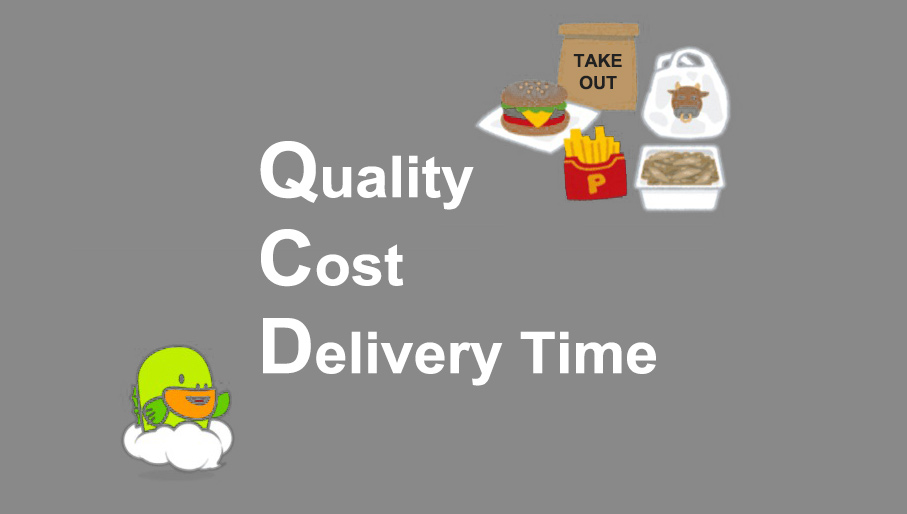
QCD refers to the outline of the importance of quality control based on delivering products of good quality (Quality) cheaply (Cost) and quickly (Delivery). It is important for companies and stores to employ the idea of QCD with the goods and services they provide to customers.
The Order of the 3 Letter Abbreviation, QCD, is also Meaningful
I’ll illustrate the meaning of each letter below.
Q: Quality of goods and services
C: Cost to manufacture and provide the product
D: Delivery time of the product to the customer
The order of QCD’s letters is also significant. The reason why Q comes first is because “Quality” is the most important factor. If it doesn’t meet a certain quality standard it will never be defined as “merchandise”. It is important to meet or exceed the customer’s requirements.
For example, when I buy an item at a 100 yen shop (a type of Dollar shop), I’m sometimes impressed by various practical items for just 100 yen. By the way, the items at 100 yen shops are priced as low as 100 yen, but they won’t be sold if they can’t be used practically.
If you use a 100 yen dishwashing sponge, for example, then find that it is sold in packs, not only it is normally usable but it rarely damages the dishes. Therefore, you’ll want to buy some packs of that sponge. Many items are purchased because they fulfill a certain level of “Quality”. There are 100 yen shops in many parts of Japan.
The idea of QCD was accordingly advocated by Alexander H. Church in 1914. When the idea of QCD emerged it was right after World War 1 had finished and the American economy was suffering from severe depression. At that time, Herbert Hoover conducted the “Efficiency Movement” to eliminate waste in the industries, and companies promoted rationalization. Before then, each company had its own function such as “production of raw materials” and “Manufacturing”, but as a result of rationalization, companies were integrated into one place and became large-scale plants.
At the same time, modern companies with various functions such as manufacturing, sales, and R & D became the main U.S. companies from the late 19th century to the early 20th century. That’s the origin of what we now call big companies.
In the Japanese manufacturing industry, QCD has gradually spread since the late 1960s and is now widely established. The concept of QCD spread in Japan after World War II. Company managers learned the knowledge of “Quality Control” from various experts. As a result, the quality of products made in Japan improved.
In the 1970s Americans focused on fuel-efficient Japanese cars and were impressed by their great quality when they tried them out. Because of that, the quality and level of Japanese products garnered much attention from all over the world.
Three elements of QCD are essential for determining the ultimate goal of business improvement. First of all, for manufacturing a product, Quality is determined and Cost is calculated. By proceeding in this way you can predict how long the Delivery will be. This can lead to discussions within the company about the difference between the performance and the target set and how to make improvements to close that gap.
Incidentally, among the three elements of QCD, Delivery is the most effective. Shortening the delivery time will result in an improvement. In this way, not every step of QCD needs to be improved, and it is important to find and improve what you can as easily as possible.
Keep Good Balance of QCD!
There are many methods of using QCD. 100 yen shops, fast food that is fast, cheap and delicious, and chain stores that are expanding all over Japan are penetrating our daily lives. On the other hand, there is another example of using QCD, which is a custom-made bag that can be used for a long time despite its late delivery date and high price.
You can be satisfied either with a good item that can be used for a long time or saving money by buying cheap and good items. The use of QCD is based on the image of the product that you want to produce.
Kyoto, Japan July 8th, 2019 Questetra, Inc., the global SaaS provider of Business Process Management (BPM), today announced that they have published the new version 11.11 of the Cloud-based Workflow product “Questetra BPM Suite” on Jul. 8th, 2019. This new version introduces a mechanism of automatically appending rows to a Google Sheets using only the standard features.
In daily work, various systems and services besides Workflow systems are used within the organization for the purpose of sales support, file storage/sharing, communication, collaboration, etc. In order to improve the convenience and productivity of users, it is essential to automate data coordination and processing among these multiple services.
Up to now “Questetra BPM Suite” has been capable of passing and receiving data in cooperation with external services by setting up HTTP communication or importing packaged “Add-ons” for communication processing, but knowledge of APIs and preparations in advance were required for them. In v11.11 a Service Task that performs the function has been added. By using the Service Task you will be able to build a system such as an “Order acceptance flow”, for example, in which data concerning an order is automatically added to a Google Sheets right after the approval Step is processed, without the need for any extra programming.
Questetra BPM Suite
Cloud-based Workflow “Questetra BPM Suite” is a business platform for realizing paperless environments and remote-working.
Business issues are controlled according to a Business Flow Diagram. When a Process reaches a Human Task, the user will be asked to add their input. Also, when an issue reaches an automated Step the predetermined processing (server-side processing) such as “Generate PDF” and “Save to cloud storage” is performed automatically. (BPM: Business Process Management)
You can apply it to various business operations such as “Approval request flow”, “Document translation flow”, Quality check process, “Invoice issuance process”. Process owners of each Business Process can practice “improvement of Business Process” little by little in daily work.
Google Sheets: Append New Row
It will be able to automatically append data to Google Sheets using the Service Task. When you are using Google Sheets for aggregating sales or expenses, you can connect them with your business. Thus, you can reduce the work time spent on the administration of this process.
Other Improvements
Google Sheets: Download Choice Data
It allows you to collectively retrieve various master data (i.e. Customer master, Product master, etc.) automatically using the Service Task. The retrieved data can be used as options in the Select type Data Item.
Converter (Date to Japanese era string)
Using the Service Task, Date type and Datetime type data can be converted to a string of Japanese calendar date format. (e.g. Converts a value of Date type Data “2019-07-08” to “令和元年7月8日”)
Google Drive: Folder Search
This Service Task allows you to search for folders on Google Drive. It can be used incorporated in processing such as to store files to a folder that are found in a search.
業務案件は業務フロー図に従ってコントロールされ、案件が人間工程に到達すれば担当者はアウトプットを求められます。また、案件が自動工程に到達した際には、「PDFの生成」や「クラウドストレージへの保存」といった既定の処理(サーバサイド処理)が自動的に行われます。 (BPM: Business Process Management)
I have experienced working with RPA tools such as BasicRobo (Formerly BizRobo), UiPath (Server: UiPath Orchestrator) and WinActor (Server: WinDirector), and there are a number of ways to achieve integration with them, so I’d like you to refer to the following articles.
Authentication (Single Sign-on)
Questetra BPM Suite is capable of OpenID integration with G Suite. It can also be connected to a Single Sign-on service via G Suite. (e.g. Cloud Gate > G Suite > Questetra)
In addition, it is capable of authentication cooperation with SAML 2.0, and I have experience of making connections with IdPs (authentication servers) such as Office 365 (On-premise Active Directory+ADFS or Azure Active Directory), OneLogin, HENNGE one, and Salesforce.
I have a track record of making connections with groupware such as G Suite, Office365, and Cybozu Garoon. We have examples of cooperation with services such as Google Spreadsheet, Google Calendar, SharePoint Online, and Microsoft Excel, all of which are included in these Groupware. With Cybozu Garoon, there’s an example of portlet-based integration. * Examples of integration via authentication and with chat services is summarized separately in another category.
There are cases of cooperation with online storage such as Box, Dropbox, Google Drive, and OneDrive. Since there is a limit in the size of file attachments in Questetra, you can expand the range of support by combining it with these online storage services.
There are examples of collaboration with services such as Salesforce, kintone, Zoho CRM, e-sales manager: Remix CLOUD, Synergy! and Oracle CRM On Demand. * kintone is not specific to CRM, however I have included it because it is often compared with CRM.
There are examples of cooperation with chat services such as, Slack, Chatwork, Microsoft Teams, Google Hangouts Chat Typetalk and LINE. For Slack in particular, there are some integration add-ons which have been pre-installed.
Input/ Output of paper (Scanner/ Fax etc)
There are examples of cooperation with paper related services such as SVFCloud (document generation ), ScanSnap(scanning), Transfax, eFax(faxing), Google Cloud Print and convenience store printing.
There are other examples of integration with various services. There are various methods of cooperation such as using REST API, email and via csv file, etc.
We have been able to integrate with quite a lot of systems and services. As I mentioned at the beginning, services with REST API have a high possibility of integration even if they are not listed, and they are expected to increase more from now on.
If you have any questions or concerns etc., please feel free to contact us using the inquiry form. We can also handle consultations related to collaboration with the service.
Apply for Free Edition of Questetra (Starter Plan) Here
By applying for a free Questetra account of your own you will be able to use all the Questetra features including those mentioned above.