カスタマーサクセスチームは「解約リスク判定業務」の一環として、契約社ごとの利用状況に関する週次の「集計分析レポート」(グラフが多数描かれた Looker Studio レポート)を、全員で手分けして確認しています。しかし、契約件数が増加する近年、この作業がチームにとって大きな負担となっています。つまり、多くのレポートの中、ごく稀に存在する「異常な推移を示すレポート」だけを検出する(検知する)ことは容易ではありません。
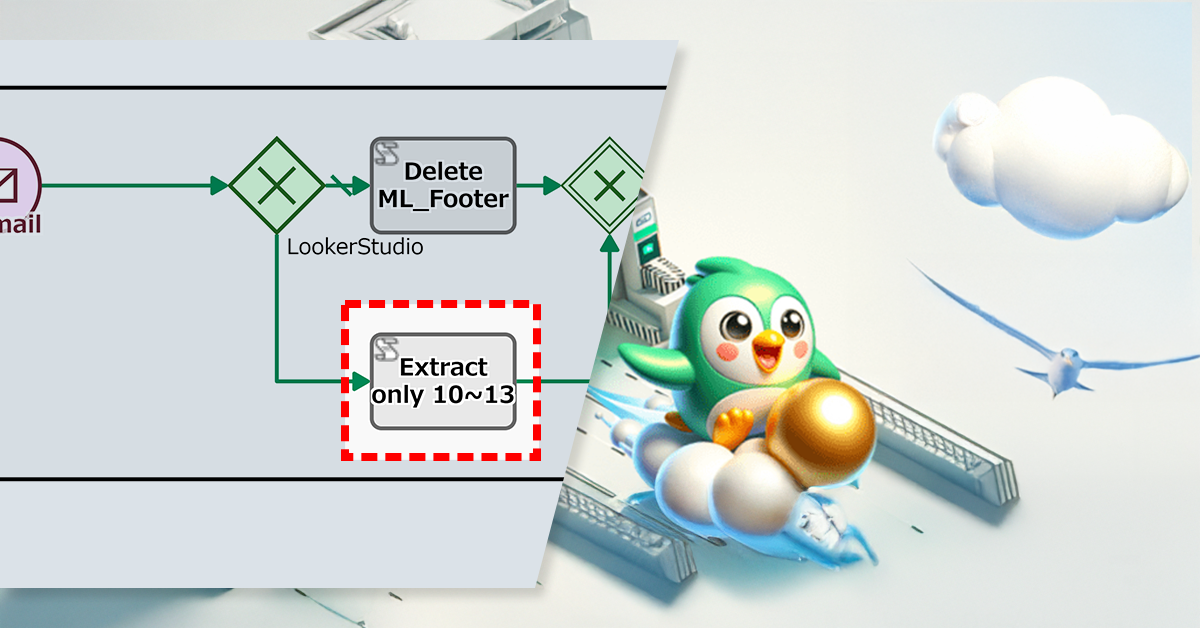
UuuKanKanクラウド社では「システムアラート」や「レポート」を社内チャットで共有している。しかし、Looker Studio レポートに含まれるノイズ文(長文投稿)が視認性を低下させていた。そこで JavaScript による自動処理を追加した。このプロセス改善により、視認性の向上と情報共有精度の向上を実現した。
AI auto-checks requests to prevent errors and rework.
1. Issue: Break the Bottleneck! Incomplete Requests Are Stalling Your Business.
Manual entry leads to errors, resulting in a cycle of endless re-submissions and wasted executive time.
At this Company, although applicants are required to self-review before submitting requests, there were many that were rejected due to clerical errors or missing information. In addition, the high number of rejections meant an increased number of checks, which was burdensome for the approvers. The company considered having a senior person in the department review the form, but it was difficult to find time due to their busy schedules.
2. Solution: Seamless AI Integration for Instant Draft Generation
The Process Owner adds an automated Step in which AI reviews the contents of the request (checking for typos and missing items).
AI-driven feedback ensures document accuracy and consistency, enabling even inexperienced members to fearlessly refine their work through unlimited, low-pressure reviews.
Before
The applicant prepared requests by referring to previous requests and then prepared the draft after a self-review.
After
After the applicant prepares a request, it is reviewed by AI, and after improvements are made based on the review’s suggestions, it is sent for approval.
Forrest Shoppers Co., Ltd. is an online shop that sells apparel and miscellaneous goods and has a store in an online shopping mall. From purchasing products to creating sales pages, the company does everything in-house.
This company has multiple departments, including the Product Department, Public Relations Department, Production Department, and Customer Service Department, which work closely together to provide better service to customers. The CS Department’s job is to respond to inquiries and complaints from customers and resolve problems quickly and courteously.
*This process improvement story is fictional. It has no connection to any real people or organizations.
1. Issue: Delayed Response to Fixes
When a customer points out an error on a product sales page, the CS department is responsible for referring the issue to the relevant department to make the correction. Errors in design or layout are handled by the production department, while errors in product descriptions and prices are mainly handled by the product department (buyers).
However, there are cases where it is unclear whether an error on a page is related to the design, product description or price, and the CS department is unsure of which department to request the correction from. For example, if a request is made to one department but that department is not in charge, it will be time-consuming to have to request the correction from another department. This process wastes time, which ultimately causes delays in the overall correction process.
This complicated procedure made it impossible to promptly provide correct information to the customer.
2. Solution: Simultaneous Notification of Correction Requests
In order to speed up the process of correcting product sales pages, the process owner reorganized the workflow to eliminate the complexity of the request procedures.
This means that even if the CS department is unsure which department to ask, they can send a correction request to both the production department and the product department at the same time. Each department can decide for themselves whether or not a response is necessary and start working on the corrections right away. As a result, the CS department’s confirmation work has been simplified, and it is expected that the speed of correction responses will be increased.
A token advances to one of multiple paths that first satisfies a conditional expression.
View workflow diagram details1. Create a correction request
CS department staff creates a correction request. They can choose to send the request to either the production department or the product department.
2a/2b. Corrections
The department that receives the correction request will correct the page. If it is not the department in charge, the task will be completed without any work.
3. Check the update/request
The CS department staff will check that the correction has been updated and is in the correct state. If the correction has not been done or if the request was made to the wrong department, the CS department will request the correction again from the relevant department.
Completion notification
Once the correction is completed, the relevant departments will be automatically notified that the work has been completed.
After
Branching OR Gateway (Inclusive Gateway)
The token advances by splitting into all of the multiple paths that satisfy the conditional equation.
View workflow diagram details1. Create a correction request
CS department staff creates a correction request and selects the corresponding department to complete the process. If the corresponding department is unknown, the request is made to both departments.
2a/2b. Correction response
A correction request will be sent to either the production department or the product department, or both departments at the same time. The appropriate department will take it and respond promptly.
3. Check the update/request
The CS department staff will check that the correction has been updated and is in the correct state. If the correction has not been done or if the request was made to the wrong department, the CS department will request the correction again from the relevant department.
Completion notification
Once the correction is completed, the relevant departments will be automatically notified that the work is complete.
Before / After comparison (slider can be moved)
3. Effects
Improved Response Speedough workload reduction
If the CS department is unsure which department to contact, they can contact both departments at the same time. The department in charge can then immediately begin correcting the problem, resulting in a faster response to the customer.
Reduce the Burden on the CS Department
This will save the CS department the trouble of having to individually decide who to refer requests to, reducing their workload.
Prevent Revision Errors and Delays
This reduces errors in judgment and delays in response when the request destination is unclear, and you can expect accurate corrective action.
4. Other Business Applications
Multi-Department Project Management
When the progress of a project depends on multiple departments, simultaneous notification of each department ensures smooth progress and prevents delays.
Customer Service Complaint Handling
When a customer complaint or problem involves multiple departments, simultaneous notification makes it possible to quickly determine which department should handle the issue, shortening the time it takes to resolve the problem.
Responding to Feedback on Product Planning and Development
Feedback responses involving both the Product Development and Marketing Departments allow for rapid information sharing and can be used to improve products and campaigns.