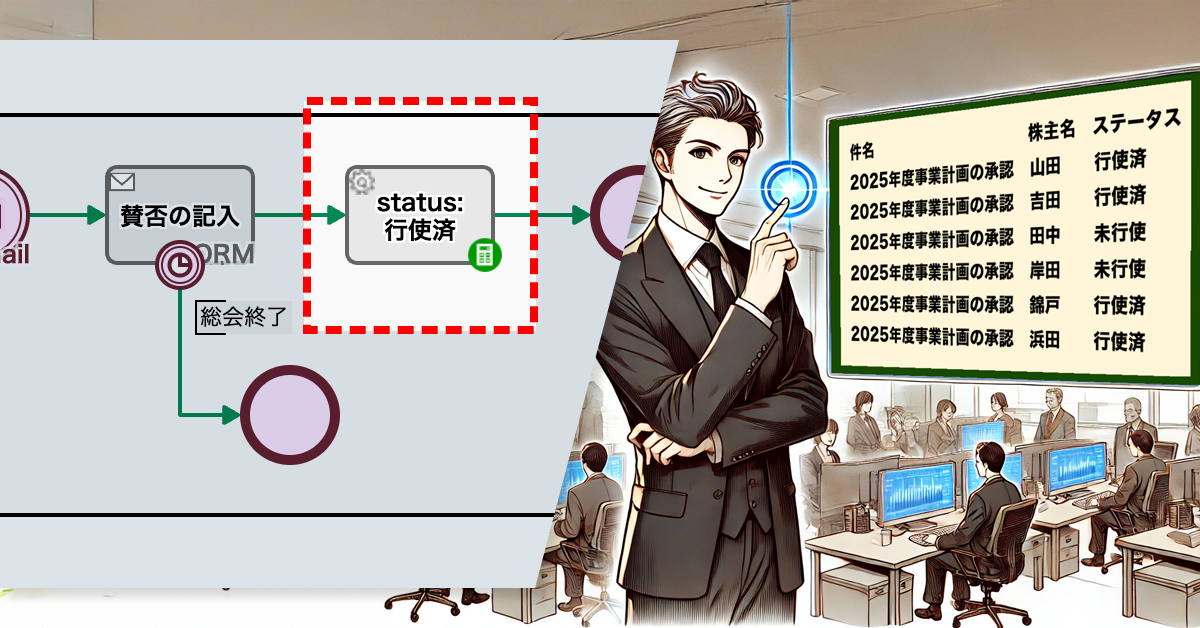
Delegating authority can also energize your team more!
1. Issue: Delays in the approval process
At BunBun Trading Co., Ltd., “Speed is everything” is not just a slogan, but one of their values shared by all employees. We believe that speed and efficiency are the key to gaining a competitive advantage.
Quick approval is a symbol of this. In the approval process at BunBun Trading Co., Ltd., only a manager’s review is necessary for approval. There are no roundabout procedures such as multi-stage or majority vote approval.
However, in recent years delays in approvals have become more noticeable.
Absence of the decision maker: Delays due to business trips or vacation
Increase in workload for decision makers: The burden on decision makers has increased due to business expansion
Making decisions more difficult: Business environments are becoming more complex and sophisticated
In addition, the negative effects of stagnation are beginning to emerge.
Sense of stagnation: Waiting list for approval piles up, reducing overall operational efficiency
Customer satisfaction: Lower customer satisfaction due to inability to respond quickly
Motivation: Employees may be less motivated or eager
Opportunity loss: Business opportunities may be missed
We need to do something about the backlog of approvals right now. (Speed is key.)
2. Solution: Add a proxy approval flow (transfer authority to a deputy manager)
The root cause of backlogs was the reduced availability of the department managers who were the decision makers.
So the process owner decided to give people with the title of deputy department manager the same level of decision-making authority as the department managers.
As a result of this improvement, the deputy department managers can now make decisions quickly, even if the department manager is absent.
Before
View workflow diagram details
1. Draft: The applicant starts the workflow application (1. Draft) and clicks the [Submit Request for Approval] button. If the draft requires advice, select an advisor and click the [Request Advice from Advisor] button.
2. Approve: The head of the department to which the applicant belongs will decide whether to approve the application in the approval process (2. Approve). To approve the application, click the [Approve] button. To reject the application, click the [Remand] button.
Approval notification: You will be notified by email that the application has been approved. (To: Applicant)
After
View workflow diagram details
1. Draft: The applicant starts the workflow application (1. Draft) and clicks the [Submit Request for Approval] button. If the draft requires advice, select an advisor and click the [Request Advice from Advisor] button.
2. Approve: The head of the department to which the applicant belongs will decide whether to approve the application in the approval process (2. Approve). To approve the application, click the [Approve] button. To reject the application, click the [Remand] button.
Approval notification: You will be notified by email that the application has been approved. (To: Applicant)
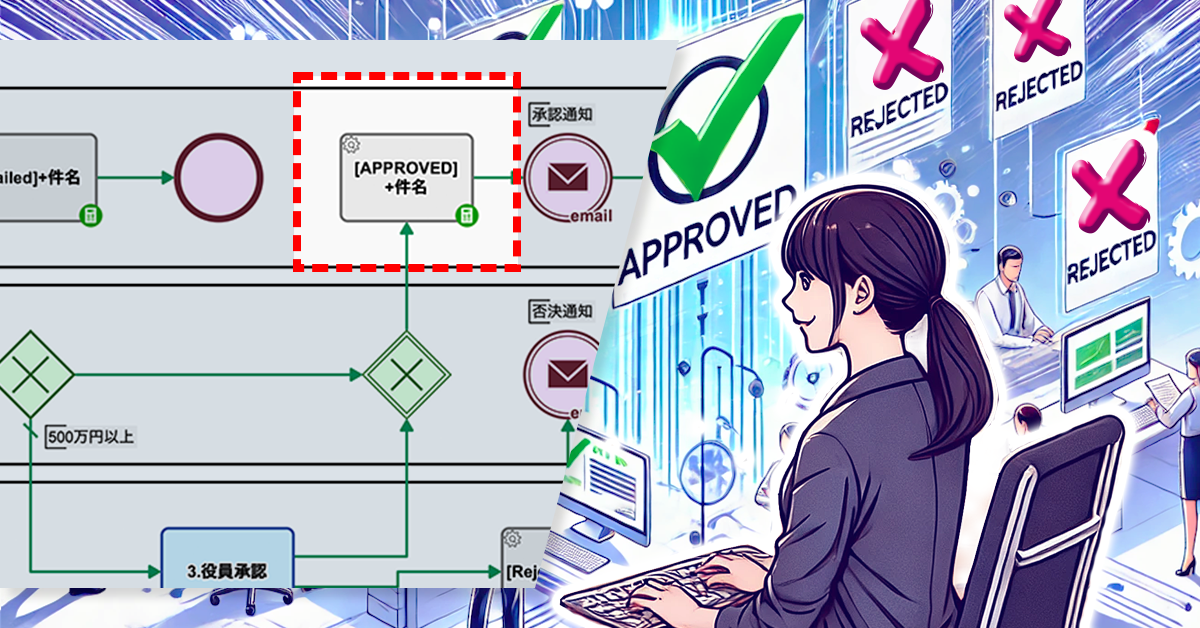
2b. Proxy decision: The acting manager of the department to which the applicant belongs will decide whether or not to approve the request at the Approval Step [2b. Approve by proxy]. To approve the request, click the [Approve by proxy] button. To reject the request, click the [Proxy remand] button.
Proxy approval notification: An email will be sent to the applicant to notify them that the application has been approved by proxy. (To: Applicant)
Compare:
After2 (Another direction)
By the way, what is the difference between approval by a manager and approval by a deputy manager?
It is generally recognized that a duty of supervision arises when a deputy is granted a power of attorney. In other words, the department head is responsible for the results of the deputy’s actions within the scope of his/her authority of representation. To put it another way, the department head is required to confirm at a later date the details of the substitute department head’s decision.
If the proxy themselves take full responsibility, then it can be said that both the department head and the deputy head should be candidates for handling the [2. Make a decision] process. In other words, there is no point in separating swimlanes.
In this case, change the swimlane name to Manager or Deputy Manager, etc., and add the deputy manager to the [Operator] settings. Then, the deputy manager will also be able to take on the [2. Approve] task. (As a general rule, the manager is not responsible for the decisions of the deputy manager. Also, there is no need to confirm the content of the approval.)
3. Effects
Improved speed of decision making: Decisions are made quickly even when the manager is absent.
Reduced burden on managers: The burden on managers is reduced, allowing them to focus on their core duties.
Employee Empowerment: Employees who are appointed as Deputy Managers are given more responsibility and autonomy, which leads to increased motivation.
4. Other Business Applications
Having an acting department manager take over certain tasks can be applied to a variety of tasks other than just approval requests.
Sales Activities
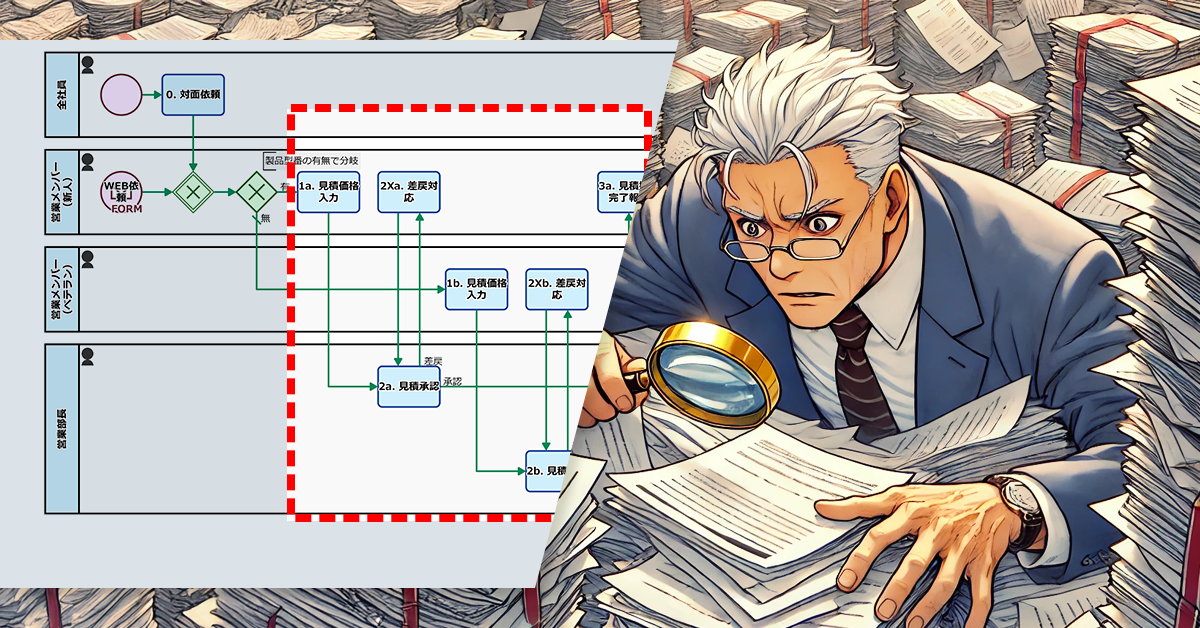
By leaving the preparation of proposal materials and quotations for customers to the deputy manager, sales staff can focus on negotiating with customers.
By leaving customer inquiries to the deputy manager, sales staff can devote their time to developing new customers.
Accounting
By entrusting the processing of invoices and receipts to a deputy manager, the accountant can concentrate on financial settlement and tax filing.
By delegating the approval of expense reports to a deputy manager, accountants can spend their time on more important tasks.
Personnel and Labor
By entrusting the administrative processing of recruitment activities to the deputy manager, human resources personnel can focus on interviews and training.
By entrusting administrative tasks such as payroll calculations and year-end adjustments to the deputy manager, human resources personnel can devote their time to labor management and compliance.
The flow of re-production that was undefined. Should be systematized when the number of cases increases.
1. Issue: Frequent unexpected rejections
The Taketori Company is a small business with five employees that sells bamboo crafts by order.
The sales guy takes the orders, and Grandpa the craftsman, is in charge of production. Four to five new orders are added to the Grandpa’s “My Tasks” every week. Most of the orders are small lot orders, such as 100 bamboo combs with names on them, but about once or twice a month, he gets a large order, such as 2,000 deluxe combs.
Takeo is in charge of inspecting the delivered items before shipping, and not only does he check that they match the order, but he also checks that each and every item is clean and not defective. Grandpa’s products have about one defective item in every 100 items.
If there were any defective items among the deliveries, Takeo would verbally inform Grandpa and ask him to reproduce them. However, with the recent increase in orders, Grandpa is no longer able to keep track of the requests for re-production.
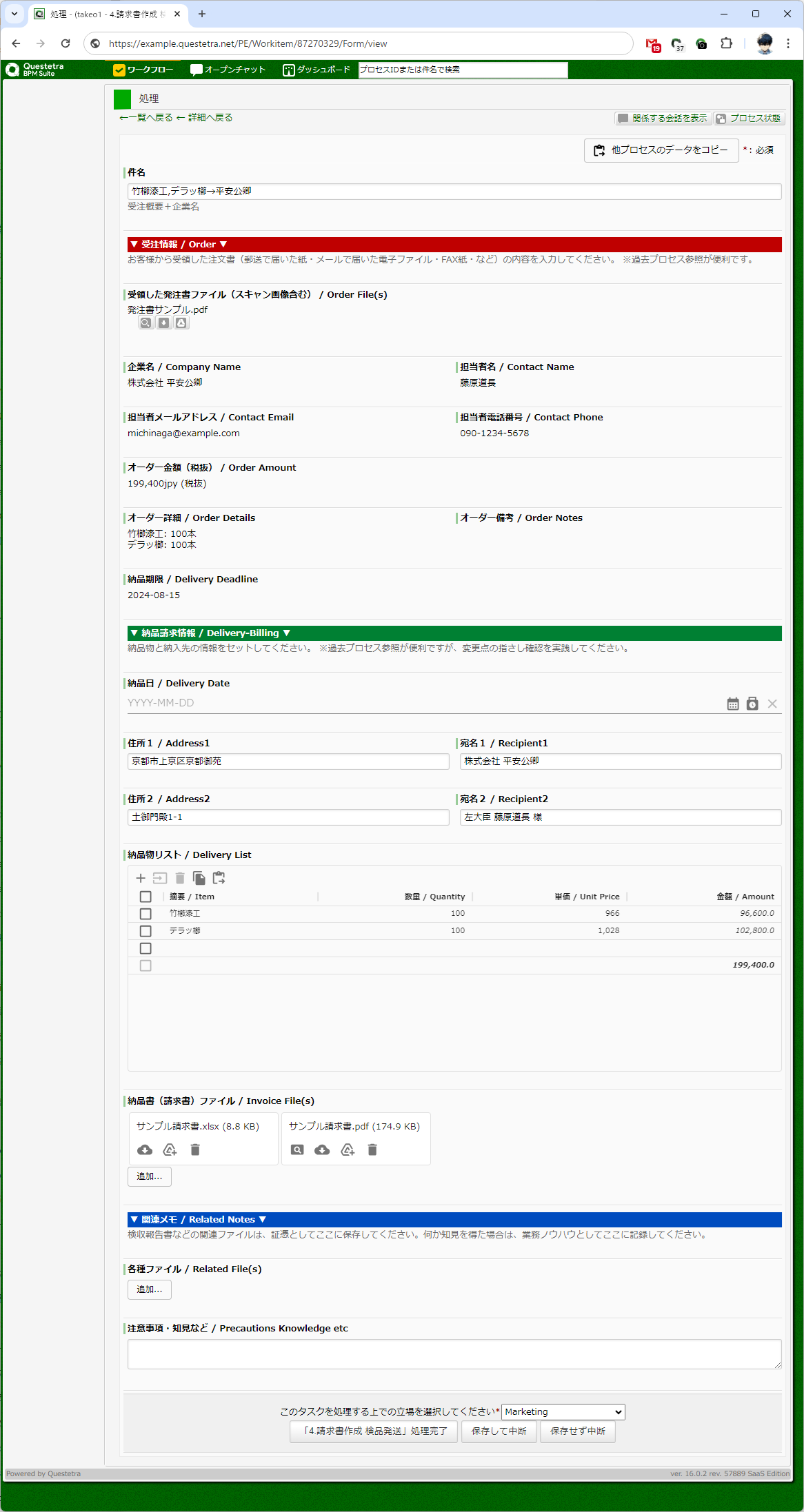
Step4. Takeo (also the process owner) inspects the product then delivers it〔Take processing screen〕
2. Solution: Task management also includes sending back
The main problem is that reproduction information is communicated verbally. If communication is only verbal, it is very difficult to avoid omissions.
Takeo, the process owner, has given the business system (workflow app) an overhaul.
Order information is added to “My Tasks”
Rebuilds (remanufacturing) will be added to “My Tasks” as well
Specifically, we added the Human Task [3b. Handling defective products] to Grandpa’s swimlane so that items can be returned from [4. Invoice creation, inspection, and shipping]. (Addition of a return process)
With this process modification, Grandpa can now see a list of all the jobs he has completed (and the list of reworked jobs) in “My Tasks”.
Workflow Diagram(BEFORE AFTER)
Explanation of each process (click to open)
BEFORE (Advanced edition):
1. Enter order: The sales guy receives orders from customers, enters the order information, and attaches the necessary supporting documents.
(AND Split Gateway): A point where one route branches into multiple routes. In the case of a plus sign (AND), all output routes are selected and parallel processing begins. (AND-Split)
2. Check raw materials: The accounting lady confirms the required raw materials and procures them.
3. Made to Order: Grandpa produces products based on orders.
(AND Join Gateway): A point where multiple routes join into one route. In the case of a plus sign (AND), it waits for all concurrent processes to arrive and sends them to a single output route. (AND-Join)
4. Invoice creation, inspection and shipping: Takeo creates invoices, inspects the products and ships them.
5. Confirm that inspection is complete: Takeo confirms that the customer has received the product and that inspection has been completed.
6. Confirm payment received: The accounting lady confirms the receipt of payment from the customer.
AFTER (Advanced edition):
1. Enter order: The sales guy receives orders from customers, enters the order information, and attaches the necessary supporting documents.
(AND Split Gateway): A point where one route branches into multiple routes. In the case of a plus sign (AND), all output routes are selected and parallel processing begins. (AND-Split)
2. Check raw materials: The accounting lady confirms the required raw materials and procures them.
3. Made to Order: Grandpa produces products based on orders.
(AND Join Gateway): A point where multiple routes join into one route. In the case of a plus sign (AND), it waits for all concurrent processes to arrive and sends them to a single output route. (AND-Join)
3b. Handling defective products: Grandpa will produce additional items that fail inspection.
4. Invoice creation, inspection and shipping: Takeo creates invoices, inspects the products and ships them.
5. Confirm that inspection is complete: Takeo confirms that the customer has received the product and that inspection has been completed.
6. Confirm payment received: The accounting lady confirms the receipt of payment from the customer.
Workflow diagram Before and after slider comparison (click to open)
Workflow app modification video (click to open)
*This process improvement story is fictional and has no relation to any real people or organizations.
3. Effects
The addition of the return process had the following effects on The Taketori Company:
Significant reduction in remanufacturing errors
There were no more leaks due to verbal communication, and there were no more oversights in re-production.
In the past, when there were multiple re-productions required, Grandpa was unable to keep track of them all, and there were times when things were missed.
However, now that they are displayed in My Tasks, they can be addressed without anything being overlooked.
Preventingdeliverydelays
By eliminating remanufacturing omissions, delivery delays have been significantly reduced.
In the past, if a part was missed during reproduction, production would be delayed and delivery deadlines could not be met.
However, now that there are no more omissions and we can produce the necessary products without any omissions, we are able to deliver on time.
Increase customer satisfaction
Late deliveries have decreased and customer satisfaction has increased.
Previously, when delivery delays occurred, customers would complain.
However, being able to deliver on time has improved customer satisfaction.
Improve work efficiency
Grandpa can now check the list of re-production projects in My Tasks, which has improved his work efficiency.
In the past, Grandpa would spend a lot of time writing down notes and searching for re-production requests that were given to him verbally.
However, now that it’s displayed in My Tasks, he can immediately check the information he needs, which has improved work efficiency.
Quality improvement
Product quality has improved as there are no more remanufacturing errors.
In the past, if a remanufacturing error occurred, defective products would sometimes be shipped as is.
However, now that leaks have been eliminated and all products are inspected, no more defective products are shipped.
Cost reduction
Delivery delays and quality issues have decreased, resulting in cost savings.
Previously, late deliveries meant costs associated with reshipping and responding to customers.
Additionally, if a quality problem occurred, costs for returns and repairs were incurred.
However, these problems have been reduced and costs have been reduced.
4. Other Business Applications
The addition of a Return Process can be applied to various business processes other than made-to-order production processes.
Accounting
When an invoice prepared by an accounting staff member is reviewed by a supervisor or auditor and instructions are given for corrections
When a supervisor approves an expense report processed by an accounting staff member and issues instructions for correction
Design work
When the design manager reviews the design drawings created by the designer and issues instructions for corrections
When a sales representative reviews a specification created by a designer and gives instructions for corrections
Development work
When a tester tests a program created by a programmer and gives instructions for correction
When a client reviews a design created by a designer and gives instructions for revisions
Consulting services
When a client reviews a proposal prepared by a consultant and gives instructions for revision
When a supervisor reviews materials prepared by a consultant and gives instructions for corrections
Forrest Shopping Co., Ltd. operates an online store that sells apparel and miscellaneous goods, and its public relations department posts daily about the products they sell on social media sites such as Facebook and Instagram.
*This process improvement story is fictional and has no relation to any real people or organizations.
1. Issue: Missed scheduled social media post
The Public Relations Department at Forrest Shopping Co., Ltd. performs the regular task of posting one of the company’s product introductions per day on social media in order to increase product awareness and promote sales.
This task is shared among everyone in the department, but sometimes the posts aren’t made on schedule because staff assume someone else might have already started working on them, or because it takes time to check to see if anyone has already started them.
As a result, there were incidents where no one undertook the task and scheduled posts on social media were missed. This could result in the planned increase in product awareness and sales promotion not being achieved sufficiently, which is an issue.
2. Solution: Automatically start tasks using a timer
The Process Owner reorganized the process so that the work would start automatically at 7 a.m. on weekdays and also set a deadline. This meant that a “Social Media Post” task (deadline 3 p.m.) would be offered to all members of the department at 7 a.m. on weekdays.*
This reorganization eliminated the need for staff to manually start tasks and reduced the effort required to constantly check the progress of tasks.
The operator processes the SNS (social media) post.
Update subject
The scheduled posting date and time are added to the subject line.
Report post
The scheduled post details and time are automatically shared on Slack.
After
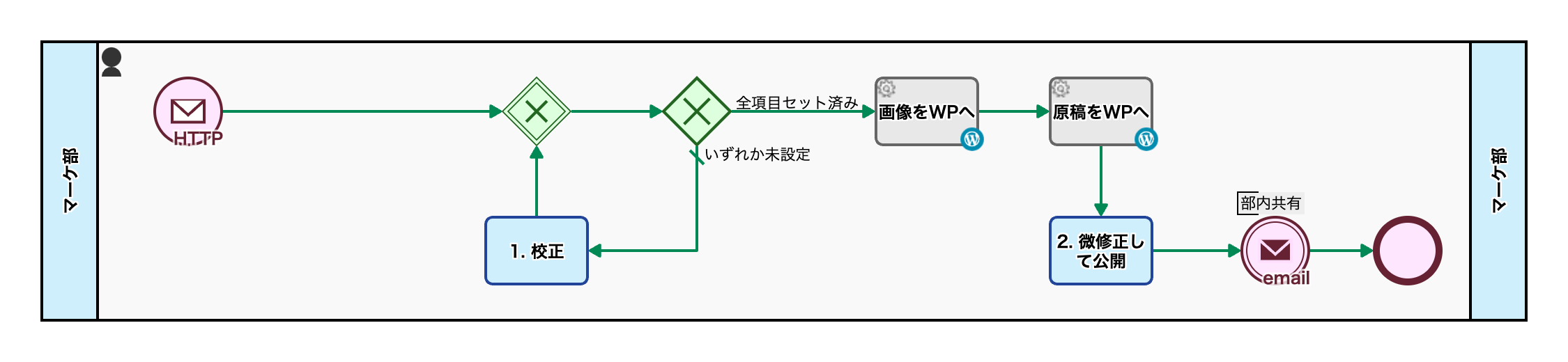
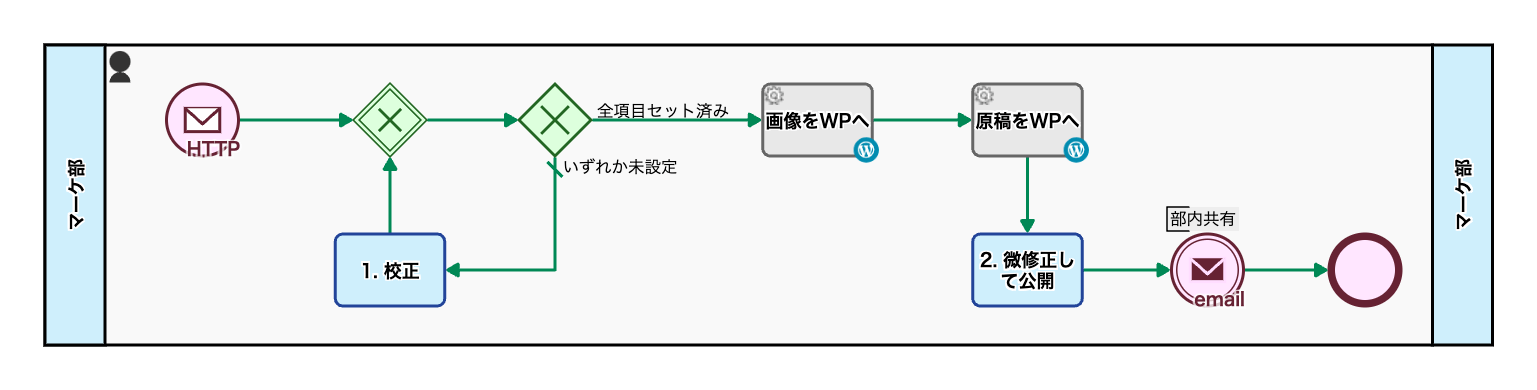
View workflow diagram detailsTimer start
The process starts automatically at 7:00 AM every day, and tasks are assigned to all operators. If no one takes on the task by the designated deadline, the process will be terminated.
1. Post
The operator processes the SNS (social media) post.
Update subject
The scheduled posting date and time are added to the subject line.
Report post
The scheduled post details and time are automatically shared on Slack.
Before / After Comparison (you can move the slider)
3. Effects
Preventing Missed Submissions
By automatically starting a task with a timer, the person in charge will know when to start, reducing the risk of missing a post.
Reduce Stress Among Staff
This reduces the need to check and hesitate about whether someone else has already started on the task, and reduces the psychological burden on the person in charge, making work proceed more smoothly.
Reduce the Burden on Staff
There is no need to manually start or check work, reducing the burden on staff and giving them more time to focus on other tasks.
4. Other Business Applications
Preparation and Submission of Daily and Regular Reports
If you have to perform reporting tasks at a fixed time every day, you can set a timer to automatically start and close the task, reducing the amount of work required by the person in charge and the risk of not submitting the task, thereby improving efficiency.
Regular Updates of Inventory and Sales Data
Using a timer can also help you avoid forgetting to check inventory or update sales data at specific times, making it easier to manage the timing of data updates.
Preparation and Agenda Setting for Regular Meetings
By setting up automatic timer notifications for preparing for regular meetings and creating agendas, you can reduce the hassle among those in charge and ensure proper preparation.