ブログ

  • RPAロボットがパソコン操作を完全代行?

    RPAロボットがパソコン操作を完全代行?

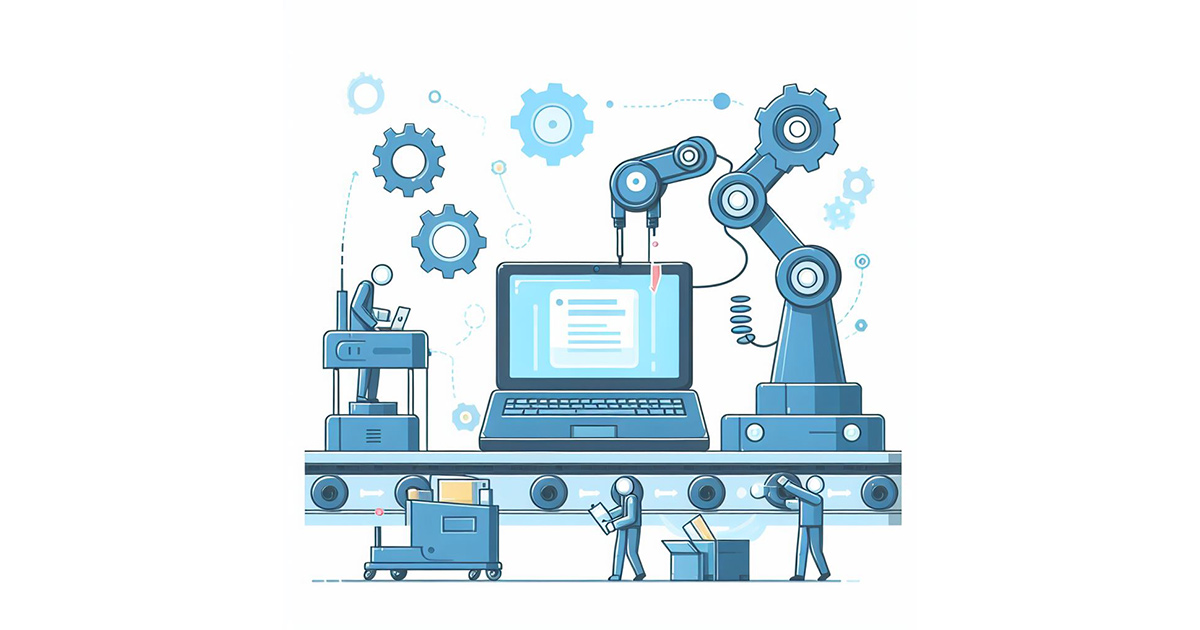
    にわかに『ロボットによる業務自動化』(RPA)というソフトウェア分野が注目されるようになってきた。日本でも「働き方改革」が流行語となっている昨今、確かに「単純なパソコンワーク」から人類を解放するキーワードの一つと言えるだろう。

    0. RPA? バズワードなの??

    最近、 RPA に関する記事を目にする機会が増えた。ただ、、、「誤解を招きかねないぞ」と心配になることが多い。。。(RPA: Robotic Process Automation / ロボットによる業務自動化)

    つまり一部の記事は、「ロボットの仕組み」についての説明はソコソコに、「ロボットによる日常業務自動化が注目されています!」といった抽象的な紹介をする。そして次の行からは、「100人日分のパソコン操作が1時間でー!」とか「しかも人工知能がー!」といった感じの「バックリとしたバラ色の未来」を長々と展開するのだ。適用業務に関する言及でも、明らかに「不適切な使用法」「ちょっと言い過ぎなんじゃないのという使用法」が紹介されてしまっている記事もある。

    そもそも RPA は万能ではない。「弱点」や「リスク」についてもキッチリ解説すべきだと思う。とりあえず、一般紙の社会部記者が「ロボットによる業務自動化」という言葉から妄想を膨らませただけの記事(?!?)については、まぁ、斜に構えて読んで頂くのが良いと思う。。。(個人的な感想デス)

    1. そもそも RPA とは何か?

    ソフトウェアの「カテゴリ名」である。
    ※ まずもって、「そう思っているヒト」と「そう思ってないヒト」では、議論は噛み合わない。(←どうしても定義は必要…
    Wikipedia によれば『ホワイトカラー業務の効率化・自動化の取組み』とある。それはそれで正しい。しかし、もう少し深く認識していただきたい点は『人間によるコンピュータ操作を再現するソフトウェアである』(※)という説明だ。

    英語版の Wikipedia: a software application that replicates the actions of a human being interacting with the user interface of a computer system (日本語版 Wikipedia の現状は、『人間と同じように操作を行うことができるようなソフトウェア』と…、ナンダカ分かりにくい文章になっている)

    すなわち RPA の中核は『コンピュータへの入力操作を覚えてくれる機能』だ。誤解を恐れずに言えば、キーボードやマウスの操作を覚える「操作マクロ」が基本機能にある。(怒られそう…)
    ※ 興味ある方は、『Blue Prism』(老舗製品)や『Selenium』(フリーソフト)について、動画検索して頂くのが良いだろう。最近では「オンプレミス型」(デスクトップタイプ)のみならず「クラウド型」の製品も発表されている。

    ちなみに、ソフトウェア分野において『ロボット/Robot』という単語は「複製」あるいは「レプリカ」のニュアンスで用いられることが多い。すなわち『ロボット』の「オリジナル」としての『人間』が別に存在する(二元論的な概念)。一方で『人工知能/AI』には、その「オリジナル」が存在しない。つまり「AI」が「Robot」に含まれる表現は少なくなる。例えば「AI や Robotによって生産性が…」のような併記表現が多くなる。

    ※つまりソフトウェア業界におけるロボットは、手塚治虫の「鉄腕アトム」ではなく、藤子・F・不二雄の「パーマン」に出てくる「コピーロボット」のイメージに近い。。。(←伝わらんな…?)

    2. ロボットの進化

    今日に至り RPA 達は、さまざまな「人間の為のインターフェース」(User Interface / UI)を理解できるようになった。

    これは「人間操作のために作られたシステムをそのまま使い続けることができる」を意味する。(User インターフェースは Human インターフェースなのに)。。。もっと言えば「既存の業務システムを改修せずに業務の自動化を推進できる」を意味する。

    こういった「IT設備投資を抑制できる」という特徴は、極めて大きな長所だろう。

    古典的な RPA 適用は「ソフトウェアの動作テスト」だ。今や「様々な画面を切り替えるれる製品」や「発生イベントに応じて条件分岐させられる製品」なども実現されている。今日的な RPA 適用でいえば「オンラインバンキング操作」だろう。表示されたデータを自動的にスクラップ(Scrap/抽出)することも可能だ。つまり「入出金履歴の取得」や「残高の参照」といった業務も人間より遥かに正確で遥かに高速に処理できる。

    画面スクラップは「スクリーン・スクレイピング」(Scraping)という。(会計クラウド等では、サーバサイドでスクレイピング処理が行われてきた)

    3. ロボットの排斥運動?

    しかし「ロボット」はナンでもカンでも処理できるようになるのだろうか?

    よく考えれば「ロボットによるログインを排除する仕組み」も進化している。つまり「二段階認証」や「文字画像の読み上げ」などは、ロボット排除の仕組みとして広く使われている技術だ。他にも「ワンタイムトークン機の利用」「画像パズルの実行」「指紋の認証」など『人間であること』を求める仕組みは沢山ある。つまるところ、情報を提供する側(≒リソースサーバ運営者)は、ログイン主体が『人間であること』を求めている。それは、なぜ?そもそも「情報提供側」の視点で言えば「ロボット」さんは色々と都合が悪い。

    たとえば「利用者へのアナウンス」や「利用者への注意」をしても、おそらくそれは「利用者」に伝わらない。あるいは「ユーザインターフェースの改良」という投資をしたらロボット達が「エラー」になって騒ぎだす。これは非常に有り難くない。また「ユーザインターフェース」へのロボットアクセスを許容し続け大量のアクセスともなれば、それは単に「攻撃」と言わざるを得ないかも知れない。さらに言えば「悪意のある操作」を見逃す場合だってある。

    4. RPA が活躍すべき領域

    結局のところ「RPA の活用範囲」については、十分にリスクを分析したうえで決定すべきだ。(←ほんとケースバイケース)
    ただ、「ロボットにパスワードを教えるか?」という点については非常に大きな論点だといえる。

    すなわち、その場合「ロボットからパスワードが漏洩する」というのが最悪のリスク・シナリオとなる。そして、そのパスワードは多くの場合、「ロボットにさせたい作業」に対する権限だけでなく、「データ削除」や「ユーザ削除」などの権限をも併せ持つ。少なくとも言えることは、「自動化バンザーイ!」と、アチコチのロボットに対して、パスワードをセットすべきではない。ちなみに、RPA の最大特徴は「人間の為のインターフェース」(User Interface / UI)を操作できる機能だが、今日の業務システムは「コンピュータの為のインターフェース」(Application Programming Interface / API)を併せ持つ。

    そして、この「API」という仕組みにおいては、コンピュータに対してパスワードを教える必要がない。2017年に至り日本政府が「銀行API」を推進している(銀行法)のは、つまるところ「厳格なパスワード管理」を通じて預金者を保護したいのだ。

    なお「Computer Interface との通信もカバーする RPA 製品」もある。その場合、どのシステムと Human Interface 通信が行われ、どのシステムと Computer Interface との通信が行われているか、キッチリ把握することが重要となる。

    API (Application Programming Interface / ここで言う Computer Interface)そのものについての詳細は他記事に譲るが、今日の API 通信では「OAuth認可」という技術が使われている。平たく言ってしまえば「権限者が特定の自動通信の許可する仕組み」だ。たとえば Facebook と Twitter の間で「データ連携」させることができる。そして、その設定にパスワードは聞かれない。しかも「参照してよい範囲」や「更新してよい範囲」についても細かく指定することができる。

    5. BPMS はどうやって外部リクエストしてるのか?

    さて、BPMS (業務プロセス管理システム)である Questetra は、どのようにして外部システムに対して「データ更新」や「データ参照」をリクエストするのか、について最後に書いておきたい。

    BPMS によるデータ連携は、少なくとも我々クエステトラ社としては、「人間の為のインターフェース」(User Interface)を介した通信機能を実装すべきではないと考えている。すなわち「データ更新工程」や「データ参照工程」では「OAuthクライアント」としてリクエストすべきだと考えている。

    確かに API が整備されていないシステムが存在すれば「業務の自動化」が難しくなるのだが、やはりセキュリティリスクには代えがたいと思う。(というか「API 連携」の流れは、もはや前提と言っても良い時代に差し掛かっているような気がしている)

    PS. 具体的な連携イメージをいくつか

  • Serverworks Co., Ltd.

    Serverworks Co., Ltd.

    Building a business system that links with cloud services such as Slack

    Serverworks Co., Ltd.

    Established

    1992

    Number of Employees

    306 (as of November 2023)

    Business

    1. AWS migration service
    2. AWS resale service
    3. SaaS “Cloud Automator” – AWS operation management tool


    Industry

    Hitech

    User Departments

    Manufacturing dept (AWS Operation)

    Achieve time-saving and quality improvements in AWS operation business with automation

    Q. What kind of work do you use Questetra for?

    Serverworks Co., Ltd. is a cloud integrator (system development firm) that is developing cutting-edge domestic cloud services centered on AWS.

    Specifically, we build information systems for our customers on Amazon Web Service (AWS) and we also operate the system on their behalf if required. So far, we have delivered 3100 projects to 500 companies (as of May 2017), and for the third consecutive year we have been certified as an AWS Partner Network Premier Consulting Partner.

    We are using Questetra for all kinds of work in the company, but especially we are taking full advantage of it in the management of agency work in AWS operation.

    Q. Please tell me how you are using it specifically.

    The service that sets up AWS on behalf of the customer is called “AWS operation work”, and every day we must perform various operations based on their requests, such as account creation and authoritization settings, etc.

    Each task itself is not difficult. However, at Serverworks we have a system where (1) we get prior approval for the work in the Questetra flow, and (2) template work is done by calling a script from Questetra.

    To put it simply, we are using Questetra to control our daily work to prevent work from being carried out based on one worker’s assumption, or to prevent mistakes due to manual work from occurring.

    Reduced labor in information system management tasks by utilizing APIs

    Q. Was there any difficulty in automating the process?

    At Serverworks we use various cloud services such as Slack, Salesforce, G suite, Backlog, etc. for internal work. For example, when someone wants to create an in-house mailing list, Questetra has been set up so that as soon as the boss approves it the G Suite API will be automatically invoked.

    As we are familiar with the Cloud APIs we might think that labor-saving and automation would lead to fewer mistakes in tasks for customers.

    In fact, the key point of choosing Questetra from a number of Workflow systems is that it has the ability to be an API client for many cloud systems, and can also receive API access from them.

    Disseminating information about utilization of Questetra’s APIs by blog

    Q. Please let us know what you expect from Questetra in the future.

    Currently, we use Slack as an internal communication tool.

    Recently I learned of the existence of the [Service Task] add-on which allows you to automatically post to Slack, so I am now planning to set it up so that various requests for approval will be posted automatically in the future.

    However, there are still a lot of unknowns as to what type of information should be put on which channel so that approval processing can be done quickly and without errors.

    I look forward to more active dissemination of information regarding how to link APIs between clouds, as well as more detailed know-how for collaboration or efficiency improvement tips.

  • 株式会社サーバーワークス

    株式会社サーバーワークス

    API の積極活用での「自動化」により業務品質の向上と省力化を実現

    株式会社サーバーワークス

    1992年

    495名(連結) 394名(単体)

    ※2025年2月末 時点

    1. クラウドコンピューティングを活用したシステム企画・開発及び運用
    2. インターネット関連システムの企画・開発及び運用
    3. SaaS/ASPサービス/IT商品の企画・開発及び運用

    製造・開発(AWS 運用業務)

    この事例に関連するプロセス改善記事

    この記事の目次

    Slack などのクラウドサービスと連携させた業務システムを構築

    株式会社サーバーワークスは AWS を中心とする先端のクラウドサービスを国内で展開するクラウドインテグレーター(システム開発会社)です。

    具体的には「Amazon Web Services」(AWS) 上にお客様の情報システムを構築し、また必要であればその運用も代行させて頂いております。これまでに500社3100件の納入実績(2017年5月時点)があり、現在3年連続で「AWS Partner Network プレミアコンサルティングパートナー」に認定していただきました。

    Questetra は社内のあらゆる業務で活用しているのですが、中でも「AWS 運用業務」における代行作業管理にてフル活用させて頂いております。

    「自動化」でAWS運用業務の省力化と品質向上を実現

    お客様に代わって AWS 設定を行うサービスを「AWS 運用業務」と呼んでいるのですが、日々「アカウント作成」や「権限設定」などなど、ご依頼にもとづく様々なオペレーションが発生します。

    一つ一つの作業自体は決して難しい操作ではありません。しかしサーバーワークスでは、(1)その作業内容について Questetra のフロー内で事前承認を得る、(2)テンプレ作業は Questetra からのスクリプト呼び出しによって行う、というオペレーション体制で作業しています。

    分かりやすく言えば、一人の作業者の「思い込み」で作業を実施してしまうことがないように、あるいは「手作業」によるミスが発生してしまわないように、Questetra を使って日々の業務をコントロールしています。

    APIを活用して、情報システム管理業務の省力化を実現

    サーバーワークスでは、社内業務においても Slack、 Salesforce、 G Suite、 Backlog など、様々なクラウドサービスを活用しています。たとえば「社内メーリングリストを作りたい」といった場合には、申請が上司承認され次第、自動的に G Suite の API が呼び出されるように Questetra で設定しています。

    このように日ごろからクラウド API に慣れ親しんでいるため、お客様向けの作業こそ「省力化」や「自動化」がミスの軽減に繋がると考えることができるのかも知れません。

    事実、数多くのワークフローシステムから Questetra を選んだ大きなポイントは、多くのクラウドシステムに対して API クライアントになれる機能が備わっており、また多くのクラウドシステムからの API アクセスを受けられるところです。

    現在、サーバーワークスでは、社内コミュニケーションツールとして Slack を利用しています。

    最近になって「Slack 自動投稿」を簡単に実現できる「サービス工程アドオン」の存在を知ったので、今後は様々な「承認」のリクエストが自動投稿されるように設定して行こうと思っているところです。

    クエステトラ社には、詳細な連携ノウハウや業務効率化 Tips などについても、積極的に情報発信して行っていただきたいと思います。

    ※ 2020年10月に「G Suite」の名称は「Google Workspace」に変更されました。

    ※ 本事例は2017年7月時点の情報です

    同業種の導入事例

  • InfiniTalk Co., Ltd.

    InfiniTalk Co., Ltd.

    Improved the productivity of sales activities!

    InfiniTalk Co., Ltd.

    Established

    June 16, 1994

    Number of Employees

    Full-time employees: 120, Operators: 800 (as of May 2024)

    Business

    Operation of call centers and back offices, Outsourcing of back-office (BPO) operations, Human resources, telecommunications, and content-related businesses, Various debugging services, Development, sales, and maintenance of call center systems


    Industry

    Hitech

    User Departments

    Marketing, Approval Flows

    Reduced lead time for submitting estimates

    Q. What kind of business do you use Questetra BPM Suite for?

    We develop, sell, and maintain InfiniTalk, a telephone system used in call centers.

    With InfiniTalk as the core, we have developed the “CTI solution” service that proposes the construction of the entire call center, and is being used by over 10,000 seats in 300 companies in 48 industries. Today, we also offer a cloud-based telephone system service which contributes greatly to the early launch of call centers.

    We use Questetra for various application-related tasks across the company.

    Q. What kind of challenges did you face?

    For the task of purchasing hardware, etc. the salesperson applies for purchase, the superior approves it and the management department places the order. Prior to using Questetra, we used to have a paper a rule: application -> approval -> order processing by the Management department. However, it used to take time from the request application to order placement, since the superior was not available and the applicant himself had placed the order request after the approval.

    Since we started using Questetra the superior has been able to give approval from anywhere, and information on the order request is now transferred to the Management department at the same time as approval, so the time from application to ordering has been reduced.

    Furthermore, In addition to purchasing, work such as contract approval and expense settlement are subject to business audit, and since all the past processes are managed in Questetra it also leads to cost reduction for the business audit.

    further productivity improvement such as automation of PDF generation

    Q. Is there anything you have devised?

    In the expense reimbursement process we have a “Receipt Attachment Form” which is automatically generated as a PDF.

    On this form, information such as the application ID or applicant’s name is automatically filled in. After applying through Questetra the applicant prints out the automatically generated Receipt Attachment Form, attaches receipts to it and submits it to the Management department.

    For the applicants, they don’t need to make the Receipt Attachment Form by themselves anymore, and for the Management department it became very easy to process because of the unified format.

    Q. Please tell me about your expansion plan for the future.

    I would like to make use of Questetra for further improvements in the operational efficiency of the Sales department.

    We are using the Cloud SFA service and we manage information on business opportunities there. We are using Questetra to carry out the task of creating an estimate, but we are not yet able to link it with Cloud SFA.

    In the future, I would like to make it possible to use the business partner information that has been stored in the cloud SFA in Questetra, or to make information of the estimates which have been approved on Questetra be automatically stored in the Cloud SFA.

  • インフィニトーク株式会社

    インフィニトーク株式会社

    営業活動の生産性向上を実現!

    インフィニトーク株式会社

    1994年6月16日

    社員 120名、オペレーター 800名

    ※2024年5月 時点

    コールセンター、バックオフィスなどの運営サービス、バックオフィス(BPO)の業務受託事業

    人材関連事業、情報通信、コンテンツ関連事業

    各種デバッグ業務、コールセンター向けシステムの開発・販売・保守

    営業・マーケティング、申請・承認

    この事例に関連するプロセス改善記事

    この記事の目次

    見積書提出のリードタイムを短縮

    Q. どの様な業務でご利用でしょうか?

    インフィニトークは、コールセンターで使われる電話システム「InfiniTalk」の開発、販売、保守をしています。

    「InfiniTalk」を軸として、コールセンター全体の構築を提案する「CTIソリューション」サービスを展開し、48業種300社10,000席以上での利用実績があります。現在では、コールセンターの早期立ち上げに大きく貢献するクラウド型の電話システムサービスも提供しています。

    Questetra は、全社における各種申請系業務で活用しています。

    Q. どのような課題があったのでしょうか?

    受注した案件に関連するハードウェアなどの仕入れに関する業務では、営業マンが仕入れに関する申請を行い、上長が承認し、管理部門が発注を行います。Questetra を利用する前は、紙で「申請→承認→管理部で発注処理」というルールを定めていました。しかし、上長が不在で承認までに時間がかかったり、承認後の発注依頼は申請者自身が行っていたため、申請から発注の依頼まで時間がかかることがありました。

    Questetra を利用するようになってからは、上長は場所を選ばず承認することができるようになりましたし、承認と同時に発注依頼の情報が管理部門に伝達されようになったので、申請から発注依頼までの時間が短縮されました。

    更に、仕入れ業務の他にも、契約稟議、経費精算業務などについては業務監査の対象になりますが、過去の処理が全て Questetra で管理されているため、業務監査のコストダウンにもつながっています。

    PDF生成の自動化など、更なる生産性の向上へ

    Q. 工夫されている点を教えてください

    経費精算のプロセスで “領収書貼り付け用紙” をPDFで自動生成させるようにしています。

    この用紙には、申請ID、申請者氏名などの情報が自動的に書き込まれるようにしています。申請者は、Questetra で申請後、自動生成された “領収書貼り付け用紙” を印刷し、そこに領収書を貼り付け管理部門に提出します。

    申請者自身にとっては、自分で “領収書貼り付け用紙” を作る必要がなくなるというメリットが生まれ、管理部としてはフォーマットが統一されたことにより、大変処理がしやすくなりました。

    Q. 今後の展開予定をお聞かせください

    営業部門の業務効率を、更に向上させることに Questetra を活用したいと考えています。

    クラウドSFAサービスを利用しており、営業案件の情報はこちらで管理しています。Questetra では見積書作成という業務を遂行する上で活用していますが、クラウドSFAとはまだ連携できていません。

    今後は、例えば、クラウドSFAに格納されている取引先情報を Questetra でも使えるようにする、Questetra 側で承認を行った見積に関する情報をクラウドSFAに自動的に格納されるようにする、というようなことに取り組みたいと考えています。

    同業種の導入事例

  • 教育機関利用の無料化について

    教育機関利用の無料化について

    100ユーザまで無料でご利用いただけるようになります。

    株式会社クエステトラは、2017年6月27日より、教育機関がクラウド型ワークフロー『Questetra BPM Suite SaaS Edition』をご利用の際、「100ユーザまで無料」でご利用いただける新しい料金プランを設定いたしました。

    まずは日本国内限定にて、サービス開始します。

  • Parallelization of Workflow Cuts Lead Time to One Fifth

    Parallelization of Workflow Cuts Lead Time to One Fifth

    Hi, there!

    In the article “What is the Value that the Parallelization of Workflow Brings?“,I mentioned that large effects can be obtained by arranging parallel processing in the Workflow.

    In this article, I will introduce a case study which had great results by incorporating “parallel processing” into an existing Workflow.

    Parallel processing shortened the period of time for evaluation work to 1/5

    In a certain mail-order company, they have succeeded in reducing the period of time for evaluation work in the workflow of private label product development to 1/5 by incorporating “parallel processing”. (The name of the mail-order company is not disclosed)

    In merchandise development of private brands, the “evaluation” work related to purchasing is an important task. There are three evaluation tasks: evaluation of suppliers, evaluation of manufacturing / production systems of products to be purchased, evaluation of the logistics system concerning the goods.

    These evaluation tasks were done one after another in the past. That meant, after the evaluation of the supplier was done, they evaluated the manufacturing and production system, then evaluated the logistics system after the evaluation of the manufacturing/production system was done, and so on.

    At the place of goods planning, they wanted to shorten the time required from “drafting” to “completion” (lead time), so that they could proceed with the planning of more goods. Thereupon, they considered parallelizing these three evaluation works.

    I suppose that they had to proceed with the evaluation work one after another since they used to manage each goods planning project with documents in paper. By using a workflow system instead of doing it with paper, it became possible to reliably manage the situation of the projects, even when processing parallelly which is said to be difficult to manage.

    They say that the time from drafting to completion has been shortened to one-fifth since they made it into parallel evaluation.

    Sooner or later, I will describe the business management including parallel processing using the workflow system.

    That’s it, for today!

  • What is the Worth which Parallelization of Workflow Brings?

    What is the Worth which Parallelization of Workflow Brings?

    Hi, there!

    If you can find a part where you can parallelize in a Workflow, your productivity will be improved greatly. In this article, I am going to talk about “parallel” processing in a Workflow.

    What is “parallel” processing in a Workflow?

    A Workflow is a series of Steps (tasks) necessary to produce some results, such as making products and providing services, arranged in a proper order and connecting them with arrows.

    There are two ways to connect these Steps in Workflow diagram, “serially” and “parallelly”.

    To define “serial” versus “parallel”, I would like you to imagine the concept of “balls of work”. A “work ball” is what shows which process (Step) in the workflow is being handled and what is being processed in it.

    When connecting “serially”, only one ball is at a given Step (the Step that is being processed).

    Whereas, when connecting “parallelly”, several balls can be at different Steps as well. In “parallel” processing, at the beginning when there was only one ball, it can become two or more at a certain point.

    Advantage of “parallel”processing

    If you are looking at a workflow diagram and you can find a part where you can process “parallelly”, it is a great opportunity to improve the business process.

    If you can connect multiple Steps in parallel and process them simultaneously, you can reduce the time from the start to the end of the entire flow. That is the biggest advantage of “parallel” processing.

    Assuming that the time required for processing Step A as t1 and the time for processing Step B as t2, the time needed to complete these two Steps is the sum of t1 and t2 if Step A and Step B were connected in series. Whereas, if Step A and Step B are connected in parallel, the time to complete these two steps will be only the one that takes the longest, either t1 or t2.

    “t1 + t2 > t1 or t2”, thus serial is greater than parallel, it is obvious that parallel processing can shorten the processing time required for the entire workflow.

    Since there is such an advantage in parallel processing, I think that it is worthwhile to consider whether or not there is a part in the process which can be done “in parallel” in the Workflow diagram, including the review of the entire work.

    Is “parallel” processing difficult to manage?

    By arranging “parallel” processing in the Workflow, you will be able to gain the benefits described in the previous section. However, adding “parallel” processing makes management more difficult.

    Since the original, single work ball becomes several, it becomes difficult to manage where each of the balls are.

    The management of parallel processing will become easy by using a Workflow system (BPM system). Also, there are cases where business improvement was achieved by arranging parallel processing. I would like to continue talking about parallel processing in the future.

    That’s it, for today!

  • Electronic Invoice would Save the World… Supposed to be.

    Electronic Invoice would Save the World… Supposed to be.

    It will take five more years for bank APIs to become usable…So…
    “Invoice + bank remittance” is …, after all, out of date now…

    “When you mail a billing invoice in paper, it will be paid until its deadline. Indeed, I believed it was the way to do it until a couple of years ago, but now, it is old-fashioned.

    Table of contents

    1. Bill invoice in paper

    For example, when you mailed a couple of invoices, naturally it will be paid combined. Then a person would identify the payments…really analog!

    Speaking of human tasks, it reminds me an old time when salaries were paid in brown envelopes, even to the pennies.

    2. Online banking

    People are talking about ‘Fintech’, yet it is useless.

    Even in “Bank API as a national policy”, only “Reference type APIs” have been released partially after a long way. Moreover, the Nationwide Bank Data Communication System in Japan has its unique problem in text data communication. That must be corrected…

    3. Full automation until settlement

    I would like to process from billing to payment settlement without human intervention.

    That’s right! “The ones born in the 70’s” should be the ones to say good-by to “bad ways of doing things” done so far. (?)

    If Banks are not yet usable, let’s use a “Settlement agent” (Money transfer agent)!

    1. Register “electronic invoice” on the settlement agent,
    2. Make request to the settlement agent and have them email the “customer”,
    3. Receive a report if there was a deposit from “customer” to the settlement agent.

    In this way, the workflow would become unmanned.

    4. Correspondence with Technical Support

    Conversations with Technical Support of a money transfer agent regarding APIs… (This is fiction!)

    Me: “Hey, hey, even if I specify the template ID it is not reflected in the invoice, right?”

    (1 month later)

    Support: “Ah, that’s true. I confirmed with our developers, they said the specification is not to reflect it. Our document is wrong.” (What?)

    Me: “And also, even if I have set JST as timezone for date of invoices, it doesn’t seem to be reflected.”」

    (1 month later)

    Support: “That is the specification. Even if you specify the timezone, it is shown in PST.” (Huh?)

    Me: “Also, the phone number for the billing source is not indicated on the bill…”

    (1 month later)

    Support; “Ah, that is a mistake in the document. The Phone object works if requested as child object of address object. Even though it is described as a sibling in the document. (I’ll kill you!)

    note) In the capture image of sample code below, relationship of address and phone is wrong.

    Well, the APIs designed by the settlement agent (money transfer agent) is really rational. And regarding the “REST Invoicing API” of “PayPAL Inc.”, I think it is awesome. (For overseas remittances, banks cannot match it.)

    (But, there are some problems, at the same time… Especially, Support…)

    5. Practical example

    Incidentally, in an open event “Super Networking 2017” (2017-06-17), for which I am involved in the committee, electronic invoices (PayPal invoice) are practically used for collection of participation fee.

    If you are up for the challenge, please join. (!?)

    An email of “electronic invoice” will be delivered immediately… supposedly…

  • 「電子請求書」は世界を救う、、、ハズ

    「電子請求書」は世界を救う、、、ハズ

    銀行 API が使い物になるには、あと5年はかかるのかな。。。ならば・・・

    「請求書+銀行送金」って、、、やっぱ、古い。。。
    『紙で請求書を郵送したら、入金期限に入金される。』 たしかに数年前までは「それが当たり前」と思ってたんだが、、、やっぱり古い。

    目次

    1. 紙の請求書
    2. オンライン・バンキング
    3. 決済までの全自動化
    4. 技術サポートとの会話(フィクション)
    5. 実用例

    紙の請求書

    たとえば、紙の請求書を2枚・3枚と郵送すれば、後日「合算」して入金される。
    当然ながら、その入金内訳をヒトが解読する。って、どんだけアナログやねん! ヒトが介在している時点で、「給料は、茶封筒に、現金で、1円単位で」みたいな『昭和の臭い』が漂う。

    (せめて、請求書の送付はPDFで。。。できれば、請求書PDFは自動生成で。。。)

    オンライン・バンキング

    世間では「フィンテック」とか叫ばれているが、実態はマダマダだ。。。『国策としての銀行API』も、やっとこさ「参照系API」が部分解禁されただけだ。。。しかも、連携されているデータは

    • “キヨウトダイガクガクチヨウ ヤマギワジユイチ”
    • “カ)リクル-トホ-ルデイングス”

    などのレスポンス(ホントは半角カナ)。。。貴様、コンピュータのクセに、、、まずは「カタカナ」を勉強しなおしてこい!、と。。。(特に拗音と長音がヒドイ)

    決済までの全自動化

    やはり、「請求から入金決済まで」の業務は、ヒトを介さずに処理したい。

    そうだ! 「昭和40年代生まれ」こそが、これまでの「悪しき伝統」との決別を実践すべきだ。(?)

    そこでここでは、(【銀行】が「マダマダ」なので/来たるべき「銀行API時代」の無人業務を夢見ながら)、【決済代行会社】(資金移動業者)を使おうと思う!

    1. 決済代行会社に「電子請求書」を登録して、
    2. リクエストして、決済代行会社から「顧客」にメールしてもらって、
    3. 決済代行会社に「顧客」からの入金があれば報告を受ける

    という流れであれば、今日でも、全て無人のワークフローでいけるハズだ。

    技術サポートとの会話(フィクション)

    某「ペ〇パル社」のテクニカルサポートと、 API についての会話。。。(フィクション!!←ココ大事)

    筆者:「ねぇ、ねぇ、テンプレートIDを指定しても、請求書に反映されなくない?」

    (1か月後)

    担当者:「オー、ホントウデスネ。開発者ニ聞イテミタラ、反映シナイノガ仕様デース。ドキュメント、マチガッテマース!」

    筆者:(なんやと…)「…でさ。。。 請求日とかのタイムゾーンに日本時間 JST とかセットしても反映しないみたいだけど?」

    (1か月後)

    担当者:「アー、ソレ、何ヲ指定シテモ、アメリカ西海岸時間 PST ニナル仕様デェ~ッス!」

    筆者:(ほへ?)「…あと、、、請求元の電話番号も、請求書に反映されなくない??」

    (1か月後)

    担当者:「アー、ソレー。ドキュメント、マチガッテマァーッス。phone object ハ、address object ノ、子 object トシテ Request スルト、動イチャウヨ!! ドキュメントデハ、兄弟 object ッテ書カレテルケドネ!!」

    筆者:(殺す・・・) [下のサンプル code キャプチャは address と phone の関係が間違っている]

    まぁ、決済代行会社(資金移動業者)が設計している API は実に合理的だ。「ペ〇パル社」の『REST Invoicing API』についても、流石だと思う。
    (海外送金などでは、銀行はタチウチできそうにない)
    しかし、まぁ、現状においては、、、色々と問題もある。。。特にサポート。。。

    実用例

    ちなみに、『超交流会2017』(2017-06-17)というオープンイベントでは、参加費徴収に電子請求書(PayPal請求書)が実運用されている。
    その挑戦心たるやスバラシイ! 興味ある人は、是非、「参加エントリ」してみよう(!?)
    すぐさま「電子請求書」のメールが届く、、、ハズだ!

    なおソースコードなどの詳細について興味ある方は、以下の関連記事を参照されたい。

  • Cloud BPM v11.3 supports Shared Service-Task

    Cloud BPM v11.3 supports Shared Service-Task

    Original Japanese version

    Automated task such as “Date Formatting” and “Slack Posting” is available for companywide

    Kyoto, Japan – March 13rd, 2017 – Questetra, Inc., the global SaaS provider of Business Process Management (BPM), today announced that they have published the new version 11.3 of the Cloud-based Workflow product “Questetra BPM Suite” on Mar 13rd, 2017. In this new version, “automatic steps” utilized in various departments within the company can be managed unitary.

    When modeling daily works such as “Quotation process” or “Invoice process” into Workflow systems, the Process owner (Workflow designer) defines the process by arranging several “Human Tasks” and “Automated Tasks”. However, if you wanted to place an automated task that is not included as a standard modeling element, you had to download or make your own definition file (Addon XML) and import it individually for each modeling so far. Since the new version 11.3, it is possible to share definition files.

    With this function, in a company with many desk works of document preparation for Japanese government agencies for example, if the automated task of “Date Format Converter for JP” has been shared, you will be able to call it from any department. Alternatively, if an automated task which “Auto-Posting to Slack” has been shared in a company where promoting work progress to be posted to Slack, it will be possible to easily design Workflows containing it in any department. (Slack: Cloud based enterprise social network service which is widely used as a communication platform)

    User companies will be able to improve their own productivity with automation.

    Questetra BPM Suite

    Cloud-based Workflow “Questetra BPM Suite” is a business platform for realizing environments of paper-less and remote-working. When a process reaches “Human task”, the user will be asked to input. If it reaches “Automated task”, server-side scripting will be executed. (BPM: Business Process Management)

    Since it is possible to add arbitrary “Automated tasks” besides ones incorporated as standard such as “PDF Auto-Generation” and “Auto-Save to Google Drive”, you will be able to promote “Labor saving” or “Error rate reduction” or “Eliminating fraud”, etc., proactively in accordance with the management issues. More than 500 downloadable samples have been published for your convenience.

    Shared File feature

    By importing the service definition file (Addon XML) describing the contents of processing of the server-side in advance, you can use Service-Task not included in the standard menu as a modeling element. Starting with version 11.3, you can import it as a shared addon that can be used across the entire business platform. You can place this Service-Task to any work you are modeling.

    Other Improvements

    Smartphone Interface

    Improved to a responsive interface to support multiple devices. In Version 11.3, we have greatly improved screen to confirm the details of the content of the Issue, and the screen for operating the Issues in My Tasks.

    Personal Default of Listing

    It is now possible to specify the default value for the number of items to display when displaying the list, such as Operation history of your own or Issues you have Started. Each user can select from “10 items / 20 items / 50 items / 100 items”.

    Dependency on Shared-File

    You can check which App is referring the shared-file in a list. It will be helpful for the maintenance of;

    1. “Options Master” to be referred by Select type data item setting,
    2. “PDF Form” (Template PDF) to be referred by the Service-Task for PDF Auto-Generation,
    3. “Addon XML” for adding modeling elements.

    Release Note for the detail: https://support.questetra.com/versions/version-1130/

  • クラウド型ワークフローv11.3、自動工程の全社展開機能を追加

    クラウド型ワークフローv11.3、自動工程の全社展開機能を追加

    SaaSベンダーの株式会社クエステトラ(京都市、代表執行役CEO今村元一)は3月13日、クラウド型ワークフロー製品である 『Questetra BPM Suite』 の新バージョン11.3を公開しました。新バージョン11.3では、社内の様々な部署で活用されている「自動工程」を一元的に管理できるようになります。

    「見積書発行プロセス」や「請求書発行プロセス」といった日常業務をワークフローシステム化する際には、プロセスオーナー(ワークフロー設計者)は幾つかの「人間工程」と「自動工程」を配置して業務プロセスを定義(モデリング)します。その際、標準のモデリング要素として組み込まれていない自動工程を配置したい場合には、必要な定義ファイル(アドオンXML)をダウンロードもしくは自作し、それぞれのモデリングの際に予め個別インポートする必要がありました。新バージョン11.3からは、定義ファイルの共有化が可能となります。

    たとえば、官公庁書類を作成するデスクワークが多い会社であれば、「日付データを和暦に変換する」という自動工程の定義ファイルを共有化しておくことで、どの部署の業務プロセスでも同じロジックの「和暦変換処理」が呼び出せるようになります。

    あるいは、業務進捗のSlack投稿を推進している会社であれば、「文字列データをSlackに自動投稿する」という自動工程の定義ファイルを共有化しておくことで、どの部署でも「Slack自動投稿工程」が含まれるワークフローを簡単にデザインできるようになります。(Slack:コミュニケーション基盤として広く活用されているクラウド型社内ソーシャル)

    Questetra BPM Suite とは

    クラウド型ワークフロー『Questetra BPM Suite』は、ペーパレス環境やリモートワーク環境を実現するための業務プラットフォームです。案件が「人間工程」に到達すればユーザ(社員)に処理結果の入力を求め、また「自動工程」に到達すればサーバサイド処理を行います。(BPM: Business Process Management)

    「PDF自動生成」や「Google Drive自動保存」などの標準で組み込まれている自動工程以外にも任意の「自動工程」を追加することが可能なので、「省力化」や「ミス率の低減」や「不正の排除」等、各社の経営課題に合わせた改善を積極的に推進することが可能です。

    定義ファイルの共有化機能について

    サーバサイドでの処理内容が記述されたサービス定義ファイル(アドオンXML)を予めインポートしておくことで、標準メニューにはない[サービス工程]をモデリング要素として活用できるようになります。バージョン11.3以降は、業務プラットフォーム全体で利用できる[共有アドオン]としてインポートすることが可能となります。どの業務をモデリングしている時にも当該サービス工程を配置できるようになります。

    その他の機能改良について

    スマホ画面の改良

    マルチデバイスに対応できるよう、レスポンシブなインターフェースに改良しています。バージョン11.3では案件内容の詳細確認画面やマイタスクにある案件を処理する際の画面などを大幅に改良しました。

    列挙件数のデフォルト値の設定機能

    自身の処理履歴や、自らが開始した案件など、一覧を表示させる際の表示件数について、そのデフォルト値指定が可能となりました。それぞれのユーザは「10件表示/20件表示/50件表示/100件表示」のいずれかを選択できます。

    共有化された定義ファイルへの依存関係確認機能

    複数の業務プロセス定義(アプリ)から参照される定義ファイルそれぞれについて、「依存している業務プロセス」が一覧できるようになりました。(1)選択肢型データの設定で参照できる「選択肢マスタ」、(2)PDF自動生成機能で参照できる「PDFフォーム(台紙PDF)」、(3)モデリング要素追加のための「サービス定義ファイル(アドオンXML)」のメンテナンスが容易になります。

    詳細については、リリースノートを御参照ください。

    Release Note: https://support.questetra.com/ja/versions/version-1130/