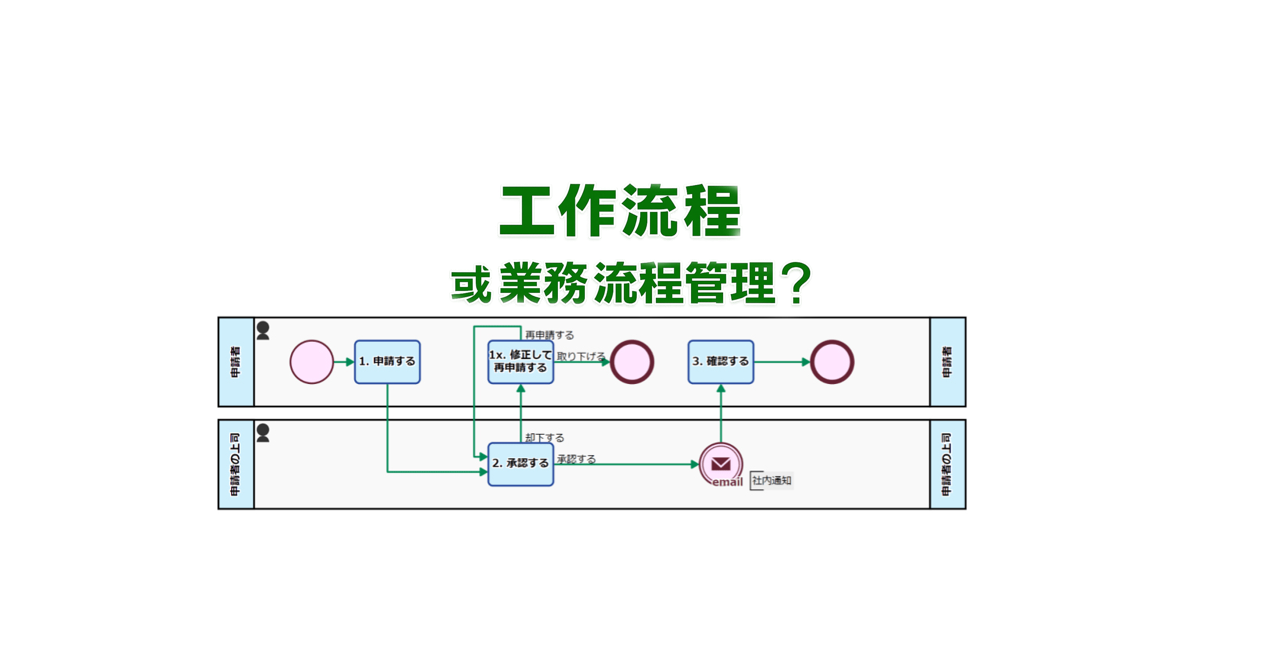
BPMN(Business Process Model and Notation,业务流程模型和符号)是国际标准化的业务流程可视化和分析表示法。在业务日益复杂的今天,通过可视化业务流程,可以更容易地发现冗余和问题,为制定改进方案奠定基础。同时,它还有助于解决对特定人员的依赖,加强团队成员间的协作,因此许多企业正在考虑引入。
Operators can now manually reassign tasks to reduce supervisor workload.
1. Issue: Increased Supervisor Workload Due to Assignee Changes
A BPO service company that handles the operation of online consultation desks. Thirty staff members receive consultation requests from applicants via a web form.
To prevent an uneven distribution of workload, the assignment of operators is automatically handled by AI based on predefined rules. However, when scheduling conflicts or specific nomination requests overlapped, double booking sometimes occurred, resulting in one operator being assigned multiple consultations in the same time slot.
In these situations, a supervisor with administrative privileges manually reassigned the task to a different operator. This placed a significant burden on the administrators and was a contributing factor to processing delays.
2. Solution: On-site Reassignment by Operators
The process owner revised the workflow so that the assigned operator could change the assignee themselves.
Specifically, a loopback path was introduced, leading from the Human Task “Edit Notification Text” back to the same step. This allowed the assigned operator to reassign tasks to other operators themselves when facing difficulty in handling a request due to a double booking or similar issue.
This mechanism eliminated the need for the supervisor to intervene every time an assignment change was necessary.
Decentralizing assignee swaps empowers front-line staff and removes the administrative bottleneck of manual reassignments.
Before
View details of the workflow diagram
Starts upon Submission from Web Form
Automated Submission Confirmation
A confirmation of receipt for the submitted content will be created.
Thank You Message Generation
An automated reply email, including the confirmation message, will be generated by the AI process.
Send Confirmation Email
Send the created Email.
Add Form for Additional Requests
A dedicated form will be automatically created.
Set Staff Email – Automated Process
Notify the Responsible Staff Member
Customer Email -> Custom Domain
The AI assigns a handler based on related information when the requester’s submission specifies assignment details.
Edit Notification Message
The AI assigns a handler based on related information when the requester’s submission specifies assignment details.
Notification Email
Send the reply email created by the responsible staff member to the requester.
Rejected
Processed when the responsible staff member determines that a reply is unnecessary.
After
View details of the workflow diagram
Starts upon Submission from Web Form
Automated Submission Confirmation
A confirmation of receipt for the submitted content will be created.
Thank You Message Generation
An automated reply email, including the confirmation message, will be generated by the AI process.
Send Confirmation Email
Send the created Email.
Add Form for Additional Requests
A dedicated form will be automatically created.
Set Staff Email – Automated Process
Notify the Responsible Staff Member
Customer Email -> Custom Domain
The AI assigns a handler based on related information when the requester’s submission specifies assignment details.
Edit Notification Message
The AI assigns a handler based on related information when the requester’s submission specifies assignment details.If they are unable to handle the request, the task will be assigned to another responsible party.
Notification Email
Send the reply email created by the responsible staff member to the requester.
Rejected
Processed when the responsible staff member determines that a reply is unnecessary.
Defining roles and automating shares ensures every meeting is documented without fail.
1. Issue: Meeting Minutes Were Not Being Created
The sales department conducts weekly meetings via Google Meet, where recordings and transcriptions are automatically generated. The rule was that a new member would use NotebookLM* to create the meeting minutes after the meeting and share them with everyone on the same day.
However, because meeting minutes creation was a manual task, the person in charge sometimes forgot to create and share them on the same day. As a result, there was a delay for members in checking the meeting content.
2. Solution: Streamlining the Process from Minutes Creation to Sharing
The process owner improved the workflow with the goals of ensuring the consistent creation of meeting minutes and automating their sharing.
First, a dedicated swimlane was created for new members, and the “Create Meeting Minutes” step (Human Task) was added. This clarified who was responsible.
Furthermore, a mechanism was introduced to automatically share the minutes internally once completed, automating the flow from task completion to sharing. This established a process for creating and sharing meeting minutes that does not rely on human memory.
Clear roles and steps ensure every meeting is documented without fail.
* Human Task is a step in a process that is performed by a person. The assignee is automatically determined based on the settings of the swimlane where the task is placed. When a task is assigned to a handler (assignee), it appears in their “My Tasks” list. Additionally, handler information and completion time are automatically recorded alongside the input content.
Before
View details of the workflow diagramAutomatic Document Replication
The template file for the presentation materials (Google Document) will be automatically duplicated.
Post #Sales
The link to the document (presentation material template) will be automatically shared on the internal chat. Sales department members will use this document to create their presentation materials.
After
View details of the workflow diagramAutomatic Document Replication
The template file for the presentation materials (Google Document) will be automatically duplicated.
Post #Sales
The link to the document (presentation material template) will be automatically shared on the internal chat. Sales department members will use this document to create their presentation materials.
Minutes Creation
New members will create the meeting minutes.
Post #Sales
The meeting minutes will be automatically shared on the internal chat.
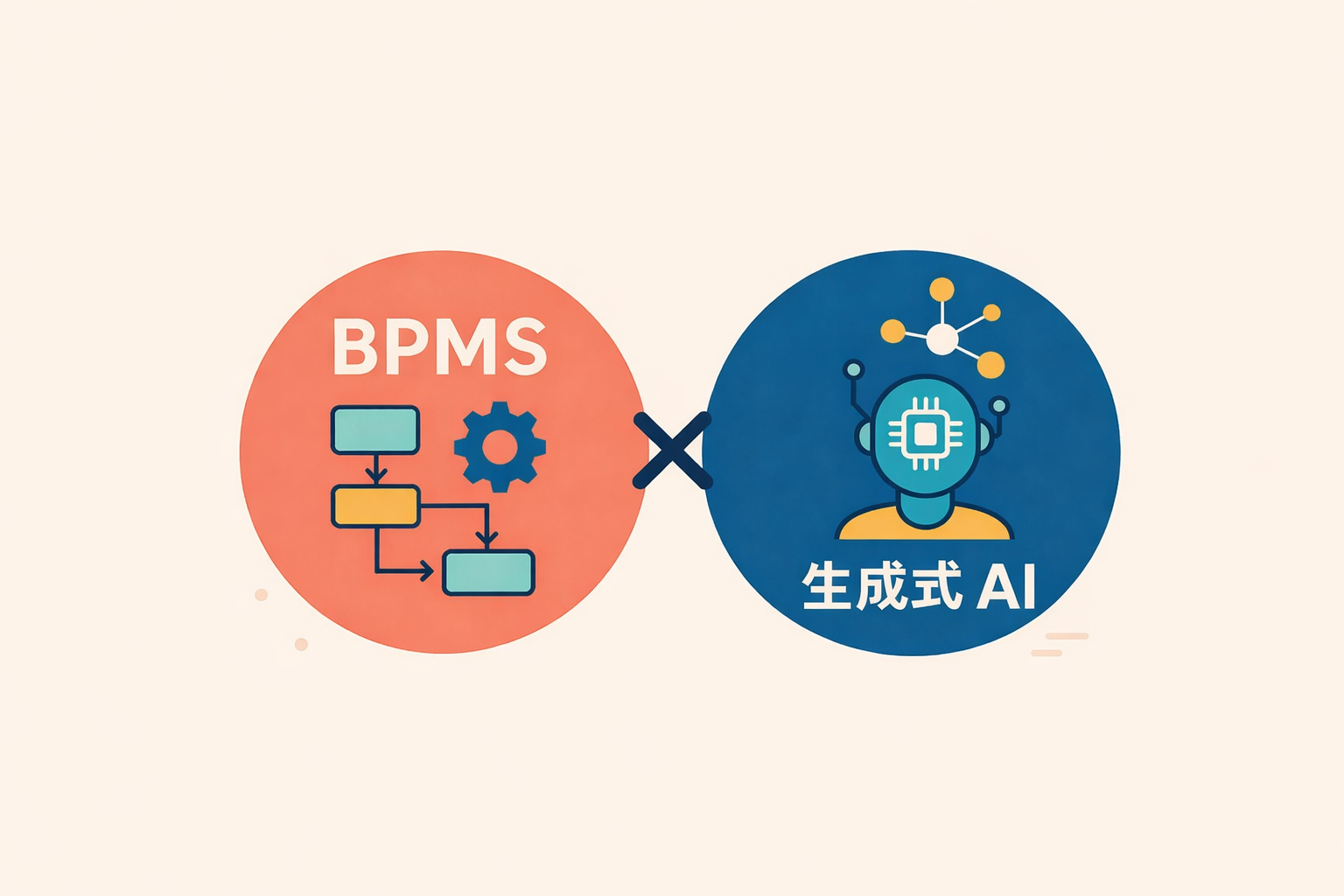
SaaS BPMS (Business Process Management System) has recently garnered significant attention as a platform that supports the operational improvements essential for every corporate activity. Compared to conventional BPMS, its cloud-based operation offers enhanced flexibility and the potential for substantial reduction in maintenance costs.
Meanwhile, Generative AI has evolved rapidly as a technology capable of creating new content from vast amounts of data, finding applications across various fields, including text, images, video, and audio. Many companies are keen on integrating it into their operations, anticipating significant labor savings and efficiency gains in various processes.
This article will outline the fundamentals of both SaaS BPMS and Generative AI, then broadly explain the benefits of their integration, specific implementation methods, and real-world use cases. If you are looking to deeply improve your company’s operational challenges, please use this guide as a reference.
Table of Contents
What is SaaS BPMS?
Here, we explain the characteristics and implementation benefits of a BPMS that operates on the cloud.
SaaS BPMS is a form of Business Process Management System that runs in a cloud environment. A major characteristic is its ability to reduce initial implementation costs and operational load compared to on-premise BPMS, as it eliminates the need for infrastructure construction and maintenance. Companies can bypass setting up their own servers, offering the advantage of being able to start using the system quickly without needing specialized IT knowledge.
Maintenance, updates, and security measures are flexibly handled by the vendor, not the user. This makes it easier to incorporate the latest features and mitigate security risks. Furthermore, access is possible from anywhere in the world, making it ideal for teleworking and collaboration with overseas offices.
These SaaS characteristics are highly useful for companies that frequently review their business procedures and workflows. SaaS BPMS is a tool that should be actively considered, especially by firms with frequent changes to business rules or startups prioritizing speed of deployment.
The Difference Between BPM and BPMS
BPM (Business Process Management) refers to the methodology and practices used to design, analyze, and improve the entire business process within an organization. In contrast, BPMS (Business Process Management System) is the system—the tool—that supports the BPM concept, facilitating process visualization, automation, and smooth management.
While BPM is a broad management discipline aiming for the optimization of the organizational workflow, BPMS is the specific software that achieves this at an operational level. A key feature is the ability to design the blueprint of the workflow on a management screen and share its real-time status with all stakeholders.
– Features of SaaS BPMS and a Comparison with Conventional Systems
Conventional BPMS was often deployed on-site, placing a significant burden on the implementing company due to server construction, license fees, and system maintenance. SaaS BPMS, conversely, allows immediate use of the system via a web browser, enabling a drastic reduction in initial investment.
Furthermore, the subscription model, where costs are paid based on usage, is prevalent for SaaS BPMS, making costs clearer and easier to manage. Many products are rich in no-code or low-code features that significantly shorten the time required for development and modification, providing the added benefit of being user-friendly for non-IT personnel in various departments.
What is Generative AI?
This section summarizes the overview of the highly-focused Generative AI, its differences from conventional AI, and its application scenarios.
Generative AI is a technology that “generates” new text, images, or audio based on given data and learning models. While previous AI systems excelled at classification and prediction, the key distinguishing feature of Generative AI is its ability to create entirely new content.
In recent years, its application has advanced across various fields, such as chatbots utilizing text generation models and design support using image generation models. Advancements in AI technology have dramatically improved the accuracy with which it can automatically generate natural language expressions and diverse patterns of images and videos, further expanding its potential for business use.
Generative AI is now being introduced across various business scenarios, including customer support, sales activities, and content marketing. Its appeal lies in its potential, when integrated with SaaS BPMS, to broaden the scope of business automation while simultaneously assisting in the generation of improvement strategies.
– Differences from Conventional AI
Conventional AI primarily focused on extracting features from large datasets to perform classification or make judgments. Generative AI goes one step further, producing so-called “creative” outputs. For example, text generation AI can automatically compose a new document while understanding the context of the input text.
Furthermore, image generation AI can analyze existing images and create new ones with similar structures or styles. This capability significantly supports creative tasks that conventional AI struggled with, such as streamlining the creation of marketing materials and product catalogs.
– Advantages and Use Cases of Generative AI
One major advantage of Generative AI is its ability to rapidly output ideas or drafts without requiring human initiation. By having pre-trained models generate these components in a short time—a process that would otherwise be time-consuming and costly when done manually—it improves both work efficiency and productivity.
For instance, utilizing Generative AI for creating customer service scenarios, initial drafts of web articles, or creative assets for social media can significantly reduce the workload of the personnel in charge. It also handles multilingual translation and summarization in a short time, becoming a powerful tool that supports international business expansion.
The Benefits of Combining SaaS BPMS and Generative AI
In this section, we explore the synergy between SaaS BPMS and Generative AI, to simultaneously achieve business process visualization and advanced automation.
SaaS BPMS is a platform that digitizes various internal corporate flows and integrates the management of workflows such as approvals and notifications. Combining this with Generative AI extends the scope beyond mere automation to include the suggestion of business improvements and the streamlining of document creation.
When the content creation and novel suggestion capabilities of Generative AI are linked with the visualized business flows provided by SaaS BPMS, the entire organization is empowered to engage in proactive improvement activities. This is particularly effective for processes involving multiple departments, such as customer support and product planning.
– Process Visualization and Automated Improvement Suggestions
A potential mechanism involves feeding business data monitored on the SaaS BPMS into Generative AI, which then identifies bottlenecks and inefficiencies in the process. For example, if an approval step takes too long, the AI could propose features that could automate that specific part.
Furthermore, instead of relying on staff to design a new flow from scratch, it is becoming possible for the AI to suggest an optimal process prototype based on similar past cases. This makes business improvement—which previously required expert knowledge—more accessible to a wider range of employees.
– Preventing Siloization through Task Management and Automation
By integrating the automation features of SaaS BPMS with Generative AI, tasks can be managed and advanced in a way that is less dependent on the individual skills or workload of specific employees. For example, automating the drafting of routine emails by AI or having the system automatically manage the review workflow can standardize previously siloed processes.
Another benefit is the ease of sharing internal expertise and knowledge. By ensuring the system itself records the process and the AI constantly suggests the optimal solution, the risk associated with personnel turnover or department transfers can be mitigated.
– Efficiency through Integration with External Systems
SaaS BPMS enables centralized data management and integrated workflows by connecting with other systems like CRM and ERP via API. Utilizing Generative AI, this integrated data can be used to automatically generate reports, perform market analyses, or create proposal documents for customers.
Expanding the scope of data utilization boosts efficiency across a wide range of tasks, from sales activities to back-office operations. Especially in areas that enhance customer satisfaction, this allows frontline staff to focus on high-value-added activities, thereby strengthening corporate competitiveness.
Checkpoints for Choosing SaaS BPMS
Here are the criteria you should consider to select the optimal SaaS BPMS for your company.
Numerous SaaS BPMS products have been released, each with different features and target company sizes. It is crucial to define your implementation goals and operating structure, then check whether the necessary functions are available and if the scalability is sufficient.
If Generative AI integration is a consideration, it’s also important to check how low the barrier is to integrating external services later using APIs. By focusing on the following points, you can minimize the risk of failure during system selection.
– Cost Reduction Potential
By addressing siloed work and analog processes, you can reduce unnecessary labor, paper usage, and storage costs. In an era of severe labor shortages, the ability to optimize necessary personnel is a significant strength for business growth.
There are documented cases where companies digitizing expense reports and invoice processing have seen a substantial reduction in per-transaction processing costs. The time and resources freed up by thorough efficiency gains can be redirected toward core business functions or new ventures.
– BPMN Compliance and Workflow Template Richness
BPMN (Business Process Model and Notation) is the international standard for graphically visualizing business processes. A compliant product facilitates smooth process modeling and allows for easy incorporation of templates or examples from other companies.
The richness of prepared workflow templates is also important. Some products offer numerous templates—such as approval flows or invoice management flows—that allow commonly used business processes to be implemented immediately.
– Customizability: The Presence of No-Code/Low-Code Development
Since business specifications are constantly changing, a mechanism that allows for flexible customization as needed is essential. Products that support no-code/low-code development make it easier for non-engineer, frontline staff to modify processes or create simple applications, allowing for a rapid improvement cycle after implementation.
Furthermore, the broader the scope for customization, the easier it is to incorporate the organization’s unique expertise. This should be evaluated not only during the initial adoption but also from the perspective of continuous operation.
– API Flexibility for Generative AI Integration
When considering integration with Generative AI, it is critical to confirm whether the SaaS BPMS has flexible API and Webhook mechanisms that allow for smooth data exchange with external services. A flexible API makes it easier to add and integrate diverse AI services such as chatbots, translation engines, and image generation tools.
For companies with potential future functional expansion or those considering switching between different AI tools, choosing a SaaS BPMS with an open specification can mitigate risks.
Recommended SaaS BPMS Products
While numerous SaaS BPMS products are available both domestically and internationally, here we introduce a product highly regarded for its track record and functionality.
The optimal product will vary depending on the company’s organizational size, industry, and the external tools it wishes to integrate. Consider the technical requirements alongside the support structure and usage costs when planning your implementation.
– Questetra BPM Suite
Questetra BPM Suite is a purely Japanese-made SaaS BPMS with a robust track record of implementation in many Japanese companies. It emphasizes no-code development, allowing business users to intuitively build workflows using drag-and-drop.
It is also equipped with a variety of automation features, enabling the unified management of diverse tasks, including internal approval flows, routine form creation, and customer support. Its highly flexible architecture makes it appealing for companies looking to actively pursue integration with Generative AI for tasks like inquiry handling and translation.
Key Use Cases for SaaS BPMS and Generative AI
Here are concrete use cases, spanning internal and external communication to information creation.
Many business tasks can be categorized into routine flows and creative work. By using SaaS BPMS to manage the routine flows and Generative AI to support the creative output, organizations can dramatically boost overall productivity.
We will examine specific use cases that are increasingly being adopted by companies, explaining each in detail. The key is to leverage both the system and AI to streamline processes that were previously reliant on individual employees.
– Automatic Generation of Customer Inquiry Responses
Customer inquiries vary widely in content and language, often becoming a significant burden for support staff. By using SaaS BPMS to automatically capture form submissions and assign them to the relevant staff, and then having Generative AI draft the response text based on escalation content or templates, companies can both reduce response times and maintain quality.
Furthermore, Generative AI can learn common questions and answer patterns from past inquiry histories to suggest more accurate text. Since the staff only needs to focus on the final check and minor adjustments, this setup has a high potential to increase customer satisfaction.
– Streamlining Manual Creation and Translation Tasks
Business manuals and procedure documents are vital organizational knowledge assets, but their initial creation, maintenance, and updates require enormous effort. By using SaaS BPMS to manage the approval flow and integrating a Generative AI drafting feature, companies can achieve rapid creation and updating of both new and existing manuals.
For companies requiring multilingual expansion, translation tasks can also be a major challenge. While expert review remains necessary, entrusting the initial bulk translation to Generative AI can significantly speed up the international business process by completing the initial stages in a short amount of time.
– Workflow Automation for Image and Video Utilization
In tasks that frequently use images and videos, such as product design or advertising creative, combining SaaS BPMS and Generative AI offers significant advantages. By centralizing the review and approval flow for concepts within the process management system, and integrating AI for the automatic generation and editing support of images and videos, both the quality and speed of creative production are improved.
For example, by managing the PR video creation flow for a new product on the BPMS while having the AI create a preliminary video draft, an environment is established where human efforts can be concentrated on high-value-added activities. This also facilitates smoother cross-departmental communication, making it easier to aim for project completion in a shorter timeframe.
Summary
The combination of SaaS BPMS and Generative AI realizes an unprecedented level of flexibility and business efficiency. By selecting the optimal tools for your company’s challenges and establishing a robust operating framework, you can advance your business improvement efforts to the next stage.
SaaS BPMS serves as the foundation for process visualization and automation, while Generative AI promotes the efficiency of manual tasks and the utilization of knowledge. The synergy between the two expands the potential for further strengthening corporate competitiveness.
During implementation, it is crucial to select a BPMS that offers easy visualization and an AI that can be flexibly integrated, and to commit to continuous improvement even after deployment. By incorporating new technologies to build a process optimal for your company, you can establish a powerful competitive advantage.
Questetra BPM Suite, which we introduced, offers numerous examples of business improvement utilizing Generative AI. You can also try the product for free for 60 days, so we encourage you to experience the benefits of Generative AI-powered business improvement firsthand.
The back office, a vital support system for business growth, operates slightly removed from the front lines of order processing and customer interaction, underpinning the entire organization. However, these operations are often complex, leading to inconsistencies in quality and speed depending on the individual employee.
In environments where paper documents and multiple systems coexist, there’s a heightened risk of double entry, lost documents, and siloed knowledge. To resolve this inefficiency, streamlining back office operations is an essential priority for any company.
This article comprehensively outlines the scope and challenges of back office work, detailing the benefits of efficiency, specific countermeasures, and key implementation and operational tips. We will also share the success factors from companies that have already adopted these practices, offering practical references for choosing the right strategies for your organization.
Table of Contents
What is the Back Office?
The back office is a crucial department supporting corporate activities, yet its full scope is often not well understood.
Unlike departments that interact directly with customers, the back office refers to the divisions responsible for internal management and operational support of the company. Typical examples include General Affairs, Accounting, Labor Management, and Legal Affairs. These roles often require diverse professional expertise. While they may not appear to directly drive company revenue, they significantly contribute to efficient corporate management and regulatory compliance.
In recent years, more companies are combining IT tools and outsourcing to enhance back office productivity. However, merely adopting a system without adequate visualization of workflows and resolution of siloed knowledge is unlikely to yield results. Therefore, ongoing situation analysis and continuous improvement are essential.
When the back office functions smoothly, management and the front office can focus on critical strategy and customer relations, boosting the organization’s overall productivity and competitiveness. Conversely, a stagnant back office can negatively impact the entire company, making even mundane administrative tasks critically important.
Back Office vs. Front Office
The front office refers to departments that directly interact with customers, such as Sales and Customer Support. Because they are closely tied to revenue-generating activities, they are often prioritized within the company. However, maximizing front office performance is difficult without a well-organized back office.
The back office, while less directly linked to sales, forms the foundation of corporate operations, handling tasks like financial management (Accounting/Treasury) and internal infrastructure maintenance (IT). The two entities have distinct functions but are mutually dependent; the organization can only realize its full potential when both operate smoothly.
The Critical Role of the Back Office
The back office handles a wide range of responsibilities, including optimizing internal resource allocation, managing information, and mitigating risks. Specialized knowledge, especially in areas like accounting and legal affairs, is indispensable to ensure accuracy and regulatory compliance.
Beyond sound corporate governance, the back office is vital for ensuring an environment where employees can work securely and confidently. A comfortable workplace and appropriate systemic design directly contribute to higher employee motivation, which, in turn, positively impacts overall corporate performance.
Main Types of Back Office Operations
Back office operations range from General Affairs to IT, encompassing a diverse array of tasks.
While back office tasks vary by company and industry, they share the common purpose of “supporting the company from behind the scenes”. Large corporations typically allocate specialized staff to each department, whereas in smaller and medium-sized enterprises (SMEs), it’s common for one person to handle multiple back office roles.
These various fields handle different information and require a wide range of skills, knowledge, and adherence to specific laws. This makes them prone to siloed knowledge and human error if internal training and manual preparation are insufficient.
Furthermore, more companies are pursuing efficiency by cloud-enabling their business processes or outsourcing specialized areas. The ability to leverage external services optimally and prioritize limited human resources is a significant advantage.
– General Affairs, Human Resources, and Labor Management
General Affairs focuses on creating a work-friendly environment, including organizing internal events and maintaining office facilities. HR and Labor Management generally center on personnel management tasks like recruitment, performance evaluation, payroll, and attendance tracking.
Especially with attendance and payroll, constant monitoring of the latest information is necessary due to frequent changes in labor laws and social insurance regulations. Since these tasks are prone to being reliant on individuals, the implementation of tools and clear manuals is crucial to prevent errors and complaints.
– Accounting, Finance, and Treasury
The Accounting department accurately tracks revenue and expenditure, managing accounting processes and financial reporting, which is crucial for making corporate activities visible through numbers. The Treasury department supports management decisions by handling tasks such as fundraising, investment management, and cash flow optimization.
Accounting and finance involve technical jargon, complex regulations, and strict deadlines. Errors in these areas can escalate into significant financial losses or compliance issues. Utilizing systems or outsourcing is effective for maintaining accuracy while increasing speed.
– Legal Affairs and Compliance
The Legal Affairs department is responsible for drafting and reviewing contracts, managing internal regulations, and ensuring comprehensive regulatory compliance. As business models and services diversify, the laws and regulations that must be addressed become more specialized and complex.
To mitigate litigation risks and corporate issues, highly specialized legal knowledge is required. Often involving stakeholder negotiations, it demands a robust system for close collaboration with internal parties from a compliance standpoint.
– IT and Information Systems
The IT and Information Systems department manages internal networks, system operations, and software implementation, making it an area of rapidly increasing importance within the back office. As Digital Transformation (DX) progresses, system implementation increasingly dictates the overall speed and productivity of the business.
This department is also responsible for internal help desk support and security measures, characterized by a broad scope of work. They are expected to support the efficiency of all departments by selecting effective tools and maintaining robust security.
– Other Back Office Related Operations
In some companies, cross-functional support for the front office—such as marketing data analysis or sales support—is categorized as back office work. Especially in SMEs, it’s common for employees to cover a wide range of responsibilities without a strictly defined division of labor.
Because the back office encompasses such a wide array of activities, the boundaries of responsibility can often become ambiguous. By revising role definitions and establishing a structure appropriate for the company size, employees can better concentrate on their core duties.
Common Challenges in Back Office Operations
Numerous challenges are evident, stemming from traditional manual processes and siloed knowledge.
Back office tasks often involve a heavy load of data entry and verification, complicated by increasingly complex laws and rules, putting significant strain on staff. Even when systems are in place, they are sometimes used independently by each department, which often limits the potential benefits of efficiency.
Furthermore, much of the workflow is still analog: physical document storage and paper-based approval processes are common, indicating a lag in digitalization. When workflows are opaque and managed by individuals, the risk of errors and omissions is high, creating a structure where staff handover is difficult.
Ignoring these issues creates major obstacles not only in daily operations but also during emergencies or the introduction of new initiatives. Given the rapid pace of change in the business environment, back office operations will increasingly require rationalization and DX implementation.
Siloed Knowledge and Dependency on Individuals
A situation where only specific individuals possess crucial knowledge and know-how increases risk during vacations or staff turnover and drags down operational efficiency. Without well-maintained work manuals and shared documentation, the cost and time required for handover increase.
Furthermore, tasks that rely heavily on individuals tend to be difficult in terms of visualizing the entire process. The fact that data is often scattered across individual employees’ local environments makes it harder to implement team-wide improvement measures.
– Inefficiency from Manual/Analog Processes
Work environments with frequent document printing, sealing/stamping, and mailing incur costs for labor, time, shipping, and physical storage space. Workflows that haven’t been digitized are also prone to inefficiency in areas like data searching, aggregation, and report generation.
Routine tasks like expense reporting and procurement management can be dramatically streamlined by adopting digital tools. It’s crucial to remember that retaining paper-based processes means a continued high risk of transcription errors and lost documents.
– Lagging DX and System Implementation
The back office is often one of the first areas where company-wide Digital Transformation (DX) can be implemented. However, many companies hesitate to take the first step, fearing on-site disruption or high implementation costs.
System introduction is not the ultimate goal; its effectiveness is often limited unless it is coupled with workflow re-engineering and skills development. Delaying the preparation of a detailed plan and internal training can result in DX failure, leading to a loss of competitiveness against rivals.
– Human Error and Risk Management
The back office handles vast amounts of data, meaning human error can lead to severe issues. Mistakes in financial management or legal matters pose a high risk of damaging corporate trust and brand image.
While completely eliminating errors may be difficult, risks can be minimized through strengthened review processes, the use of appropriate tools, and job rotation. It’s important to practice risk management by constantly anticipating worst-case scenarios and taking preemptive action.
Benefits of Streamlining the Back Office
Optimization is expected to have a positive impact on the entire organization.
The primary benefit of back office efficiency is not just cost reduction and increased speed, but also an improvement in operational accuracy. Automating verification and aggregation tasks in accounting and labor management significantly reduces errors, freeing up time for more critical activities.
Moreover, digitalization and system implementation facilitate data accumulation, providing more information for data-driven decision-making. The ability to track metrics and progress in real-time supports the early identification of problems and the discovery of new business opportunities.
The synergy of these benefits elevates the overall corporate performance, ultimately boosting competitiveness. Although the back office may seem like a non-glamorous area, the return on improvement is substantial.
– Cost Reduction
Revising individualized and manual processes can reduce unnecessary labor, paper consumption, and storage costs. Optimizing the required number of personnel is a major asset for company growth, especially amid a severe labor shortage.
Companies that have digitized expense reports and invoice processing have seen a significant drop in the cost per transaction. The time and resources freed up by thorough streamlining can be reallocated to core business activities or new ventures.
– Improved Productivity and Quality
Automating routine administrative tasks allows staff to concentrate on higher-value tasks such as qualitative judgment, analysis, and customer interaction. An environment where focus shifts to activities that create business value accelerates the company’s growth rate.
Simultaneously, work quality is likely to improve. System implementation introduces a standardized framework, reducing human variability errors and leading to a more consistent, high-quality output.
– Increased Employee Satisfaction
As the burden of tedious administrative work lessens, employees experience less stress. This boosts employee engagement, contributing to lower turnover rates and providing an appealing factor in recruitment.
Younger generations, in particular, are comfortable with IT tools and tend to be supportive of efficient environments. This can also contribute to a better corporate image, positively influencing talent acquisition.
– Enhanced Governance
Systematization and visualization of business processes facilitate internal controls and audit responses. This transparency is essential for demonstrating to external parties how the company discloses information and adheres to compliance standards.
Strengthening the back office structure is crucial for minimizing risks and enforcing internal rules. The ability to collect and analyze data gained through efficiency and to establish mechanisms to prevent fraud and errors leads to improved governance.
Practical Methods for Back Office Optimization
A variety of approaches, including tool implementation and process reviews, can be considered.
To achieve back office efficiency, it’s vital to inventory existing tasks, prioritize challenges, and select the appropriate solution. When investing significant time and money in system implementation, the plan must be developed in collaboration with the operational teams, carefully assessing the ROI (Return on Investment).
The introduction of tools like RPA, BPM systems, and cloud-based accounting software is gaining attention as a way to significantly shorten routine tasks while reducing human error. Furthermore, an increasing number of companies are building flexible, location-independent structures by combining outsourcing and remote/work-from-home arrangements.
The crucial point is that even the most advanced tool will fail if it doesn’t align with the actual business practices and internal culture. Back office operations should be updated through phased improvements and continuous review.
– Implementing RPA / BPM
RPA (Robotic Process Automation) is a method focused on reducing person-hours by having software robots handle routine data entry and transcription tasks. There are success stories of companies saving thousands of hours annually through RPA.
However, for such automation to be effective, it’s essential to first grasp the entire workflow and organize the process. BPM (Business Process Management) is ideal for visualizing and standardizing business processes, helping to identify bottlenecks and reduce reliance on individuals.
RPA and BPM are complementary, but the best way to maximize efficiency gains is to first visualize the overall process with BPM and then apply RPA to the necessary segments.
– Promoting Paperless Operations
Digitizing paper documents and centralizing their management in the cloud or internal systems significantly improves searchability and ease of sharing. Compliance with the Electronic Bookkeeping Act and the adoption of electronic contract systems offer the major benefit of enabling stamping and approval procedures remotely.
Digitizing high-volume paper processes like expense reporting and contract management reduces the risk of loss and speeds up the approval process. Companies still relying heavily on paper-based processes will see the greatest impact from going paperless.
– Utilizing Cloud Services
Moving accounting, payroll, and attendance management to the cloud allows for access regardless of location or device. The ability to update and share data in real-time smooths interactions between the back office and other departments.
Cloud services generally have advanced security measures and many vendors offer robust support. Their flexibility to start small and add features as needed makes them easier to choose based on business needs and company size.
– Leveraging Outsourcing
By entrusting specialized tasks like accounting, legal, and HR/labor management to external experts, the company can concentrate its internal resources on strategic areas. Outsourcing is effective for addressing resource and expertise shortages, but effective coordination and information sharing with the vendor are critical.
The scope of outsourcing varies by company size and industry. The maximum benefit is achieved by strategically determining which tasks to handle internally and which to supplement with external expertise, considering the overall business flow.
– Introducing Communication Tools and Chatbots
Relying solely on email for internal communication can lead to information being overlooked and an increased risk of missed alerts. Introducing chat tools enhances real-time communication, streamlining inter-departmental collaboration.
Implementing a chatbot can automate the initial stages of inquiry handling, reducing the burden on General Affairs or help desk staff. By automating answers to common questions, staff can dedicate their time to more value-added activities.
Success Stories in Back Office Efficiency
Real-world corporate implementation cases provide a more concrete understanding.
Referencing success stories helps visualize the practical steps needed to achieve tangible results. Cases from companies of similar size or industry are particularly useful, offering insights directly relevant to tool selection and operational structure development.
Below are key success factors from companies that achieved significant time savings and quality improvements through back office efficiency. Identify common challenges with your own organization and consider the appropriate approach.
– Visualizing and Automating Routine Tasks with RPA/BPM
One retail company achieved substantial labor reductions by automating routine tasks, such as inventory data registration and invoice generation, with RPA. The key to their success was the simultaneous use of a BPM tool to visualize the business processes, clearly identifying where automation was most needed.
The step of first visualizing/organizing the entire business process with BPM and then utilizing RPA in necessary areas is the fastest route to maximizing efficiency gains.
– Expediting Expense Reports Through Paperless Systems
A company that historically used a paper-based system for expense report submission and approval significantly reduced processing time by switching to a cloud-based expense reporting system. The success hinged on allowing employees to electronically register receipts by smartphone photo and completing the entire approval process online.
This initiative ensured that processing was not delayed by the absence of a manager or accounting staff, shortening the time from application to reimbursement. A distinctive factor was the simultaneous switch from email to a chat tool for internal communications, which sharply reduced communication-related losses.
– Efficient Information Sharing via Core System Integration
A company using SaaS-based accounting and inventory management systems resolved redundant data entry and data inconsistencies between departments by using API integration to synchronize information in real-time. By linking to core systems, key business metrics remained consistently accurate, enabling swift decision-making.
This is particularly effective for inventory-holding companies, where all employees sharing the same data prevents misorders, overstocking, or understocking. When systems are properly integrated, the back office workload is reduced, and there are significant benefits for sales and customer support.
– Supplementing Expertise Through Outsourcing
Some companies have successfully optimized internal resource allocation by outsourcing some or all of their specialized functions, such as HR/labor management and legal affairs. Utilizing an external partner with industry expertise is especially effective when the company cannot keep up with procedural requirements or urgent legislative changes internally.
Many success stories report that outsourcing allowed in-house team members to concentrate on core duties, freeing up resources to expand customer-facing services. The flexibility to gradually expand the scope of outsourcing as needed is also a key advantage.
Keys to Sustained Efficiency
Sustaining the implemented efficiency measures is just as important as the initial adoption.
It’s vital to view the implementation phase of an efficiency initiative not as the finish line, but as the starting point. It’s inevitable that changes to systems and rules will cause some initial disruption on the ground. Therefore, it’s necessary to establish a mechanism to identify and continuously address problems common in the early stages of adoption.
As the changes become entrenched, workflows become standardized, manuals are completed, and over-reliance on individuals is naturally resolved. By continuously finding areas for improvement and upgrading, the entire organization can become more agile and responsive to change.
Furthermore, when introducing new systems or outsourcing, it’s crucial to communicate the background and objectives internally. Successful communication that secures employee understanding and cooperation can significantly shorten the time it takes for the benefits of efficiency to be realized.
– Business Process Visualization and Continuous Improvement
The critical first step is to document the current business processes using diagrams and documents, clearly identifying who is responsible for each step and where bottlenecks occur. This visualization makes it easier to determine which areas should be prioritized for automation.
After implementing an improvement measure, it’s essential to monitor its progress and effect, making adjustments as needed. Establishing this PDCA cycle minimizes the risk of excessive reliance on individuals or an inability to adapt to environmental changes.
– Investment in Talent Development and Internal Training
Even with the introduction of new tools or systems, the desired effect won’t materialize if there’s a lack of skills and knowledge to utilize them effectively. It’s essential to create an environment where employees can learn enthusiastically, supported by internal training programs and knowledge-sharing mechanisms.
When training enables employees to review their own work area and consider how to make it more efficient, the organization’s overall improvement mindset is elevated. The skill development and mindset shift of each individual are indispensable elements for sustained efficiency.
Conclusion – For Business Process Improvement (Questetra BPM Suite) –
Back office efficiency is a major key to enhancing corporate competitiveness.
Streamlining the back office can have a significant initial impact by addressing environments with entrenched paper-based tasks and siloed knowledge. By not only utilizing tools like RPA and cloud services but also committing to workflow re-engineering and talent development, companies can expect long-term results.
It’s crucial to ensure ongoing maintenance and continuous improvement after implementation to support the overall growth of the organization. As the back office becomes more efficient, the synergy with the front office will further increase.
Ultimately, strengthening internal business processes leads to faster decision-making by management, a better working environment for employees, and higher customer satisfaction. As the foundation for creating this positive cycle, “back office efficiency” will remain an essential topic.
If you are looking to review, streamline, and standardize your back office processes, please consider Questetra BPM Suite. This no-code platform enables the visualization and automation of business processes. By integrating generative AI and automated connections with external services into daily routines, it reduces the burden on staff and supports productivity improvements not just in the back office, but across the entire organization. A free 60-day trial is available for your consideration.
MokuMokuコンサル社の営業部では、毎週の営業報告会議を Google Meet で実施し、録画と文字起こしデータを自動で取得しています。会議の前日には資料テンプレートが自動で複製され、参加者に共有されます。各参加者はそのテンプレートをもとに会議資料を作成する仕組みが整っており、会議前の準備は自動化されています。
The corporate environment is undergoing significant change, increasing the need for fundamental overhauls of traditional business processes. Business Process Re-engineering (BPR) has emerged as a key approach to meeting this challenge.
BPR is not merely a partial improvement of operations. It is an approach that involves the radical redesign of business processes based on the company’s overall strategy and goals. This article provides a comprehensive guide, from the basics of BPR to specific methodologies and success stories.
Table of Contents
1. BPR: What is it?
Let’s start by clarifying the overview and meaning of BPR, and understanding its differences from Business Process Improvement and DX.
BPR, or Business Process Re-engineering, is a method of fundamentally reviewing existing business processes and organizational structures to achieve overall optimization. It is not about simply making partial improvements to efficiency; it involves considering unnecessary procedures from a zero-base and designing new processes. This makes it possible not only to reduce costs and improve productivity but also to enhance alignment with the corporate strategy.
Promoting BPR provides the strength to adapt flexibly to changes in the management environment, such as labor shortages and intensified competition. Furthermore, combining it with digital technology can facilitate quicker decision-making and inter-departmental collaboration, making it a powerful tool for boosting overall corporate competitiveness.
1-1. Definition and Meaning of BPR
BPR refers to the fundamental redesign of traditional business flows, questioning their necessity and creating processes that generate new added value. The key characteristic is that it doesn’t end with partial improvements; it involves rethinking the very existence of a process and the value provided to the customer. It is deeply connected to business strategy for building a competitive advantage, contributing not only to cost reduction but also to the creation of growth opportunities.
1-2. Difference from Business Process Improvement
Business Process Improvement is an approach focused on streamlining by eliminating minor inefficiencies in current procedures. BPR, however, differs significantly in its scope and impact, as it may deem the existing process itself unnecessary. Because it involves radical restructuring, it typically affects multiple departments and organizations and demands a shift in perspective.
1-3. Difference from DX
DX (Digital Transformation) is an initiative to transform the entire business using IT technology, whereas BPR focuses more on the overhaul of business processes. That said, the use of digital technology is often effective for smooth BPR promotion, making DX and BPR mutually complementary. The key is to clearly define the scope of digitalization within the corporate strategy.
1-4. Difference from BPO and RPA
BPO (Business Process Outsourcing) refers to delegating specific tasks to external specialists, and RPA (Robotic Process Automation) is a means of automating routine tasks with software robots. These generally focus on optimizing partial operations, while BPR is characterized by its transformation of the entire process or even the business model itself. The essence of BPR is to pursue overall optimization, utilizing BPO and RPA as necessary.
2. Background of renewed interest in BPR
This section examines the factors behind the renewed interest in BPR from the perspective of both the external environment and technological advances.
The business environment surrounding companies is changing dramatically due to global competition and changes in work styles. Conventional business processes tend to fail to keep up with the speed of the market, making it difficult for companies to grow and respond flexibly. This is why BPR, which reviews the entire organization, is being reevaluated as the key to sustainable development of corporate management.
Meanwhile, technological innovations such as IT and AI are increasing the means by which workflows can be digitized and automated. The need to go beyond the introduction of these new technologies to promote business reform from a management perspective is increasing, and this is also the background for the renewed focus on BPR.
2-1. Labor shortage and intensifying competitive environment
Labor shortages due to the declining birthrate and aging population, as well as intensifying global competition, are major factors driving companies to innovate at a faster pace. In order to improve productivity, it is easy to see the limits of conventional improvements by extension, and more drastic BPR is required. In addition to improving management efficiency, flexibility to enable diverse work styles is also becoming more important.
2-2. The need for business reform through advances in digital technology
Digital technologies such as AI, cloud computing, and RPA have become effective means to improve business efficiency. Increasingly, BPR is being promoted not only to partially introduce such technologies but also to reconstruct optimal workflows across the entire company. The BPR perspective is essential for integrating digitalization into management strategies and gaining long-term competitiveness.
3. 4 Advantages of Promoting BPR
The following is a specific list of the major benefits of implementing BPR.
BPR can dramatically improve corporate performance by reducing unnecessary processes and boldly redesigning the entire business. Employee morale is likely to be boosted by the effective allocation of human resources and improved quality of work. In addition, by radically changing the point of contact with your customers, you can create a new customer experience and differentiate yourself from your competitors.
The process of transforming an organization through BPR can also lead to improvements in the corporate culture itself. It also facilitates collaboration and data sharing among departments, making it easier to identify problems and risks at an early stage. BPR has a multifaceted effect in identifying new growth opportunities.
3-1. cost reduction and profit maximization
BPR eliminates unnecessary work and duplicated processes, and reallocates resources from the perspective of total optimization. As a result, the possibility of reducing various factors such as fixed costs, labor costs, and inventory costs increases. It is also directly related to maximizing profits, and is a major factor that drives investment decisions for management.
3-2. improving operational efficiency and productivity
By going through the process of business analysis, standardization, and automation, significant time savings and reduction of errors can be realized. The field can concentrate on high value-added work, and the productivity of the entire organization is enhanced. This is the result of BPR, which is not merely the introduction of a tool, but the redesign of the process itself.
3-3. improvement of employee and customer satisfaction
By improving monotonous work and irrational rules, employee stress is reduced and motivation in the workplace is increased. For customers, a flow that allows for quicker and more accurate responses can be established, which can be expected to improve the level of service. The result is a virtuous cycle that enhances the company’s brand image and customer loyalty.
3-4. strengthening risk management
Since the BPR process visualizes the entire process and identifies issues, risk factors can be easily identified at an early stage. By clarifying preventive measures and countermeasures, you will be able to build a system that can systematically deal with sudden problems. Furthermore, a culture of continuously reviewing processes will take root, which is expected to improve the level of risk management.
4. Points to note and disadvantages of BPR promotion
By understanding not only the advantages but also the possible challenges, a more realistic implementation plan can be developed.
Because BPR involves large-scale change, the project tends to be large in scale, duration, and investment. The risk of confusion and resistance must also be considered when involving many departments at once. However, understanding these disadvantages and barriers in advance and taking appropriate measures will ensure smooth implementation.
In addition, since results may not appear immediately after implementation, planning from a long-term perspective and continuous follow-up are required. Fundamental process restructuring also affects corporate culture and organizational mindset, so planned communication and a step-by-step approach are important.
4-1. Increased implementation costs and man-hours
BPR may involve consulting costs, system implementation costs, and training costs. In addition, on-site personnel must also devote many man-hours to the project, and they must coordinate the project with their daily work. It is important to minimize the burden of the implementation phase by securing an appropriate budget and designing tasks.
4-2. Burden on employees and resistance
Significant changes in workflow may overturn employee familiarity and existing skill sets. Therefore, employees may be temporarily confused and show resistance. Communicating the intent and benefits of reform at an early stage and providing the necessary training and support are shortcuts to success.
4-3. Need for continuous analysis and evaluation
BPR is not a goal once implemented; continuous monitoring and feedback are essential. By analyzing post-reform performance indicators and feedback from the front line, and repeating the process of identifying areas for further improvement, organizational capabilities will be strengthened. It is important to have a long-term perspective and not just focus on short-term results.
5. Methods and approaches to promote BPR
This section introduces various approaches and their characteristics that can be used depending on the situation of a company or organization.
The specific means of implementing BPR vary widely depending on the industry and business model. For example, there are various options such as ERP, which integrates core systems and manages information in a one-stop shop, and BPO, which outsources non-specialized operations. The shortcut to success is to combine the most appropriate approaches in light of your company’s strengths and strategic goals.
It is also important to have a bird’s-eye view of the business as a whole, such as by implementing Six Sigma, SCM, and BPM tools. By visualizing business processes and repeating continuous improvement, it will be possible to create an organization that can flexibly respond to change in the future.
5-1. Introduction of ERP
ERP (Enterprise Resource Planning) is a system that centralizes core business operations such as sales, production, and accounting, and visualizes information in real time. Combined with BPR, it is expected to dramatically improve management efficiency.
5-2. Business process outsourcing (BPO)
By outsourcing non-core processes to a specialized company, this approach allows the company to focus its resources on strategic areas. From a BPR perspective, the advantage is that non-core areas can be reorganized and focused on business strategy and value-added creation.
5-3. Shared services
This is a method of consolidating and managing operations that are common to multiple organizations, such as group companies. Generally, accounting, human resources, general affairs, etc. are targeted, and it is easy to gain economies of scale through consolidation. At the same time, it contributes to business standardization and quality improvement, and encourages significant efficiency improvement through BPR.
5-4. Six sigma
Six Sigma uses statistical methods to minimize process variation and optimize both quality and cost. When used in conjunction with BPR, continuous improvement activities will be even more effective.
5-5. Supply chain management (SCM)
The objective is to optimize a series of processes from procurement to manufacturing, sales, and distribution, and to respond quickly to market changes. By reviewing the entire supply chain, it is possible to improve inventory turnover and shorten lead times, and in the context of BPR, it is important to make comprehensive improvements not only within the company but also with suppliers and customers.
5-6. Introduction of BPM (Business Process Management System)
A BPM system is a tool that comprehensively supports the design, execution, and monitoring of business processes. By continuously evaluating and improving the visualized processes, it delivers results in terms of both efficiency and quality, and an increasing number of companies are considering the introduction of BPM as a foundation for long-term, strategic operation of BPR.
6. 5 Steps to BPR Promotion
The general process for smoothly promoting BPR is divided into five steps.
By proceeding in stages, BPR projects can aim for results while minimizing confusion and mistakes. The key to success is to set clear goals for each step and to maintain close communication among project members. In particular, the key point is how to reconcile the voices of the field with management policies.
In addition, the individual steps are not independent, but proceed while providing feedback to each other. With limited time and resources, it is important to have a mindset of continuous improvement while triaging priorities.
6-1. Discussion: Clarification of purpose and scope
The first step is to determine what you want to achieve and the scope of the project to be initiated. Based on the management strategy and customer needs, the issues to be resolved through BPR are organized. If the entire organization is in consensus, the subsequent process will proceed smoothly.
6-2. Analysis: understanding the current situation and identifying issues
The current workflow is identified through interviews and visualization tools, and bottlenecks and inefficiencies are identified. Utilizing statistical data and quantitative indicators, we will analyze which areas have significant room for optimization. An accurate understanding of the issues here will provide the foundation for setting the direction of reform.
6-3. Design: formulating a reform plan
Based on the results of the analysis, a new business flow, organizational structure, and necessary systems are concretely designed. It is also important to trial the reform plan in a test environment to determine risk and cost effectiveness. The key point is to create a realistic and effective plan while incorporating stakeholder opinions to the extent possible.
6-4. Implementation: Execution and dissemination of the plan
This is the stage in which the designed plan is actually put into operation and the entire organization is made thoroughly aware of the plan. Emphasis is placed on training in the operation of the new system and communication to properly share the intent of the change. The key is to review the progress on a regular basis and to be flexible enough to make corrections as soon as possible if any problems are found.
6-5. Monitoring and Evaluation: Continuation of the PDCA cycle
The post-reform process is regularly measured, and results are evaluated against target indicators and management indicators. If any issues remain, the key is to analyze the causes and make improvements to lead to the next step. By continuously implementing this PDCA cycle, the organization will acquire a structure that is resistant to change.
7. Key Points for Successful BPR
Successful BPR implementation requires organizational and mindset aspects.
Strong leadership from top management and flexible thinking on the frontlines are essential for promoting large-scale reforms. BPR can be implemented quickly and effectively if upper management presents clear goals and visions, and front-line staff proposes and implements specific improvement measures. In addition, it is important to create a system that raises each member’s awareness of the importance of BPR as a “personal matter.
It is also essential to actively utilize data and quantitative indicators, and to repeat hypotheses and verifications. By sharing figures, it becomes easier to gain a common understanding within the organization, and the accuracy of improvements is enhanced. As a result, a culture of continuous process review will take root, and the benefits of BPR will be enjoyed over the long term.
7-1. Integration of top-down and bottom-up approaches
By combining clear policies from management with awareness of issues and ingenuity at the field level, more feasible reforms can be promoted. Since directives from the top may result in superficial efforts, it is essential to absorb the voices of the bottom-up through regular meetings and information exchange.
7-2. Cultivate a sense of ownership throughout the organization
BPR is not something that can be completed by the efforts of a specific department alone; it requires cooperation throughout the entire company. The impact of reform will be greater if the people in charge of each department have the perspectives of both their own department and the organization as a whole, and work together to resolve issues. Establishing cross-functional project teams is also effective.
7-3. Data-based goal setting and progress management
It is important to set quantitative KPIs and visualize the degree of achievement, rather than setting vague goals. Clarified goals will help those in charge determine priorities and highlight areas for improvement in the process. The flexibility to regularly evaluate numbers and update goals as needed is the key to improving BPR results.
8. BPR Success Stories
Specific examples will help you visualize the effectiveness of BPR and how to put it into practice.
By referring to case studies, it is possible to clearly imagine what kind of reforms were actually implemented and what kind of results were achieved. Although the focus differs by industry and company size, there will be much to learn from the common success factors. Here we introduce examples of workflow system implementation in local governments, private companies, and more.
Please consider what parts of the case studies provide hints for your company’s challenges and goals. The more mature the case study, the more you can learn about the multifaceted effects of BPR, such as visualization of processes and reduction of gerrymandering.
8-1. Municipal Case Study
A municipality completely revised the flow of resident window operations, drastically reducing multiple entries and stagnation of documents. As a result, the speed and accuracy of responses to residents were improved, and the burden on staff was reduced. This is a good example of how overall optimization, including peripheral operations, improves the quality of public services.
8-2. Private Company Case Study
Some companies have implemented BPR at the time of integration after M&A, and have organized and integrated redundant tasks that were held by multiple systems and departments. This has resulted in significant cost reductions and process speedups, and has successfully increased their competitiveness in the global marketplace. The success stories of each company have one thing in common: continuous improvement through collaboration between the field and management.
8-3. Promotion of Continuous Improvement with BPM
In the context of BPR, the perspective of continuous improvement must be realized throughout the entire organization, not just a one-time review or computerization of business procedures. One effective means of achieving this is the use of business process management (BPM).
After redesigning business processes through BPR, a system for visualizing processes, monitoring their execution, and identifying areas for improvement is indispensable for making them take root in the workplace and implementing a cycle of further improvement.
For example, the SaaS-type “Questetra BPM Suite” is a BPM platform that allows you to design, execute, analyze, and improve business flows in a single step with no code. Because it can flexibly handle complex approval flows and integration with other systems, it contributes to the structuring of operations that were previously performed on paper or Excel, and supports the continuous realization of business reforms.
In a rapidly changing business environment, it is becoming more and more important to nurture processes by accumulating small changes onsite, rather than “one-time reforms” in BPR.
9. Frequently asked Questions
The following is a summary of frequently asked questions about BPR in a Q&A format.
When considering BPR, understanding the most frequently asked questions ahead of time will lower the hurdles to implementation. Here, we will answer the differences between BPR and business improvement, the necessary costs and timeframe, and key points on how to proceed.
9-1. What is the difference between BPR and business process improvement?
BPR aims to fundamentally redesign business processes to create new value and efficiency, while business improvement focuses on partial improvement of existing flows.
9-2. How much does it cost and how long does it take to implement BPR?
The main breakdown is consulting costs, system investment, and personnel costs for the project team, although they vary greatly depending on the size of the company and the scope of the project. The time frame can range from a few months to several years, and may be longer if pilot or phased implementation is included. It is important to have a reasonable plan and a clear budget.
9-3. What is the most important point in how to proceed with BPR?
It is to have a common vision between the field and management, and to establish a system to measure goals and results using data. By raising awareness of the parties involved at each stage of process design, execution, and evaluation, and by continuously turning improvements around, true business reform can be achieved.
Conclusion and Summary
Reviewing the contents introduced so far, this section summarizes the key points for successful BPR.
In the age of DX, the potential for further business efficiency and new value creation is increasing when combined with digital technology.
On the other hand, understanding of the entire organization, detailed planning, and a continuous improvement mindset are essential for large-scale reform. Let’s maximize the effects of BPR by integrating top-down leadership and bottom-up initiatives in the field, and by conducting clear data analysis and target management.
[Supplemental]: When in doubt about selecting a BPM tool?
In BPR promotion, tool selection is one of the key factors for success.
For example, “Questetra BPM Suite” is a SaaS-type BPM tool that supports automation and continuous improvement of workflow. It enables drag-and-drop design of application and approval flows, and helps visualize operations and strengthen inter-departmental collaboration. It is characterized by its no-code and flexible customization, and its introduction cases are spreading as a business infrastructure that responds to the rapidly changing times. Another advantage is that it is cloud-based, so there is no initial cost and it can be used immediately.
BPMN (Business Process Model and Notation) is an internationally standardized notation for visualizing and analyzing business processes. In the modern era of increasingly complex operations, visualizing operational procedures makes it easier to identify waste and inefficiencies, creating a foundation for implementing improvement measures. It also helps to eliminate reliance on specific individuals (knowledge hoarding) and strengthen coordination among personnel, leading many companies to consider its adoption.
This article comprehensively introduces the fundamental concepts of BPMN, its adoption benefits, and specific elements, symbols, writing procedures, and use cases. We will explain technical terms in the simplest way possible to ensure ease of understanding, even for those new to BPMN.
By the time you finish reading, the utility of BPMN for business process improvement will be clear, and you will grasp key points for actually implementing it within your own company or team. We encourage you to gain a comprehensive knowledge of BPMN and utilize it for more advanced business process management.
Table of Contents
What is BPMN? — Overview and Uses
By first understanding what BPMN is and how it is used, you can easily gain a valuable overview of its potential.
BPMN is an international standard developed to uniformly represent business processes. It graphically charts the flow of a business process from start to finish and visualizes the involved personnel and systems, allowing for a comprehensive, bird’s-eye view of the entire operation. A major strength of BPMN is that it makes it easier to understand the context of each task and decision within the process.
BPMN is particularly effective in cases where operations span multiple departments or systems. Since all stakeholders can review the process using the same notation, it reduces misunderstandings and promotes swift collaboration. Because of this, it is gaining attention as an efficient business improvement methodology, regardless of organization size.
Furthermore, utilizing BPMN diagrams offers the advantage of making it easier to prioritize challenges that need improvement and simulate the necessary effort required. Concepts that might be difficult to grasp solely from textual procedure manuals become visually clear, facilitating smoother discussions with colleagues and stakeholders.
Benefits that BPMN brings to Business Improvement
We will now review the advantages of adopting BPMN, such as information sharing through visualization and improved operational efficiency.
The biggest benefit is the visualization effect, which makes complex business processes easy to understand at a glance. Because stakeholders share the same perspective, it becomes easier to objectively identify task assignments and bottlenecks. As a result, this prevents over-reliance on specific individuals (knowledge silos) and leads to smoother transitions and handovers.
Furthermore, using BPMN makes it simple to discover missing steps or redundant tasks. Early detection of these issues not only enhances operational efficiency but also contributes to reducing time and costs. Especially in large-scale projects or cross-departmental operations, BPMN becomes a powerful tool for minimizing misunderstandings.
Additionally, BPMN is effective when identifying constraints in existing systems or determining requirements for new systems. The common understanding derived from visualization makes it easier to pinpoint optimal improvement measures and investment targets, thus increasing the success rate of projects.
Main Elements and Symbols Used in BPMN
We will now introduce the basic elements and symbols you should know to correctly understand and create BPMN diagrams.
BPMN uses various elements and symbols to clearly show the flow of a business process from beginning to end. To represent a process correctly, it is important to understand fundamental concepts such as Events, Activities, and Gateways. Grasping the characteristics and usage points of each element allows you to create more accurate flow diagrams.
Furthermore, the concepts of Pools and Swimlanes are extremely helpful for gaining a comprehensive view of multiple departments or organizations, and for looking at processes ranging from small tasks to large phases. By properly using the Solid Flow (Sequence Flow) and Dashed Flow (Message Flow), you can visually distinguish between the sequence of work and the flow of information exchange.
While there is no need to memorize all these elements systematically, understanding the characteristics of each will help prevent omissions in your business process models. Especially when drawing BPMN for the first time, creating a simple flow focusing on the main elements is the shortest path to success.
Events (Start, Intermediate, End)
Events represent the starting point, the endpoint, or a trigger point within the process. Generally, a Start Event indicates the initiation of the process, and an End Event indicates the completion of all steps. Intermediate Events are used to manage specific actions, such as when branching occurs or when receiving a message.
Activities (Tasks)
Activities are elements that represent the concrete work executed within the business flow. They help organize how individual tasks connect and contribute to the overall deliverable or objective. The clearer the name and content of the activity, the easier it will be to understand the merging points and prerequisites for subsequent steps.
Gateways (Branching)
Gateways are elements that control the flow of a process, responsible for branching into multiple routes based on conditions or merging those routes back together. For example, they can represent complex flows where, if the approval result is “Yes,” the process moves to the next task, but if it is “No,” a revision step is inserted. By using Gateways appropriately, all stakeholders can clearly understand the intent of the branching.
Pools and Swimlanes
A Pool represents the entire organization or scope of the business process, and a Swimlane refers to the partition lines within the Pool that separate roles such as individuals or departments. When representing interactions between multiple organizations, it is common practice to arrange Pools in parallel and connect them using Message Flows. This makes it easy to grasp at a glance who performs what task and when.
Flows (Solid and Dashed Lines)
There are typically two main types of flows in BPMN. The solid line flow, primarily connecting the tasks within a process, is called the Sequence Flow and reliably indicates the order of work. In contrast, the dashed line flow, known as the Message Flow, represents communication or the exchange of documents between Pools, and is used to visualize communication with external organizations.
BPMN vs. UML — Key Differences and When to Use Which
We will now review the differences and selection criteria between BPMN, which specializes in business processes, and UML, which covers a wide range of software development.
UML (Unified Modeling Language) is a collection of model notations widely used in software design and system development, expressing system structure and behavior through multiple diagrams. In contrast, BPMN is specialized in visualizing business processes and is characterized by representations more directly linked to the actual business flow.
Therefore, if the primary goal is visualization and improvement of operational procedures, BPMN is suitable. If the goal is to comprehensively grasp the design of the overall system and the development process, UML is more useful. While the roles of both notations sometimes overlap, it is best to use them selectively based on your company’s challenges and objectives upon adoption.
Furthermore, BPMN diagrams tend to be intuitively easier to understand in discussions involving business staff and management. Conversely, UML is often valued for aligning understanding among developers. Therefore, it is recommended to clarify the specific use case before making a decision.
Steps for Creating and Implementing BPMN
We will organize the actual process of creating BPMN step-by-step to support a smooth implementation.
The most crucial aspect of writing BPMN is to clearly define the purpose and scope beforehand and ensure that stakeholders share a common understanding. This prevents basic information, such as what the main process is, from becoming vague and minimizes unnecessary rework during the diagram creation phase. By grasping the key points to address in each step, you can visualize the flow efficiently.
Here, we will explain the process in five stages, from setting the purpose and scope to building the process and finally documentation. It is particularly important to consider not only the accuracy of the notation being created but also who will read it and how it will be updated. Approach each step diligently to ensure smooth information sharing within the team.
If you are new to writing BPMN, it is effective to start with a simple process and gradually increase the elements and branching to deepen your understanding. Even when dealing with inherently complex flows, creating a simple model in the initial stage makes it easier to find clues for organization and improvement.
Step 1: Clarify the Purpose and Scope
First, clearly define the reason for writing this BPMN and the desired outcome. For example, the drawing style and necessary elements will vary significantly depending on whether the objective is to organize requirements for new system development or to eliminate waste in operations. Defining the scope clarifies the boundaries of what needs to be modeled, making it easier for the resulting diagram to be directly relevant to practical business use.
Step 2: Identify Stakeholders and Systems
Next, list and organize all the people, organizations, and systems involved in the process. If there are any omissions when visualizing cooperation between departments or interactions with external systems, accurate analysis will be impossible. By taking into account elements like cloud service integrations and external vendors, you will be prepared to create a more precise BPMN.
Step 3: Set the Process Start and End Events
When starting the modeling, clearly define the moment the operation begins and the state that constitutes the final goal. By defining the Start Event and End Event, the scope of the process becomes visually easier to grasp, allowing for a better understanding of the overall structure and potential risks of rework.
Step 4: Arrange Activities and Gateways
Actual work tasks (Activities) and branching conditions (Gateways) are then placed onto the flow. What is important here is to write out each task specifically and clarify its relationship with subsequent steps and parallel work. If Gateways are used frequently, the condition settings can become complex, so consider simplification where necessary.
Step 5: Connect the Flow and Organize Supplementary Information
Finally, connect the Events and Activities with Sequence Flows, and use Pools and Swimlanes to clearly indicate the responsible departments and work areas. The key is to use dashed Message Flows for external communication to distinguish interactions with related systems or external vendors. Additionally, by adding annotations and comments, you can complete a BPMN diagram that minimizes confusion even when operated over a long period.
Tips and Best Practices for Drawing BPMN
To accurately utilize BPMN diagrams, it is crucial to understand the key points for creation and manage them in a way that suits your operational environment.
Even if the correct symbols are used, a lack of consistency in rules or terminology will lead to confusion. When creating diagrams, it is important for the personnel involved to share naming conventions and color-coding rules, ensuring that the same concept is not expressed using different names. Furthermore, to enhance the visual clarity of the diagram, use techniques such as incorporating appropriate whitespace and grouping related elements together.
In addition, the finished BPMN must be reviewed every time a change or addition occurs. By implementing version control for the document and clearly indicating who made the change and when, the process will consistently reflect the latest reality. If this update work is neglected, the BPMN, however well-made, may become disconnected from the actual situation.
Common mistakes include the incorrect use of Gateways or the confusion between Message Flows and Sequence Flows. To reduce such errors, it is advisable to internally share drawing examples or guides.
Standardize Symbol Usage and Naming Conventions
It is desirable to agree on the naming rules for symbols and task names used in BPMN in advance. For example, simply standardizing whether task names should start with a verb or be written in a noun form can significantly change the readability of the diagram. In projects involving many people, sharing this rule is critical to the quality of the final result.
Enhance Readability through Layout and Color Usage
Since business flow diagrams contain a lot of information at once, visibility will decrease if layout and color scheme are not carefully considered. Emphasize important elements with subdued colors and avoid excessive use of background colors. It is crucial to maintain appropriate spacing and aim for a layout that conveys the logical structure and information priority clearly.
Document and Share Smoothly with Stakeholders
BPMN is not simply created and done; it is also utilized for subsequent improvement consideration and regular updates. Therefore, it is necessary to decide how the issued diagrams will be stored and when they will be reviewed. Establishing rules for documentation ensures continued utilization even through personnel transfers or organizational changes, and aids in the smooth transfer of operational knowledge.
Common Pitfalls
A common pitfall is where a BPMN diagram, once created, is neglected, causing it to diverge from the actual operations. Furthermore, it is not uncommon for the flow to become overly complex and confusing for the reader due to concentrating multiple Gateways in one spot. To learn from these failures, it is important to focus on continuous maintenance and a properly segmented model design from the start.
How to Use BPMN Creation Tools — Templates and Cloud Services
To effectively utilize BPMN in your operations, selecting the right tool based on your objective is crucial. You can easily draw diagrams using tools like Excel or PowerPoint, but if you want to integrate them into your actual operations and continuously improve them, we recommend adopting a specialized tool.
Questetra BPM Suite is a cloud-based BPMS (Business Process Management System) compliant with BPMN 2.0. Its major feature is that the BPMN diagrams you draw can be used directly as executable flows. You can build business flows with no code, visualize progress status, analyze bottlenecks, and integrate with external services. You can experience it for free for 60 days, so we encourage you to try it out.
As a tool that can provide integrated support—not just for drawing diagrams but also for execution and improvement—it is ideal for organizations that want to leverage BPMN in a serious manner.
Concrete Examples of Business Efficiency Improvement Using BPMN
We will now look at how BPMN proves useful in real business settings, using examples where tangible results have been achieved.
BPMN is not merely a flow visualization tool; it contributes to overall operational efficiency and the optimization of information transfer across the organization. Its benefits are especially noticeable in environments where coordination among multiple departments is frequent. Here, we will use two typical scenarios to explain the effectiveness of improvement achieved through BPMN.
Successful case studies point out that improvement leads not only to reduced operational effort (man-hours) but also to a significant decrease in communication costs and errors. Because the diagram functions as an overhead view that the entire team can share, it promotes smooth decision-making by eliminating coordination errors while avoiding reliance on specific individuals. The ability to realize such results in a short period is a major advantage in today’s demanding business environment.
Furthermore, the practice of writing BPMN is highly valued not only when identifying problems in existing processes but also when introducing new systems or operational procedures. In the process of gathering feedback from all stakeholders based on the model and deriving the optimal solution, BPMN becomes the infrastructure that enhances successful outcomes.
Improving Information Sharing Among Field Staff
As the number of personnel increases, coordination errors in the business flow and delays in information transfer tend to occur. By utilizing BPMN, everyone can refer to a common process diagram and understand the sequence of tasks, thus reducing omissions and duplication. For example, there are cases where using a BPMN diagram to streamline the ordering process from store staff to headquarters succeeded in significantly improving the accuracy of monthly inventory adjustments.
Utilizing Business Flow when Implementing Systems
When implementing a new system, reviewing the current flow and organizing requirements are essential. By using a BPMN diagram to visualize which tasks will be automated by the system and which areas will still require manual input, you can proactively identify potential issues that might arise after deployment. Consequently, this makes it easier to achieve more effective system operation while suppressing unnecessary development and excess costs.
Summary and Conclusion
We will summarize the achievements of BPMN and outline the outlook for continuous business improvement moving forward.
BPMN is a powerful tool that visually represents complex business processes and enables smooth information sharing among stakeholders. If understood and used accurately, you can expect multi-faceted benefits, including the elimination of reliance on specific individuals (knowledge silos), increased operational efficiency, and rapid problem analysis. In case studies from companies that have actively utilized it, there are many reports of success in reducing effort (man-hours) and errors, as well as improved inter-departmental communication.
The crucial point is not to be satisfied with simply creating the BPMN, but to continuously update it in response to changes in operations and maintain the improvement cycle. By regularly reviewing the flow charts, you can promptly identify new challenges or deficiencies. Furthermore, by being meticulous in defining the objectives and selecting the right tools during implementation, you can achieve stable, long-term results.
As business digitization continues to advance, BPMN is expected to draw increasing attention as a core component of organizational reform and system implementation. We encourage you to use this article as a reference, apply BPMN to solve your company’s challenges, and lead the way toward continuous business improvement.
[Supplement] For Those Who Want to Start Learning Immediately
For those who want to start learning or trying out BPM notation immediately, the following articles are also recommended. They offer abundant visual content, such as videos, and cover a wide range of topics, from beginner introductions to slightly more specialized content. Please use them according to your needs and skill level.