クラウド型ワークフロー『Questetra BPM Suite』は、ペーパーレス環境やリモートワーク環境を推進するための業務プラットフォームです。業務案件は業務フロー図に従ってコントロールされ、案件が人間工程に到達すれば担当者はアウトプットを求められます。また、案件が自動工程に到達した際には、「PDFの生成」や「クラウドストレージへの保存」といった既定の処理(サーバサイド処理)が自動的に行われます。(BPM: Business Process Management)
Answer deadline on Post-event-survey questionnaire
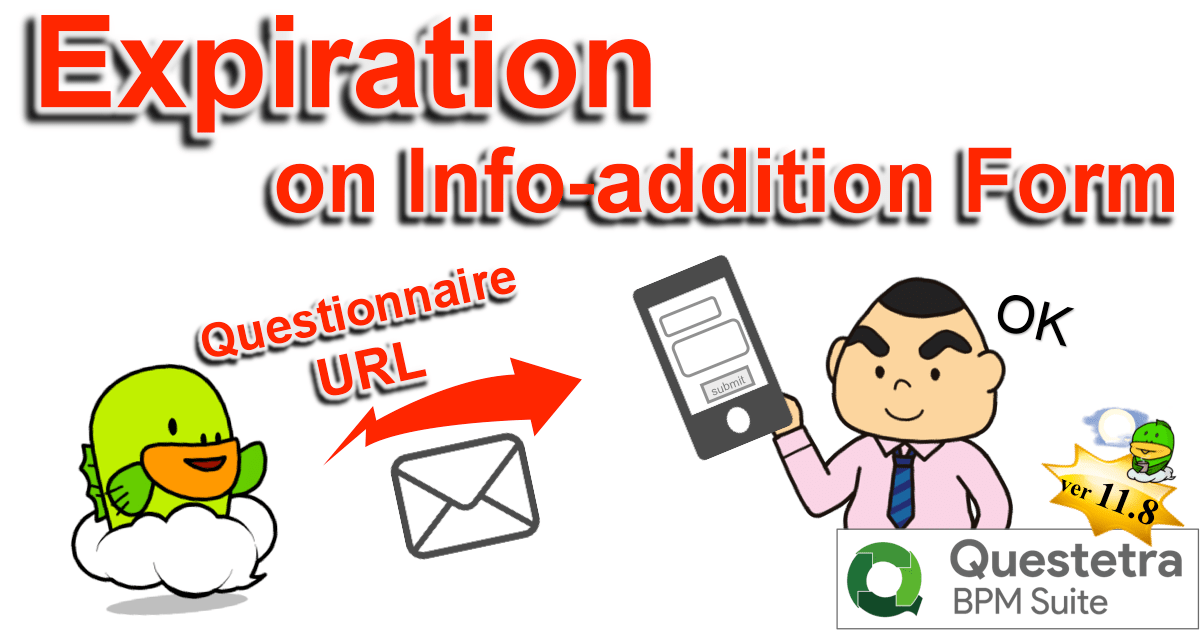
Kyoto, Japan – October 22nd, 2018 – Questetra, Inc., the global SaaS provider of Business Process Management (BPM), today announced that they have published the new version 11.8 of the Cloud-based Workflow product “Questetra BPM Suite” on Oct. 22nd, 2018. This new version allows setting an expiration to intermediate Steps which await web form input by outsiders. (Form Standby feature)
Workflow system nowadays is widely used not only as a “tool to promote paperless for work that has been done on paper documents” but also as “tool to visualize stagnation at departments in the company”. It is becoming to be considered as a “core tool” to realize “labor reform” and “productivity improvement” within the company. However, there are many cases, in daily business processes, where to have to be waiting for additional information from people outside the company.
The cloud-based Workflow “Questetra BPM Suite” has equipped various features for receiving additional information in the middle of a flow, On the new version 11.8, it becomes possible to set up the expiration to the “Steps for receiving additional information”. Specifically, it is possible to set the deadline to, such as, a) the Step of “Acceptance report by customer” in the Delivery process, b) the Step of “Request participants a questionnaire” after the event is over in the Event participation reception process, and c) the Step of “Receiving additional information after confirming the existence of the email address” in the Membership registration process. With these, you can achieve a smoother business process environment with no stagnation.
Questetra BPM Suite
Cloud-based Workflow “Questetra BPM Suite” is a business platform for realizing environments of paper-less and remote-working.
Business issues are controlled according to Business Flow Diagram. When a Process reaches Human Task, the user will be asked to input. Also, when an issue reaches to automated Step, the predetermined processing (server-side processing) such as “Generate PDF” and “Save to cloud storage” is performed automatically. (BPM: Business Process Management)
You can apply it to various business operations such as “Approval request flow”, “Document translation flow”, Quality check process, “Invoice issuance process”. Process owner of each Business Process can practice “improvement of Business Process” little by little in daily work. (Examples of Business Flow Diagram: https://en.workflow-sample.net/ )
Form Standby feature
When an “information addition web form” that accepts input from outside person who does not have a user account or a “Webhook reception” which waits for HTTP request is placed in the middle of a Workflow, it is possible to set the deadline of it, and to define the flow of processing after reaching the deadline respectively. With this, if there is no input before the deadline due date, it will be possible to take actions such as advancing the Process with closing the form as private or continue waiting after automatically sending an email that prompts input.
Other Improvements
Data conversion to DateTime type from Date type
It becomes possible to convert Date type data into DateTime type using Service Task (Data assignment). By doing so, configurations such as, once you entered the “Bill issuance date (Date type)” the bill will be sent automatically by email at 9 am on the day, is possible.
Transition after submitting web form
In “Receive Task (Form)”, it becomes possible to navigate to the arbitrary page (URL) after submission of the form completed. By displaying your own page, it allows showing your message or leading the submitter to the next action.
Enhancement/improvement on Add-on management
At the time of uploading an Add-on file, it becomes to calculate hash and retain/display it. With the hash value, you are able to identify with Add-on files in your local folder. And it will be checked as an error when trying to register the same file. In addition, the flow of procedure is separated to new registration and overwrite registration (updating of existing file) so that improve convenience.
* Please see our Release note for the detail of New Features
#まれに「情報処理サービス業(3921)」や「アプリケーション・サービス・コンテンツ・プロバイダ(4012)」に分類したがる人もいる。でも、SaaS は Software as a Service の略であって、ソフトウェアを作ることが Questetra 社の “主な事業” だ。ハードウェアやネットワークなどのオーナーシップ(管理責任)があるのも事実だが、、、ソレは、団子屋さんで言えば「包装紙」にすぎない。(←エライ人には、それが分からんのです)
Kyoto, Japan – June 11th, 2018 – Questetra, Inc., the global SaaS provider of Business Process Management (BPM), today announced that they have published the new version 11.7 of the Cloud-based Workflow product “Questetra BPM Suite” on Jun. 11th, 2018. This new version allows arranging intermediate Steps that await input by outsiders. (Form standby function)
Workflow systems of today are greatly contributing to the delivery of information within organization. However, there are many information interactions with outside parties in daily business processes. The cloud-based workflow “Questetra BPM Suite” has been supporting such as, 1) Starting Workflow by people outside the organization (entry to a published Webform/Sending an email), 2) Starting Workflow by an external system (transmission of Json Webhook/Transmission of Multipart Data), and 3) Standing-by communication from external system (Json Webhook standby/Multipart Data standby) in midstream Step.
On the new version 11.7, it is capable of standby for “an outsider accesses unique URL and completes web form input”. This will allow arranging Steps in the middle of the processes such as, for example, “acceptance report by customer” in the delivery process, or “covenant registration by a new employee” in the recruitment process, or “addition of information by a newly joining member” in the membership registration process.
Questetra BPM Suite
Cloud-based Workflow “Questetra BPM Suite” is a business platform for realizing environments of paper-less and remote-working.
Business issues are controlled according with Business Flow Diagram. When a process reaches human task, the user will be asked to input. Also, when an issue reaches to automated Step, the predetermined processing (server-side processing) such as “Generate PDF” and “Save to cloud storage” is performed automatically. (BPM: Business Process Management)
You can apply it to various business operations such as “Approval request flow”, “Document translation flow”, “Quality check process”, “Invoice issuance process”. Process owner of each Business Process can practice “improvement of Business Process” little by little in daily work. (Examples of Business Flow Diagram: https://en.workflow-sample.net/ )
Form Standby feature
Regarding “Published Webform” which is to accept inputs from users who do not have user accounts, it now becomes possible to be placed in the middle of a Workflow, in addition to only at the beginning of a Workflow (Start point of an Issue). This allows those concerned who do not belong to the organization in which the Workflow platform is used also participate in the Workflow and enter and edit data in the designated Step.
Other Improvements
Enhanced Webhook receiving
Upon receiving Webhook, it is now possible to return HTTP response including data in an Issue. This will allow in a specific process, not only to transmit the Issue data externally but also to acquire them by an external trigger (Webhook).
Support Exception flow upon failure of automatic processing
When automatic processing such as “Script Task/Service Task (Add-on)” or “Service Task (Google Drive)” fails, the process can flow to the exception flow. You can isolate the succeeding processing at the time of error occurrence.
Enhanced feature of process logging
The log of “Script Task/Service Task (Add-on)” and the log at the time of processing failure of “Webhook receiving” are output to [Process Log]. Moreover, users who have privileges on the Workflow application become able to view the [Process Log] of the corresponding App, in addition to those who with the [System Administrator] so far.