ブログ

  • Distributing Inquiries Fairly Through Random Assignment

    Distributing Inquiries Fairly Through Random Assignment

    Random assignment replaced rotation to stop abuse and ensure fair workloads.

    1. Issue: Abuse of Rotational Assignment

    A contact center is operated as part of the company’s BPO services, where 20 operators handle email inquiries.

    Previously, inquiries were assigned on a rotational basis. This system allowed operators to predict when their turn to handle an inquiry would come up.

    Recently, we discovered instances where this system was being abused. Some operators were intentionally sending themselves simple, self-created inquiries just before their predicted assignment time, effectively reducing their workload through this deceptive practice.

    This dishonest behavior compromises fairness among our operators. Moreover, this manipulation of workload creates a significant risk, potentially leading to an increased burden for other operators and delays in inquiry resolution.

    2. Solution: Switching to Random Assignment

    The process owner has revised the traditional rotational assignment method and implemented a system that randomly determines the next operator for inquiries.

    Specifically, a random number between 1 and 20 will be generated, and the corresponding operator will be assigned based on that value (e.g., if the random number is 5, Operator E is assigned; if it’s 14, Operator N is assigned).

    Unpredictable inquiry assignments help prevent improper handling or manipulation.

    * The generation of these random numbers will utilize the automated add-on process titled Number: Generate Random.

    Basic Edition
    Advanced Edition
    Professional Edition
    View details of the workflow diagram
    • Process Start by Email Arrival
    • 50-character summary By OpenAI
      • The email content is summarized
    • Process serial number % 20 + 1
    • Set the i-th row of the TSV as the reply assignee
    • 1. Input the reply text
      • Send the reply email
      • Request review from the Supervisor (SV).
    • 2.Review Reply
    • Send by email
    Basic Edition
    Advanced Edition
    Professional Edition
    View details of the workflow diagram
    • Process Start by Email Arrival
    • 50-character summary By OpenAI
      • The email content is summarized
    • A random number between 1 and 20 is generated
    • Set the i-th row of the TSV as the reply assignee
    • 1. Input the reply text
      • Send the reply email
      • Request review from the Supervisor (SV).
    • 2.Review Reply
    • Send by email
    Before / After comparison (slider can be moved)

    3. Customers Case Study

    4. Other Business Applications

    We will enable AI-based reviews for the following tasks:

    5. Related Posts

  • Don’t Stop Revising Policies! Strategies to Prevent Oversights

    Don’t Stop Revising Policies! Strategies to Prevent Oversights

    Introducing automated notifications for resubmissions eliminated review delays and enabled faster, more reliable approvals.

    1. Issue: Operational Stagnation Due to Review Delays

    A pharmaceutical company specializing in new drug research and development must frequently revise its internal regulations. This is because new scientific findings, technological advancements, and safety requirements require compliance with the latest regulations and standards.

    To facilitate these revisions, the company utilizes an internal regulation amendment and repeal process. In this process, when a drafter registers a new regulation proposal, a notification email is automatically sent to the reviewer.

    However, a frequent issue has arisen: when a drafter receives a rejection and submits a revised proposal, no notification email is sent to the reviewer. This often leads to the reviewer not noticing the resubmission, causing frequent delays in the review process.

    2. Solution: Send Notification Emails Upon Resubmission

    To fix this, the process owner made sure that reviewers now get a notification email whenever a regulation proposal is resubmitted.

    Specifically, they added an “Inclusive Gateway” after the resubmission flow for tasks that were sent back. This change ensures that notification emails are sent out upon resubmission, so reviewers can reliably see when proposals are re-submitted and avoid missing them.

    Faster reviews and reduced errors by instantly identifying resubmissions and eliminating delays.

    • Split Conditions is a modeling element used to control the branching and merging of workflows. Learn more here.
    Basic Edition
    Advanced Edition
    Professional Edition
    View details of the workflow diagram
    1. Regulation Proposal Entry & Reviewer Assignment

    The drafter inputs the regulation proposal and assigns a reviewer.

    2. Review Regulation Proposal

    Once the regulation proposal is submitted in step 1, the assigned reviewer receives a notification email and reviews the proposal.

    1X. Address Rejection

    If the proposal is rejected in step 2, the drafter addresses the rejection.

    3. CEO Approval / Board of Directors Resolution

    Following step 2, the CEO decides whether to approve or reject the proposal.

    Subject Line: [Approved]

    If approved in step 3, the subject line of the case will be prefixed with “[Approved]”.

    Subject Line: [Rejected]

    If rejected in step 3, the subject line of the case will be prefixed with “[Rejected]”.

    Basic Edition
    Advanced Edition
    Professional Edition
    View details of the workflow diagram
    1. Regulation Proposal Entry & Reviewer Assignment

    The drafter inputs the regulation proposal and assigns a reviewer.

    2. Review Regulation Proposal

    Once the regulation proposal is submitted (including resubmissions), the assigned reviewer gets a notification email and reviews the proposal.

    1X. Address Rejection

    If the proposal is rejected in step 2, the drafter addresses the rejection.

    3. CEO Approval / Board of Directors Resolution

    After step 2, the CEO decides whether to approve or reject the proposal.

    Subject Line: [Approved]

    If approved in step 3, the case’s subject line gets the prefix “[Approved]”.

    Subject Line: [Rejected]

    If rejected in step 3, the case’s subject line gets the prefix “[Rejected]”.

    You can move the slider

    3. Customers Case Study

    4. Other Business Applications

    Contract Revision and Management

    Inquiry Management in Customer Service

    Feedback Management in Performance Reviews

    5. Related Posts

  • Dealing With Unclear Web Update Requests

    Dealing With Unclear Web Update Requests

    Eliminate unclear instructions for seamless content creation

    * This process improvement story is a work of fiction. Any resemblance to real people, organizations, or events is purely coincidental.

    1. Issue: Confused by Unclear Request Instructions

    DonDon Web is a 50-person web production company. Our marketing department handles daily updates for web content including web pages, ad creatives, and promotional materials.

    We frequently receive abstract or vague instructions from internal stakeholders for web update requests, such as “make the design better” or “make the text easier to understand” This often leaves editors struggling to correctly interpret the requests, causing significant delays in their work.

    Under our current workflow, editors have no direct way to ask for clarification on unclear requests. They’re forced to proceed through trial and error, which often leads to unintended revisions and an overall drop in productivity.

    2. Solution: Ensuring Clear Instructions by Returning Requests

    The process owner has added a workflow that allows editors to send requests back for clarification. Specifically, if an editor finds unclear points or potential misunderstandings in a request, they can now return the request and ask for revisions.

    This ensures editors receive proper instructions before proceeding with their work.

    View details of the workflow diagram
    0. Request

    The requester initiates the process by submitting an editing request.

    1. Edit

    The editor begins the editing work.

    1a. Edit (Proactive)

    The editor initiates editing work independently.

    1b. Edit (Request-Driven)

    The editor performs editing work based on a request from the requester.

    2. Review

    The reviewer checks the content created by the editor for any issues. If corrections are needed, they request re-editing from the editor.

    1x. Re-edit

    The editor makes further edits based on feedback received from the reviewer.

    View details of the workflow diagram
    0. Request

    The requester initiates the process by submitting an editing request.

    0x. Re-request

    The requester addresses the feedback from a returned request.

    1. Edit

    The editor begins the editing work.

    1a. Edit (Proactive)

    The editor initiates editing work independently.

    1b. Edit (Request-Driven)

    The editor performs editing work based on a request from the requester.

    2. Review

    The reviewer checks the content created by the editor for any issues. If corrections are needed, they request re-editing from the editor.

    1x. Re-edit

    The editor makes further edits based on feedback received from the reviewer.

    Discard Case

    The process ends if re-requesting the work is no longer necessary.

    3. Benefits

    Streamlining Operations

    Ambiguous requests can be corrected in advance, reducing confusion and miscommunication among editors.

    Clearer intentions reduce the need to redo work, enabling more efficient updates.

    Improving Work Efficiency

    Editors can start tasks with proper instructions, reducing the amount of trial and error spent on the job.

    Fewer request revisions mean editors have more time to focus on their core tasks.

    Strengthening Team Collaboration

    Fewer misunderstandings in instructions lead to higher quality content creation.

    4. Other Business Applications

    Design Revisions

    If feedback from a client is ambiguous, designers can now directly request clarification. This enables smoother revision processes while preventing misinterpretations.

    System Development

    When task specifications are unclear, developers can utilize the return function to clarify requirements. This ultimately reduces the need to rework during development and leads to smoother project progress.

  • 初動報告で変わるインシデント対応

    初動報告で変わるインシデント対応

    初動と暫定の2段階報告で、インシデント対応が加速!

    ※このプロセス改善ストーリーはフィクションです。実在の人物や団体などとは関係ありません。

    1. 課題:迅速なインシデント対応の障壁

    ITサービス企業 Gachatシステムズ社(従業員数:約120名)は、クラウドインフラや業務システムの開発・運用を手がける企業です。

    同社では、セキュリティインシデントが発生した際、一定程度対応が進んだ後に、1回だけISMS事務局へまとめて報告する運用となっていました。この「まとめて報告する形式」では、インシデント発生直後の情報が事務局に届くまでに時間がかかり、ISMS事務局が対応を開始するまでにタイムラグが生じていました。

    その結果、経営層や関係部署への情報共有も後手に回ることがあり、組織全体としての対応が遅れる要因となっていました。

    セキュリティインシデントでは、発生直後の状況把握と即応が非常に重要です。こうした報告の遅延は、組織全体のリスク対応力やセキュリティレベルの低下を招く、大きな課題となっていました。

    2. 解決策:初動報告と暫定報告による2段階の報告で情報伝達を迅速化

    この課題を解決するため、同社ではインシデント報告の形式を見直し、「初動報告」と「暫定報告」の2段階に分けた運用を導入しました。

    まず、初動報告では、インシデント発生直後の簡単な状況をすぐにISMS事務局へ共有。ISMS事務局は早い段階で事態を把握できるようになります。

    暫定報告では、調査が進んだ時点で、影響範囲や原因、対応方針などの詳細情報を追加で報告します。

    ワークフロー図の詳細を見る
    1. インシデントの報告

    発生したインシデントについて報告します

    2. インシデントの確認

    報告されたインシデントについて確認、不備があれば差し戻しが行われます

    1’. (再)インシデントの報告

    差し戻された報告について再提出します

    3. CEO確認

    発生したインシデントについてCEOが確認します

    4. 恒久対応の報告

    発生したインシデントに対して、恒久対応の報告を行います

    5. 恒久対応の確認

    恒久対応の報告について詳細を確認、不備があれば差し戻しを行います

    4′. (再)恒久対応の報告

    恒久対応報告の不備について、再提出の対応を実施します

    ワークフロー図の詳細を見る
    1. 初動報告

    発生したインシデントについて迅速に報告します

    2. 初動報告の確認

    報告されたインシデントについて確認を実施、情報共有が行われます

    3. 暫定対応の報告

    インシデントについての暫定対応を迅速に報告します

    4. 暫定対応の確認

    暫定対応の報告について確認し、不備があれば差し戻しを行います

    5. CEO確認

    発生したインシデントについてCEOが確認します

    4. 恒久対応の報告

    発生したインシデントに対して、恒久対応の報告を行います

    5. 恒久対応の確認

    恒久対応の報告について詳細を確認、不備があれば差し戻しを行います

    4′. (再)恒久対応の報告

    恒久対応報告の不備について、再提出の対応を実施します

    Before / After 比較(スライダを動かせます)

    3. 効果

    2段階の報告体制により、初動のスピードと後続対応の精度が両立できるようになりました。

    • インシデント発生段階での即時報告が定着し、初動対応の迅速化が実現
    • 経営層や関係部署への状況共有がスムーズに
    • 組織全体のセキュリティ対応能力の底上げに貢献

    4. その他の業務への応用

    事故・トラブル報告プロセス

    • クレームやトラブル対応でも初動報告を取り入れることで、CS部門や品質管理部門の早期対応を実現可能。

    システム障害対応プロセス

    • システムトラブルの初動共有を行うことで、インフラチームや開発チームの連携が強化され、復旧時間の短縮に繋がる。

    コンプライアンス違反報告フロー

    • 初期報告を速やかに受けることで、法務・リスク管理部門が早期に対応計画を立てやすくなる。

    情報漏洩など重大事案の社内報告

    • 関係各所への連絡が後手に回らないよう、まずは事実のみの即時共有をルール化できる。

    5. 提案資料サンプル

    当社サービスの導入を検討いただく際の提案書サンプルです。課題に対する解決策の概要を記載しています。実際の相談内容に応じて、内容を個別にカスタマイズして提供いたします。

  • Centralize WordPress Draft Management

    Centralize WordPress Draft Management

    All article drafts are centralized in a workflow system, ensuring clear ownership, progress tracking, and consistent management.

    1. Issue: Unmanaged drafts

    The Marketing Department manages its website using WordPress.com.

    For articles requested by other departments, drafts are shared through a workflow application and go through a structured publishing process that includes management review and proofreading before publication.

    However, when members of the Marketing Department write articles themselves, they log directly into WordPress.com to create drafts. As a result, these drafts do not go through the established workflow, leading to inconsistent handling.

    2. Solution: Centralize all drafts within a workflow system

    To tackle this challenge, the process owner implemented a system whereby all drafts are managed within the workflow.

    Specifically, a dedicated “Draft Submission” flow was added to the article creation process, establishing a mechanism for marketing team members to register their drafts.

    As a result, both drafts requested by other departments and those created internally by the marketing team can now be centrally managed in the workflow system.

    Offers a clear, centralized overview of who is responsible for each article, as well as its current progress status and revision history.

    Basic Edition
    Advanced Edition
    Professional Edition
    View details of the workflow diagram
    Backup Requested Drafts

    Drafts requested from other departments are automatically backed up.

    Upload Images to WP

    Media files are uploaded to WordPress.com.

    Upload Draft to WP

    An article (post) is created as a draft on WordPress.com.

    Minor Edits and Publish

    Marketing department members make minor adjustments to the draft and publish it.

    Publication Notification

    The article’s publication is shared internally within the department.

    Basic Edition
    Advanced Edition
    Professional Edition
    View details of the workflow diagram
    Draft Submission (Staff Only)

    Marketing department staff can submit their created drafts here.

    Backup Requested Drafts

    Drafts requested from other departments are automatically backed up.

    Proofreading

    If all necessary items for publication aren’t set, a marketing team member proofreads the draft.

    Upload Images to WP

    Media files are uploaded to WordPress.com.

    Upload Draft to WP

    An article (post) is created as a draft on WordPress.com.

    Minor Edits and Publish

    Marketing department members make minor adjustments to the draft and publish it.

    Publication Notification

    The article’s publication is shared internally within the department.

    Before/After(you can move the slider)

    3. Customers Case Study

    4. Other Business Applications

    We will enable AI-based reviews for the following tasks:

    Contract Approval Flow

    IT Support Request Handling

    Expense Reimbursement Workflow

    5. Related Posts

  • AI determines the urgency of inquiry emails

    AI determines the urgency of inquiry emails

    AI classifies inquiry urgency (A–E), notifies supervisors of critical cases, and enables faster responses.

    1. Issue: The level of urgency is unknown

    a BPO company that handles email inquiries on behalf of client companies, providing fast and efficient responses to customers.

    The current inquiry process handles both low and high urgency requests identically, lacking a prioritization mechanism based on urgency.

    It is becoming increasingly important to efficiently assess the urgency of customer inquiries and prioritize responses accordingly. For instance, if a zoo is the client, even critical issues like a lost admission ticket might be handled with the same priority as routine requests, hindering a quick resolution. This highlights the necessity of effectively determining the urgency of inquiries to ensure timely and appropriate responses.

    2. Solution: Implement AI-based urgency classification

    The Process Owner addressed the problem by implementing an AI automated Step (AI Agent Task) and an automatic email sending step (Throwing Message Intermediate Event).

    In the AI Automated Step, incoming inquiry emails are analyzed by AI. The AI assesses the email’s subject and text to automatically assign an urgency level, ranging from A (highest) to E (lowest), on a five-level scale. This assigned urgency level is then automatically added as a prefix to the beginning of the process subject.

    Supervisors will receive automatic email notifications for inquiries classified as Urgency Level A.

    Prioritizing urgent inquiries leads to faster responses, greater trust, and higher customer satisfaction.

    Basic Edition
    Advanced Edition
    Professional Edition
    View details of the workflow diagram
    • Start process upon email arrival
    • 50-character summary by AI agent
      • Email content is summarized
    • Draft reply text by AI agent
    • 1. Create reply message
      • Send reply email
      • Request review from SV (Supervisor)
    • Draft reply text by AI agent
    • Send email
    Basic Edition
    Advanced Edition
    Professional Edition
    View details of the workflow diagram
    • Start process upon email arrival
    • 50-character summary by AI agent
      • Email content is summarized
    • Draft reply text by AI agent
    • Urgency assessment by AI agent
    • Branching
      • If urgency is level A, a notification email is sent to the Supervisor
    • 1. Create reply message
      • Send reply email
      • Request review from SV (Supervisor)
    • Draft reply text by AI agent
    • Send email
    You can move the slider

    3. Customers Case Study

    4. Other Business Applications

    We will enable AI-based reviews for the following tasks:

    Customer support inquiries

    Inquiries to the internal help desk

    Reception desk for repair requests and problem reports

    5. Related Posts

  • Improving Response Quality through Internal Chat Integration: A Case Study of SakuSaku Mail’s Inquiry Handling Process

    Improving Response Quality through Internal Chat Integration: A Case Study of SakuSaku Mail’s Inquiry Handling Process

    1. Issue: Staff knowledge is not being accumulated.

    SakuSaku Mail is a BPO company that responds quickly to email inquiries on behalf of client companies.

    The current inquiry handling process restricts input to assigned representatives and supervisors, limiting knowledge sharing from similar cases and insights from other departments. This lack of broader staff involvement results in delayed decision-making for complex issues and reduced response efficiency.

    2. Solution: Share inquiry content in the internal chat

    The Process-owner decided to incorporate the ability to post to the internal chat tool “Collab Chat” into the current process.

    Specifically, a step will be added to the workflow that will automatically post the content of the email inquiry, its urgency, a brief summary, and a draft response to the company-wide chat.

    Knowledgeable staff members can offer advice through chat comments, making it easier for inquiry representatives to gain new perspectives and receive advice based on past experiences from other staff members.

    Before :

    View Details
    • Process starts upon email arrival
    • 50-character summary by AI agent
      • Email content is summarized
    • Urgency assessment by AI agent
    • Draft reply by AI agent
    • Branching
      • If urgency is level A, a notification email is sent to the Supervisor
    • 1.Create reply message
      • Send reply email
      • Request review from Supervisor (SV)
    • Draft reply by AI agent
    • Send email

    After :

    View Details
    • Process starts upon email arrival
    • 50-character summary by AI agent
      • Email content is summarized
    • Urgency assessment by AI agent
    • Draft reply by AI agent
    • Post to CollabChat
    • Branching
      • If urgency is level A, a notification email is sent to the Supervisor
    • 1.Create reply message
      • Send reply email
      • Request review from Supervisor (SV)
    • Draft reply by AI agent
    • Send email

    Compare Before/After

    Before/After(you can move the slider)

    3. Effects

    1. Consolidation of collective knowledge via chat
      • Sharing information throughout the company has made it easier to gather knowledge from diverse perspectives.
    2. Promoting communication among staff
      • This led to more active exchange of opinions and advice among staff members, which in turn led to more active daily communication.
    3. Improved speed and quality of response
      • Complex inquiries can now be handled quickly and appropriately, improving client satisfaction.

    4. Operations that can be expanded laterally

    1. Handling inquiries from other channels
      • This approach can be applied to handling inquiries through multiple channels, such as phone, chatbots, and social media, enabling fast responses based on collective knowledge.
    2. Internal FAQ and knowledge management
      • By accumulating the knowledge gathered among staff members and utilizing it in creating FAQs and manuals, we can promote standardization and efficiency in responding to inquiries.
    3. Complaint and trouble handling
      • Even in cases where complaints or disputes are complex and difficult to judge, this system can be used to consolidate diverse opinions and past cases and make quick and appropriate decisions.
  • Improving Response Time with AI-Generated Email Summaries in Case Names

    Improving Response Time with AI-Generated Email Summaries in Case Names

    1. Issue: Delays in response due to inquiry confirmation work

    SakuSaku Mail is a BPO company that provides initial responses to email inquiries received by client companies. With approximately 30 staff members, they handle a huge number of emails every day.

    Prioritizing urgent inquiries is crucial, but currently, determining email urgency requires opening and manually checking each one. This time-consuming process delays responses to critical cases because selecting which emails to address first is inefficient.

    2. Solution: AI-generated summaries in the subject line

    A generative AI tool was implemented by the Process-owner to automatically summarize customer inquiries and use these summaries as the case names.

    Upon receiving an email, AI generates a concise summary (under 50 characters), which is then automatically used as the case name.

    Basic Edition
    Advanced Edition
    Professional Edition
    View Workflow Diagram Details
    Inquiry Reception

    When an inquiry email is received from a client company, the process begins.

    1. Create Response

    Staff create a reply to the inquiry email.

    Send Response

    A reply email is sent to the client company.

    Basic Edition
    Advanced Edition
    Professional Edition
    View Workflow Diagram Details
    Inquiry Reception

    When an inquiry email is received from a client company, the process begins.

    50-Character Summary

    Using generative AI, the content of the inquiry email is summarized into 50 characters.

    Subject Line Update

    The summary of the inquiry email is set as the task title.

    1. Create Response

    Staff create a reply to the inquiry email.

    Send Response

    A reply email is sent to the client company.

    Before/After(you can move the slider)

    3. Effects

    Reduces the time required to confirm inquiry details

    AI summarization significantly reduces the effort and time required to review content.

    Accelerates emergency response

    The summary display makes it easier to determine and respond to high-priority issues.

    Reduces the burden on staff

    By reducing the workload of checking inquiry details, the work load will be lightened.

    4. Other business applications

    Summary of internal reports and minutes

    Quickly understand the main points of long reports and meeting minutes by summarizing them.

    Organizing chats and messages

    Summarize your daily chats and messages and share important information concisely.

    Summarize customer interaction history

    You can summarize past interactions briefly and smoothly transfer the content the next time you respond.

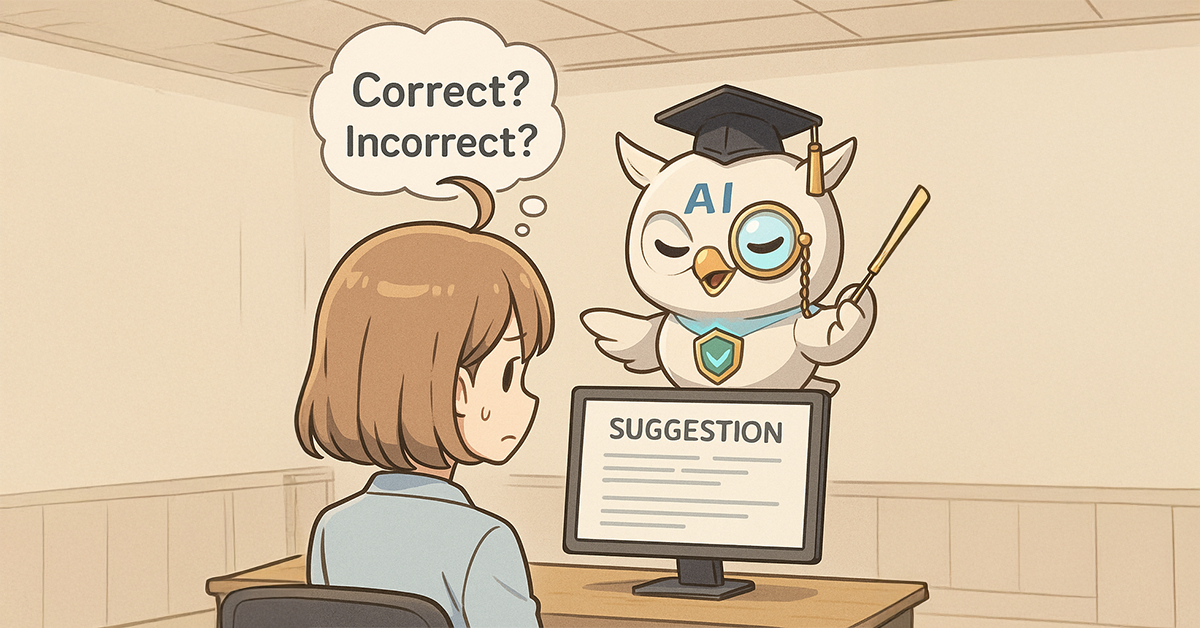
  • Introduction of “Advice Flow” for Quality Assurance in AI Response

    Introduction of “Advice Flow” for Quality Assurance in AI Response

    Add a supervisor advisory flow so uncertain AI-drafted responses are professionally reviewed, reducing errors.

    1. Issue: Generative AI carries a risk of producing inaccurate responses

    A BPO service provides initial responses to inquiries on behalf of client companies. Staff members create replies based on AI-generated draft answers, but these sometimes contain errors that staff members fail to notice before sending them to clients. Consequently, clients complain about receiving incorrect answers approximately once per week. This indicates a need to improve the accuracy of AI-generated drafts and the review process before responses are sent.

    2. Solution: Add an Advisory Flow

    To prevent AI from providing incorrect answers, the Process-owner has implemented a new advice flow. Now, after drafting a response, staff members who are uncertain about its accuracy can request a supervisor’s review. This step ensures an additional layer of verification before the response is finalized.

    Professional review reduces ambiguity and improves answer accuracy.

    Basic Edition
    Advanced Edition
    Professional Edition
    View Workflow Diagram Details
    Inquiry Email Arrival

    The process starts when an inquiry email is received.

    50-Character Summary

    The inquiry content is summarized by the AI agent process.

    Draft Response

    A draft response to the inquiry is generated by the AI agent process.

    1. Create Response

    Create the response message based on the draft.

    Send Inquiry Response Email

    A response email to the inquiry is sent.

    Basic Edition
    Advanced Edition
    Professional Edition
    View Workflow Diagram Details
    Inquiry Email Arrival

    The process starts when an inquiry email is received.

    50-Character Summary

    The inquiry content is summarized by the AI agent process.

    Draft Response

    A draft response to the inquiry is generated by the AI agent process.

    1. Create Response

    Create the response message based on the draft. If there are any concerns about the content, advice is requested from a supervisor.

    Advice

    Advice is provided regarding the response message.

    Send Inquiry Response Email

    A response email to the inquiry is sent.

    Before / After comparison (slider can be moved)

    3. Customers Case Study

    4. Other Business Applications

    We will enable AI-based reviews for the following tasks:

    Tuning chatbot operations

    Business review for training new employees

    5. Related Posts

  • Accelerate Approvals by Splitting the Flow by Difficulty Level

    Accelerate Approvals by Splitting the Flow by Difficulty Level

    At FukaFuka Building Materials Co. Ltd., the sales department’s core daily operation is responding to quotation requests for building materials. The 10-person sales team is tasked with providing prompt responses to diverse clients, ranging from major construction companies to local contractors.

    1. Issue: Reduced Business Speed Due to Uniform Approval Process

    In the sales department, junior employees are responsible for quotation requests that include a product model number, while senior employees handle requests where no product model number is provided.

    During the approval process, the Sales Manager can easily approve quotation requests with model numbers, as these require no technical judgment. Conversely, requests without model numbers demand proposals for optimal products, necessitating technical skill and careful consideration.

    However, while responsibilities are divided by the presence of a model number during quotation pricing, this distinction disappears during approval. All requests are processed through the same approval flow. As a result, the Sales Manager has to review every quotation request in detail. This leads to delays even for requests that could be easily approved, ultimately reducing the overall response speed.

    2. Solution: Splitting Approval Processes Based on Presence of a Model Number

    To address this issue, the process owner split the approval processes for simple quotations and advanced quotations.

    Specifically, quotation requests with product model numbers (simple quotations), which were previously handled by a single approval process, were separated from those without model numbers (advanced quotations). This change allows the Sales Manager to identify the quotation type before approval. As a result, they can instantly determine the nature of the quotation and proceed with approval after thoroughly verifying its technical validity.

    Basic Edition
    Advanced Edition
    Professional Edition
    View details of the workflow diagram
    0. Quotation Request Received (In-person / Web)

    Quotation requests are received either in-person or via the web.

    1a. Enter Quotation Price (with Product Model Number)

    A sales team member (junior employee) enters the quotation price.

    2a. Quotation Approval (with Product Model Number)

    The Sales Manager reviews the quotation price for requests with product model numbers and either approves it or sends it back for revision.

    2Xa. Revision Handling (with Product Model Number)

    If the quotation is sent back in step 2a, the employee who initially entered the quotation price in step 1a makes the necessary revisions.

    3a. Quotation Submission Completion Report (with Product Model Number)

    Once the quotation is approved and submitted, a completion report is filed.

    1b. Enter Quotation Price (without Product Model Number)

    A senior sales team member enters the quotation price.

    2b. Quotation Approval (without Product Model Number)

    The Sales Manager reviews and either approves or sends back the quotation.

    2Xb. Revision Handling (without Product Model Number)

    If sent back, the person who entered the price in 1b makes revisions.

    3b. Quotation Submission Completion Report (without Product Model Number)

    After approval and submission, a completion report is filed.

    Before/After(you can move the slider)

    3. Benefits

    Accelerated Quotation Approval

    By dividing the approval process, simple quotation requests are now processed quickly, which has boosted the overall speed of the sales department.

    Improved Decision-Making Quality

    The Sales Manager no longer needs to spend time on simple quotation requests, allowing them to concentrate on those requiring advanced technical skills. This has led to more appropriate judgments and proposals, ultimately improving the accuracy of quotation requests.

    4. Other Business Applications

    • Streamlining Customer Inquiry Handling
      • By categorizing inquiries into those requiring standard responses and those needing specialized judgment, and then assigning different personnel to each, you can achieve both rapid answers and appropriate resolutions.
    • Automating and Dividing Order Processing
      • Separating the process for routine orders from those requiring special consideration allows for increased order processing speed while simultaneously preventing errors.
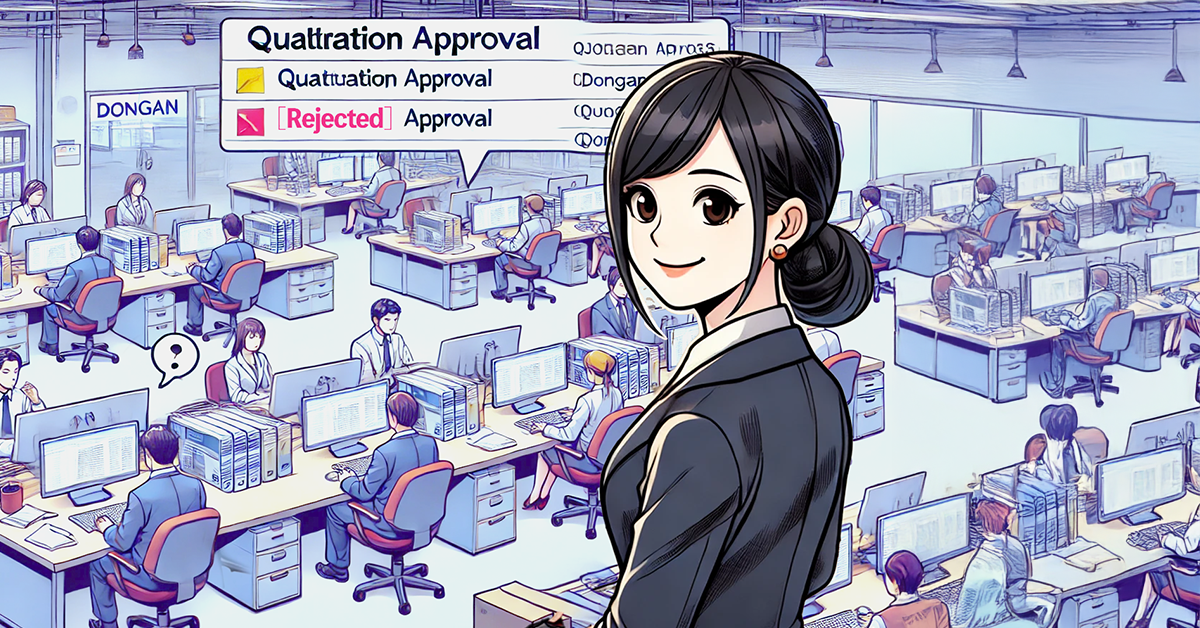
  • Never Miss a Notification with Automatic Subject Prefixes

    Never Miss a Notification with Automatic Subject Prefixes

    Don’t Let Notifications Get Lost! Ensure Critical Information is Delivered with Notification Prefixes in Email Subject Lines.

    *This process improvement story is fictional and not related to any real individuals or organizations.

    1. Issue: Overlooking Rejected Quotes

    DonGan Manufacturing is a company with approximately 200 employees that specializes in the production and sale of industrial machinery. Within its quotation approval process, a dedicated staff member prepares a quotation based on customer requirements. This quotation is then reviewed by a manager before being sent to the customer. Furthermore, quotations exceeding ¥5,000,000 require final approval by the officer in charge, ensuring the submission of highly accurate quotations.

    However, a recurring issue has been the identical subject lines for both approval and rejection notifications. This has led to instances where employees mistakenly assume a quotation has been approved and proceed with related tasks. Continuing with this process risks not only wasting time and resources, but also potentially compromises the approval process’s reliability.

    2. Solution: Enhance Identification by Adding Notification Prefixes to Subject Lines

    The process owner implemented a system that automatically adds a “[Rejected]” prefix to the subject line of rejection notification emails. This allows recipients to immediately determine the outcome simply by viewing the email’s subject line, effectively preventing the misidentification of approved versus rejected statuses.

    View details of the workflow diagram
    1. Quotation Creation

    The responsible staff member manually inputs the quotation details.

    x1. Quotation Revision

    The quotation content is revised and resubmitted. If the quotation is to be discarded, “[Failed]” is automatically prefixed to its status, and the process ends.

    2. Manager Review

    The manager reviews the quotation content and returns it for correction if there are any deficiencies.

    3. Officer Approval

    The Officer in charge approves or rejects high-value quotations. The result is then communicated via email.

    Approval Notification

    An email is sent to notify that the quotation has been approved.

    Rejection Notification

    An email is sent to notify that the quotation has been rejected.

    View details of the workflow diagram
    1. Quotation Creation

    The responsible staff member manually inputs the quotation details.

    x1. Quotation Revision

    The quotation content is revised and resubmitted. If the quotation is to be discarded, “[Failed]” is automatically prefixed to its status, and the process ends.

    2. Manager Review

    The manager reviews the quotation content and returns it for correction if there are any deficiencies.

    3. Officer Approval

    The Officer in charge approves or rejects high-value quotations. The result is then communicated via email.

    Approval Notification

    An email is sent to notify that the quotation has been approved.

    Rejection Notification

    An email is sent to notify that the quotation has been rejected. This email’s subject line will automatically include “[Rejected]”.

    3. Benefits

    Zero Misinterpretation of Notifications

    • Now, rejection notifications for quotes are immediately identifiable, eliminating the risk of incorrect work proceeding.

    Reduced Rework

    • Employees can now take appropriate action without misinterpretation, leading to a reduction in unnecessary work.

    Decreased Administrative Burden

    • Administrators no longer need to follow up on misinterpretations of rejections, reducing the effort involved in the approval process.

    4. Other Business Applications

    Application and Approval Workflows

    Prevent delays caused by misinterpretation by adding prefixes to approval and rejection notifications for expense reports and leave requests.

    Customer Support

    Avoid overlooked or missed responses by adding prefixes to email subject lines indicating the status of support tickets.

    Project Progress Management

    Prevent oversight of project progress by automatically adding prefixes to notification subject lines for task completion or deferrals.

  • 規程文書、保存も変換も自動で

    規程文書、保存も変換も自動で

    1. 課題:ドキュメント形式の手動変換による負担

    RuleRule製薬は、新薬の研究開発に特化した製薬会社です。新しい科学的知見や技術の進歩、安全性の確保の観点から、社内規程を最新の規制や基準に適合させる必要があり、頻繁に見直しを行っています。

    社内規程は、修正や更新のしやすさを重視してMarkdown形式で作成されています。ただし、印刷時にはGoogleドキュメント形式での出力が求められるため、手作業によるフォーマット変換が必要でした。

    そのため、取締役会や監査役会への提出のたびに変換作業が発生し、作業負荷が増大していました。

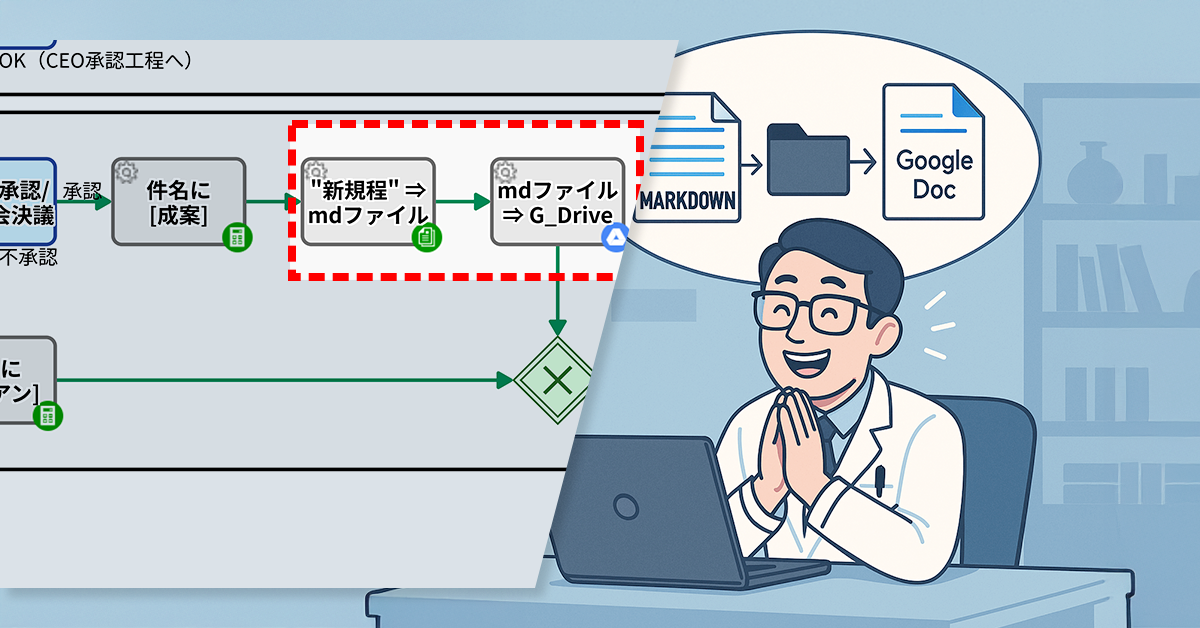
    2. 解決策:Markdownから自動でGoogleドキュメントに変換

    プロセスオーナーは、Markdown形式のファイルが自動的にGoogleドキュメント形式へ変換される仕組みを構築しました。

    具体的には、CEOによる承認が完了すると、Markdown形式のファイルが自動でGoogleドライブ上の指定フォルダに保存され、その際に自動的にGoogleドキュメント形式に変換されます。

    Basic Edition
    Advanced Edition
    Professional Edition
    ワークフロー図の詳細を見る
    1. 規程案入力 レビュア指名

    起案者が規定案を入力し、レビュアを指名します。

    件名に[案]

    1.で入力した規程名に[案]というプレフィックスが付与された形で件名が適用されます。

    AIチェック:差分/誤植

    抽出された顧客に対し、自動的にメールが配信されます。

    2. 規程案をレビュー

    規程案が提出(※最提出含む)されると、指名レビュアは通知メールを受け取り、規定案をレビューします。

    1X. 差戻対応

    2.で差し戻しがあった場合は差し戻しに対応します。

    件名に[トリサゲ]

    1X.の後に取り下げた場合は、案件の件名に[トリサゲ]というプレフィックスが付与されます。

    3. CEO承認/取締役会決議

    2.を受け、CEOが承認・不承認を判断します。

    件名に[成案]

    3.で承認となった場合は、案件の件名に[成案]というプレフィックスが付与されます。

    件名に[廃案]

    3.で不承認となった場合は、案件の件名に[成案]というプレフィックスが付与されます。

    Basic Edition
    Advanced Edition
    Professional Edition
    ワークフロー図の詳細を見る
    1. 規程案入力 レビュア指名

    起案者が規定案を入力し、レビュアを指名します。

    件名に[案]

    1.で入力した規程名に[案]というプレフィックスが付与された形で件名が適用されます。

    AIチェック:差分/誤植

    抽出された顧客に対し、自動的にメールが配信されます。

    2. 規程案をレビュー

    規程案が提出(※最提出含む)されると、指名レビュアは通知メールを受け取り、規定案をレビューします。

    1X. 差戻対応

    2.で差し戻しがあった場合は差し戻しに対応します。

    件名に[トリサゲ]

    1X.の後に取り下げた場合は、案件の件名に[トリサゲ]というプレフィックスが付与されます。

    3. CEO承認/取締役会決議

    2.を受け、CEOが承認・不承認を判断します。

    件名に[成案]

    3.で承認となった場合は、案件の件名に[成案]というプレフィックスが付与されます。

    “新規程”⇒mdファイル

    Markdownファイルを保存

    mdファイル⇒G_Drive

    Markdownファイルを指定のGoogleドライブに保存⇒Googleドキュメントに変換。

    件名に[廃案]

    3.で不承認となった場合は、案件の件名に[成案]というプレフィックスが付与されます。

    Before / After 比較(スライダが動きます)

    3. 効果

    印刷までの時間が大幅に短縮

    ファイルの変換にかかっていた作業時間が無くなり、印刷対応が迅速になりました。

    関係部門が自分で文書にアクセス可能

    印刷用のドキュメントが自動保存されることで、関係部門が必要なときに自分で確認できるようになり、依頼が不要になりました。

    手作業の削減でヒューマンエラーを防止

    ファイル変換の属人化が解消され、作業漏れのリスクが低減しました。

    4. その他の業務への応用

    議事録の共有・保管プロセス

    Markdownで記録した会議内容を自動変換すれば、記録直後の迅速な共有が可能になります。

    マニュアル・手順書の配布

    現場での印刷ニーズに対応しやすくなり、運用現場でも扱いやすくなります。

    教育・研修資料の整備

    教材の元データをMarkdownで管理しつつ、配布用には自動でドキュメント化することで効率的な運用が可能になります。

    5. 提案資料

    当社サービスの導入を検討いただく際の提案書サンプルです。課題に対する解決策の概要を記載しています。実際の相談内容に応じて、内容を個別にカスタマイズして提供いたします。