Thank you for using Questetra BPM Suite.
The service system will be changed on July 1, 2020. At that time, reception for the Starter Edition will be closed and a new Trial mode (free) will begin.
For details, see “For Starter Edition Users“.
Thank you for using Questetra BPM Suite.
The service system will be changed on July 1, 2020. At that time, reception for the Starter Edition will be closed and a new Trial mode (free) will begin.
For details, see “For Starter Edition Users“.
平素より Questetra BPM Suite をご利用いただき、誠にありがとうございます。
2020年7月1日にサービス体系が変更されます。このタイミングで Starter エディションの受付が終了し、Trial モードでの提供(無料)がスタートします。
詳細については「Starter エディションをご利用の方へ」をご覧ください。
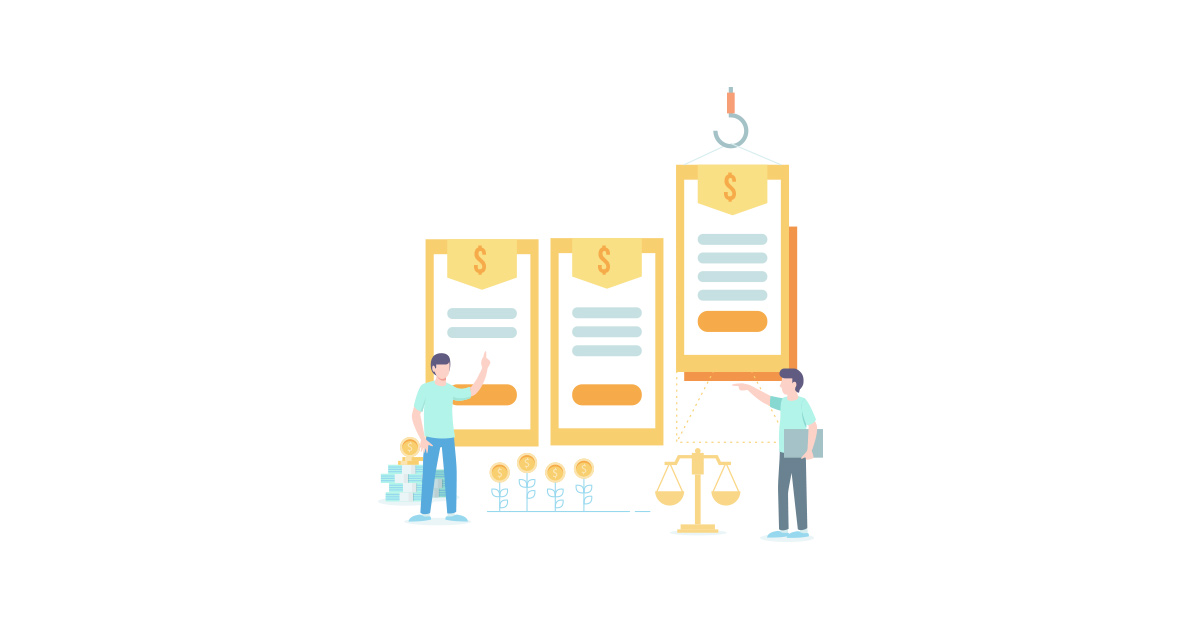
Questetra, Inc. will change the service system of the cloud-based business process management, Questetra BPM Suite from July 1st, 2020. Specifically, we will shift from two service systems to four.
The cloud-based business process management system Questetra BPM Suite is capable of equipping various automatic processes in the middle of workflows.
In recent years, simple processes such as PDF file generation and cloud storage have been successively replaced by automated processes. Such efforts for automation and labor-saving can no longer be called “differentiation measures”. In the current DX era, it may be more of an “essential activity”.
Questetra, Inc. has released many implementation methods for automatic processing on the server-side. However, since many of them were unguaranteed and used at the user’s own risk, they did not necessarily meet the needs of customers (users). With the prospect of more complex automation needs in the future, we would like to provide assurance of operation for as many automatic processing functions as possible.
The cloud-based business process management system Questetra BPM Suite is widely applied to a variety of fields.
It has been used in a wide range of operations, from cases such as approving vacation applications, to advanced cases such as Unmanned processing of Cloud orchestration along with online payment”. Along with the maturity of the API Economy growing in recent years, there are more chances to see ways for customers to use it which we could never have imagined even as a vendor.
We, Questetra, Inc. have been providing uniform support services to all customers. However, the use of business process management (BPM) is expected to become more diverse. In the future, we would like to provide more detailed support services according to each customer’s level of utilization.
* BPM: Business Process Management

Tax excluded. Also, the annual pricing discount (20% off) is offered.
Trial mode: Number of users that can be registered 100 / Available for 60 days / Free
July 1st, 2020


For customers who are subscribing via partner-company, please consult your partner. Customers who have directly applied Questetra BPM Suite, please visit Business to Professional.

株式会社クエステトラは、2020年7月1日より、業務プロセス管理クラウド『Questetra BPM Suite』のサービス体系を変更いたします。
具体的には、2 種類のサービス体系から 4 種類のサービス体系へと移行いたします。
業務プロセス管理クラウド『Questetra BPM Suite』では、ワークフロー途中に様々な “自動処理” を配置することができます。
近年、例えば「PDFファイル生成」や「クラウド保存」といった単純な処理が、次々に “自動処理” に置き換えられています。このような自動化・省人化に対する取り組みは、もはや「差別化施策」などと呼べるものではありません。現在の DX 時代においては、それはむしろ「必要不可欠な活動」と言うべきものかもしれません。
株式会社クエステトラは、サーバサイドでの “自動処理” について、数多くの実装方法を公開して参りました。しかしながら、それらの多くは無保証であり、自己責任でご利用いただくものであったため、必ずしもお客様(ユーザ)のニーズにお応えできているものではありませんでした。今後は、さらに複雑化する自動化ニーズを想定し、一つでも多くの自動処理機能に対して動作保証をつけて提供して参りたいと考えております。
業務プロセス管理クラウド『Questetra BPM Suite』の適用業務は多岐に渡ります。
「休暇申請に対して承認する」といった事例から「オンライン決済に伴う一連の Cloud オーケストレーションを無人処理する」といった高度な事例まで、幅広い業務でご活用いただいております。「API エコノミー」の成熟度が高まる近年は、ベンダーとして想像もしていなかったようなご利用方法を拝見する機会も増えています。
株式会社クエステトラは、これまでどのお客様に対しても画一的なサポートサービスをご提供して参りました。しかしながら、業務プロセス管理(BPM)の利活用方法は、さらに多様化することが予想されます。今後は、それぞれのお客様の利活用レベルに応じ、きめ細かいサポートサービスを提供して参りたいと考えております。
※ BPM: Business Process Management

2020年7月1日

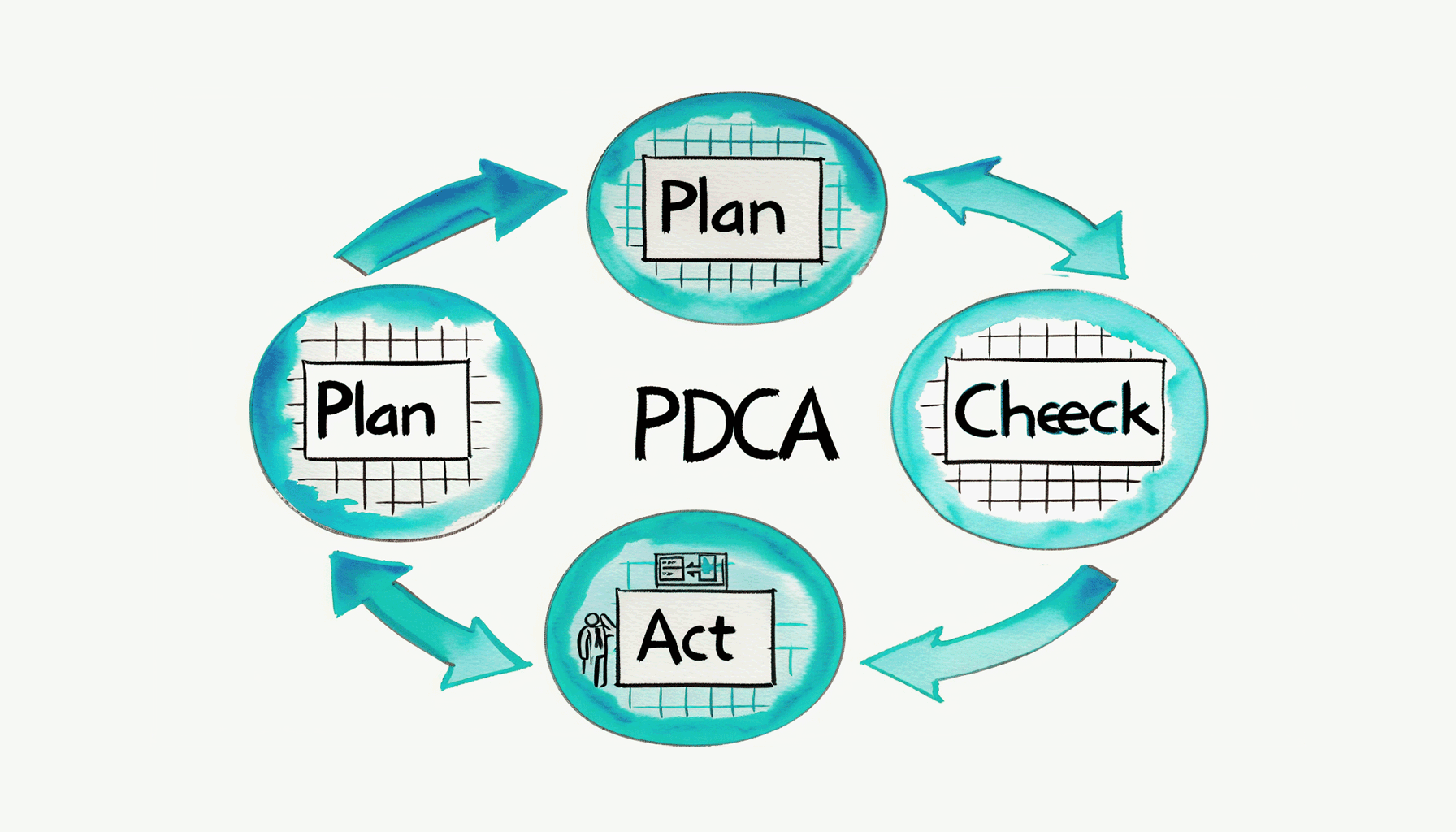
業務プロセスの改善サイクルを回すのは容易ではない。ホントは毎月毎週のようにコツコツとPDCAを回したい。しかし、現状把握(Check)や対応(Act)に時間が取れないのが実情? 業務プロセス定義をバージョンアップする(Re-Plan)なんて夢物語?? ここでは「少しの工夫」で「小さな改善」を繰り返す方法について提案してみたい。
自動開始(毎週や毎月)の「集計&通知」が好き。
要は、業務データを無人で期間集計してくれる(そして通知してくれる)業務プロセス。ソレは「業務プロセスに流れたデータを集計する業務プロセス」というコトになる。(ヤヤコシイ…)
平たく言えば “自動レポート機能” だ。
たとえば、、、『立替金精算プロセス』に対して『前月立替金の集計プロセス』、、、のように集計用の業務プロセス(ワークフロー アプリ)を作るのだ。それらは勝手に始まり(タイマー開始)、途中の処理工程も全て無人で、そして勝手に終わる。そして、最下流に「関係者へのメール通知」や「タイムライン投稿」が配置されるのがオキマリとなる。
222-立替金精算
242-出退勤報告
242b-アルバイト出退勤報告
216-Flexible-Billing-Cycle

▼多用しているデータ抽出工程『Questetra BPMS: 案件, 指定データTSV一括抽出』

日付フィルタされた複数の案件データを複数行のTSV文字列として抽出します。抽出項目は “string:0,date:2,select:3″ のようなCSV書式で指定します。Tabコードと改行コードは、自動的に削除されます。”ファイル型” はファイル名が、”選択型” は選択された選択肢の表示テキストが抽出されます。
確かに、わざわざ “集計用のプロセス” を実装する必要なんてナイ。業務データの期間集計をしたければ、その時々に「モニタリング機能」を使えば良い。いつでも、様々な角度から、過去のデータを集計できる。
そう。。。”集計プロセス” たちは、その「モニタリング」を自動化して、(通知して)、いるに過ぎない。
だがシカシ!、、、だが然し!!、、、なのだ!?!
「集計の無人化」をアレコレ実践してみて、改めて思う。
人間にとって「自分の意志で情報を見に行く」っていうのは、実は “とてもシンドイコト” なのだ。
が “過去データを振り返ること” はあまりしたくないのだ。
単に「振り返りたくない」と表現してしまうと語弊があるので、掘り下げて考えてみたい。
むしろ “振り返るコト” は、”目の前にある新しいシゴト” に比べれば、大概はラクだ。(見て眺めれば良いだけ、なのだから…) それでも人間は、“A: 振り返るコト” を “B: 目の前にあるシゴト” と比べてしまうと、ついつい「後で…」と考えてしまう生き物なのだ。 それは「今すぐヤル」ということ自体にメリットが無いのだ。「後でやっても同じ」→「後でやろう」。そして、その繰り返しで、結局 “集計データ” を見る機会が少なくなってしまう。
もし「KPIを集計し報告すること」それ自体が仕事なのであれば、きっと “後回し” にはしない。しかし、そのような場合、集計作業が完了した時点で「振り返り見るパワー」が残っていない。 たしかに、(ウマく言えないが)、KPI情報は「見る」のかも知れない。しかし、きっと「観ることができていない」のだろう。そして「診ることもできていない」のだろう。そして何の改善(PDCAサイクル/BPMサイクル)にも繋がらない。
そもそも “いつでも見ることができるモノ” と思ってしまった瞬間に、“いつまでも見ないモノ/めったに見ないモノ” にしてしまうのは、人類の必然なのだろう。
神戸に20年間住んでたクセに、一度も「異人館」に行かなかったようなものだ。。。(違)

つまるところ、、、責任者自身が『今すぐ実行しよう』と思える機会がなければならない。
キレイに集計された業務データを眺め見れば(業務の様子を振り返れば)、誰だって意見したくなる。少しは改善したくなる。
彼らがキッチリと “振り返り” を行えるのは、きっと「チェックすべき書類や報告」がルーティーンに届くから、だ。
その機会(キッカケ)のためには、やはり「外部トリガー」が重要なのだろう。自己管理がカンペキな人であっても、全てのタスクを「自己トリガー」(自分の意志)で開始することは容易ではない。(そもそも存在自体を忘れてしまう事だってある)
そう思わせてくれるキッカケを自分自身に与えなければ、いつまで経っても振り返りを行うことができない、、、かも知れない。
データが、定時に、キレイに集計されて、届く。。。少なくともワタシにとって、この「自動集計通知」は、心地よいセルフ・マネージメント・ツール(ペースメーカー)になっている。。。 (今のところw)

TSV文字列, 数値合計のクロス集計

TSV文字列; 数値列の総和

TSV文字列, テキストフィルタ

Do you play ‘Dragon Quest Walk’? (*a smartphone app of SQUARE ENIX)
In my family, we all love Dragon Quest and not only me, but also my kids (9 years old and 7 years old ) play with the app.

I walk to work every day.
So, it is an overwhelming advantage over the children. (Dad should be strong all the time)
And these days, I walk longer to earn more advantages. (Sounds like a cheat)
According to the statistics of the automatic measurement application Google Fit, I often walk since the release of the app of ‘Dragon Quest Walk’ (9/12 release). Especially after the day when my kids installed it on my old phone (9/14), the daily number of steps doubled. (See the calendar below)
*Android and iPhone are equipped with gyro-sensors, accelerometers, and GPS, so they can automatically count steps and distance traveled in quite an accurate way. The app specialized in such functions is called “Activity Tracker”.

One day, when I was walking, I could think of many ideas such as more effective usage of Fitness Data and detection of overwork.
For example,
The data of the number of steps of couriers who have been carrying their company smartphones
If there is such data today, I wonder, should it be managed by the company?
(As well as that, I considered the data of the number of steps taken by the tour conductor of a travel agency and that of the distance traveled by an outside salesperson, etc)
It is true that this includes private time data, so it is difficult to handle.
But if I extract only working hours (at any given time), I hope it’s okay to use it.
What I point to here, is that the Labor Standards Act, which relies solely on time for wages (compensation), is even more unreasonable from the viewpoint of “Productivity”. Therefore, I always think the system of paying a premium for more than 10,000 steps per day would become reasonable. (Sounds outrageous)

Anyway, I made the system.
If you look at the super simple Workflow Diagram and the Data input screen above, you can somehow understand. What I would like to show you is,
The Task of “Picking up the step count data of arbitrary time”
is automated. (Name of the Automatic Task: Google Fit: Dataset; Aggregate Step Count via Fit REST API)
For example, the following things are possible.
Furthermore, if you set up a Task for a superior such as “Superior Approval”, it would become a great workflow (maybe?)
Walking is not relevant to my job, so there is a doubt whether it’s useful or not (this is difficult to verify). If you think the system I developed can contribute to the automation of work at the company, please let me know. If you are eager to use the system, we would like to improve the specification of the automatic processing.
Incidentally, “Fit REST API (v1)” was a very peculiar API. (Please refer to the link for the implementation script)
The format of posting Request Json (aggregate) works the same way as the Slides API and the Sheets API (batchUpdate), however Fit REST API (v1) causes some problems below.
How do you like it?
In addition, I was surprised that the parameters will be designed to obtain others’ data in the future (although it obtains only my own data). While similar services to Google Fit Website are unlikely to be revived, we will continue to monitor the trends of other services.
let requestObj = {};
    requestObj.aggregateBy = [];
    requestObj.aggregateBy[0] = {};
    requestObj.aggregateBy[0].dataTypeName
                              = "com.google.step_count.delta";
    requestObj.endTimeMillis   = numEndTimeMillis;
    requestObj.startTimeMillis = numStartTimeMillis;
    requestObj.bucketByTime = {};
    requestObj.bucketByTime.durationMillis = numDurationMillis;
let apiRequest = httpClient.begin(); // HttpRequestWrapper
    apiRequest = apiRequest.bearer( token );
    apiRequest = apiRequest.body( JSON.stringify( requestObj ),
                                  "application/json" );
const apiUri
      = "https://www.googleapis.com/fitness/v1/users/me/dataset:aggregate";
engine.log( " AutomatedTask Trying: POST " + apiUri );
const response = apiRequest.post( apiUri );
# I personally have kept entering “blood pressure” and “bodyweight”, so I sometimes think to analyze the trend of their increase and decrease in the morning, daytime and evening.
By the way, you might wonder how far I’ve played Dragon Quest Walk?
I have finished all the stories that have been released so far.
I cleared “Chapter 5.” in Lv 48, of course, there is no charge. (← I can’t cheat before my children.)
I don’t know if I can exercise or maintain my health without game apps but I will enjoy walking with my children for a while. (We are no-charge gamers!)

Gutenberg SaaS CMS
Aren’t you really an industry guy?
Did you know that Questetra’s website is operated on WordPress.com?
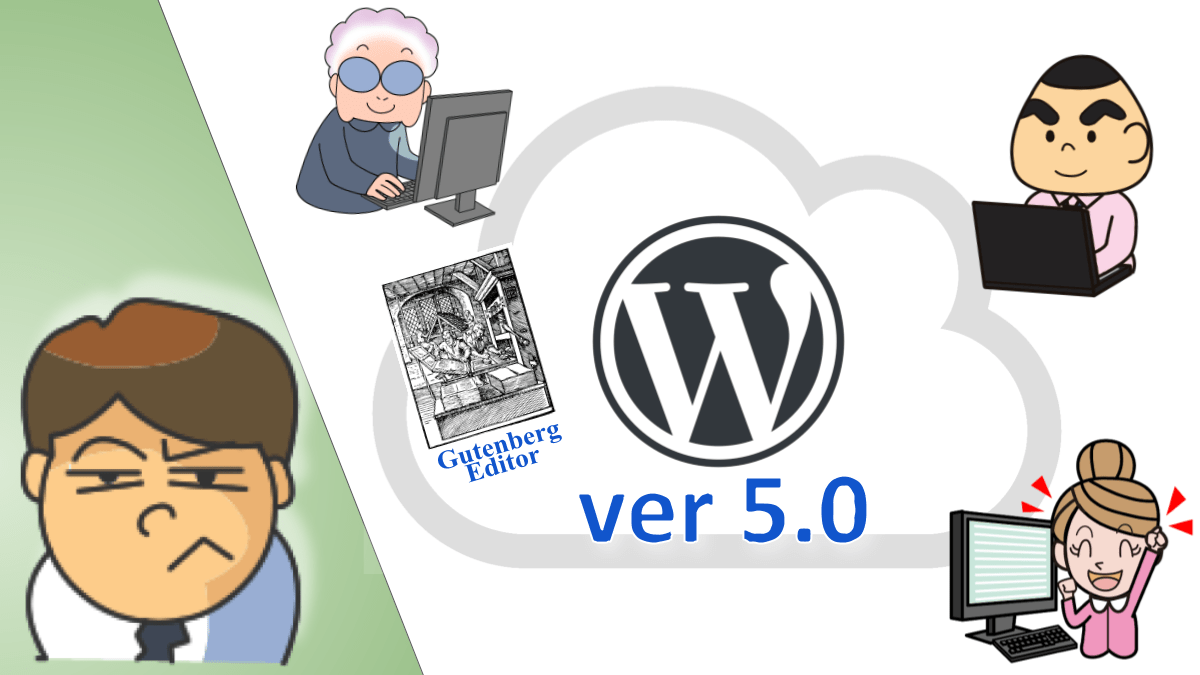
Yes, migration to WordPress 5.0 was forced on us in December 2018. From then on 5.0’s new editor (Gutenberg Editor)has become the standard editor for Questetra.
Indeed…it’s pretty obedient. However, about major cloud products whether they like them or not, at first, “personal experience” has significance…
Farewell, the old editor that I have been accustomed to for about 6 years
It’s already 9 months since that “Shocking Day”…
Now my employees and part-timers understand how to use the new visual editor (Gutenberg Editor) when creating an official site or a support site. I think its mechanism is basically more intuitive than the previous editor (Classic Editor). (WordPress 5.2.2 now)
Even old-fashioned people (i.e. me) are now using the “Block Editor” for duplication and arranging.
Speaking of which…if you get into trouble I wonder if Google Assistant will give an old answer to a new problem…(a Zen dialogue)
Even though it is a Visual editor, the shortcode continues to be active.
Recently, you might hear that the page looks less attractive because it looks too simple for a website.

Certainly, even for information pages like employment rules, you would like to apply various layout design features. For example,


In these cases, shortcode “start” ([su_foo]) and shortcode “end” ([/ su_foo]) are written in a “Shortcode Block”, and “Shortcode Contents” is written in a “Paragraph Block”. Are you kidding me?
Adopt a Plugin published by a Theme vender
Anyway, “Block Plugin” was installed in Questetra’s WordPress environment.
Brainstorm Force @ India
Ultimate Addons for Gutenberg
Extends the Gutenberg functionality with several unique and feature-rich blocks.

About the design of blocks, I’m in the middle of testing the plugin and I will add new information about the blocks later.

Trivia: “Death of Page Builders” was already expected when Gutenberg debuted. The manufacturer of the WordPress theme “ASTRA” used by Questetra (Brainstorm Force, Inc.) released the Block Plugin quickly. Although I tried it soon after, the plugin (v1.5) at that time was unwillingly rejected because it was difficult to incorporate Font Awesome icons together with Font Awesome Pro. However, the specification was subsequently improved (all Font Awesome Icon were replaced with SVG) in v1.8.1 (alas, no one was aware).

『ドラクエ・ウォーク』してますか? (※ SQUARE ENIX社のスマホアプリ)”ドラクエ・ファン” な我が家では、ワタシ(46♂)だけでなく、子供達(9♂・7♂)も、歩きまくってます。(俺たちは勇者だ!)そもそもワタシは毎日の通勤が徒歩です。なので、子供達より圧倒的に有利です。 (父はいつでも強くなくてわナリマセン?) しかも最近では、コッソリ “遠回り” しています。(えっ? 姑息??)
自動計測アプリ(Google Fit)の集計で見ても、『ドラクエウォーク』のリリース日(9月12日)以降は、よく歩いています。特に、子供達がオフルのスマホにインストールした日(9月14日)以降は、毎日の「歩数」が倍増していました。(下図のカレンダ表示参照)
※ 最近の Android や iPhone にはジャイロセンサー・加速度センサー・GPS などが搭載されているため、スマホ単体でも歩数や移動距離などを自動で計測できるのです。かなり正確です。そこで活躍するアプリは「アクティビティ・トラッカー」とも言われます。
ある日、歩いていると、、、「この Fitness データ…、もっと活用できるんぢゃね?」
「たとえば “働き過ぎの検知” とかにも、使えるんぢゃね??」などなど、、、いろんな妄想が止まらなくなりました。
つまり、、、たとえば、、、『“運送会社の配送員” が、会社スマホを持ち歩いた歩数』といったデータが、もしこの世の中にあるとすれば、、、、それは会社が管理すべき対象なのではないでしょうか?? (←いかにも真面目風)(他にも、旅行会社の添乗員の歩数とか、外回り営業マンの移動距離とか、訪問メンテナンス作業員の血圧変化だとかww)たしかに「プライベートな時間のデータ」も含まれているので取り扱いが難しいところです。うーん。うーん。うーん。しかし、就業時間だけを切り出せば、(任意の時間で切り出せれば)、使ってもイイような、エエような、イイような。。。(そもそも健康管理は会社の義務/安全配慮義務? 監視社会・監視企業? ブラック企業??)
そもそも賃金(労働対価)を時間だけに依存している現状労基法には無理がある。ましてや “生産性” を語るなら尚更だ。いっそ「”1日1万歩” を超えたら “歩き過ぎ割増賃金” を付けちゃう」とか…(暴論)
ということで、、、 「利用シーン」についてはダンダンどうでも良くなってきたので、、、「利用シーン」については後回しにすることとして(!)、、、早速作ってみました。上の超シンプルな “ワークフロー図” と “データ入力画面” を見て頂ければ、何となく解かると思いますが、、、、
つまるところ『任意時間の「歩数データ」を切り出してくる』という工程が自動化される仕組みです。(自動処理工程名:Google Fit データセット 歩数集計 via “Fit REST API”)
要するに、、、たとえば、、、
といったことが実現できるようになりマス。
さらに、〔2.上司承認〕のような上司工程を後置すれば、立派な(?)企業ワークフローに!?ワタシ自身が “歩き回る仕事” ではないので有用性がワカラナイ(検証しづらい)ので、、、もし何処かの会社の、何かの業務の自動化に貢献できそうなら、是非ご一報ください。万が一にも強いニーズあれば、自動処理の仕様についても積極的に改変させて頂きたいと思います。よろしくお願いします。
ちなみに “Fit REST API (v1)” は、とてもクセのある API でした。(実装 Script などはリンク先を参照してください)Request Json を POST する形式(aggregate)は、Slides API や Sheets API (batchUpdate)などと同じ仕組みなのですが、
なんともオモムキ(?)がある API です。さらに、(現時点では自身のデータしか取得できませんが)、将来的には “他人のデータ” も取得できそうな Parameters 設計になっていること、も新鮮でした、にも驚きました。ま、「Google Fit Web サイト」の類似サービスが復活することはなさそうですが、それ以外の周辺サービスの動向については、今後もウォッチし続けていきたいと思っています。
let requestObj = {};
    requestObj.aggregateBy = [];
    requestObj.aggregateBy[0] = {};
    requestObj.aggregateBy[0].dataTypeName
                              = "com.google.step_count.delta";
    requestObj.endTimeMillis   = numEndTimeMillis;
    requestObj.startTimeMillis = numStartTimeMillis;
    requestObj.bucketByTime = {};
    requestObj.bucketByTime.durationMillis = numDurationMillis;
let apiRequest = httpClient.begin(); // HttpRequestWrapper
    apiRequest = apiRequest.bearer( token );
    apiRequest = apiRequest.body( JSON.stringify( requestObj ),
                                  "application/json" );
const apiUri
      = "https://www.googleapis.com/fitness/v1/users/me/dataset:aggregate";
engine.log( " AutomatedTask Trying: POST " + apiUri );
const response = apiRequest.post( apiUri );
#超個人的には「血圧」と「体重」(←とっぷしーくれっと?)を手入力し続けている(←イイ機器あったら買いたい)ので、”朝昼晩での増減傾向” などを分析しようかな、とか、思ったり思わなかったり。。。
ちなみに『ドラクエ・ウォーク』の進捗は。。。現時点で配信されているストーリーは全て終了しています。”第5章クリア” は Lv48 でした。ええ、無課金デス。(←子供達の手前、仕方ないのデス)「ゲームがなかったら運動できへんのか~い?・健康管理できへんのか~い?」と言われれば返す言葉もないのですが、、、まぁ、もうしばらくは、子供達と一緒に、”ウォーク” を楽しもうと思っています。(俺たちは無課金勇者だ!!)
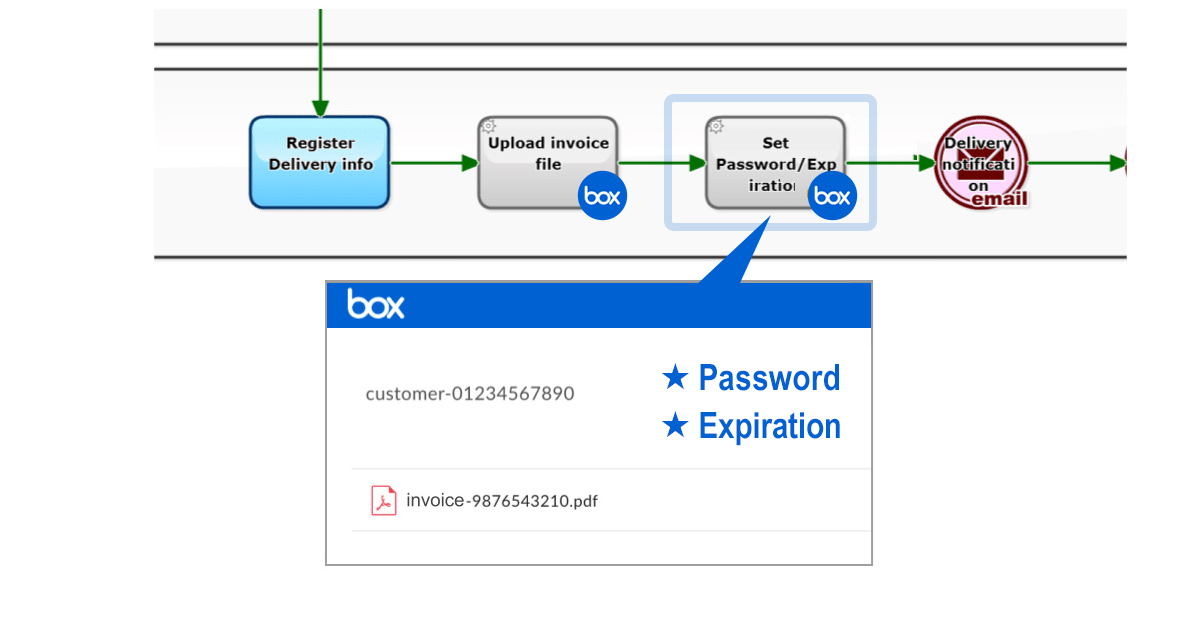
Kyoto, Japan – October 7th, 2019 – Questetra, Inc., the global SaaS provider of Business Process Management (BPM), today announced that they have published the new version 11.12 of the Cloud-based Workflow product “Questetra BPM Suite” on Oct. 7th, 2019. This new version allows the automated controlling of Box folders. (Box: a cloud content management service)
In recent years, even though the idea of “cloud-first” (i.e. prioritizing the use of cloud services when constructing a system) is spreading, many organizations still have vague concerns about information security.
With the new version 11.12 you can equip your Business Processes with automation, such as setting up a download password and expiration date for Box folders. That is, for example, settings for sharing an invoice file will be configured automatically. This will greatly reduce the risk of “settings errors” and “settings omissions” in file-sharing operations with business partners.
Cloud-based Workflow “Questetra BPM Suite” is a business platform for realizing paperless environments and remote-working. Business issues are controlled according to a Business Flow Diagram. When a Process reaches a Human Task the user will be asked to add their input. Also, when an issue reaches an automated Step the predetermined processing (server-side processing) such as “Generate PDF” and “Save to cloud storage” is performed automatically. (BPM: Business Process Management)
You can apply it to various business operations such as “Approval request flow”, “Document translation flow”, Quality check process, “Invoice issuance process”. Process owners of each Business Process can practice the “improvement of Business Processes” little by little in daily work.
Using a Service Task, folders that have been created in Box can be shared. Also, the download-password and expiration date will be set so that you can securely share files such as invoices, estimates, catalogs, etc. with your partners. (Box: Create Shared link to Folder)

Using this Service Task, you can automate a folder search of Box folders. You can easily configure automation, for example, checking the existence of a certain folder and creating that folder if it didn’t exist.
Using this Service Task, you can automate the deletion of folders in Box. You can easily configure automation, for example, removing folders after their expiration.
The new App editing function [HTML5 Modeler], which uses HTML/Javascript, is now available as a preview version. We are planning to migrate to the HTML5 Modeler from the flash version in the first half of 2020.
Please see our release note for the details of new features.
Version 11.12 Release note: https://support.questetra.com/versions/version-11120/


SaaSベンダーの株式会社クエステトラ(京都市、代表執行役 CEO 今村元一)は10月7日、クラウド型ワークフロー製品である 『Questetra BPM Suite』 の新バージョン11.12を公開しました。新バージョン11.12では、「Boxフォルダのコントロール」を自動化できるようになります。(Box: クラウド型コンテンツ管理サービス)
「クラウドファースト」(※システム構築を行う際にクラウド利用を優先する)の考え方が広まりつつある近年、それでもなお、情報セキュリティへの漠然とした不安を抱えている組織は少なくありません。確かに「異なるクラウドサービスにファイルを移動する」や「取引先とファイル共有する」といった業務工程において、ヒューマンエラーのリスクをゼロにすることは容易ではありません。
新バージョン11.12からは、業務プロセスの中に「Boxフォルダに閲覧パスワードと閲覧期限の設定」といった自動工程を組み込めるようになります。つまり、たとえば「納品書ファイル」の共有設定が自動的にコントロールされるようになります。これにより、取引先とのファイル共有業務における「設定ミス」や「設定モレ」の発生リスクを大幅に低減できるようになります。
クラウド型ワークフロー『Questetra BPM Suite』は、ペーパーレス環境やリモートワーク環境を推進するための業務プラットフォームです。業務案件は業務フロー図に従ってコントロールされ、案件が人間工程に到達すれば担当者はアウトプットを求められます。また、案件が自動工程に到達した際には、「PDFの生成」や「クラウドストレージへの保存」といった既定の処理(サーバサイド処理)が自動的に行われます。(BPM: Business Process Management)
「稟議承認フロー」「文書翻訳フロー」「品質チェックプロセス」「請求書発行プロセス」といった様々な業務に適用していただけます。各業務のプロセスオーナーは日々の業務の中で少しずつ「業務プロセスの改善」を実践することが可能です。
(業務フロー図サンプル: https://questetra.zendesk.com/hc/ja/articles/360012492211 )
サービス工程を利用して、Boxに作られたフォルダを共有できるようになります。閲覧用パスワード、閲覧有効期限を設定することができ、業務遂行中に作られる、納品書、請求書、見積書、各種案内書などのファイル成果物を、社外の関係者と安全に共有する、ということが可能になります。(サービスタスク「Box: フォルダ共有リンク作成」)

サービス工程を利用して、Boxフォルダを検索できるようになります。例えば、フォルダの有無を確認し、なければフォルダを作成するという仕組みをより簡単に構築できます。
サービス工程を利用して、Boxフォルダを削除できるようになります。例えば、閲覧有効期限を過ぎたフォルダを自動的に削除する仕組みをより簡単に構築できます。
HTML/Javascript を利用したアプリ編集機能(HTML5 モデラー)のプレビュー版を利用できるようになります。2020年前半にFlash モデラーから HTML5 モデラーへ移行する予定です。
Ver. 11.12 リリースノート


こんにちは!矢作です!
クラウド型ワークフロー「Questetra BPM Suite」を開発・販売する我が社(クエステトラ社)には、大変ありがたいことにワークフローについて多くの相談が舞い込んできます。
ご相談の中には素晴らしいアイデアが盛り込まれていて感心するものもあれば、「こんなワークフローはイヤだ」と見ないふりをしたくなるようなものまで様々なものがあります。
本記事では「こんなワークフローはイヤだ」と面食らってしまうものの中から、「ノイズにも対応せざるを得ない」ワークフローを選び、その課題や解決方法について考えます。
「問い合わせ対応業務」を例に考えます。

ウェブサイトの問い合わせフォームなどから問い合わせが届いたら、問い合わせ窓口がその内容を確認します(「問い合わせ内容確認」工程)。
確認を終えたら問い合わせへの回答を作成したり、回答に必要な知識を得るために関連部署に助言を求めたりします。
このワークフローの問題点は、問い合わせの内容が何らかのサービスの売り込みであったり、問い合わせ者の連絡先(返信先)に明らかな誤りがあって返信できなかったりなどの場合に、「問い合わせ内容確認」工程で止まらざるを得なくなることです。そんなノイズのような問い合わせには対応したくないのですが、何らかの形で対応せざるを得ないのです。
「ノイズにも対応せざるを得ない」ワークフローはイヤですよね?
このような「ノイズにも対応せざるを得ない」ワークフローを改善するのはカンタンです。

問い合わせ窓口の「問い合わせ内容確認」工程で、”問い合わせ内容がノイズであると判断される場合に終了に向かうフロー” を引きます。

カンタンですね。このカイゼンにより「問い合わせじゃないよね」という問い合わせが入った時に、それをノイズとして終了させることができるようになります。
業務はスタートしたけど、途中で停止せざるを得ない、という場合は少なくありません。
などのシーンが考えられます。このような場合には通常の終了とは別の場所に終了マーク(終了イベントと呼びます)を置き、分岐を設けてそこに仕事のボールを流して終わらせるようにする、という方法が役に立ちます。
この方法は、イレギュラーに対応しやすくするものでもあります。細かく多くのイレギュラーを想定し、それら全てに対応できるようにフローを引くと見づらいワークフロー図になってしまうリスクもあるので注意が必要です。
問い合わせ内容がノイズと判断されたら、ノイズとして対応を終了するというフローを作る、というカイゼンには、他にも価値があります。
このフローの存在により「問い合わせ内容確認」工程で “問い合わせ窓口” が、何をするべきなのか、何を任されているのか、がより明確になるということです。
”問い合わせ窓口” は、問い合わせ内容を確認し、
ということが、この工程の分岐を見るだけで分かります。この分岐には、工程を処理する人の “権限” が示されているということです。
今回のカイゼンは、単にイレギュラー対応がしやすくなったということに留まらず、その工程において「すべきこと」「して良いこと」を明確にすることにつながっている、ということにも目を向けていただければと思います。
今回は、問い合わせ対応業務を例に、それ以上前にすすめることができないワークフローをカイゼンする方法を紹介しました。
通常の終了とは別の場所に終了ポイントを作り、そこに仕事のボールを流すことができるようなフローを作る、というものでした。このカイゼンを通じて工程に「分岐」が作られることになり、その結果、当該工程における “権限” がより一層明確になります。
ワークフロー図を書き、更に今回のようなカイゼンを行うと、その業務に関わる人たちの間で業務の進め方に対する共通の認識を持ちやすくなります。是非、身近な業務についてワークフロー図を書いてみてください。
最後に宣伝ですが、ワークフロー図を書くなら、クラウド型ワークフロー「Questetra BPM Suite」を是非ご利用ください(60日間無料お試しあり)。
今回はここまで!

貴様、、、業界人なんダロ。。。
Questetra 社のウェブサイトは “WordPress.com” 上で運用されています。
ええ、「Wordpress 5.0 への移行」は、2018年12月に強制的に行われました。。。そして、その日から “5.0 の新エディタ”(Gutenberg Editor)が Questetra 社の「標準エディタ」となっています。
はい、そうですネ。。。かなり従順です。とは言え「クラウド メジャー」の製品は、好むと好まざるとにかかわらず、まずは “体験するコト” に意義があるのデス。。。(←誰と喋っとんネン)
もちろん正直なトコ、不安しかなかったのは事実です。が、どんなクラウド製品も、(特に SaaS CMS は)、実際に利用してみないと分かりません。まさに「習うより慣れよ」です。体験して初めて「流行動向」を認識できるのです。あるいは「連携」を模索することができるのです。
6年くらい慣れ親しんだ旧エディタとサヨナラ
そんな “衝撃の日” から、早いもので9カ月。。。。
今となってはミンナ、新しいビジュアルエディタ(Gutenberg Editor)を使いこなしています。オフィシャルサイトでも、サポートサイトでも、、、社員さんも、バイトさんも。。。基本的に、以前のエディタ(クラシックエディタ)よりは、「簡単」で「直観的」なんだと思います。(WordPress 5.2.2 なう)
「HTML?、、、 漢(オトコ)なら、ジカガキだろ」
とか言ってしまう20世紀的な古い人間(ワタシ)すら、今となっては、複製や並べ替えを “Block 操作” で行うようになって しまいました います。
強いて「困ったコト」と言えば…、『困ったことがあっても Google 先生の答え(ネットの情報)が古いというコト』でしょうか。。。(禅問答的)
Visualエディタなのに Short Code 現役続行?
しかし、最近になって、
「えっ、ワタシの原稿、シンプルすぎ?」
という意見も。。。(←つまり簡単でシンプルだから「ウェブサイトとして味気ないかも」というハナシ)

たしかに『就業規則』のような情報ページですら、様々な “レイアウトデザイン” を適用したくなるものです。

定義リスト(dl dd dt)で「条文」を列挙したい・・・
ボックス囲みで「注釈」を挿入したい・・・
いっそアコーディオンで「定義の説明部分」を開閉できるようにしたい・・・
そして、そんな時は仕方なく、、、 “ショートコード開始” ([su_foo])と “ショートコード終了” ([/su_foo])を「ショートコード Block」で書き、”ショートコード中身” を「段落 Block」で書くことになるワケです。。。ナンテコッタ、ぱんなk。。。
Theme ベンダが公開しているPluginを採用
というコトで、Questetra 社の WordPress 環境にも “Block Plugin” がインストールされました。
Brainstorm Force @ India
Ultimate Addons for Gutenberg
Extends the Gutenberg functionality with several unique and feature-rich blocks

え、「どんなイケてるデザイン Block があるのか」、、、ですか?? ええ、、、ハイ、、、ですから、、、今まさに、 この Blog で色々テストしている真っ最中でゴザイマス。。。(慣れてきたら追記するかもデス。スミマセン)

どうでもイイmemo:
Gutenberg がデビューした時点で既に “Death of Page Builders” は予想されていた。Questetra で採用している WordPress Theme “ASTRA” の製造元(Brainstorm Force 社)は早々に Block Plugin をリリースした。スグに「体験」したのだが、当時の plugin (v1.5) は FontAwesome アイコンの組み込み方が “FontAwesome Pro” との併存しづらい方式だったため敢え無く不採用となった。しかしその仕様は、その後 v1.8.1 にて改善(Replaced all Font Awesome Icon with SVG)されていた。(が誰も気づいていなかった)


