ブログ

  • あらゆるワークフローを見える化 → システム化

    あらゆるワークフローを見える化 → システム化

    ビジネスプロセス管理システム

    あらゆるワークフローを
    見える化 → システム化

    申請・承認だけじゃない“独自業務”まで、
    ノーコードで柔軟に効率化。

    60日間無料トライアル お問い合わせ お問い合わせ 60日間無料トライアルを今すぐ始める
    導入企業ロゴ一覧
    ITreview Grid Award 2026 Spring

    導入効果

    製造業 A社

    対象業務:受発注業務・申請業務

    ガス・電気事業者 B社

    対象業務:工事計画の申請業務

    金融サービス C社

    対象業務:アウトソースの案件委託手続

    御社のワークフロー、こんな課題ありませんか?

    システム化できていない

    決裁フローはシステム化できても、部門固有業務はExcelやメールに依存

    業務に対応できていない

    複雑な承認ルートや独自フローを既存ツールでは表現できず、無理やり運用

    管理できていない

    プロセス変更のたびにIT部門やSIerに依頼が必要。現場で修正できない

    Questetra で解決!

    フローを描いて、システムができる

    複雑でも柔軟に作れる

    簡単に修正できる

    直感的なフロー設計

    運用の悩みも、改善のヒントも。人と仕組みでサポート

    導入後はWebフォーム・ビデオチャットで質問対応。現場の疑問を解消しスムーズ運用を後押し。

    業務の処理状況や件数は自動で集計・可視化。改善へのボトルネックを発見できます。

    導入事例

    様々な業界・規模の企業様で導入実績があります。

    honda-OPG

    本田技研工業株式会社 様

    業種:製造

    従業員:1,000名以上

    課題:DXによる合理化

    選定ポイント

    導入効果

    東邦ガスネットワーク株式会社 様

    業種:電気・ガス

    従業員:1,000名以上

    課題:紙やメール中⼼の申請運用

    選定ポイント

    導入効果

    mitsubishi-pencil-OPG

    三菱鉛筆株式会社 様

    業種:製造

    従業員:〜1,000名

    課題:業務の標準化

    選定ポイント

    導入効果

    Questetra BPM Suite は
    特にこのような企業様におすすめです

    様々な業務のDX化を検討している

    複数部門にまたがる業務を抱えている

    部門横断のDX推進部門がある

  • Ensure reliable updates to online consultations

    Ensure reliable updates to online consultations

    Centralized forms replaced fragmented emails, ensuring accurate data flow and higher customer satisfaction.

    1. Issue: Inaccurate or incomplete additional information from customers

    There is a BPO company that provides outsourced online customer support. A team of 30 staff members receives online consultation requests from customers via a web form and provides same-day notifications of their requested schedules.

    However, after submitting a request, customers often had additional information to share, such as “I forgot to attach the question list” or “I’d like to change the preferred date and time.”

    This kind of back-and-forth communication over the phone and through email made it difficult for staff to accurately understand the customer’s intent, sometimes resulting in conflicting information. As a result, critical information was often missed.

    2. Solution: Implementation of an Additional Information Form

    The process owner has set up a new, dedicated form for submitting additional information. By including the URL for this form in the confirmation email, customers can now directly input and send any necessary details.

    Now, staff only need to verify the information submitted through this form, preventing the confusion that used to occur with emails and phone calls.

    Reliable information flow for meeting prep has directly enhanced customer satisfaction.

    Basic Edition
    Advanced Edition
    Professional Edition
    View details of the workflow diagram

    The process starts upon submission of the web form.

    Automated Receipt Generation

    Create a confirmation record for the submitted content.

    Thank-You Message Generator

    The AI process creates an automated reply email with an acknowledgment message.

    Send a confirmation email

    Send the created email.

    Set operator’s email

    Notify the assigned operator.

    Customer emails → Custom domains

    If the request from the client includes information about a preferred operator, the AI will use this data to automatically assign the most relevant one.

    Edit notifications

    The assigned operator drafts the notification.

    Notification email

    The reply email created by the operator is sent to the client.

    No Response

    It is processed if the operator determines a reply is not needed.

    Basic Edition
    Advanced Edition
    Professional Edition
    View details of the workflow diagram

    The process starts upon submission of the web form.

    Automated Receipt Generation

    Create a confirmation record for the submitted content.

    Thank-You Message Generator

    The AI process creates an automated reply email with an acknowledgment message.

    Send a confirmation email

    Send the created email.

    Additional Request

    Automatically create a dedicated form.

    Set operator’s email

    Notify the assigned operator.

    Customer emails → Custom domains

    If the request from the client includes information about a preferred operator, the AI will use this data to automatically assign the most relevant one.

    Edit notifications

    The assigned operator drafts the notification.

    Notification email

    The reply email created by the operator is sent to the client.

    No Response

    It is processed if the operator determines a reply is not needed.

    You can move the slider

    3. Customers Case Study

    4. Other Business Applications

    We will enable AI-based reviews for the following tasks:

    Customer Data Management (CDM)

    Post-purchase feedback collection

    Managing event participant information

    5. Related Posts

  • Improving a newsletter based on customer feedback

    Improving a newsletter based on customer feedback

    1. Issue: No basis for newsletter improvement

    The e-commerce team at NyokiNyoki Agricultural Products sends emails to repeat customers with information on seasonal vegetables and special offers. While the newsletter is generally well-received, a certain number of customers have been choosing to unsubscribe.

    However, while the team could track which email led to an unsubscribe, they couldn’t understand the underlying reasons or context. Without knowing the “why,” it was difficult to accurately review the content or timing of their emails, making it challenging to make customer-centric improvements.

    2. Solution: Establish a system for collecting feedback.

    The process owner added a comment box to the unsubscribe form and integrated an AI agent into the workflow.

    This allows customers to optionally enter a reason for unsubscribing when they submit their request. The comments are then analyzed by AI, which automatically generates a draft response.

    Basic Edition
    Advanced Edition
    Professional Edition
    View details of the workflow diagram
    Unsubscribe Confirmation Form

    Customers submit their unsubscribe request by clicking the Submit button.

    Receive confirmation email

    If customer chooses “Receive,” they’ll be sent a confirmation email.

    Delete Email address

    Team member will remove the email address from the mailing list.

    Basic Edition
    Advanced Edition
    Professional Edition
    View details of the workflow diagram
    Unsubscribe Confirmation Form

    Customers submit their unsubscribe request by clicking the Submit button.

    Receive confirmation email

    If customer chooses “Receive,” they’ll be sent a confirmation email.

    AI-generated draft

    The content provided in the unsubscribe reason is analyzed by AI, and a draft for a thank-you email is generated.

    Delete Email address

    Team member will remove the email address from the mailing list.

    Automated email sending

    The thank-you email is automatically sent to the customer.

    You can move the slider

    3. Benefits

    Gaining Clarity on Improvements

    You can now grasp the specific reasons for unsubscribing from the comments customers provide.

    Clarifying Areas for Improvement

    By analyzing the feedback collected, you can now clearly define the direction for improvement, including the newsletter’s content, frequency, and timing.

    Maintaining Positive Customer Relationships

    By sending a thank-you email, you can maintain a good relationship with customers even after they unsubscribe.

    4. Other Business Applications

    Collecting product reviews

    Adding a free-text field to the post-purchase form allows an AI to assist with reviewing and drafting thank-you emails.

    Improving customer support

    By adding a “satisfaction comment” field to the inquiry form, an AI can generate suggestions for improvement and standard replies.

    Post-campaign survey

    An automated short survey is sent out at the end of a campaign, and an AI compiles the responses and summarizes the key points.

  • Email Management to Eliminate Minor Issues

    Email Management to Eliminate Minor Issues

    1. Issue: Uniform email sending creates customer dissatisfaction

    The e-commerce team at NyokiNyoki Agricultural Products sends out a newsletter to repeat customers, introducing seasonal vegetables. If a customer wishes to unsubscribe, they can access a dedicated form via the “Unsubscribe URL” provided in the email.

    When the process is complete, an automated “confirmation email” is sent. While this email serves as a reassuring notification that the request was successful, some customers found it annoying, feeling as if they were receiving yet another email after explicitly stating they no longer wanted them.

    Sending the same confirmation email to everyone, despite the varying customer reception, can become an extra, unwanted message for some. This can leave a slight sense of annoyance. Over time, these small frustrations can accumulate and be the very reason a customer’s feelings toward the brand turn sour.

    2. Solution: Empowering customers to opt in or out of receiving the confirmation email

    The process owner added an “Receive confirmation email” checkbox to the unsubscribe form. They also revised the unsubscribe flow to send a confirmation email only if the customer selected the option.

    This change lets customers decide whether they want to receive the confirmation email. Now, the e-commerce team can provide the right level of service to everyone—both those who want reassurance and those who want fewer emails.

    Basic Edition
    Advanced Edition
    Professional Edition
    View details of the workflow diagram
    Unsubscribe Confirmation Form

    Customers request to unsubscribe by clicking the Submit button. If they don’t want a confirmation email, they simply uncheck the box for “Send me a confirmation email.”

    Basic Edition
    Advanced Edition
    Professional Edition
    View details of the workflow diagram
    Unsubscribe Confirmation Form

    Customers request to unsubscribe by clicking the Submit button.

    If they don’t want a confirmation email, they simply uncheck the box for “Send me a confirmation email.”

    Branching

    Depending on the customer’s choice, the next steps in the flow will change.

    You can move the slider

    3. Benefits

    Stress reduction for customers

    Emails are only sent to those who need them, which has reduced the annoyance for customers who found them unnecessary.

    Fostering customer loyalty

    Reduced annoyance after unsubscribing helps maintain a positive brand impression.

    Reduced workload

    Fewer inquiries like, “What is this email?” have reduced the team’s workload.

    4. Other Business Applications

    Seminar and Event Registration

    You can offer an optional confirmation email after event registration, balancing convenience and reassurance for participants.

    Customer Support

    Making the automatic reply email optional after an inquiry allows for flexible responses tailored to customer needs.

    Recurring report delivery

    Allow customers to choose whether to receive download links or confirmation notifications, preventing information overload.

  • No-Code Development Platform v17.1 Makes Workflow and Chat Even More Seamless

    No-Code Development Platform v17.1 Makes Workflow and Chat Even More Seamless

    Questetra, Inc. (Kyoto City, CEO: Genichi Imamura) has released the new version v17.1 of its cloud-based workflow product, Questetra BPM Suite.

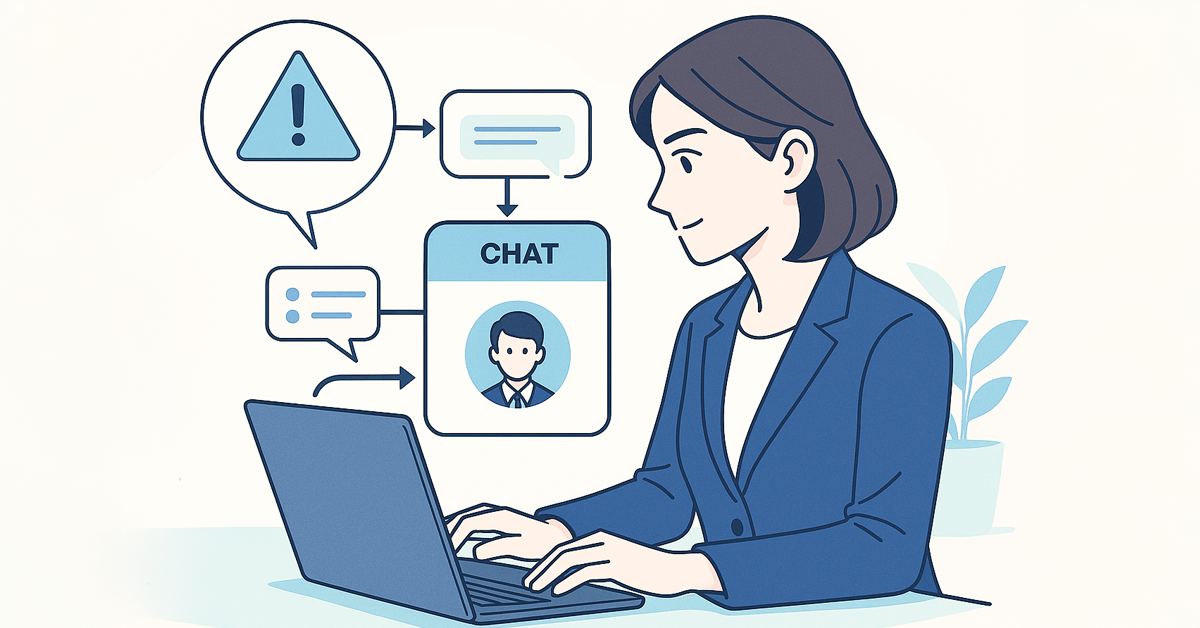
    The new version improves the compatibility between task processing and chat functions, integrating business flows and conversations more seamlessly. Related conversations can now be displayed on the process details screen, allowing task processors to check and make decisions on the spot, making it easier to process [My Tasks].

    Additionally, we’ve implemented various updates simultaneously, such as bolstered security, expanded CSV/TSV processing capabilities, and enhancements to our AI agents and APIs.

    What is Questetra BPM Suite?

    Questetra BPM Suite is a cloud-based business process management system (SaaS BPMS) that allows business departments to take the lead in continuously improving their business processes. Workflow systems (workflow apps) can be developed and operated entirely within a web browser, eliminating the need for programming knowledge or coding skills.

    Without coding, you can establish routine business processes like approval requests, quotation submissions, and inquiry responses as a workflow system. Additionally, by integrating generative AI, intellectual tasks such as automatically generating document drafts and crafting response drafts can be automated.

    Enhancements in v17.1

    1. Enhanced Chat Functionality

    • Related Conversations Display Improved
      Chat can now be displayed on the process details screen, allowing you to check tasks and have conversations at the same time.
    • Notification UI Improvements
      Clicking “See all” updates the display within the dialog, preventing any interruption to your work.
    • Layout Improvements
      The left-side menu now supports independent scrolling, and can be opened or closed, enabling wider and more efficient use of the screen.
    • Thread Search Enhancements
      You can now search all channels you have permission to access, rather than being limited to searching within a single channel.

    2. Enhanced Security

    • Detecting Suspicious Logins and Additional Authentication
      For security, password logins from new devices are flagged as suspicious and require additional authentication with a one-time password. A notification email will be sent to the user upon detection.

    3. CSV/TSV Processing Enhancements

    • Supports Saving to Numeric Data Items
      Enables direct saving of aggregated CSV values to data items.
    • Automatic Assignment of ID Columns
      Automatically assign IDs to input data to make it easier to identify rows.
    • Saving to Multi-line Text Fields in Columns
      Each CSV column can now be saved as a separate String-type multi-line data item.

    4. Other Improvements

    • Faster Process Log Display
      Smoothly check logs even for projects with large amounts of data.
    • AI Agent Enhancements
      Supports the latest models such as Claude 3.7 Sonnet / GPT-4.1 series, and improves processing stability.
    • REST API Enhancements
      Added API for checking specific app permissions. When processing tasks, branch destinations can now be specified by node number.

    For more information, see the release notes.

    About Questetra

    Questetra, Inc. is a Kyoto-based SaaS BPM vendor optimizing business processes around the world.

    Corporate Name: Questetra, Inc. (株式会社クエステトラ)
    CEO: IMAMURA Genichi
    Corporate Address: 206 Takamiya-cho Oike Bldg. 4th Fl., Nakagyo-ku, Kyoto 604-0835, Japan
    Capital Stock: 184,057,500 JPY
    Founded: April 1, 2008
    URL: https://questetra.com/

    Inquiries regarding this press release

    pr@questetra.com or 075-205-5007

  • Adding a Personal Touch to Confirmation Emails with AI

    Adding a Personal Touch to Confirmation Emails with AI

    AI-personalized emails now address applicant comments with empathy, boosting trust and engagement.

    1. Issue: Impersonal Confirmation Emails

    A BPO provider specializing in online consultation services. A team of 30 staff members receives online consultation requests through a web form.

    Applicants submit a request for an online consultation by entering a few preferred dates and times into a form. Immediately after submission, they receive an automatic confirmation email that includes some of the details they provided, such as their preferred dates and times.

    However, even when applicants wrote personal notes in the request form, such as “I’m a bit nervous, as this is my first time,” or “I’d like to speak with the same person as last time,” the automated reply was just a generic, standardized template.

    As a result, applicants felt uneasy, wondering if their requests would actually be addressed. This gave them a cold impression, which led to a decrease in repeat bookings and an increase in follow-up inquiries.

    2. Solution: AI-Generated Personalized Messages

    The process owner integrated an AI agent into the online consultation acceptance flow.

    When an applicant submits a request, an AI analyzes the entire content, including the comments section, and generates a message that shows empathy and understanding. This message is then automatically incorporated into the confirmation email and sent as the automated reply.

    As a result, the confirmation email content now changes depending on the information submitted, such as the “request” field, making the response personalized instead of uniform.

    An empathetic confirmation message enhances the applicant experience by providing a sense of security and assurance that their submission is being valued.

    Basic Edition
    Advanced Edition
    Professional Edition
    View details of the workflow diagram
    The process starts upon submission of the web form.

    Automated acknowledgment generation

    Create a confirmation record for the submitted content.

    Send a confirmation email

    Send the created email.

    Subject Line & Message Draft

    Set the Subject and Draft Body

    Edit notifications

    The assigned operator drafts the notification.

    Notification email

    The reply email created by the operator is sent to the client.

    Subject: No Response

    It is processed if the operator determines a reply is not needed.

    Basic Edition
    Advanced Edition
    Professional Edition
    View details of the workflow diagram
    The process starts upon submission of the web form.

    Automated acknowledgment generation

    Create a confirmation record for the submitted content.

    Thank-you message generation

    The AI generates a message based on the comments, requests, and consultation details.

    Send a confirmation email

    Send the created email.

    Subject Line & Message Draft

    Set the Subject and Draft Body

    Edit notifications

    The assigned operator drafts the notification.

    Notification email

    The reply email created by the operator is sent to the client.

    Subject: No Response

    It is processed if the operator determines a reply is not needed.

    You can move the slider

    3. Customers Case Study

    4. Other Business Applications

    We will enable AI-based reviews for the following tasks:

    Automated Response for Document Requests

    Event Registration Confirmation

    5. Related Posts

  • Enable appointment booking with a specific consultant

    Enable appointment booking with a specific consultant

    AI reviews request content and suggests improvements to help applicants draft better requests.

    1. Issue: Unable to select a consultant on the web form

    A BPO provider specializing in online inquiry support with a dedicated team of 30 operators. They receive online consultation requests through a web form, and a designated operator notifies the client of the schedule on the same day.

    However, the company received frequent requests from repeat customers who wanted to book with the same operator they had previously consulted with. The web form lacked a function to specify an operator, which became a source of dissatisfaction.

    On the other hand, simply adding a designation feature would require publicly sharing operators’ names and contact information, which was difficult to implement due to personal information protection concerns. Therefore, there was a need for a system that could flexibly accommodate customer requests while ensuring a secure assignment process.

    2. Solution: AI-powered automatic assignment of a contact person

    The process owner added a field to the web form where customers could input their preferred operator’s name or email address. An AI system then cross-references this input with internal company data and automatically assigns the most relevant operator.

    This setup allows customers to communicate their preferences while ensuring that the operator’s personal information is not disclosed externally.

    Matching clients with preferred consultants boosts trust, security, and overall satisfaction.

    Basic Edition
    Advanced Edition
    Professional Edition
    View details of the workflow diagram

    The process starts upon submission of the web form.

    Automated acknowledgment generation

    Create a confirmation record for the submitted content.

    Thank-you message generation

    The AI process creates an automated reply email with an acknowledgment message.

    Send a confirmation email

    Send the created email.

    Operator email setup

    Notify the assigned operator.

    Edit notifications

    The assigned operator drafts the notification.

    Notification email

    The reply email created by the operator is sent to the client.

    No Response

    It is processed if the operator determines a reply is not needed.

    Basic Edition
    Advanced Edition
    Professional Edition
    View details of the workflow diagram

    The process starts upon submission of the web form.

    Automated acknowledgment generation

    Create a confirmation record for the submitted content.

    Thank-you message generation

    The AI process creates an automated reply email with an acknowledgment message.

    Send a confirmation email

    Send the created email.

    Operator email setup

    Notify the assigned operator.

    Customer emails → Custom domains

    If the request from the client includes information about a preferred operator, the AI will use this data to automatically assign the most relevant one.

    Edit notifications

    The assigned operator drafts the notification.

    Notification email

    The reply email created by the operator is sent to the client.

    No Response

    It is processed if the operator determines a reply is not needed.

    You can move the slider

    3. Customers Case Study

    4. Other Business Applications

    We will enable AI-based reviews for the following tasks:

    Designated Order Management

    Designating a Staff Member for Dispatch

    Requesting a Specific Agent in a Support Center

    5. Related Posts

  • ノーコード開発基盤 v17.1 、業務フローとチャットを、さらにシームレスに

    ノーコード開発基盤 v17.1 、業務フローとチャットを、さらにシームレスに

    株式会社クエステトラ(京都市、代表執行役 CEO 今村元一)は、クラウド型ワークフロー製品『Questetra BPM Suite』の新バージョン v17.1を公開しました。

    新バージョンでは、タスク処理機能とチャット機能の親和性を高め、業務フローと会話をよりシームレスに統合しました。プロセス詳細画面に「関連する会話」を表示できるようになり、タスク処理者は確認と意思決定をその場で行えるため、よりスムーズに[マイタスク]を処理できるようになりました。 さらに、セキュリティ強化や、CSV/TSV 処理の拡張、AIエージェントやAPIの改善など、幅広いアップデートも同時に行っています。

    Questetra BPM Suite とは

    Questetra BPM Suite は、クラウド型の業務プロセス管理システム (SaaS BPMS) です。ワークフローシステム(ワークフローアプリ)の開発および運用が、Webブラウザだけで完結します。プログラミングの知識(Codingスキル)は必要ありません。業務部門が主体となって、継続的に業務プロセスを改善できます。

    稟議申請や見積提出、問い合わせ対応などの定型業務プロセスを、ワークフローシステムとしてノーコードで作成できます。さらに、生成AIを組み込むことで、「ドラフト文書の自動生成」や「回答案の草案作成」といった知的作業の自動化も実現できます。

    v17.1 の強化ポイント

    1. チャット機能を強化

    • 「関連する会話」の表示改善
      プロセス詳細画面にチャットを表示できるようになり、タスク確認と会話を同時に進行可能に。
    • 通知 UI の改善
      [すべて見る]クリック時もダイアログ内で表示が切り替わり、業務を中断しない。
    • レイアウト改善
      左サイドメニューの開閉や独立スクロールに対応し、画面を広く効率的に利用可能に。
    • スレッド検索の拡張
      従来のチャンネル内検索に加え、権限内の全チャンネルを横断して検索可能に。

    2. セキュリティ強化

    • 不審ログインの検知と追加認証
      新しい端末からのパスワードログインを「不審」と判定し、ワンタイムパスワードによる追加認証を要求。検知時にはユーザーへ通知メールを送信。

    3. CSV/TSV 処理の拡張

    • 数値型データ項目への保存に対応
      CSV を集計した結果の数値を直接データ項目に保存可能に。
    • ID カラムの自動付与
      入力データに自動で ID を付与し、行の識別を容易に。
    • カラム単位での複数行文字型項目への保存
      CSV の各カラムを個別の複数行文字型データ項目に保存可能に。

    4. その他の改良

    • プロセスログ表示の高速化
      大量データの案件でもログ確認をスムーズに。
    • AIエージェントの強化
      Claude 3.7 Sonnet / GPT-4.1 系など最新モデルに対応し、処理の安定性を向上。
    • REST API の拡張
      特定アプリの権限確認 API を追加。タスク処理時には分岐先をノード番号で指定可能に。

    詳細については、リリースノートを御参照ください。

    クエステトラ社について

    株式会社クエステトラは京都を拠点とする SaaS BPM ベンダーです。世界中のビジネスプロセスを最適化します。

    商号

    株式会社クエステトラ (Questetra, Inc.)

    代表

    代表執行役CEO 今村 元一

    所在地

    京都市中京区御池通間之町東入高宮町206 御池ビル4階

    設立

    2008年4月

    資本金

    1億8405万7500円

    本プレスリリースに関する問い合わせ

    pr@questetra.com or 075-205-5007

  • Streamlining Incident Reporting Process through Direct Chat Posting

    Streamlining Incident Reporting Process through Direct Chat Posting

    Automatic chat reporting shares incident information instantly, reducing delays and enabling faster initial response.

    1. Issue: Response delays due to slow information sharing

    An IT services company with approximately 120 employees specializes in the development and operation of cloud infrastructure and business systems.

    The company had a system in place where, when a security incident occurred, the discoverer would report the situation, the ISMS office would confirm the details, and then issue instructions for a response.

    However, the initial and provisional reports had to be confirmed by the office before being distributed to relevant parties. This often led to delays in information sharing, which in turn compromised the speed of the initial response.

    2. Solution: Automatic and Immediate Reporting to Internal Chat

    The process owner established a system where the contents of the report are automatically posted to the internal chat.

    Specifically, they changed the process so that initial and provisional reports are automatically posted to the internal chat without requiring prior confirmation from the ISMS office. This allowed for immediate sharing with all relevant parties as soon as a report was completed, eliminating delays caused by waiting for the office’s review.

    Real-time incident sharing enabled faster initial response.

    * In Questetra BPM Suite, this is referred to as Collab chat.

    Basic Edition
    Advanced Edition
    Professional Edition
    View details of the workflow diagram
    1. Initial report

    Report on the initial response to the incident.

    2. Initial report confirmation

    Confirmation and information sharing will be conducted regarding the reported incident.

    3. Report on temporary measures

    Implement and report on the provisional measures for the reported incident. If the person in charge is unavailable, the on-site team can decide to change the assigned person.

    3’. Final Resolution Report (Follow-up)

    Address the feedback on the provisional response report and resubmit it.

    4. Provisional Response Confirmation

    The provisional response report will be reviewed, and if any deficiencies are found, it will be sent back.

    5. CEO confirmation

    CEO will confirm the incident.

    6. Report on permanent measures

    Implement a permanent solution for the incident and provide a report.

    6′. Report on permanent measures(Follow-up)

    Address the deficiencies in the permanent solution report and resubmit it.

    7. Permanent Solution Confirmation

    Review the details of the permanent solution report and send it back if any deficiencies are found.

    Basic Edition
    Advanced Edition
    Professional Edition
    View details of the workflow diagram
    1. Initial report

    Report on the initial response to the incident.

    x1. CollabChat(To all employees)

    A post will be made to the company-wide internal chat (Collab chat).

    2. Report on temporary measures

    Implement and report on the provisional measures for the reported incident. If the person in charge is unavailable, the on-site team can decide to change the assigned person.

    x2. CollabChat(To all employees)

    A post will be made to the company-wide internal chat (Collab chat).

    3. Report on permanent measures

    Implement a permanent solution for the incident and provide a report.

    x3. CollabChat(To CEO)

    Incident report will be posted to the CEO on Collab chat.

    3′. Report on permanent measures(Follow-up)

    Address the deficiencies in the permanent solution report and resubmit it.

    4. Permanent Solution Confirmation

    Review the details of the permanent solution report and send it back if any deficiencies are found.

    x2. CollabChat(To all employees)

    A post will be made to the company-wide internal chat (Collab chat).

    Before / After comparison (slider can be moved)

    3. Customers Case Study

    4. Other Business Applications

    We will enable AI-based reviews for the following tasks:

    Sharing Development Project Progress

    Streamlining internal event management

    5. Related Posts

  • オンライン相談の修正追加を確実に

    オンライン相談の修正追加を確実に

    電話やメールでの追加情報連絡が正確に届かない課題に対し、専用フォームを導入。情報の抜け漏れや誤伝達を防ぎ、顧客満足度と業務効率を向上させた。

    1. 課題:お客様からの追加情報が正確に届かない

    ZoomZoomオンライン社は、オンライン形式のカスタマーサポートを代行するBPO受託会社です。30人のスタッフが、お客様からWebフォームで受け付けた「オンライン相談のリクエスト」に基づき、希望日程を即日通知しています。

    しかし、リクエスト送信後に、お客様が「質問リストを添付し忘れた」「希望日時を変更したい」といった追加情報を伝えるケースが多くありました。

    こうした電話やメールでのやり取りでは、担当者が申込者の意図を確実に把握できず、やり取りの前後で情報が食い違うこともありました。その結果、必要な情報の伝達漏れが発生していました。

    2. 解決策:追加情報送信フォームの導入

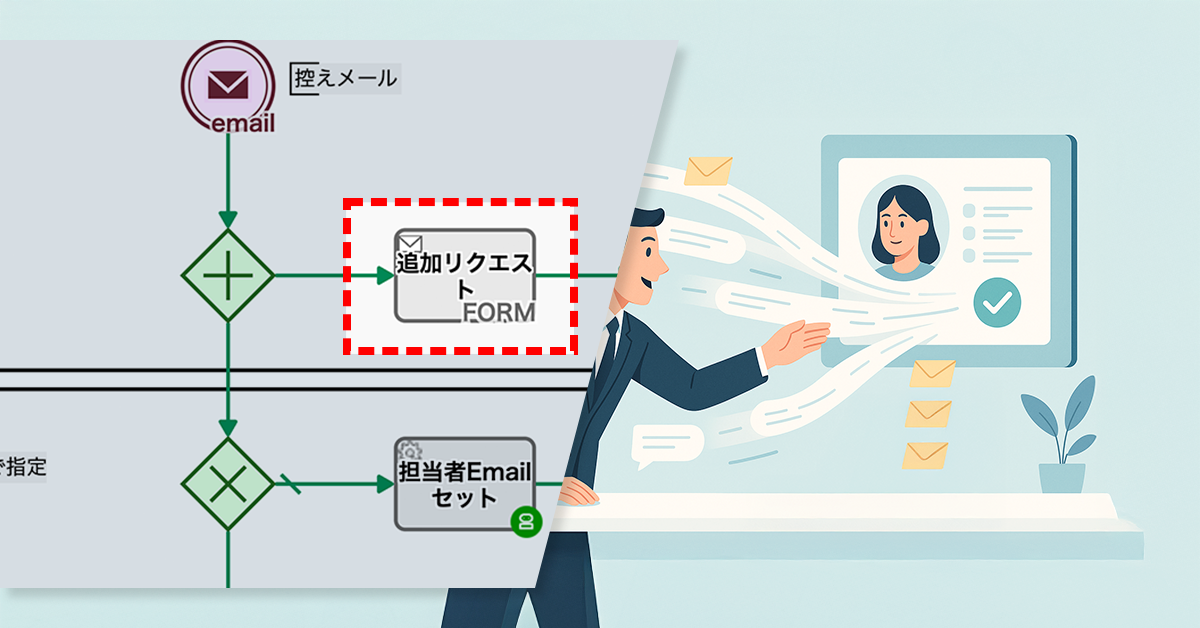
    プロセスオーナーは、追加情報を送信できる専用フォームを新たに設置しました。このフォームのURLを控えメールに記載することで、お客様は必要な情報を直接入力・送信できるようになりました。

    担当者は、このフォーム経由の情報を確認するだけで済み、従来のようにメールや電話で情報が錯綜する事態を防げるようになりました。

    Basic Edition
    Advanced Edition
    Professional Edition
    ワークフロー図詳細を見る

    WEBフォームから送信されることで開始されます

    受付控え文 自動作成

    送信された内容についての受付控えを作成します

    感謝メッセージ生成

    控え文を挿入した自動返信メールをAI工程で作成します

    控えメール送信

    作成されたメールを送信します

    担当者Emailセット〜自動工程

    対応担当者への通知を実施

    顧客メアド〜担当者セット

    依頼者から寄せられた内容に担当指名に関する情報がある場合にAIが関連する情報から担当を割り当てます

    通知文を編集

    対応担当者が通知文を作成します

    通知メール

    依頼者へ担当者が作成した返信メールを送信します

    不対応

    担当者が返信不要と判断した場合に処理されます

    Basic Edition
    Advanced Edition
    Professional Edition
    ワークフロー図詳細を見る

    WEBフォームから送信されることで開始されます

    受付控え文 自動作成

    送信された内容についての受付控えを作成します

    感謝メッセージ生成

    控え文を挿入した自動返信メールをAI工程で作成します

    控えメール送信

    作成されたメールを送信します

    追加リクエスト用フォーム追加

    専用のフォームを自動で作成します

    担当者Emailセット〜自動工程

    対応担当者への通知を実施

    顧客メアド〜担当者セット

    依頼者から寄せられた内容に担当指名に関する情報がある場合にAIが関連する情報から担当を割り当てます

    通知文を編集

    対応担当者が通知文を作成します

    通知メール

    依頼者へ担当者が作成した返信メールを送信します

    不対応

    担当者が返信不要と判断した場合に処理されます

    中央のバー操作で Before / After が比較できます

    3. 効果

    顧客満足度の向上

    追加情報が確実に担当者へ届くようになり、会議準備に必要な情報が正確に揃いました。これにより、顧客満足度が向上しました。

    業務効率の向上

    追加情報が一元的に集約され、担当者が効率的に確認・対応できるようになりました。業務の流れもスムーズになりました。

    誤伝達の削減

    電話やメールに依存していた従来の方法に比べ、誤伝達のリスクが大幅に低下しました。業務の品質も安定しました。

    4. その他の業務への応用

    顧客情報更新プロセス

    顧客情報が頻繁に変わる業種では、専用フォームを設置し、最新情報を正確かつ効率的に収集できます。

    購入後のフィードバック収集

    製品やサービス購入後に顧客の声をオンラインフォームで収集し、迅速に改善へ反映できます。

    イベント参加者情報の管理

    イベント運営では、参加者からの追加要望や変更依頼をフォームで一元管理し、スムーズな進行を実現できます。

  • AI Guides the Next Step That Resonates with Customers

    AI Guides the Next Step That Resonates with Customers

    AI analysis of surveys ensures objective proposals, speeding up negotiations and sales efficiency.

    1. Issue: Misguided Proposals Based on Subjective Judgment

    As an IT service sales partner, the agency engages prospects through targeted email proposals to drive new business negotiations.

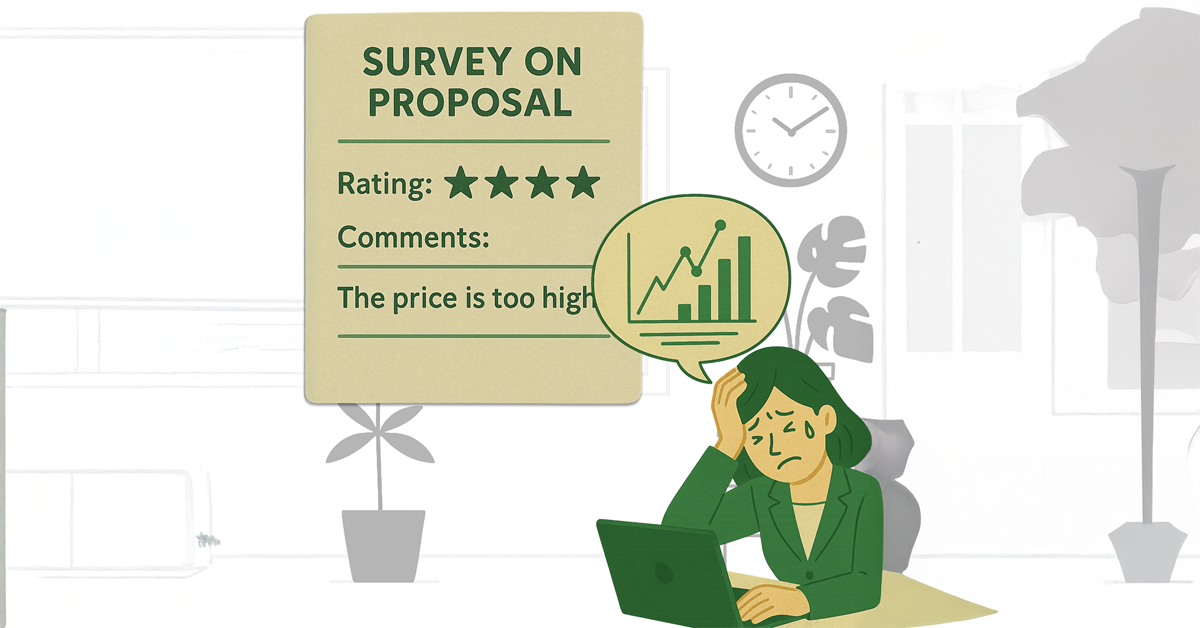
    To gauge dissatisfaction and identify areas for improvement regarding these proposals, they also send a survey consisting of a 5-point rating scale and open-ended comments.

    Interpreting survey responses has been highly subjective, leading to inconsistent evaluations by sales representatives. This often results in certain comments being either downplayed or overly emphasized.

    Consequently, customer feedback is frequently misrepresented in subsequent proposals, leading to a mismatch with customer expectations. This necessitates numerous proposals to be made before advancing to the consideration phase.

    2. Solution: AI-based Survey Response Analysis

    To solve this problem, the process owner incorporated generative AI (ChatGPT) into the proposal distribution flow.

    Customer surveys (5-point rating and free-form comments) are automatically analyzed by AI, and areas for improvement and next sales actions are suggested.

    In addition, an objective satisfaction rating (1-5) is now calculated based on these ratings and comments.

    This enables salesrepresentatives to objectively consider their next proposal.

    Reduced proposal volume accelerated negotiations, directly enhancing sales efficiency.

    Basic Edition
    Advanced Edition
    Professional Edition
    View details of the workflow diagram
    0.Manual start / HTTP start

    Manual start, or start via HTTP request from an external system.

    q_key

    A Key is set for each survey.

    Canceling the investigation

    The investigation will be canceled if there are any input deficiencies, such as the sales representative’s name being blank.

    email

    Satisfacton survey request emails will be sent.

    Satisfaction Survey FORM

    An answer form for the survey is issued based on the evaluation chosen by the customer, and the customer is asked for comments.

    Satisfaction 1=5

    The star rating is converted into a numerical value. For example, two stars (★★) becomes “2”.

    postGoogleChat

    Responses to the questionnaire will be posted to Google Chat.

    Basic Edition
    Advanced Edition
    Professional Edition
    View details of the workflow diagram
    0.Manual start / HTTP start

    Manual start, or start via HTTP request from an external system.

    q_key

    A Key is set for each survey.

    Canceling the investigation

    The investigation will be canceled if there are any input deficiencies, such as the sales representative’s name being blank.

    email

    Satisfacton survey request emails will be sent.

    Satisfaction Survey FORM

    An answer form for the survey is issued based on the evaluation chosen by the customer, and the customer is asked for comments.

    Satisfaction 1=5

    The star rating is converted into a numerical value. For example, two stars (★★) becomes “2”.

    AI evaluation prompt

    The contents of the survey response are inserted into a prompt for analysis instructions, and then formatted.

    AI evaluation(ChatGPT)

    The formatted prompt is passed to the AI (ChatGPT), which analyzes the following:

    Calculation of overall satisfaction (1-5)/Extraction of key issues and requests/Suggestion of the next sales action

    postGoogleChat

    Responses to the questionnaire will be posted to Google Chat.

    You can move the slider

    3. Customers Case Study

    4. Other Business Applications

    We will enable AI-based reviews for the following tasks:

    Improving Marketing Strategies

    Streamlining New Sales Training

    5. Related Posts

  • 控えメール、AIで温もりをプラス

    控えメール、AIで温もりをプラス

    オンライン相談の控えメールが定型的で、申込者に冷たい印象を与え再申込意欲を下げていた。AIが要望に応じたメッセージを生成し自動反映することで、信頼向上と担当オペレーターの負担の軽減を実現。

    1. 課題:定型的な控えメールによる冷たい印象

    ZoomZoomオンライン社は、オンライン相談の対応を代行するBPO受託会社です。30人のスタッフが、申込者からのオンライン相談リクエストをWebフォームで受け付けています。

    申込者はフォームに複数の日程希望を入力して送信し、オンライン相談を依頼します。送信後すぐに入力内容の一部(希望日時など)が反映された控えメールが届き、受付完了が通知されます。

    しかし、申込者がフォームのご要望欄に「初めてなので不安です」「前回と同じ担当者にお願いしたいです」といった内容を記入しても、返信内容は自動生成であるため画一的な定型文に過ぎませんでした。

    その結果、申込者は「要望が本当に反映されるのだろうか」という不安を抱き、やや冷たい印象を受けてしまう課題がありました。こうした印象は、リピート申込の意欲低下や問い合わせの増加につながっていました。

    2. 解決策:AIによる個別メッセージの生成

    プロセスオーナーは、オンライン相談受付フローにAIエージェント工程を組み込みました

    申込者がリクエストを送信すると、AIが要望欄も含めた内容を解析し、寄り添いや共感を示すメッセージを生成します。生成された文面は控えメールに組み込まれ、そのまま自動返信される仕組みとなりました。

    これにより、控えメールの文面は「ご要望」欄などの入力内容に応じて変化し、一律ではなく個別性のある応答となりました。

    Basic Edition
    Advanced Edition
    Professional Edition
    ワークフロー図の詳細を見る
    Webフォーム送信で開始

    受付控え文 自動作成

    送信された内容についての受付控えを作成します。

    控えメール送信

    作成されたメールを送信します。

    件名/案内文草稿セット

    件名、案内文草稿セットします。

    通知文を編集

    対応担当者が通知文を作成します。

    通知メール

    依頼者へ担当者が作成した返信メールを送信します。

    件名:不対応

    担当者が返信不要と判断した場合に処理されます。

    Basic Edition
    Advanced Edition
    Professional Edition
    ワークフロー図の詳細を見る
    Webフォーム送信で開始

    受付控え文 自動作成

    送信された内容についての受付控えを作成します。

    感謝メッセージ生成

    AIがご要望や相談事項等のコメントを踏まえたメッセージを生成します。

    控えメール送信

    生成されたメールをセットし、送信します。

    件名/案内文草稿セット

    件名、案内文草稿セットします。

    通知文を編集

    対応担当者が通知文を作成します。

    通知メール

    依頼者へ担当者が作成した返信メールを送信します。

    件名:不対応

    担当者が返信不要と判断した場合に処理されます。

    中央のバー操作で Before / After が比較できます

    3. 効果

    申込者体験の向上

    控えメールに寄り添いや共感を示すメッセージが加わることで、申込者は「自分の要望がきちんと受け止められている」と感じられるようになり、安心感が高まりました。

    信頼関係の強化

    無機質な通知から一歩進んだ応答に変わることで、オンライン相談サービス全体に対する信頼感や温かみのあるブランドイメージが醸成されました。

    オペレーターの負担軽減

    AIが「ひと言添える役割」を担うことで、控えメールに温かさを加えられるようになりました。その結果、不安が和らぎ、確認問い合わせも減少しました。

    4. その他の業務への応用

    お問い合わせ受付メール

    問い合わせ内容を踏まえ、安心感を与えるメッセージを加えることで、申込者の満足度を高められます。

    資料請求時の自動応答

    請求内容に応じた共感や期待感の表現を添えることで、次の接点につながる体験を提供できます。

    イベント申込確認メール

    参加動機やコメントに応じて励ましや歓迎の言葉を自動生成することで、参加意欲をさらに高められます。