ブログ

  • 忘れがちな議事録作成を仕組み化

    忘れがちな議事録作成を仕組み化

    議事録作成担当を明確にし、完成後社内に自動共有される仕組みを構築することで、作成忘れと共有遅延を防止。これまで議事録作成が担当者任せだったため、当日中の共有が忘れられ、会議内容の確認が遅れていた。

    1. 課題:議事録が作成されない

    MokuMokuコンサル社の営業部では、毎週の営業報告会議を Google Meet で実施し、録画と文字起こしデータを自動で取得しています。会議の前日には資料テンプレートが自動で複製され、参加者に共有されます。各参加者はそのテンプレートをもとに会議資料を作成する仕組みが整っており、会議前の準備は自動化されています。

    一方で、会議後の対応には課題がありました。議事録は新人メンバーが作成し、当日中に全員へ共有するルールでしたが、実施の有無やタイミングは担当者の判断に委ねられていました。

    そのため、議事録の作成や共有が忘れられることがあり、メンバーが会議内容を確認できるのが遅れるケースも発生していました。

    2. 解決策:議事録作成から共有までをプロセス化

    プロセスオーナーは、議事録作成の確実な実施と共有の自動化を目的に、ワークフローを改善しました。

    まず、新人メンバー専用のスイムレーンを設け、「議事録作成」工程(ヒューマンタスク*)を追加しました。これにより、担当者が明確になりました。

    さらに、議事録が完成すると社内に自動共有される仕組みを導入し、作業完了から共有までの流れを自動化しました。これにより、人の記憶に頼らず、プロセスとして議事録が作成・共有される仕組みが整いました。

    *ヒューマンタスクとは、人が担当する工程のことです。配置されたスイムレーンの設定に基づいて、処理担当者が自動的に割り当てられます。担当者にタスクが割り当てられるとマイタスクに表示され、入力内容に加えて担当者情報や完了時刻なども自動で記録されます。

    Basic Edition
    Advanced Edition
    Professional Edition
    ワークフロー図詳細を見る
    ドキュメント自動複製

    発表資料用のテンプレートファイル(Google ドキュメント)が自動複製されます。

    Post #Sales

    ドキュメント(発表資料用テンプレート)のリンクが社内チャットで自動共有されます。このドキュメントを使用し、営業部のメンバーは発表資料を作成します。

    Basic Edition
    Advanced Edition
    Professional Edition
    ワークフロー図詳細を見る
    ドキュメント自動複製

    発表資料用のテンプレートファイル(Google ドキュメント)が自動複製されます。

    Post #Sales

    ドキュメント(発表資料用テンプレート)のリンクが社内チャットで自動共有されます。このドキュメントを使用し、営業部のメンバーは発表資料を作成します。

    議事録作成

    新人メンバーが議事録を作成します。

    Post #Sales

    議事録が社内チャットで自動共有されます。

    中央のバー操作で Before / After が比較できます

    3. 効果

    抜け漏れのない運用を実現

    担当者と工程が明確になり、議事録の作成忘れが発生しなくなりました。

    共有スピードの向上

    議事録が完成すると自動で社内に共有され、情報伝達の遅延が解消されました。

    会議後プロセスの迅速化

    議事録が迅速に共有されることで、各メンバーがすぐに報告・承認・対応といった行動を開始できるようになりました。

    4. その他の業務への応用

    人事部:評価面談・入社手続き

    面談スケジュールの設定や入社書類の処理をタスク化し、進捗を可視化。対応の抜け漏れを防止します。

    経理部:経費精算・支払処理

    経費申請から承認、支払い完了までを自動でつなぎ、処理の遅延や重複を防ぎます。

    カスタマーサポート部:問い合わせ対応記録

    対応完了後の報告や共有を自動化し、情報の一元管理とナレッジ蓄積を促進します。

  • What is BPR Promotion? 
A Comprehensive Guide to Successful Business Process Reengineering (BPR)

    What is BPR Promotion? A Comprehensive Guide to Successful Business Process Reengineering (BPR)

    The corporate environment is undergoing significant change, increasing the need for fundamental overhauls of traditional business processes. Business Process Re-engineering (BPR) has emerged as a key approach to meeting this challenge.

    BPR is not merely a partial improvement of operations. It is an approach that involves the radical redesign of business processes based on the company’s overall strategy and goals. This article provides a comprehensive guide, from the basics of BPR to specific methodologies and success stories.

    Table of Contents

    1. BPR: What is it?

    Let’s start by clarifying the overview and meaning of BPR, and understanding its differences from Business Process Improvement and DX.

    BPR, or Business Process Re-engineering, is a method of fundamentally reviewing existing business processes and organizational structures to achieve overall optimization. It is not about simply making partial improvements to efficiency; it involves considering unnecessary procedures from a zero-base and designing new processes. This makes it possible not only to reduce costs and improve productivity but also to enhance alignment with the corporate strategy.

    Promoting BPR provides the strength to adapt flexibly to changes in the management environment, such as labor shortages and intensified competition. Furthermore, combining it with digital technology can facilitate quicker decision-making and inter-departmental collaboration, making it a powerful tool for boosting overall corporate competitiveness.

    1-1. Definition and Meaning of BPR

    BPR refers to the fundamental redesign of traditional business flows, questioning their necessity and creating processes that generate new added value. The key characteristic is that it doesn’t end with partial improvements; it involves rethinking the very existence of a process and the value provided to the customer. It is deeply connected to business strategy for building a competitive advantage, contributing not only to cost reduction but also to the creation of growth opportunities.

    1-2. Difference from Business Process Improvement

    Business Process Improvement is an approach focused on streamlining by eliminating minor inefficiencies in current procedures. BPR, however, differs significantly in its scope and impact, as it may deem the existing process itself unnecessary. Because it involves radical restructuring, it typically affects multiple departments and organizations and demands a shift in perspective.

    1-3. Difference from DX

    DX (Digital Transformation) is an initiative to transform the entire business using IT technology, whereas BPR focuses more on the overhaul of business processes. That said, the use of digital technology is often effective for smooth BPR promotion, making DX and BPR mutually complementary. The key is to clearly define the scope of digitalization within the corporate strategy.

    1-4. Difference from BPO and RPA

    BPO (Business Process Outsourcing) refers to delegating specific tasks to external specialists, and RPA (Robotic Process Automation) is a means of automating routine tasks with software robots. These generally focus on optimizing partial operations, while BPR is characterized by its transformation of the entire process or even the business model itself. The essence of BPR is to pursue overall optimization, utilizing BPO and RPA as necessary.

    2. Background of renewed interest in BPR

    This section examines the factors behind the renewed interest in BPR from the perspective of both the external environment and technological advances.

    The business environment surrounding companies is changing dramatically due to global competition and changes in work styles. Conventional business processes tend to fail to keep up with the speed of the market, making it difficult for companies to grow and respond flexibly. This is why BPR, which reviews the entire organization, is being reevaluated as the key to sustainable development of corporate management.

    Meanwhile, technological innovations such as IT and AI are increasing the means by which workflows can be digitized and automated. The need to go beyond the introduction of these new technologies to promote business reform from a management perspective is increasing, and this is also the background for the renewed focus on BPR.

    2-1. Labor shortage and intensifying competitive environment

    Labor shortages due to the declining birthrate and aging population, as well as intensifying global competition, are major factors driving companies to innovate at a faster pace. In order to improve productivity, it is easy to see the limits of conventional improvements by extension, and more drastic BPR is required. In addition to improving management efficiency, flexibility to enable diverse work styles is also becoming more important.

    2-2. The need for business reform through advances in digital technology

    Digital technologies such as AI, cloud computing, and RPA have become effective means to improve business efficiency. Increasingly, BPR is being promoted not only to partially introduce such technologies but also to reconstruct optimal workflows across the entire company. The BPR perspective is essential for integrating digitalization into management strategies and gaining long-term competitiveness.

    3. 4 Advantages of Promoting BPR

    The following is a specific list of the major benefits of implementing BPR.

    BPR can dramatically improve corporate performance by reducing unnecessary processes and boldly redesigning the entire business. Employee morale is likely to be boosted by the effective allocation of human resources and improved quality of work. In addition, by radically changing the point of contact with your customers, you can create a new customer experience and differentiate yourself from your competitors.

    The process of transforming an organization through BPR can also lead to improvements in the corporate culture itself. It also facilitates collaboration and data sharing among departments, making it easier to identify problems and risks at an early stage. BPR has a multifaceted effect in identifying new growth opportunities.

    3-1. cost reduction and profit maximization

    BPR eliminates unnecessary work and duplicated processes, and reallocates resources from the perspective of total optimization. As a result, the possibility of reducing various factors such as fixed costs, labor costs, and inventory costs increases. It is also directly related to maximizing profits, and is a major factor that drives investment decisions for management.

    3-2. improving operational efficiency and productivity

    By going through the process of business analysis, standardization, and automation, significant time savings and reduction of errors can be realized. The field can concentrate on high value-added work, and the productivity of the entire organization is enhanced. This is the result of BPR, which is not merely the introduction of a tool, but the redesign of the process itself.

    3-3. improvement of employee and customer satisfaction

    By improving monotonous work and irrational rules, employee stress is reduced and motivation in the workplace is increased. For customers, a flow that allows for quicker and more accurate responses can be established, which can be expected to improve the level of service. The result is a virtuous cycle that enhances the company’s brand image and customer loyalty.

    3-4. strengthening risk management

    Since the BPR process visualizes the entire process and identifies issues, risk factors can be easily identified at an early stage. By clarifying preventive measures and countermeasures, you will be able to build a system that can systematically deal with sudden problems. Furthermore, a culture of continuously reviewing processes will take root, which is expected to improve the level of risk management.

    4. Points to note and disadvantages of BPR promotion

    By understanding not only the advantages but also the possible challenges, a more realistic implementation plan can be developed.

    Because BPR involves large-scale change, the project tends to be large in scale, duration, and investment. The risk of confusion and resistance must also be considered when involving many departments at once. However, understanding these disadvantages and barriers in advance and taking appropriate measures will ensure smooth implementation.

    In addition, since results may not appear immediately after implementation, planning from a long-term perspective and continuous follow-up are required. Fundamental process restructuring also affects corporate culture and organizational mindset, so planned communication and a step-by-step approach are important.

    4-1. Increased implementation costs and man-hours

    BPR may involve consulting costs, system implementation costs, and training costs. In addition, on-site personnel must also devote many man-hours to the project, and they must coordinate the project with their daily work. It is important to minimize the burden of the implementation phase by securing an appropriate budget and designing tasks.

    4-2. Burden on employees and resistance

    Significant changes in workflow may overturn employee familiarity and existing skill sets. Therefore, employees may be temporarily confused and show resistance. Communicating the intent and benefits of reform at an early stage and providing the necessary training and support are shortcuts to success.

    4-3. Need for continuous analysis and evaluation

    BPR is not a goal once implemented; continuous monitoring and feedback are essential. By analyzing post-reform performance indicators and feedback from the front line, and repeating the process of identifying areas for further improvement, organizational capabilities will be strengthened. It is important to have a long-term perspective and not just focus on short-term results.

    5. Methods and approaches to promote BPR

    This section introduces various approaches and their characteristics that can be used depending on the situation of a company or organization.

    The specific means of implementing BPR vary widely depending on the industry and business model. For example, there are various options such as ERP, which integrates core systems and manages information in a one-stop shop, and BPO, which outsources non-specialized operations. The shortcut to success is to combine the most appropriate approaches in light of your company’s strengths and strategic goals.

    It is also important to have a bird’s-eye view of the business as a whole, such as by implementing Six Sigma, SCM, and BPM tools. By visualizing business processes and repeating continuous improvement, it will be possible to create an organization that can flexibly respond to change in the future.

    5-1. Introduction of ERP

    ERP (Enterprise Resource Planning) is a system that centralizes core business operations such as sales, production, and accounting, and visualizes information in real time. Combined with BPR, it is expected to dramatically improve management efficiency.

    5-2. Business process outsourcing (BPO)

    By outsourcing non-core processes to a specialized company, this approach allows the company to focus its resources on strategic areas. From a BPR perspective, the advantage is that non-core areas can be reorganized and focused on business strategy and value-added creation.

    5-3. Shared services

    This is a method of consolidating and managing operations that are common to multiple organizations, such as group companies. Generally, accounting, human resources, general affairs, etc. are targeted, and it is easy to gain economies of scale through consolidation. At the same time, it contributes to business standardization and quality improvement, and encourages significant efficiency improvement through BPR.

    5-4. Six sigma

    Six Sigma uses statistical methods to minimize process variation and optimize both quality and cost. When used in conjunction with BPR, continuous improvement activities will be even more effective.

    5-5. Supply chain management (SCM)

    The objective is to optimize a series of processes from procurement to manufacturing, sales, and distribution, and to respond quickly to market changes. By reviewing the entire supply chain, it is possible to improve inventory turnover and shorten lead times, and in the context of BPR, it is important to make comprehensive improvements not only within the company but also with suppliers and customers.

    5-6. Introduction of BPM (Business Process Management System)

    A BPM system is a tool that comprehensively supports the design, execution, and monitoring of business processes. By continuously evaluating and improving the visualized processes, it delivers results in terms of both efficiency and quality, and an increasing number of companies are considering the introduction of BPM as a foundation for long-term, strategic operation of BPR.

    6. 5 Steps to BPR Promotion

    The general process for smoothly promoting BPR is divided into five steps.

    By proceeding in stages, BPR projects can aim for results while minimizing confusion and mistakes. The key to success is to set clear goals for each step and to maintain close communication among project members. In particular, the key point is how to reconcile the voices of the field with management policies.

    In addition, the individual steps are not independent, but proceed while providing feedback to each other. With limited time and resources, it is important to have a mindset of continuous improvement while triaging priorities.

    6-1. Discussion: Clarification of purpose and scope

    The first step is to determine what you want to achieve and the scope of the project to be initiated. Based on the management strategy and customer needs, the issues to be resolved through BPR are organized. If the entire organization is in consensus, the subsequent process will proceed smoothly.

    6-2. Analysis: understanding the current situation and identifying issues

    The current workflow is identified through interviews and visualization tools, and bottlenecks and inefficiencies are identified. Utilizing statistical data and quantitative indicators, we will analyze which areas have significant room for optimization. An accurate understanding of the issues here will provide the foundation for setting the direction of reform.

    6-3. Design: formulating a reform plan

    Based on the results of the analysis, a new business flow, organizational structure, and necessary systems are concretely designed. It is also important to trial the reform plan in a test environment to determine risk and cost effectiveness. The key point is to create a realistic and effective plan while incorporating stakeholder opinions to the extent possible.

    6-4. Implementation: Execution and dissemination of the plan

    This is the stage in which the designed plan is actually put into operation and the entire organization is made thoroughly aware of the plan. Emphasis is placed on training in the operation of the new system and communication to properly share the intent of the change. The key is to review the progress on a regular basis and to be flexible enough to make corrections as soon as possible if any problems are found.

    6-5. Monitoring and Evaluation: Continuation of the PDCA cycle

    The post-reform process is regularly measured, and results are evaluated against target indicators and management indicators. If any issues remain, the key is to analyze the causes and make improvements to lead to the next step. By continuously implementing this PDCA cycle, the organization will acquire a structure that is resistant to change.

    7. Key Points for Successful BPR

    Successful BPR implementation requires organizational and mindset aspects.

    Strong leadership from top management and flexible thinking on the frontlines are essential for promoting large-scale reforms. BPR can be implemented quickly and effectively if upper management presents clear goals and visions, and front-line staff proposes and implements specific improvement measures. In addition, it is important to create a system that raises each member’s awareness of the importance of BPR as a “personal matter.

    It is also essential to actively utilize data and quantitative indicators, and to repeat hypotheses and verifications. By sharing figures, it becomes easier to gain a common understanding within the organization, and the accuracy of improvements is enhanced. As a result, a culture of continuous process review will take root, and the benefits of BPR will be enjoyed over the long term.

    7-1. Integration of top-down and bottom-up approaches

    By combining clear policies from management with awareness of issues and ingenuity at the field level, more feasible reforms can be promoted. Since directives from the top may result in superficial efforts, it is essential to absorb the voices of the bottom-up through regular meetings and information exchange.

    7-2. Cultivate a sense of ownership throughout the organization

    BPR is not something that can be completed by the efforts of a specific department alone; it requires cooperation throughout the entire company. The impact of reform will be greater if the people in charge of each department have the perspectives of both their own department and the organization as a whole, and work together to resolve issues. Establishing cross-functional project teams is also effective.

    7-3. Data-based goal setting and progress management

    It is important to set quantitative KPIs and visualize the degree of achievement, rather than setting vague goals. Clarified goals will help those in charge determine priorities and highlight areas for improvement in the process. The flexibility to regularly evaluate numbers and update goals as needed is the key to improving BPR results.

    8. BPR Success Stories

    Specific examples will help you visualize the effectiveness of BPR and how to put it into practice.

    By referring to case studies, it is possible to clearly imagine what kind of reforms were actually implemented and what kind of results were achieved. Although the focus differs by industry and company size, there will be much to learn from the common success factors. Here we introduce examples of workflow system implementation in local governments, private companies, and more.

    Please consider what parts of the case studies provide hints for your company’s challenges and goals. The more mature the case study, the more you can learn about the multifaceted effects of BPR, such as visualization of processes and reduction of gerrymandering.

    8-1. Municipal Case Study

    A municipality completely revised the flow of resident window operations, drastically reducing multiple entries and stagnation of documents. As a result, the speed and accuracy of responses to residents were improved, and the burden on staff was reduced. This is a good example of how overall optimization, including peripheral operations, improves the quality of public services.

    8-2. Private Company Case Study

    Some companies have implemented BPR at the time of integration after M&A, and have organized and integrated redundant tasks that were held by multiple systems and departments. This has resulted in significant cost reductions and process speedups, and has successfully increased their competitiveness in the global marketplace. The success stories of each company have one thing in common: continuous improvement through collaboration between the field and management.

    8-3. Promotion of Continuous Improvement with BPM

    In the context of BPR, the perspective of continuous improvement must be realized throughout the entire organization, not just a one-time review or computerization of business procedures. One effective means of achieving this is the use of business process management (BPM).

    After redesigning business processes through BPR, a system for visualizing processes, monitoring their execution, and identifying areas for improvement is indispensable for making them take root in the workplace and implementing a cycle of further improvement.

    For example, the SaaS-type “Questetra BPM Suite” is a BPM platform that allows you to design, execute, analyze, and improve business flows in a single step with no code. Because it can flexibly handle complex approval flows and integration with other systems, it contributes to the structuring of operations that were previously performed on paper or Excel, and supports the continuous realization of business reforms.

    In a rapidly changing business environment, it is becoming more and more important to nurture processes by accumulating small changes onsite, rather than “one-time reforms” in BPR.

    9. Frequently asked Questions

    The following is a summary of frequently asked questions about BPR in a Q&A format.

    When considering BPR, understanding the most frequently asked questions ahead of time will lower the hurdles to implementation. Here, we will answer the differences between BPR and business improvement, the necessary costs and timeframe, and key points on how to proceed.

    9-1. What is the difference between BPR and business process improvement?

    BPR aims to fundamentally redesign business processes to create new value and efficiency, while business improvement focuses on partial improvement of existing flows.

    9-2. How much does it cost and how long does it take to implement BPR?

    The main breakdown is consulting costs, system investment, and personnel costs for the project team, although they vary greatly depending on the size of the company and the scope of the project. The time frame can range from a few months to several years, and may be longer if pilot or phased implementation is included. It is important to have a reasonable plan and a clear budget.

    9-3. What is the most important point in how to proceed with BPR?

    It is to have a common vision between the field and management, and to establish a system to measure goals and results using data. By raising awareness of the parties involved at each stage of process design, execution, and evaluation, and by continuously turning improvements around, true business reform can be achieved.

    Conclusion and Summary

    Reviewing the contents introduced so far, this section summarizes the key points for successful BPR.

    In the age of DX, the potential for further business efficiency and new value creation is increasing when combined with digital technology.

    On the other hand, understanding of the entire organization, detailed planning, and a continuous improvement mindset are essential for large-scale reform. Let’s maximize the effects of BPR by integrating top-down leadership and bottom-up initiatives in the field, and by conducting clear data analysis and target management.

    [Supplemental]: When in doubt about selecting a BPM tool?

    In BPR promotion, tool selection is one of the key factors for success.

    For example, “Questetra BPM Suite” is a SaaS-type BPM tool that supports automation and continuous improvement of workflow. It enables drag-and-drop design of application and approval flows, and helps visualize operations and strengthen inter-departmental collaboration. It is characterized by its no-code and flexible customization, and its introduction cases are spreading as a business infrastructure that responds to the rapidly changing times. Another advantage is that it is cloud-based, so there is no initial cost and it can be used immediately.

    A 60-day free trial is also available!

  • A Complete Guide to Writing BPMN (Business Process Model and Notation)

    A Complete Guide to Writing BPMN (Business Process Model and Notation)

    BPMN (Business Process Model and Notation) is an internationally standardized notation for visualizing and analyzing business processes. In the modern era of increasingly complex operations, visualizing operational procedures makes it easier to identify waste and inefficiencies, creating a foundation for implementing improvement measures. It also helps to eliminate reliance on specific individuals (knowledge hoarding) and strengthen coordination among personnel, leading many companies to consider its adoption.

    This article comprehensively introduces the fundamental concepts of BPMN, its adoption benefits, and specific elements, symbols, writing procedures, and use cases. We will explain technical terms in the simplest way possible to ensure ease of understanding, even for those new to BPMN.

    By the time you finish reading, the utility of BPMN for business process improvement will be clear, and you will grasp key points for actually implementing it within your own company or team. We encourage you to gain a comprehensive knowledge of BPMN and utilize it for more advanced business process management.

    Table of Contents

    What is BPMN? — Overview and Uses

    By first understanding what BPMN is and how it is used, you can easily gain a valuable overview of its potential.

    BPMN is an international standard developed to uniformly represent business processes. It graphically charts the flow of a business process from start to finish and visualizes the involved personnel and systems, allowing for a comprehensive, bird’s-eye view of the entire operation. A major strength of BPMN is that it makes it easier to understand the context of each task and decision within the process.

    BPMN is particularly effective in cases where operations span multiple departments or systems. Since all stakeholders can review the process using the same notation, it reduces misunderstandings and promotes swift collaboration. Because of this, it is gaining attention as an efficient business improvement methodology, regardless of organization size.

    Furthermore, utilizing BPMN diagrams offers the advantage of making it easier to prioritize challenges that need improvement and simulate the necessary effort required. Concepts that might be difficult to grasp solely from textual procedure manuals become visually clear, facilitating smoother discussions with colleagues and stakeholders.

    Benefits that BPMN brings to Business Improvement

    We will now review the advantages of adopting BPMN, such as information sharing through visualization and improved operational efficiency.

    The biggest benefit is the visualization effect, which makes complex business processes easy to understand at a glance. Because stakeholders share the same perspective, it becomes easier to objectively identify task assignments and bottlenecks. As a result, this prevents over-reliance on specific individuals (knowledge silos) and leads to smoother transitions and handovers.

    Furthermore, using BPMN makes it simple to discover missing steps or redundant tasks. Early detection of these issues not only enhances operational efficiency but also contributes to reducing time and costs. Especially in large-scale projects or cross-departmental operations, BPMN becomes a powerful tool for minimizing misunderstandings.

    Additionally, BPMN is effective when identifying constraints in existing systems or determining requirements for new systems. The common understanding derived from visualization makes it easier to pinpoint optimal improvement measures and investment targets, thus increasing the success rate of projects.

    Main Elements and Symbols Used in BPMN

    We will now introduce the basic elements and symbols you should know to correctly understand and create BPMN diagrams.

    BPMN uses various elements and symbols to clearly show the flow of a business process from beginning to end. To represent a process correctly, it is important to understand fundamental concepts such as Events, Activities, and Gateways. Grasping the characteristics and usage points of each element allows you to create more accurate flow diagrams.

    Furthermore, the concepts of Pools and Swimlanes are extremely helpful for gaining a comprehensive view of multiple departments or organizations, and for looking at processes ranging from small tasks to large phases. By properly using the Solid Flow (Sequence Flow) and Dashed Flow (Message Flow), you can visually distinguish between the sequence of work and the flow of information exchange.

    While there is no need to memorize all these elements systematically, understanding the characteristics of each will help prevent omissions in your business process models. Especially when drawing BPMN for the first time, creating a simple flow focusing on the main elements is the shortest path to success.

    Events (Start, Intermediate, End)

    Events represent the starting point, the endpoint, or a trigger point within the process. Generally, a Start Event indicates the initiation of the process, and an End Event indicates the completion of all steps. Intermediate Events are used to manage specific actions, such as when branching occurs or when receiving a message.

    Activities (Tasks)

    Activities are elements that represent the concrete work executed within the business flow. They help organize how individual tasks connect and contribute to the overall deliverable or objective. The clearer the name and content of the activity, the easier it will be to understand the merging points and prerequisites for subsequent steps.

    Gateways (Branching)

    Gateways are elements that control the flow of a process, responsible for branching into multiple routes based on conditions or merging those routes back together. For example, they can represent complex flows where, if the approval result is “Yes,” the process moves to the next task, but if it is “No,” a revision step is inserted. By using Gateways appropriately, all stakeholders can clearly understand the intent of the branching.

    Pools and Swimlanes

    A Pool represents the entire organization or scope of the business process, and a Swimlane refers to the partition lines within the Pool that separate roles such as individuals or departments. When representing interactions between multiple organizations, it is common practice to arrange Pools in parallel and connect them using Message Flows. This makes it easy to grasp at a glance who performs what task and when.

    Flows (Solid and Dashed Lines)

    There are typically two main types of flows in BPMN. The solid line flow, primarily connecting the tasks within a process, is called the Sequence Flow and reliably indicates the order of work. In contrast, the dashed line flow, known as the Message Flow, represents communication or the exchange of documents between Pools, and is used to visualize communication with external organizations.

    BPMN vs. UML — Key Differences and When to Use Which

    We will now review the differences and selection criteria between BPMN, which specializes in business processes, and UML, which covers a wide range of software development.

    UML (Unified Modeling Language) is a collection of model notations widely used in software design and system development, expressing system structure and behavior through multiple diagrams. In contrast, BPMN is specialized in visualizing business processes and is characterized by representations more directly linked to the actual business flow.

    Therefore, if the primary goal is visualization and improvement of operational procedures, BPMN is suitable. If the goal is to comprehensively grasp the design of the overall system and the development process, UML is more useful. While the roles of both notations sometimes overlap, it is best to use them selectively based on your company’s challenges and objectives upon adoption.

    Furthermore, BPMN diagrams tend to be intuitively easier to understand in discussions involving business staff and management. Conversely, UML is often valued for aligning understanding among developers. Therefore, it is recommended to clarify the specific use case before making a decision.

    Steps for Creating and Implementing BPMN

    We will organize the actual process of creating BPMN step-by-step to support a smooth implementation.

    The most crucial aspect of writing BPMN is to clearly define the purpose and scope beforehand and ensure that stakeholders share a common understanding. This prevents basic information, such as what the main process is, from becoming vague and minimizes unnecessary rework during the diagram creation phase. By grasping the key points to address in each step, you can visualize the flow efficiently.

    Here, we will explain the process in five stages, from setting the purpose and scope to building the process and finally documentation. It is particularly important to consider not only the accuracy of the notation being created but also who will read it and how it will be updated. Approach each step diligently to ensure smooth information sharing within the team.

    If you are new to writing BPMN, it is effective to start with a simple process and gradually increase the elements and branching to deepen your understanding. Even when dealing with inherently complex flows, creating a simple model in the initial stage makes it easier to find clues for organization and improvement.

    Step 1: Clarify the Purpose and Scope

    First, clearly define the reason for writing this BPMN and the desired outcome. For example, the drawing style and necessary elements will vary significantly depending on whether the objective is to organize requirements for new system development or to eliminate waste in operations. Defining the scope clarifies the boundaries of what needs to be modeled, making it easier for the resulting diagram to be directly relevant to practical business use.

    Step 2: Identify Stakeholders and Systems

    Next, list and organize all the people, organizations, and systems involved in the process. If there are any omissions when visualizing cooperation between departments or interactions with external systems, accurate analysis will be impossible. By taking into account elements like cloud service integrations and external vendors, you will be prepared to create a more precise BPMN.

    Step 3: Set the Process Start and End Events

    When starting the modeling, clearly define the moment the operation begins and the state that constitutes the final goal. By defining the Start Event and End Event, the scope of the process becomes visually easier to grasp, allowing for a better understanding of the overall structure and potential risks of rework.

    Step 4: Arrange Activities and Gateways

    Actual work tasks (Activities) and branching conditions (Gateways) are then placed onto the flow. What is important here is to write out each task specifically and clarify its relationship with subsequent steps and parallel work. If Gateways are used frequently, the condition settings can become complex, so consider simplification where necessary.

    Step 5: Connect the Flow and Organize Supplementary Information

    Finally, connect the Events and Activities with Sequence Flows, and use Pools and Swimlanes to clearly indicate the responsible departments and work areas. The key is to use dashed Message Flows for external communication to distinguish interactions with related systems or external vendors. Additionally, by adding annotations and comments, you can complete a BPMN diagram that minimizes confusion even when operated over a long period.

    Tips and Best Practices for Drawing BPMN

    To accurately utilize BPMN diagrams, it is crucial to understand the key points for creation and manage them in a way that suits your operational environment.

    Even if the correct symbols are used, a lack of consistency in rules or terminology will lead to confusion. When creating diagrams, it is important for the personnel involved to share naming conventions and color-coding rules, ensuring that the same concept is not expressed using different names. Furthermore, to enhance the visual clarity of the diagram, use techniques such as incorporating appropriate whitespace and grouping related elements together.

    In addition, the finished BPMN must be reviewed every time a change or addition occurs. By implementing version control for the document and clearly indicating who made the change and when, the process will consistently reflect the latest reality. If this update work is neglected, the BPMN, however well-made, may become disconnected from the actual situation.

    Common mistakes include the incorrect use of Gateways or the confusion between Message Flows and Sequence Flows. To reduce such errors, it is advisable to internally share drawing examples or guides.

    Standardize Symbol Usage and Naming Conventions

    It is desirable to agree on the naming rules for symbols and task names used in BPMN in advance. For example, simply standardizing whether task names should start with a verb or be written in a noun form can significantly change the readability of the diagram. In projects involving many people, sharing this rule is critical to the quality of the final result.

    Enhance Readability through Layout and Color Usage

    Since business flow diagrams contain a lot of information at once, visibility will decrease if layout and color scheme are not carefully considered. Emphasize important elements with subdued colors and avoid excessive use of background colors. It is crucial to maintain appropriate spacing and aim for a layout that conveys the logical structure and information priority clearly.

    Document and Share Smoothly with Stakeholders

    BPMN is not simply created and done; it is also utilized for subsequent improvement consideration and regular updates. Therefore, it is necessary to decide how the issued diagrams will be stored and when they will be reviewed. Establishing rules for documentation ensures continued utilization even through personnel transfers or organizational changes, and aids in the smooth transfer of operational knowledge.

    Common Pitfalls

    A common pitfall is where a BPMN diagram, once created, is neglected, causing it to diverge from the actual operations. Furthermore, it is not uncommon for the flow to become overly complex and confusing for the reader due to concentrating multiple Gateways in one spot. To learn from these failures, it is important to focus on continuous maintenance and a properly segmented model design from the start.

    How to Use BPMN Creation Tools — Templates and Cloud Services

    To effectively utilize BPMN in your operations, selecting the right tool based on your objective is crucial. You can easily draw diagrams using tools like Excel or PowerPoint, but if you want to integrate them into your actual operations and continuously improve them, we recommend adopting a specialized tool.

    Questetra BPM Suite is a cloud-based BPMS (Business Process Management System) compliant with BPMN 2.0. Its major feature is that the BPMN diagrams you draw can be used directly as executable flows. You can build business flows with no code, visualize progress status, analyze bottlenecks, and integrate with external services. You can experience it for free for 60 days, so we encourage you to try it out.

    As a tool that can provide integrated support—not just for drawing diagrams but also for execution and improvement—it is ideal for organizations that want to leverage BPMN in a serious manner.

    Concrete Examples of Business Efficiency Improvement Using BPMN

    We will now look at how BPMN proves useful in real business settings, using examples where tangible results have been achieved.

    BPMN is not merely a flow visualization tool; it contributes to overall operational efficiency and the optimization of information transfer across the organization. Its benefits are especially noticeable in environments where coordination among multiple departments is frequent. Here, we will use two typical scenarios to explain the effectiveness of improvement achieved through BPMN.

    Successful case studies point out that improvement leads not only to reduced operational effort (man-hours) but also to a significant decrease in communication costs and errors. Because the diagram functions as an overhead view that the entire team can share, it promotes smooth decision-making by eliminating coordination errors while avoiding reliance on specific individuals. The ability to realize such results in a short period is a major advantage in today’s demanding business environment.

    Furthermore, the practice of writing BPMN is highly valued not only when identifying problems in existing processes but also when introducing new systems or operational procedures. In the process of gathering feedback from all stakeholders based on the model and deriving the optimal solution, BPMN becomes the infrastructure that enhances successful outcomes.

    Improving Information Sharing Among Field Staff

    As the number of personnel increases, coordination errors in the business flow and delays in information transfer tend to occur. By utilizing BPMN, everyone can refer to a common process diagram and understand the sequence of tasks, thus reducing omissions and duplication. For example, there are cases where using a BPMN diagram to streamline the ordering process from store staff to headquarters succeeded in significantly improving the accuracy of monthly inventory adjustments.

    Utilizing Business Flow when Implementing Systems

    When implementing a new system, reviewing the current flow and organizing requirements are essential. By using a BPMN diagram to visualize which tasks will be automated by the system and which areas will still require manual input, you can proactively identify potential issues that might arise after deployment. Consequently, this makes it easier to achieve more effective system operation while suppressing unnecessary development and excess costs.

    Summary and Conclusion

    We will summarize the achievements of BPMN and outline the outlook for continuous business improvement moving forward.

    BPMN is a powerful tool that visually represents complex business processes and enables smooth information sharing among stakeholders. If understood and used accurately, you can expect multi-faceted benefits, including the elimination of reliance on specific individuals (knowledge silos), increased operational efficiency, and rapid problem analysis. In case studies from companies that have actively utilized it, there are many reports of success in reducing effort (man-hours) and errors, as well as improved inter-departmental communication.

    The crucial point is not to be satisfied with simply creating the BPMN, but to continuously update it in response to changes in operations and maintain the improvement cycle. By regularly reviewing the flow charts, you can promptly identify new challenges or deficiencies. Furthermore, by being meticulous in defining the objectives and selecting the right tools during implementation, you can achieve stable, long-term results.

    As business digitization continues to advance, BPMN is expected to draw increasing attention as a core component of organizational reform and system implementation. We encourage you to use this article as a reference, apply BPMN to solve your company’s challenges, and lead the way toward continuous business improvement.

    [Supplement] For Those Who Want to Start Learning Immediately

    For those who want to start learning or trying out BPM notation immediately, the following articles are also recommended. They offer abundant visual content, such as videos, and cover a wide range of topics, from beginner introductions to slightly more specialized content. Please use them according to your needs and skill level.

  • What is BPM (Business Process Management)?A Comprehensive Guide from Fundamentals to Implementation Process

    What is BPM (Business Process Management)?A Comprehensive Guide from Fundamentals to Implementation Process

    In a business context, BPM stands for “Business Process Management”. This is a strategy focused on continuously optimizing a company’s or an organization’s processes, which has gained attention recently for enhancing corporate competitiveness.

    BPM goes beyond simply revising procedures. It aims to visualize the challenges faced by an entire organization and builds mechanisms for consistent quality improvements and cost reductions. By modeling and monitoring business processes and continuously improving them, companies can expect growth and an increase in customer satisfaction.

    This article provides a comprehensive look at BPM, from its fundamental concepts to how it differs from BPR, along with the benefits and specific steps for implementation. It includes practical information to aid in business transformation, so please read it for reference.

    Basic Concepts of BPM and Its Importance in Business

    BPM encompasses a comprehensive approach to business processes, optimizing the entire flow to enhance corporate competitiveness.

    BPM (Business Process Management) is a management technique to organize and visualize a sequence of tasks and workflows within an organization and repeatedly improve them. Unlike traditional methods aiming for isolated optimization, BPM offers a comprehensive view of the operational flow, reducing unnecessary steps and communication losses to achieve overall process optimization. This enables organizations to swiftly address challenges and adapt flexibly to changes in customer needs and external environments.

    Implementing BPM is not just about efficiency; it’s crucial to establish a foundation for inter-organizational collaboration and information sharing. By making process interconnections more visible, organizations can clarify departmental responsibilities and resource allocation, leading to unified awareness across the company and enhanced overall outcomes.

    Thorough Comparison of BPM and BPR

    Understanding the differing purposes and approaches of BPM and BPR is essential when implementing these strategies.

    While both terms relate to business transformation, BPM refers to a continuous and phased methodology for managing and improving processes, whereas BPR (Business Process Re-engineering) implies a more radical transformation approach. BPM focuses on incremental changes to move towards goals, while BPR typically involves a bold redesign of entire business processes to achieve revolutionary change.

    Objectives and Features

    BPM emphasizes continuous process optimization through phases resembling a PDCA cycle, focusing on gradually resolving current issues. In contrast, BPR often involves fundamentally reconstructing business operations for a full redesign of existing systems. It’s crucial to realize that neither approach is superior; the most appropriate method depends on an organization’s current situation and business strategy.

    Three Reasons to Pursue BPM

    BPM serves as an effective strategy for adapting to ever-changing business environments and enhancing overall business performance.

    To prevail in diverse business landscapes, companies must consistently enhance internal efficiency while flexibly responding to external changes. Implementing BPM allows businesses to make their operations visible, fostering an environment where frontline and management can collaboratively undertake continuous improvements.

    Quick Response to Environmental Changes

    With BPM, processes are always clearly defined, making it easier to identify necessary adjustments and understand their overall impact when new requirements or issues arise. This capability allows firms to adapt ahead of competitors, mitigating the risk of missing out on business opportunities.

    Visibility and Standardization of Operations

    When organizational workflows are made visible through modeling, it becomes easier to spot redundant tasks or duplicate processes. Proceeding with standardization based on this visibility ensures consistency, even with changes in personnel, facilitating knowledge sharing and smooth transitions.

    Enablement of Continuous Process Improvement

    If processes are left unrefined once established, they risk becoming problematic over time. BPM promotes regular review and improvement, akin to a PDCA cycle, ensuring continuous optimization. This ongoing initiative is crucial for maintaining organizational productivity and competitive edge.

    Five Benefits of BPM

    The benefits of embracing BPM are extensive, contributing to improvements in workflow quality and organizational collaboration, with numerous expected impacts.

    Implementing BPM leads to process optimization, which reduces overall costs and enhances work quality while enabling seamless integration during system implementation. These achievements can create new value and improve evaluations from customers and business partners.

    Cost Reduction through Overall Optimization

    Viewing the entire business landscape often reveals duplicated efforts or waste. By implementing BPM, areas of loss can be eliminated, clarifying the focal points for resource concentration, thereby facilitating cost reduction and efficient human resource allocation.

    Quality Improvement and Error Reduction

    Standardized processes reduce discrepancies in understanding among team members, minimizing rework and errors. Ultimately, this helps prevent delays and customer complaints, increasing trust in the quality of services and products.

    Facilitating Business Process Changes

    Visualized process models in BPM serve to quickly assess the impact of changes. This aids in gaining understanding among relevant departments and stakeholders, allowing smooth business redesign without significant disruption.

    Promotion of IT Tools and System Integration

    Before introducing systems or tools, organizing current workflows and eliminating unnecessary processes help avoid large-scale system overhauls. Analyzing processes to make optimal IT investments maximizes the effectiveness of implementation.

    Strengthening Inter-Organizational Collaboration

    Even when work spans multiple departments, BPM facilitates cross-functional information sharing, clarifying departmental roles and responsibilities. This minimizes collaboration errors and fosters more robust teamwork in business execution.

    Basic Functions of BPM Systems and Tools Implementation

    Systems and tools supporting BPM come equipped with functions to facilitate visualization, analysis, and improvement of processes.

    BPM support tools provide essential solutions for the continuous management and optimization of business processes. Combining features such as modeling, simulation, and real-time monitoring, they connect field operations with business strategy.

    Modeling Functionality

    The modeling function visualizes organizational tasks as process diagrams that can be shared among all members. Understanding the overall process flow and related departments becomes easier, facilitating awareness sharing and swift extraction of points for change.

    Simulation Functionality

    The simulation function allows virtual assessment of predicted risks or benefits from workflow changes before actual implementation. This minimizes impact on operational burden and cost while aiding in identifying optimal improvement plans.

    Monitoring Functionality

    This feature monitors the progress and quality indicators of processes in real-time, enabling early detection of abnormalities or bottlenecks. It aligns proactive operations, preventing issues before they arise rather than dealing with them reactively.

    Steps for Implementing BPM

    Effective BPM implementation requires clear purpose setting and a phased approach.

    Success lies not in randomly reviewing tasks but in first clarifying challenges and priorities. By following practical steps, stakeholder consensus and consistency in process management cycles are maintained.

    Step1:Analyzing and Prioritizing Target Processes

    The initial stage involves identifying process flows and visualizing where qualitative or quantitative issues may be hiding. By prioritizing areas with a significant business impact or high potential improvement, early realization of benefits is ensured.

    Step2:Redesigning Challenges and Planning Concrete Measures

    Focus on high-priority tasks to determine root causes and explore how a redesign can solve any problems. The key is to draft specific measures, which may include IT tool utilization or organizational restructuring and define concrete workflows and responsibilities for the implementation stage.

    Step3:Operating and Validating Improved Processes

    Operate the redesigned processes in practice and confirm actual results or issues. Often, unforeseen challenges arise in the initial implementation phases, making it crucial to utilize monitoring functions and feedback for thorough operational validation.

    Step4:Continuous Evaluation and Process Improvement

    Avoid abandoning implemented processes; conduct regular evaluations and adjust as necessary to achieve BPM’s core principle of continuous improvement. Rooting this practice within organizational culture allows for strong resilience to environmental changes.

    Important Considerations for BPM Implementation

    Successful BPM implementation requires internal consensus and consistent commitment to the initiative.

    Collaboration and understanding from stakeholders are fundamental. Particularly for departments resistant to change or where personnel burdens are unevenly distributed, foresight and appropriate measures are essential.

    Necessity of Forming Common Organizational Understanding

    BPM often involves multiple departments, making shared goals and understanding crucial for success. Aligning recognition from both top-down and bottom-up aspects helps minimize post-implementation confusion and enables smooth transformation.

    Thoroughness of the PDCA Cycle

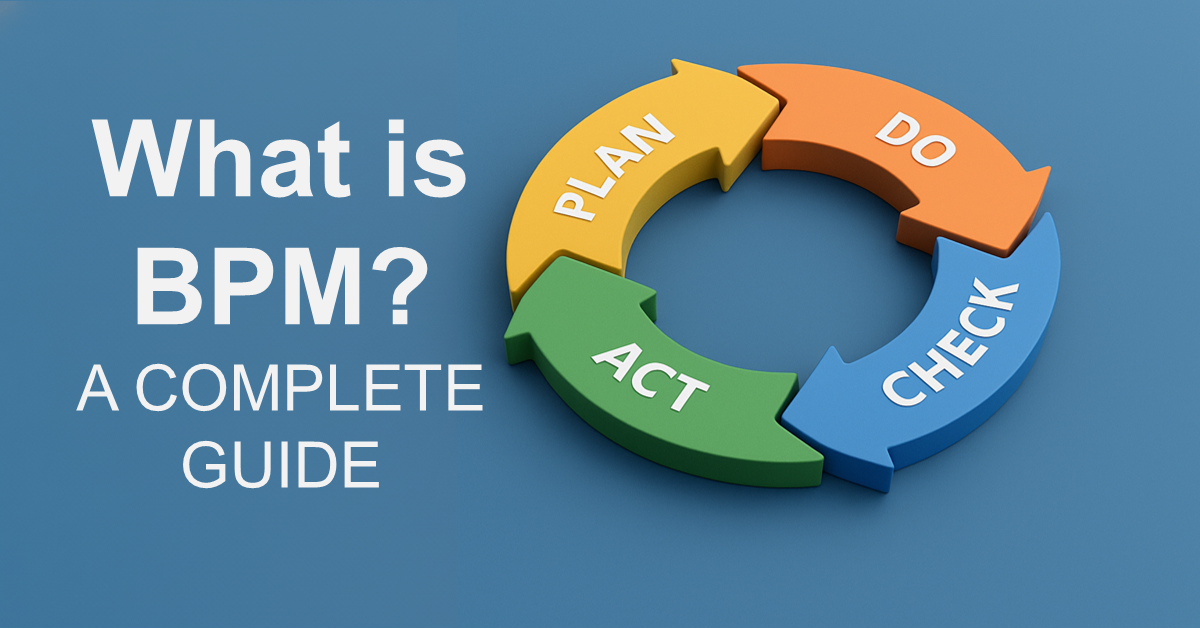
    BPM demands ongoing evaluation and improvement beyond the initial implementation. By adhering to the PDCA cycle—Plan, Do, Check, Act—effectiveness increases and instills a long-term, reformative business perspective.

    Summary and Conclusion

    The BPM approach offers significant power in achieving sustainable growth and transformation by visualizing and improving core business processes.

    BPM, which revises operations from a holistic perspective beyond individual optimization, enhances flexibility and adaptability—an approach worth considering for many businesses. Shared understanding and the PDCA cycle’s thorough application are essential, but the benefits reaped justify these efforts. As the business environment evolves, proactive BPM adoption and usage can sustain continuous growth. Consider successful BPM implementation as an advantageous strategy for ongoing development.

    Accelerating BPM Practice through Tool Implementation

    To embed BPM concepts into daily operations and achieve sustainable improvement, utilizing a suitable BPM platform is vital. Questetra BPM Suite is a cloud-based BPM tool supporting process design, execution, analysis, and improvement end-to-end. It enables seamless cross-departmental collaboration, promotes standardization, and ingrains the PDCA cycle, all without writing code.

    We currently offer a 60-day free trial. Consider us a partner in your business transformation journey.

  • Zero Waiting List, Fair Allocation by AI

    Zero Waiting List, Fair Allocation by AI

    AI auto-assigns operators at submission, preventing delays and enabling faster replies.

    1. Issue: Service Delays Due to the Assignment/Acceptance Method

    A BPO company that handles online consultations on behalf of clients. Thirty staff members receive consultation requests from applicants via a web form.

    Applicants specify multiple dates and submit their requests via the web form. Operators select their assigned cases using an acceptance system.

    However, when specialized or difficult content was noted in the request field, no one would accept the case, leading to a stare-down and a resulting backlog of requests.

    As a result, the delay in assignment confirmation led to late replies and missed responses, causing a drop in customer satisfaction and an imbalance in the workload among the operators.

    2. Solution: Seamless AI Integration for Instant Draft Generation

    2. Solution: Automated Assignment of Operators by AI

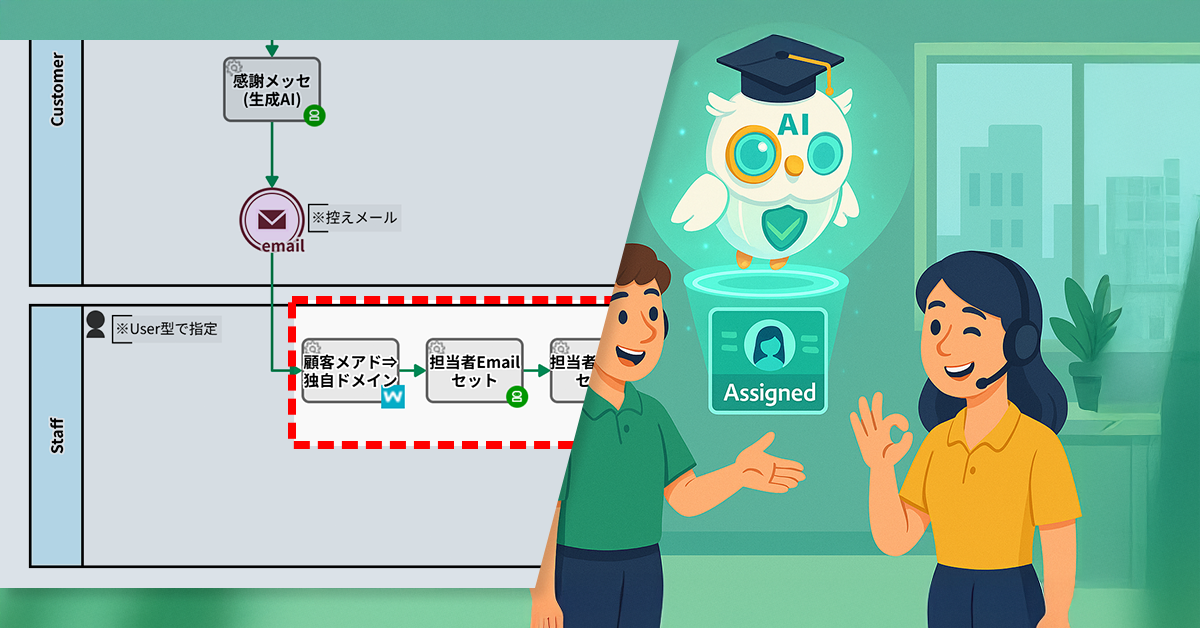
    The Process Owner abolished the acceptance format for cases and switched to an automatic assignment format utilizing AI. Furthermore, an automated step was added to allow the AI to assign operators more accurately and fairly.

    First, the corporate domain is acquired from the applicant’s email address, and the registration information is queried in cooperation with IP2WHOIS (an external service for obtaining domain information). This confirms whether the domain is a registered domain officially recorded with an external organization (registry). Based on the confirmed domain, the AI Agent Process assigns the responsible operator and returns the operator’s email address. Next, the email address output by the AI is converted into User-type data (a data field handling user information), and the corresponding user is automatically registered in the system.

    As a result, the responsible operator is automatically determined immediately after the application is submitted, achieving fair allocation.

    Automatically assigns an operator at the moment a request is received, eliminating any waiting time for acceptance.

    Basic Edition
    Advanced Edition
    Professional Edition
    View details of the workflow diagram
    Demo Request

    Automated Acknowledgment Message Creation

    We will create an acknowledgment/confirmation text regarding the submitted content.

    Thanks Message Generation

    The AI generates a message based on the applicant’s comments, such as requests and consultation details.

    Send Confirmation Email

    The generated email is set and then sent.

    Email Template Set

    The Subject Line and the Draft Guidance Text are set.

    Edit the Notification

    The assigned operator/staff member prepares the notification text.

    Notification Email

    The reply email created by the operator is sent to the requestor/client.

    Subject: [Rejected]

    This process is executed if the operator determines that no reply is required.

    Basic Edition
    Advanced Edition
    Professional Edition
    View details of the workflow diagram
    Demo Request

    Automated Acknowledgment Message Creation

    We will create an acknowledgment/confirmation text regarding the submitted content.

    Thanks Message Generation

    The AI generates a message based on the applicant’s comments, such as requests and consultation details.

    Send Confirmation Email

    The generated email is set and then sent.

    Customer Email⇒Custom Domain ※Add-on Process

    Acquire the corporate domain from the applicant’s email address and identify the registered domain via IP2WHOIS integration.

    Assignee Email Setup

    An operator is assigned based on the domain and the content of the request field, and their email address is returned.

    Assignee User Type Set

    The email address output by the AI is converted to User-type data and registered in the system.

    Email Template Set

    The Subject Line and the Draft Guidance Text are set.

    Edit the Notification

    The assigned operator/staff member prepares the notification text.

    Notification Email

    The reply email created by the operator is sent to the requestor/client.

    Subject: [Rejected]

    This process is executed if the operator determines that no reply is required.

    You can move the slider

    3. Customers Case Study

    4. Other Business Applications

    We will enable AI-based reviews for the following tasks:

    Automatic Classification of Internal Tickets

    Automatic Assignment of Sales Leads

    5. Related Posts

  • フローを描く、業務アプリが動き出す。

    フローを描く、業務アプリが動き出す。

    ビジネスプロセス管理システム

    フローを描く、
    業務アプリが動き出す。

    ノーコードで業務を設計。
    国産クラウドBPMSで自動化・改善までスムーズに。

    60日間無料トライアル お問い合わせ お問い合わせ 60日間無料トライアルを今すぐ始める
    導入企業ロゴ一覧
    ITreview Grid Award 2026 Spring

    導入効果

    製造業 A社

    対象業務:受発注業務・申請業務

    ガス・電気事業者 B社

    対象業務:工事計画の申請業務

    金融サービス C社

    対象業務:アウトソースの案件委託手続

    御社のワークフロー、こんな課題ありませんか?

    システム化できていない

    決裁フローはシステム化できても、部門固有業務はExcelやメールに依存

    業務に対応できていない

    複雑な承認ルートや独自フローを既存ツールでは表現できず、無理やり運用

    管理できていない

    プロセス変更のたびにIT部門やSIerに依頼が必要。現場で修正できない

    Questetra で解決!

    フローを描いて、システムができる

    複雑でも柔軟に作れる

    簡単に修正できる

    直感的なフロー設計

    運用の悩みも、改善のヒントも。人と仕組みでサポート

    導入後はWebフォーム・ビデオチャットで質問対応。現場の疑問を解消しスムーズ運用を後押し。

    業務の処理状況や件数は自動で集計・可視化。改善へのボトルネックを発見できます。

    導入事例

    様々な業界・規模の企業様で導入実績があります。

    honda-OPG

    本田技研工業株式会社 様

    業種:製造

    従業員:1,000名以上

    課題:DXによる合理化

    選定ポイント

    導入効果

    東邦ガスネットワーク株式会社 様

    業種:電気・ガス

    従業員:1,000名以上

    課題:紙やメール中⼼の申請運用

    選定ポイント

    導入効果

    mitsubishi-pencil-OPG

    三菱鉛筆株式会社 様

    業種:製造

    従業員:〜1,000名

    課題:業務の標準化

    選定ポイント

    導入効果

    Questetra BPM Suite は
    特にこのような企業様におすすめです

    様々な業務のDX化を検討している

    複数部門にまたがる業務を抱えている

    部門横断のDX推進部門がある

  • AI-Generated Meeting Minutes That Get Read

    AI-Generated Meeting Minutes That Get Read

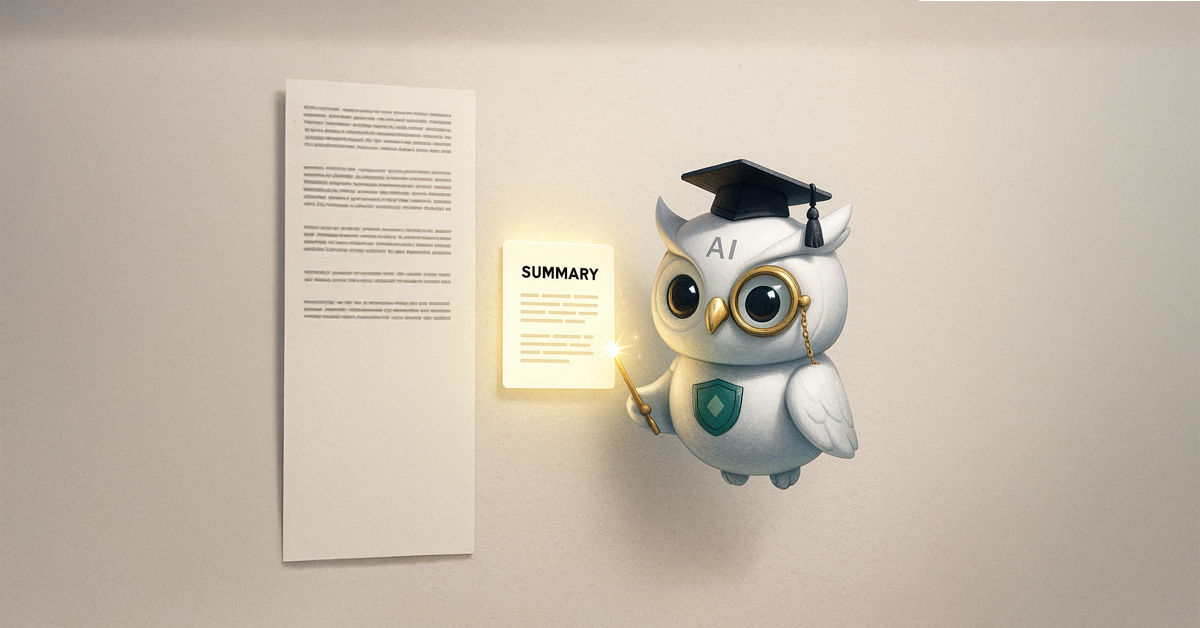
    AI agents distill complex minutes into 500-character summaries for instant decision tracking.

    1. Issue: Minutes that go unread.

    In the Sales Department at the Consulting company, they record their weekly sales reporting meetings using Google Meet and automatically generate the transcription data. After the meeting, a new team member would draft the meeting minutes using NotebookLM* and share them with everyone by the end of the day.

    However, the meeting minutes generated by NotebookLM included detailed discussions and background information, making it difficult to instantly grasp the final decisions.

    As a result, busy team members couldn’t quickly get the key takeaways, and the important content of the meeting was not being sufficiently shared.

    *NotebookLM is an AI notetaking tool from Google that understands documents and automatically generates summaries and analyses. It excels at generating context-aware summaries, organizing, and presenting the flow of conversations and entire documents.

    2. Solution: AI Summarizes Only the Decisions in 500 Characters

    The process owner newly incorporated an “AI Agent step” into the workflow. This mechanism involves the AI re-summarizing the detailed minutes generated by NotebookLM, focusing on the meeting’s decisions and agreements, and condensing them into approximately 500 characters.

    This mechanism enabled members to grasp the outcomes of the meeting in a short time, and the practice of referring to the detailed version in NotebookLM only when necessary became established.

    AI-generated summaries ensure all stakeholders immediately grasp key meeting decisions.

    Basic Edition
    Advanced Edition
    Professional Edition
    View details of the workflow diagram
    Automatic Document Duplication

    The template files required for the meeting will be duplicated automatically.

    Post #Sales

    The document link is automatically shared on the internal chat.

    Drafting the Minutes

    The new hire prepares the minutes.

    Drafting the Minutes

    The new hire prepares the minutes.

    Basic Edition
    Advanced Edition
    Professional Edition
    View details of the workflow diagram
    Automatic Document Duplication

    The template files required for the meeting will be duplicated automatically.

    Post #Sales

    The document link is automatically shared on the internal chat.

    Drafting the Minutes

    The new hire prepares the minutes.

    Drafting the Minutes

    The new hire prepares the minutes.

    AI Summary

    The meeting minutes are summarized by AI.

    You can move the slider

    3. Customers Case Study

    4. Other Business Applications

    We will enable AI-based reviews for the following tasks:

    Project Promotion Team

    5. Related Posts

  • 引き受け待ちゼロ、AIが公平割当

    引き受け待ちゼロ、AIが公平割当

    オンライン相談の依頼対応で発生していた“引き受け待ち”をなくすため、AIが要望内容とルールに基づき担当者を自動割り当て。担当確定が即時化し、公平で迅速な対応を実現。

    1. 課題:引き受け形式が招く対応遅延

    ZoomZoomオンライン社は、オンライン相談を代行するBPO受託会社です。30名のスタッフが、申込者からの相談リクエストをWebフォームで受け付けています。

    申込者は複数の日程を指定し、Webフォームからリクエストを送信します。オペレーターは「引き受け形式」で担当案件を選ぶ仕組みです。

    しかし、要望欄に専門的で難しい内容が記載されていると、誰も引き受けず「お見合い状態」となり、案件が滞留していました。

    その結果、担当確定が遅れ、返信の遅延や対応漏れにつながり、顧客満足度の低下とオぺーレーター間の業務負荷の偏りを招いていました。

    2. 解決策:AIが自動で担当者を割り当て

    プロセスオーナーは、案件の「引き受け形式」を廃止し、AIによる「自動割り当て形式」に変更しました。さらに、AIがより正確かつ公平に担当を割り当てられるよう、自動工程も追加しました。

    まず、申込者のメールアドレスから企業ドメインを取得し、IP2WHOIS(ドメイン情報を取得する外部サービス)と連携して登録情報を照会します。これにより、そのドメインが外部機関(レジストリ)に正式登録された「登録済みドメイン」であるかを確認できます。確認したドメインをもとに「AIエージェント工程」が担当者を割り当て、メールアドレスで返します。次に、AIが出力したメールアドレスをUser型データ(ユーザ情報を扱うデータ項目)に変換し、該当ユーザーをシステムに自動登録します。

    これにより、申し込み後すぐに担当者が自動で決まり、公平な割り当てが実現しました。

    Basic Edition
    Advanced Edition
    Professional Edition
    ワークフロー図の詳細を見る
    Webフォーム送信で開始

    受付控え文 自動作成

    送信された内容についての受付控えを作成します。

    感謝メッセージ生成

    AIがご要望や相談事項等のコメントを踏まえたメッセージを生成します。

    控えメール送信

    生成されたメールをセットし、送信します。

    件名/案内文草稿セット

    件名、案内文草稿セットします。

    通知文を編集

    対応担当者が通知文を作成します。

    通知メール

    依頼者へ担当者が作成した返信メールを送信します。

    件名:不対応

    担当者が返信不要と判断した場合に処理されます。

    Basic Edition
    Advanced Edition
    Professional Edition
    ワークフロー図の詳細を見る
    Webフォーム送信で開始

    受付控え文 自動作成

    送信された内容についての受付控えを作成します。

    感謝メッセージ生成

    AIがご要望や相談事項等のコメントを踏まえたメッセージを生成します。

    控えメール送信

    生成されたメールをセットし、送信します。

    顧客メアド⇒独自ドメイン ※アドオン工程

    申込者のメールアドレスから企業ドメインを取得し、IP2WHOIS連携で登録済みドメインを特定。

    担当者Emailセット

    ドメインと要望欄の内容をもとに担当者を割り当て、メールアドレスを返します。

    担当者User型セット

    AIが出力したメールアドレスをUser型データに変換し、システムに登録します。

    件名/案内文草稿セット

    件名、案内文草稿セットします。

    通知文を編集

    対応担当者が通知文を作成します。

    通知メール

    依頼者へ担当者が作成した返信メールを送信します。

    件名:不対応

    担当者が返信不要と判断した場合に処理されます。

    中央のバー操作で Before / After が比較できます

    3. 効果

    担当決定の即時化

    リクエスト受信と同時に担当が設定され、引き受け待ちが解消されました。

    対応の均一化

    割り当てルールが明確化され、案件の偏りや属人化を防止しました。

    顧客満足度の向上

    即時対応により、返信スピードと信頼性が向上しました。

    4. その他の業務への応用

    問い合わせ対応の自動振り分け

    内容やカテゴリに応じてAIが担当部署を自動選定し、初動を迅速化します。

    社内チケットの自動分類

    チケット内容を解析し、AIが担当チームを割り当てて処理を効率化します。

    営業リードの担当自動設定

    顧客ドメインから営業担当を自動アサインし、対応スピードを向上させます。

  • AIがつくる「読まれる議事録」

    AIがつくる「読まれる議事録」

    会議議事録をAIで500字に要約し、主要ポイントを素早く把握。詳細議事録は未読が多く、報告・改善サイクルが滞っていた課題を解消。

    1. 課題:議事録が読まれない

    MokuMokuコンサル社の営業部では、毎週の営業報告会議を Google Meet で録画し、文字起こしデータも自動生成しています。会議後は、新人メンバーが NotebookLM* を使って議事録を作成し、当日中に全員へ共有していました。

    しかし、NotebookLM が生成する議事録は議論の経緯まで詳細に含まれており、最終的な決定事項がひと目で分かりにくいという課題がありました。その結果、忙しいメンバーは要点をすぐに把握できず、会議の重要な内容が十分に共有されないままになっていました。

    *NotebookLM は、資料を理解して要約や分析を自動生成する Google のAIノートツールです。文脈を踏まえた要約を得意とし、会話や資料全体の流れを整理して提示します。

    2. 解決策:AIが決定事項だけを500字で要約

    プロセスオーナーは、ワークフローに「AIエージェント工程」を新たに組み込みました。NotebookLM が生成した詳細な議事録を AI が再要約し、会議の決定事項や合意内容を中心に約500文字でまとめる仕組みです。

    この仕組みにより、メンバーは短時間で会議の成果を把握でき、必要に応じて NotebookLM の詳細版を参照する流れが定着しました。

    Basic Edition
    Advanced Edition
    Professional Edition
    ワークフロー図詳細を見る
    ドキュメント自動複製

    会議に必要なドキュメント(テンプレートファイル)が自動複製されます。

    Post #Sales

    ドキュメントのリンクが社内チャットで自動共有されます。

    議事録作成

    新人メンバーが議事録を作成します。

    Post #Sales

    議事録が社内チャットで自動共有されます。

    Basic Edition
    Advanced Edition
    Professional Edition
    ワークフロー図詳細を見る
    ドキュメント自動複製

    会議に必要なドキュメント(テンプレートファイル)が自動複製されます。

    Post #Sales

    ドキュメントのリンクが社内チャットで自動共有されます。

    議事録作成

    新人メンバーが議事録を作成します。

    AIサマリー(500字)

    AIによって議事録が要約されます。

    Post #Sales

    要約された議事録が社内チャットで自動共有されます。

    中央のバー操作で Before / After が比較できます

    3. 効果

    情報共有の迅速化

    AIによる500字要約により、会議直後に主要な決定事項を全員が把握できるようになった。

    議事録活用による改善サイクルの定着

    決定事項が確実に共有されることで、作成した議事録が報告・改善の場面でも活用され、部門内のPDCAサイクルが円滑に回るようになった。

    認識の統一促進

    重要な決定が簡潔に共有されることで、営業部全体の行動方針が揃いやすくなった。

    4. その他の業務への応用

    カスタマーサポート部門

    顧客対応の振り返り会議で活用し、問い合わせ傾向や改善策を簡潔に共有。対応品質のばらつきが減少した。

    管理部門

    月次報告や施策レビューを要約化し、経営層への報告が効率化。意思決定までのリードタイムが短縮された。

    プロジェクト推進チーム

    進捗報告書をAIが自動要約し、関係者全員が要点を短時間で把握可能に。プロジェクト間の連携が強化された。

  • あらゆるワークフローを見える化 → システム化

    あらゆるワークフローを見える化 → システム化

    ビジネスプロセス管理システム

    あらゆるワークフローを
    見える化 → システム化

    申請・承認だけじゃない“独自業務”まで、
    ノーコードで柔軟に効率化。

    60日間無料トライアル お問い合わせ お問い合わせ 60日間無料トライアルを今すぐ始める
    導入企業ロゴ一覧
    ITreview Grid Award 2026 Spring

    導入効果

    製造業 A社

    対象業務:受発注業務・申請業務

    ガス・電気事業者 B社

    対象業務:工事計画の申請業務

    金融サービス C社

    対象業務:アウトソースの案件委託手続

    御社のワークフロー、こんな課題ありませんか?

    システム化できていない

    決裁フローはシステム化できても、部門固有業務はExcelやメールに依存

    業務に対応できていない

    複雑な承認ルートや独自フローを既存ツールでは表現できず、無理やり運用

    管理できていない

    プロセス変更のたびにIT部門やSIerに依頼が必要。現場で修正できない

    Questetra で解決!

    フローを描いて、システムができる

    複雑でも柔軟に作れる

    簡単に修正できる

    直感的なフロー設計

    運用の悩みも、改善のヒントも。人と仕組みでサポート

    導入後はWebフォーム・ビデオチャットで質問対応。現場の疑問を解消しスムーズ運用を後押し。

    業務の処理状況や件数は自動で集計・可視化。改善へのボトルネックを発見できます。

    導入事例

    様々な業界・規模の企業様で導入実績があります。

    honda-OPG

    本田技研工業株式会社 様

    業種:製造

    従業員:1,000名以上

    課題:DXによる合理化

    選定ポイント

    導入効果

    東邦ガスネットワーク株式会社 様

    業種:電気・ガス

    従業員:1,000名以上

    課題:紙やメール中⼼の申請運用

    選定ポイント

    導入効果

    mitsubishi-pencil-OPG

    三菱鉛筆株式会社 様

    業種:製造

    従業員:〜1,000名

    課題:業務の標準化

    選定ポイント

    導入効果

    Questetra BPM Suite は
    特にこのような企業様におすすめです

    様々な業務のDX化を検討している

    複数部門にまたがる業務を抱えている

    部門横断のDX推進部門がある

  • Ensure reliable updates to online consultations

    Ensure reliable updates to online consultations

    Centralized forms replaced fragmented emails, ensuring accurate data flow and higher customer satisfaction.

    1. Issue: Inaccurate or incomplete additional information from customers

    There is a BPO company that provides outsourced online customer support. A team of 30 staff members receives online consultation requests from customers via a web form and provides same-day notifications of their requested schedules.

    However, after submitting a request, customers often had additional information to share, such as “I forgot to attach the question list” or “I’d like to change the preferred date and time.”

    This kind of back-and-forth communication over the phone and through email made it difficult for staff to accurately understand the customer’s intent, sometimes resulting in conflicting information. As a result, critical information was often missed.

    2. Solution: Implementation of an Additional Information Form

    The process owner has set up a new, dedicated form for submitting additional information. By including the URL for this form in the confirmation email, customers can now directly input and send any necessary details.

    Now, staff only need to verify the information submitted through this form, preventing the confusion that used to occur with emails and phone calls.

    Reliable information flow for meeting prep has directly enhanced customer satisfaction.

    Basic Edition
    Advanced Edition
    Professional Edition
    View details of the workflow diagram

    The process starts upon submission of the web form.

    Automated Receipt Generation

    Create a confirmation record for the submitted content.

    Thank-You Message Generator

    The AI process creates an automated reply email with an acknowledgment message.

    Send a confirmation email

    Send the created email.

    Set operator’s email

    Notify the assigned operator.

    Customer emails → Custom domains

    If the request from the client includes information about a preferred operator, the AI will use this data to automatically assign the most relevant one.

    Edit notifications

    The assigned operator drafts the notification.

    Notification email

    The reply email created by the operator is sent to the client.

    No Response

    It is processed if the operator determines a reply is not needed.

    Basic Edition
    Advanced Edition
    Professional Edition
    View details of the workflow diagram

    The process starts upon submission of the web form.

    Automated Receipt Generation

    Create a confirmation record for the submitted content.

    Thank-You Message Generator

    The AI process creates an automated reply email with an acknowledgment message.

    Send a confirmation email

    Send the created email.

    Additional Request

    Automatically create a dedicated form.

    Set operator’s email

    Notify the assigned operator.

    Customer emails → Custom domains

    If the request from the client includes information about a preferred operator, the AI will use this data to automatically assign the most relevant one.

    Edit notifications

    The assigned operator drafts the notification.

    Notification email

    The reply email created by the operator is sent to the client.

    No Response

    It is processed if the operator determines a reply is not needed.

    You can move the slider

    3. Customers Case Study

    4. Other Business Applications

    We will enable AI-based reviews for the following tasks:

    Customer Data Management (CDM)

    Post-purchase feedback collection

    Managing event participant information

    5. Related Posts

  • Improving a newsletter based on customer feedback

    Improving a newsletter based on customer feedback

    1. Issue: No basis for newsletter improvement

    The e-commerce team at NyokiNyoki Agricultural Products sends emails to repeat customers with information on seasonal vegetables and special offers. While the newsletter is generally well-received, a certain number of customers have been choosing to unsubscribe.

    However, while the team could track which email led to an unsubscribe, they couldn’t understand the underlying reasons or context. Without knowing the “why,” it was difficult to accurately review the content or timing of their emails, making it challenging to make customer-centric improvements.

    2. Solution: Establish a system for collecting feedback.

    The process owner added a comment box to the unsubscribe form and integrated an AI agent into the workflow.

    This allows customers to optionally enter a reason for unsubscribing when they submit their request. The comments are then analyzed by AI, which automatically generates a draft response.

    Basic Edition
    Advanced Edition
    Professional Edition
    View details of the workflow diagram
    Unsubscribe Confirmation Form

    Customers submit their unsubscribe request by clicking the Submit button.

    Receive confirmation email

    If customer chooses “Receive,” they’ll be sent a confirmation email.

    Delete Email address

    Team member will remove the email address from the mailing list.

    Basic Edition
    Advanced Edition
    Professional Edition
    View details of the workflow diagram
    Unsubscribe Confirmation Form

    Customers submit their unsubscribe request by clicking the Submit button.

    Receive confirmation email

    If customer chooses “Receive,” they’ll be sent a confirmation email.

    AI-generated draft

    The content provided in the unsubscribe reason is analyzed by AI, and a draft for a thank-you email is generated.

    Delete Email address

    Team member will remove the email address from the mailing list.

    Automated email sending

    The thank-you email is automatically sent to the customer.

    You can move the slider

    3. Benefits

    Gaining Clarity on Improvements

    You can now grasp the specific reasons for unsubscribing from the comments customers provide.

    Clarifying Areas for Improvement

    By analyzing the feedback collected, you can now clearly define the direction for improvement, including the newsletter’s content, frequency, and timing.

    Maintaining Positive Customer Relationships

    By sending a thank-you email, you can maintain a good relationship with customers even after they unsubscribe.

    4. Other Business Applications

    Collecting product reviews

    Adding a free-text field to the post-purchase form allows an AI to assist with reviewing and drafting thank-you emails.

    Improving customer support

    By adding a “satisfaction comment” field to the inquiry form, an AI can generate suggestions for improvement and standard replies.

    Post-campaign survey

    An automated short survey is sent out at the end of a campaign, and an AI compiles the responses and summarizes the key points.